SimAirport is LVGameDev LLC’s airport management simulation: you lay out terminals, schedule flights, hire staff and keep passengers moving, growing a regional strip toward an international hub. It left Early Access on 28 February 2020, and its Steam page has carried Windows, Mac and Linux flags the whole time. All-true flags are a claim, not a proof, because store paperwork can outlive the builds behind it.
This check tests that claim layer by layer, and for SimAirport, unusually, every layer agrees. There is a real 64-bit Linux build on the record, sized like the Windows and Mac builds beside it.
As an Amazon Associate, we earn from qualifying purchases.
Quick answer
Yes. SimAirport is genuinely native on Linux: Steam sells one package covering Windows, Mac and Linux, a 64-bit Linux depot carries the full game, and registered launch entries start it without Proton. Valve rates it Playable on Steam Deck. The one wrinkle in player reports is audio trouble on the native build for some systems.
The store record: flags, package and requirements
Steam’s app record lists all three platform flags true, and the single purchase package on sale repeats that mask exactly: one package, holding the base game alone, grants Windows, Mac and Linux together, with no bundle split where a package quietly drops a platform. The package also records full gamepad support, matching the record’s own controller field, which reads full.
The requirements fields back the flags with platform-specific text rather than copied filler. The Windows tab is the fullest, with minimum and recommended tiers naming Windows 7 or later, an Intel i5-class processor, 4 GB of memory and a DirectX 11 graphics card. The Linux tab publishes a minimum tier only, naming Ubuntu 12.04 or later, or SteamOS, the same processor class, 4 GB of memory and a dedicated GPU, with an honest warning that integrated graphics might not work — a minimum-only tab, but a genuinely populated one.
SteamDB’s technology detection finds the Unity engine with the Mono and Wwise SDKs, the expected stack behind three real platform builds from one codebase, and the record carries no DRM or external account notice.
Depots and launch entries: where the proof sits
Flags and requirements are paperwork; depots are the delivered files, and this is where the native claim becomes concrete. SteamDB lists a 64-bit Linux depot at 1.72 GiB, effectively the same size as the 64-bit Windows and macOS depots, each around 1.71 to 1.72 GiB. The launch configuration registers four start entries: a Mac application bundle, the Windows executable, and two Linux executables, a 32-bit entry and a 64-bit entry. A dedicated Linux client icon is also registered.
One corner of the depot list is empty, worth naming so it is not mistaken for the build itself. Alongside the full 64-bit depots sit two 32-bit depots, one for macOS and one for Linux, both reading zero bytes: registered scaffolding with nothing in it. The 32-bit Linux launch entry points at that empty depot’s generation, so the Linux version that exists is the 64-bit one. The empty shells decide nothing: the 64-bit layers all hold.
The family: one expansion, and it agrees
The downloadable content array holds exactly one member: the Frequent Flyer Pack, released the same day as the base game. Read on its own record, it repeats the all-true platform mask, and its content rides in a small depot of about 10 MiB on the base game’s depot list. An expansion flagging Linux true on top of a genuinely native base game is not a trap; it is the family agreeing with itself. No soundtrack, artbook or demo app is attached to the record.
ProtonDB: a native classification with an audio wrinkle
ProtonDB classifies SimAirport as a native title, and its game page heads the requirements block “Natively Supports:”, agreeing with Steam’s record. One gap: ProtonDB’s summary feed returned no record for this app across repeated reads, so this article claims no headline, best-reported or trending tier and no confidence rating. The game page itself renders and shows a small pool of seven reports, quoted here strictly as page figures.
Those reports split between native and Proton filings, and they carry the one practical warning in this whole check. Several native reports describe the game running with its audio borked, and one recommends forcing Proton precisely because the Windows build under Proton has no trouble with sound. That is a pattern worth knowing rather than a verdict on the port: the native build is the default route, but a player who hits the audio fault has a documented fallback, at the cost of leaving the native build behind.
Steam Deck: Playable, and the paperwork is current
Valve’s compatibility sheet, read directly from Valve’s own endpoint, rates SimAirport Playable on Steam Deck, with SteamOS separately rated Compatible. The deductions are the familiar pair for a mouse-led management game: it sometimes shows mouse, keyboard or non-Deck controller glyphs, and it does not default to external Bluetooth or USB controllers, which may need a manual Quick Access Menu switch. Against those, the sheet confirms all functionality is accessible under the default controller configuration, interface text is legible, and the default graphics configuration performs well.
The paperwork is also current. Valve’s single test is dated 9 December 2023 and was run on build 12624989, exactly the build the public branch still carries, so the badge grades the version on sale. One odd line sits in the sheet’s configuration: the recommended runtime is named as proton-stable, a strange entry for a game holding a native Linux build, best read as a form-filling leftover rather than advice.
Anti-cheat silence and the GOG ruling
On anti-cheat, the honest report is silence in three places. Steam carries no anti-cheat, DRM or account notice; SteamDB’s detection finds only the Unity, Mono and Wwise technologies; and the community-maintained AreWeAntiCheatYet catalogue, checked in full, holds no entry for this app. For a single-player management game the absence is expected; it is reported as silence, not dressed up as a ruling.
GOG is simpler still: there is no edition. The game’s natural product address on GOG redirects to the general catalogue, no product page stands behind it, and GOG’s catalogue records hold no SimAirport product to read — a ruling that rests on the redirect and the empty catalogue, not on a search box. Steam is the only storefront route to this game.
Gear that fits the record
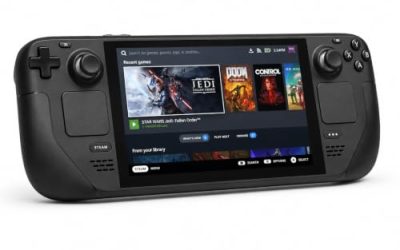
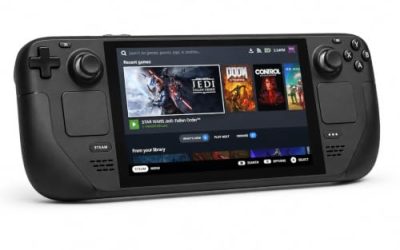
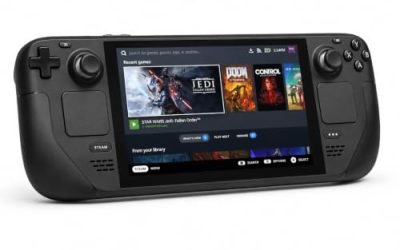
Valve Steam Deck OLED 512GB

The handheld the Playable badge was written for. The published requirements sit far below the Deck’s APU, and Valve’s sheet confirms legible text and a performant default configuration.
Specs
- Display: 7.4-inch HDR OLED, 1280 by 800, up to 90 Hz
- Processor: AMD Zen 2 and RDNA 2 custom APU
- Memory: 16 GB LPDDR5
- Storage: 512 GB NVMe, plus a microSD slot
- Wireless: Wi-Fi 6E and Bluetooth
- Channel note: Valve sells the Deck mainly through its own store, so Amazon listings are third-party sellers
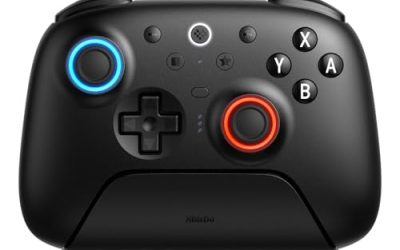
8BitDo Ultimate 2 Bluetooth Controller
The docked and desktop pad pick. The record declares full controller support for this game, and this pad covers the couch case with modern sticks, triggers and back buttons.
Specs
- Connectivity: Bluetooth wireless and USB-C wired
- Joysticks: TMR electromagnetic, anti-drift design
- Triggers: Hall effect, with mode switching
- Extras: two remappable back buttons, motion control
- In the box: charging dock included
Xbox Wireless Controller, Carbon Black
The safest guest pad in PC gaming: Steam Input support is universal, the glyphs match what most games display, and it pairs over Bluetooth or its own wireless standard. On the handheld, an external pad may need a manual Quick Access switch before it takes over.
- Connectivity: Xbox Wireless and Bluetooth
- Port: USB-C for wired play
- Controls: hybrid D-pad, dedicated Share button
- Power: AA batteries or optional rechargeable pack
Logitech G502 HERO
Airport planning is a pointing game: gates, runways and staff rotas are all placed with a cursor. At a desk, a precise wired mouse with eleven programmable buttons covers the repeated inputs.
Specs
- HERO optical sensor, up to 25,600 DPI
- 11 programmable buttons
- Adjustable weight system
- Wired USB connection
- On-board memory profiles
Samsung T9 Portable SSD 2TB
For moving a Linux game library between machines, a fast USB-C drive is the simple answer. The headline figure needs a Gen 2×2 host port; on a lesser port the drive runs at that ceiling.
Specs
- Capacity: 2 TB portable SSD
- Interface: USB 3.2 Gen 2×2, USB-C connector
- Maker-rated speeds: up to 2,000 MB per second read, 1,950 MB per second write
- Features: Dynamic Thermal Guard, maker-rated drop resistance
How to choose
Choose the Steam copy, because it is the only PC edition on sale anywhere, and on Linux it installs the native build by default: no compatibility tool to select, no launch options to set. A desktop or laptop with a dedicated graphics card matches the developer’s own Linux minimum; the published floor is old hardware by current standards, so most machines clear it comfortably, with budget systems on integrated graphics the one gamble. On Steam Deck, install and play under the Playable badge; a mid-range dock and pad setup suits the couch version. If the native build’s audio fault appears on your system, the documented route is to force Proton for sound, accepting the Windows build in place of the native one.
Who should skip
Skip the Linux version if your machine has only integrated graphics and no upgrade path: the developer’s own Linux tab asks for a dedicated GPU and warns that integrated graphics might not work. Skip the Deck version if you cannot tolerate non-Deck glyphs or a game that occasionally expects a cursor. Skip the game entirely if you want a modern, actively expanding airport simulation: the record has been stable since late 2023. And skip it if working sound is non-negotiable and you refuse to run a Windows build under Proton, since the native audio fault would leave you no acceptable route.
FAQ
Is SimAirport native on Linux?
Yes. The proof is in the depot layer: a 64-bit Linux depot of 1.72 GiB sits beside same-sized Windows and Mac depots, the launch configuration registers Linux executables, the single purchase package grants all three platforms, and the Linux requirements tab is populated. The only empty items are two zero-byte 32-bit depots, legacy scaffolding.
Is SimAirport playable on Steam Deck?
Yes, with a Playable rating rather than Verified. Valve’s sheet confirms full functionality under the default controller configuration, legible text and good performance, tested on the exact build the public branch still carries. The deductions are non-Deck glyphs and external controllers not taking over by default.
Does SimAirport work under Proton?
Player reports on ProtonDB include Proton filings alongside the native ones, and at least one recommends forcing Proton because the Windows build’s audio works where the native build’s sound failed on that system. ProtonDB’s summary feed returned no record for this app, so no tier is claimed here; the page classifies the game as native, matching Steam.
Can I buy SimAirport on GOG?
No. GOG holds no edition: the natural product address redirects to the general catalogue and no product record exists. Steam is the only storefront selling SimAirport.
Final verdict
SimAirport is one of the clean native cases. The flags claim all three platforms, and for once the delivery matches the claim at every layer: one package granting Windows, Mac and Linux, a populated Linux requirements tab, a full-sized 64-bit Linux depot, registered Linux launch entries and a dedicated Linux client icon. The Frequent Flyer Pack agrees with its base game, ProtonDB’s native classification agrees with Steam, and Valve’s Playable sheet was tested on the very build still on sale. The caveats are small and specific: two zero-byte 32-bit depots that are scaffolding rather than builds, a summary feed that returned no ProtonDB tiers, and reports of dead audio on the native build for some systems, with a Proton detour documented for that fault.
Product and ASIN Reference
| Product | ASIN |
|---|---|
| Valve Steam Deck OLED 512GB | B0CQ3RWQQZ |
| 8BitDo Ultimate 2 Bluetooth Controller | B0F194QFT2 |
| Xbox Wireless Controller, Carbon Black | B08DF248LD |
| Logitech G502 HERO | B07GBZ4Q68 |
| Samsung T9 Portable SSD 2TB | B0CHFS9K14 |