Transport Fever is the 2016 transport empire builder from Urban Games, the studio that later made Transport Fever 2: trains, trucks, ships and aircraft over towns that live or die by the networks feeding them. Because the sequel’s native Linux build is the famous one, the original is often assumed to be a Windows game Linux players reach through Proton. That assumption deserves a check against the store record.
Checked layer by layer, the record says the opposite. Steam’s flags, the purchase package, the requirements tab and the depot list all describe a game that shipped with a real Linux build in November 2016 and still sells it today. This article reads each layer, then weighs the ProtonDB file, the Deck sheet and the second storefront.
As an Amazon Associate, we earn from qualifying purchases.
Quick answer
Yes. Transport Fever is native on Linux, and the record agrees at every layer: Steam flags Linux true, the sole purchase package grants all three systems, a dedicated Linux depot sits beside the Windows and macOS ones, and the Linux requirements tab is fully populated. ProtonDB reads Platinum, Valve rates the Deck Playable on the native runtime, and GOG sells the same native build.
Reading the record from the depot up
Start with the layer that cannot be argued with: the files Steam delivers. SteamDB’s depot table for app 446800 lists a shared content depot of 9.36 GiB that every system draws from, then one executable depot per platform: Windows at 73.37 MiB, macOS at 109.70 MiB, and a dedicated Linux depot, named Transport Fever Linux, at 106.76 MiB on disk. That is a real binary, not a placeholder: the emptied depots that mark withdrawn ports elsewhere in this series read as size-less shells, and this one is neither.
The sales layer repeats it. Steam sells exactly one purchase package, package 95434, whose packagedetails record contains the base app alone with the platform mask reading Windows true, Mac true, Linux true. The licence a buyer receives today therefore grants the Linux build outright. The appdetails flags read the same three true values.
The requirements tab is populated with the same care. The Linux minimum names Ubuntu 14.04 or higher in 64-bit, a Core 2 Duo at 3.0 GHz, 4 GB of memory, a GeForce GTX 260 or Radeon HD 5670 class card with 1 GB of video memory, and 12 GB of storage: the same tiers the Windows tab publishes, the signature of a port specced rather than stubbed. Nor is the public branch a launch fossil: its current build, 10847605, was assembled in March 2023.
One app, no add-on shelf
The family sweep is the shortest in this series. The appdetails record exposes no dlc array at all, and Steam sells no expansion, season pass or soundtrack app: the whole commercial family is the single base app in its single package. That removes the usual trap shapes: no soundtrack app whose all-true mask could leak into a scanner summary, and no add-on whose dissenting record could narrow what the package grants.
Expansion was meant to come from the community instead. The record carries a Workshop depot registration, and the store categories list Steam Workshop. The mod scene’s vehicles, maps and industry chains install the same way on the Linux build as on the Windows one.
The ProtonDB file, read as a fallback measure
ProtonDB’s summary for app 446800 is a full read this session: Platinum on the headline tier, Platinum on the best-reported tier, Platinum on the trending tier, across 11 reports, with moderate confidence. Its tiers describe how the Windows build behaves under Proton. Read it as a fallback guarantee: if the native build ever misbehaves on a given machine, the Proton path behind it is as strong as community files get.
One check could not be completed. The ProtonDB game page returned no extractable content to the fetch routes used this session, so its requirements heading, which on other games in this series reads as a stray native claim against a Windows-only record, could not be inspected, and no heading claim is made either way.
The Deck sheet: Playable, graded on the native runtime
Valve rates Transport Fever Playable on Steam Deck, with SteamOS separately rated Compatible. One route disclosure: Valve’s own compatibility endpoint returned unusable responses throughout this session, so the sheet was read through SteamDB’s republication of Valve’s data. The verdict rests on the native runtime: the recommended runtime field reads native, meaning the testers graded the Linux build itself, not a Proton run of the Windows one.
The deductions are a list with one entry. Valve notes that some in-game text is small and may be difficult to read. Against that, the sheet records that all functionality is accessible under the default controller configuration, that the default graphics configuration performs well, and that no manual keyboard invoke is required. One honest caveat: the test is dated 2 March 2022 and graded build 3408007, while the current branch stands at build 10847605 from March 2023, so the badge grades an earlier build.
A second tension is worth naming. Steam’s store record declares no controller support at all: no controller field on the app record, no controller category among its store categories. The Playable badge therefore rests on Steam Input, mapping the Deck’s controls onto the game’s mouse-and-keyboard interface. That frames the pads below: Steam Input devices, not peripherals the record natively supports.
The second storefront sells the same build
GOG carries Transport Fever, and its edition is the native one. The ruling rests on GOG’s own records, never on its search endpoints: the live product page, identity-checked against the game’s title, developer and release date, prints a works-on line of Windows, Linux and Mac OS X, and the product API record behind it, product 1720767912, reads its system compatibility as windows true, osx true, linux true. The ruling was made independently for the first game; nothing was transferred from the sequel’s separate record.
The consequence is a genuine choice of storefronts. Both copies are the same Urban Games build in two wrappers: Steam’s arrives with Workshop integration, GOG’s as a DRM-free installer. Neither involves a compatibility layer.
Anti-cheat, DRM and account checks
The notices layer is silent, and the silence is reported as silence. Steam’s app record carries no drm notice and no external account notice: no third-party launcher, no account wall, no always-online requirement. SteamDB’s technology detection finds only media and toolkit libraries: SDL, OpenAL, Lua, Ogg and Vorbis. The Are We Anti Cheat Yet census, checked in full across its 1,167 listed games, carries no entry for Transport Fever at all.
Gear that fits the record
The picks below follow the record’s shape: the handheld whose badge was graded on this build, two Steam Input pads, a precision mouse, and fast storage for a growing Workshop library.
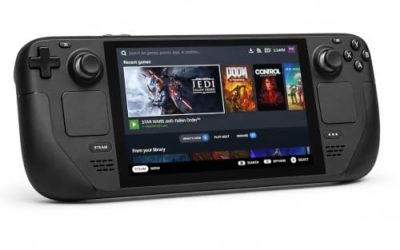
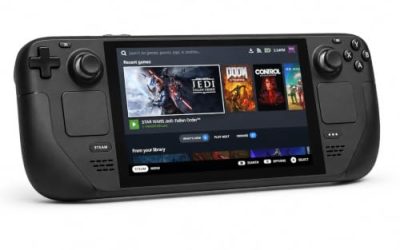
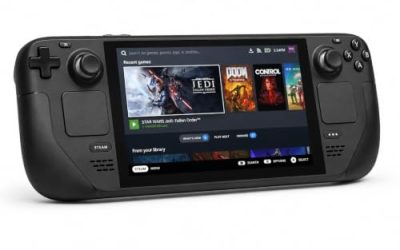
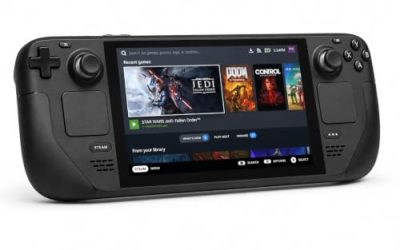
Valve Steam Deck OLED 512GB

The handheld the Playable badge was written for, running the native build the sheet graded. The minimums sit far below its hardware, and the one deduction, small text, is where the OLED panel helps most.
Specs
- Display: 7.4-inch HDR OLED, 1280 by 800, up to 90 Hz
- Processor: AMD Zen 2 and RDNA 2 custom APU
- Memory: 16 GB LPDDR5
- Storage: 512 GB NVMe, plus a microSD slot
- Wireless: Wi-Fi 6E and Bluetooth
- Channel note: Valve sells the Deck mainly through its own store, so Amazon listings are third-party sellers
8BitDo Ultimate 2 Bluetooth Controller
The docked pad pick, framed honestly: the record declares no controller support, so this is a Steam Input device, and Valve’s sheet confirms the default configuration reaches every function.
Specs
- Connectivity: Bluetooth wireless and USB-C wired
- Joysticks: TMR electromagnetic, anti-drift design
- Triggers: Hall effect, with mode switching
- Extras: two remappable back buttons, motion control
- In the box: charging dock included
Xbox Wireless Controller, Carbon Black
The second Steam Input option, and the one most likely to be in the house already. It pairs over Bluetooth or its own wireless standard and drives the same default configuration.
- Connectivity: Xbox Wireless and Bluetooth
- Port: USB-C for wired play
- Controls: hybrid D-pad, dedicated Share button
- Power: AA batteries or optional rechargeable pack
Logitech G502 HERO
The primary-input pick, because Transport Fever is a mouse game at heart: laying track and reading timetables are pointer work, and eleven programmable buttons put the camera keys under the hand already moving.
Specs
- HERO optical sensor, up to 25,600 DPI
- 11 programmable buttons
- Adjustable weight system
- Wired USB connection
- On-board memory profiles
Samsung T9 Portable SSD 2TB
The install is under ten gigabytes, but a Workshop habit grows it, and a fast USB-C drive keeps the library portable. The headline transfer figure needs a Gen 2×2 host port; on a lesser port the drive runs at that ceiling.
Specs
- Capacity: 2 TB portable SSD
- Interface: USB 3.2 Gen 2×2, USB-C connector
- Maker-rated speeds: up to 2,000 MB per second read, 1,950 MB per second write
- Features: Dynamic Thermal Guard, maker-rated drop resistance
How to choose
Choose the storefront first. Steam is the default: the Workshop library is one click deep, the Deck badge was graded on the Steam build, and the native install needs no forcing and no launch options. GOG is the pick for buyers who archive installers or keep a DRM-free shelf; the build and the Linux support are identical on the record. Choose the input second. At a desk, a good mouse is the whole answer and the pads are optional. On Deck or docked, accept the Steam Input arrangement for what it is, with the small-text note as the one real compromise.
Who should skip
Skip the original if the sequel’s larger maps, industry chains and add-on packs are the game you actually want; Transport Fever 2 is also native and the fuller production. Skip it if small interface text on a handheld is a hard limit, because Valve’s one deduction targets exactly that. Skip the pads if your sessions are desk-bound, since Steam Input is a translation, not a native mapping. And skip the Proton route as a first resort: Platinum-rated as it is, it remains second-best for a game whose own Linux build sits in the depot list.
FAQ
Is Transport Fever native on Linux?
Yes. Steam’s sole purchase package grants Linux beside Windows and Mac, the depot list carries a dedicated Linux depot of 106.76 MiB, and the Linux requirements tab is fully populated with an Ubuntu minimum. No compatibility layer is involved.
Is Transport Fever Steam Deck Playable?
Yes. Valve rates it Playable, with SteamOS separately Compatible, and the sheet’s recommended runtime is the native build. The single deduction is small in-game text. The paperwork is dated March 2022 and grades an earlier build than the current branch, so read the badge as grading the native line, not the exact build on sale.
Does Transport Fever support controllers?
Not on its own record: Steam declares no controller support and lists no controller category. Pad play happens through Steam Input, and Valve’s Deck sheet confirms the default configuration reaches all functionality that way.
Can I buy Transport Fever on GOG instead?
Yes, and the GOG edition is the same native build. Its live product page prints Windows, Linux and Mac OS X on the works-on line, and its product API record reads all three systems true. The trade is Workshop convenience against a DRM-free offline installer.
Final verdict
Transport Fever is the quiet counterpart to its sequel’s louder case: a 2016 transport builder whose Linux build is a standing part of the record every layer still confirms. The package grants it, the depot list ships it, the requirements tab specs it, ProtonDB’s Platinum file stands behind it, Valve graded it natively for the Deck badge, and GOG sells it a second time. Linux players need no workaround here, only a storefront choice.
Product and ASIN Reference
| Product | ASIN |
|---|---|
| Valve Steam Deck OLED 512GB | B0CQ3RWQQZ |
| 8BitDo Ultimate 2 Bluetooth Controller | B0F194QFT2 |
| Xbox Wireless Controller, Carbon Black | B08DF248LD |
| Logitech G502 HERO | B07GBZ4Q68 |
| Samsung T9 Portable SSD 2TB | B0CHFS9K14 |