Startopia is Mucky Foot’s 2001 station-management sim: rebuild a derelict space station deck by deck, hire nine alien species to staff it, and terraform a bio-deck while trade ships dock and vermin infest the corridors. It reached Steam in October 2013 under publisher My Little Planet, and that listing is what Linux players work with today. The question here is narrow: what does the record for app 243040 sell, and how does that build behave on Linux and Steam Deck?


The short version: there is no Linux build in the box. Every layer of the record says Windows, and the only complications are two depot registrations that look like Mac and Linux builds until you notice they carry no data at all. The good news sits one layer up: the Windows build is among the best-behaved classics in the Proton database, and Valve reviewed it on the Deck against the exact build on sale.
As an Amazon Associate, we earn from qualifying purchases.
Quick answer
Startopia has no native Linux build. Steam’s record for app 243040 flags Windows only, its single purchase package grants a Windows build alone, and the Linux requirements field is an empty list. Linux players run the Windows build through Proton, where 18 reports hold a Platinum tier, and Valve rates the game Playable on Steam Deck.
What the Steam record actually sells
Start with the purchase layer, because that is what a buyer receives. Steam sells Startopia in exactly one package, package 31677, and reading it on the packagedetails endpoint settles the platform question: it grants the base app alone, and its mask reads Windows true, Mac false, Linux false. The app-level flags repeat the mask, so badge and licence agree.
The requirements fields tell the same story. The Windows field is genuinely populated, down to the period spec: Windows XP, Vista or 7, a 1.8 GHz processor, 512 MB of RAM. The Mac and Linux fields are empty lists outright — no content at all. A real Linux port carries a populated Linux field; this record has a header and nothing under it.
The rest is equally plain. There is no drm_notice and no external account notice. The record declares no controller support: the controller_support field is absent, the package reads full_gamepad false, and the store categories list single-player and family sharing only. This is a mouse-driven game, and the record says so. SteamDB also shows the NoServers flag unset, fitting a single-player title.
The depot layer: two empty shells
The depot table is where a careless scan could go wrong. SteamDB lists four depots for app 243040. Depot 243041, the Windows content, is the only one with data: 566.37 MiB on disk. Depot 243042 holds Windows beta content, no size shown. Then come the two traps: depot 243043 is configured as macOS 64-bit and depot 243044 as Linux 64-bit, both showing no size at all.
A depot with no size carries no public content: nothing in either registration can be downloaded and no package grants them. The branches suggest why they exist — the public branch has stood at build 6307568 since February 2021, beside a beta and a logging-enabled beta branch. The Mac and Linux IDs read as scaffolding from porting work around that 2021 refresh, slots reserved but never filled. They are registrations, not products.
The icon set agrees: a client icon, a client tga, an icon and logos are registered, but no LinuxClientIcon, the asset a shipped Linux build normally carries. Taken together — Windows-only package, flags and field, one sized Windows depot, no Linux icon — the verdict has no dissenting layer.
ProtonDB: Platinum across the board
What the Windows build does under Proton is a happier story. The ProtonDB summary for app 243040 reads Platinum on the headline, best-reported and trending tiers alike, across 18 reports, with good confidence. Every way the database slices the reports, the answer is the top band.
The game page heads its requirements block “Natively Supports:”, and that heading is a template artefact — Steam’s record contradicts it at every layer, so this article follows Steam and treats the heading as stray. The reports underneath concern the Windows build under Proton, and their texture is consistent: most filings describe a game that installs and runs without intervention, at full HD, for long sessions without crashes. A minority strand pins older Proton generations — 5.0-10 recurs — and one 2021 filing could not get the game to open on any version tried, the lone failure shape in a field of clean runs. Two filings cover the GOG copy run through community launchers, covered below.
Steam Deck: Playable, and the paperwork is current
Valve’s compatibility sheet was read through SteamDB’s republication of Valve’s data, because the store’s own endpoint returned unusable bytes this session. The sheet rates the game Playable, with SteamOS separately rated Compatible. The single test behind the badge is dated 24 June 2022 and names the recommended runtime as proton-stable.
Paperwork currency is where this badge earns trust. Valve’s test graded build 6307568 — exactly the build on the public branch today, untouched since February 2021. The badge grades the game on sale, not an ancestor. The deductions are the familiar input-shaped set for a mouse-driven sim: the game sometimes shows mouse, keyboard or non-Deck controller icons, some text entry needs the on-screen keyboard invoked by hand, some text is small, and the game does not support the Deck’s native display resolution, which may cost performance. Against those, Valve records that all functionality is accessible under the default controller configuration and default graphics perform well. The sheet lists the tested input class as gamepad, meaning Steam Input translating the Deck’s controls for a mouse-and-keyboard game — the record declares no controller support, and nothing here upgrades that.
The GOG edition
There is a second PC edition, and it changes nothing for Linux. GOG sells Startopia as its own product, identity-checked on the live page: Mucky Foot Productions, the 2001 original. Its details panel reads “Works on: Windows”, its requirements are a Windows 7 spec, and its FAQ answers the operating-system question with “Startopia is officially supported on Windows.” The GOG copy is a DRM-free Windows build — a genuine benefit for archival, and the copy some filings run through community launchers — but no storefront sells a Linux edition. Every purchasable copy is the Windows build.
Anti-cheat is a non-issue reported as silence: the record names none, SteamDB detects only Bink Video middleware, and the AreWeAntiCheatYet database, checked in full across 1,167 tracked games, has no entry for this title.
Gear that fits the record
The gear below follows the record’s shape: the handheld Valve graded, two pads for Steam Input play, the mouse this game was designed around, and fast portable storage.
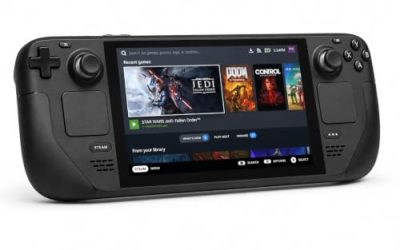
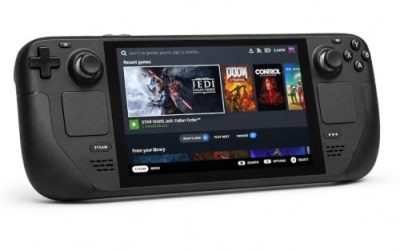
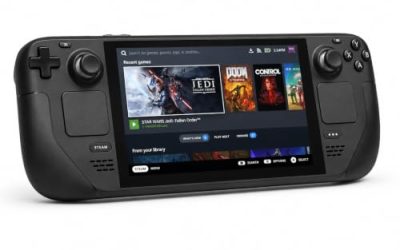
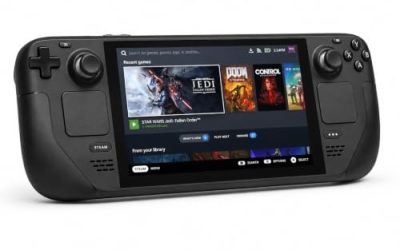
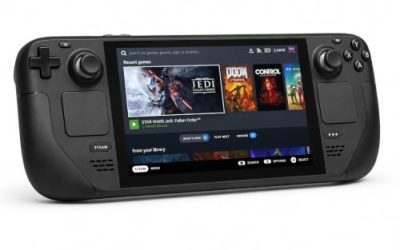
Valve Steam Deck OLED 512GB
The handheld the Playable badge was written for. Valve graded the current build under proton-stable, and a 2001 sim with a half-gigabyte footprint is light work for the APU; caveats concern text size and glyphs, not power.
Specs
- Display: 7.4-inch HDR OLED, 1280 by 800, up to 90 Hz
- Processor: AMD Zen 2 and RDNA 2 custom APU
- Memory: 16 GB LPDDR5
- Storage: 512 GB NVMe, plus a microSD slot
- Wireless: Wi-Fi 6E and Bluetooth
- Channel note: Valve sells the Deck mainly through its own store, so Amazon listings are third-party sellers
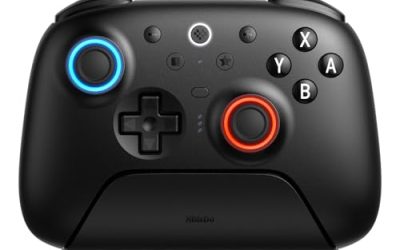
8BitDo Ultimate 2 Bluetooth Controller
The couch pad pick. Startopia declares no controller support, so any pad works through Steam Input rather than a native mapping; this one covers the role with modern sticks, triggers and back buttons for the camera and speed controls.
Specs
- Connectivity: Bluetooth wireless and USB-C wired
- Joysticks: TMR electromagnetic, anti-drift design
- Triggers: Hall effect, with mode switching
- Extras: two remappable back buttons, motion control
- In the box: charging dock included
Xbox Wireless Controller, Carbon Black

The safest guest pad in PC gaming: Steam Input support is universal, the glyphs match what games display, and it pairs over Bluetooth or its wireless standard. For Startopia it is a Steam Input device like any other, since the game speaks mouse and keys.
- Connectivity: Xbox Wireless and Bluetooth
- Port: USB-C for wired play
- Controls: hybrid D-pad, dedicated Share button
- Power: AA batteries or optional rechargeable pack
Logitech G502 HERO

The honest first choice for this game. Startopia is a mouse game — placing rooms, drawing corridors, sweeping the bio-deck — and a precise wired mouse with eleven programmable buttons covers the inputs a long session repeats.
Specs
- HERO optical sensor, up to 25,600 DPI
- 11 programmable buttons
- Adjustable weight system
- Wired USB connection
- On-board memory profiles
Samsung T9 Portable SSD 2TB

For moving a Linux game library between machines, or keeping an offline backup of installers, a fast USB-C drive is the simple answer. The headline figure needs a Gen 2×2 host port; on a lesser port it runs at that ceiling.
Specs
- Capacity: 2 TB portable SSD
- Interface: USB 3.2 Gen 2×2, USB-C connector
- Maker-rated speeds: up to 2,000 MB per second read, 1,950 MB per second write
- Features: Dynamic Thermal Guard, maker-rated drop resistance
How to choose
Choose the Steam copy if you play on Linux or Deck. It is the build ProtonDB’s Platinum file describes and the build Valve’s Playable test graded, and Steam’s client handles Proton for you: install, leave the compatibility tool at its default, and launch. Only reach for an older Proton generation such as 5.0-10 if the default misbehaves; that is the pin the minority of tinker-step reports use. Choose the GOG copy if a DRM-free offline installer matters more than one-click setup; on Linux it means running the same Windows build through a community launcher, a route filings document but Valve never graded. For input, plan around the mouse, and on the Deck expect Steam Input trackpad play with small text as the standing caveat.
Who should skip
Skip this one if you are shopping for a native Linux port: none exists, the empty Linux depot registration notwithstanding, and the 2021 remake Spacebase Startopia is a different game with its own record. Skip it if small interface text on a handheld is a deal-breaker, because Valve’s sheet flags exactly that. Skip it if you want native controller support rather than a Steam Input translation layer. And skip the GOG route on Linux if you are unwilling to run a community launcher, since GOG provides no Linux tooling for its build.
FAQ
Is Startopia native on Linux?
No. The sole purchase package grants a Windows build, the flags read Windows only, and the Linux requirements field is an empty list. A Linux-configured depot is registered but carries no content, and no package sells it.
How well does Startopia run under Proton?
ProtonDB’s summary is Platinum on its headline, best-reported and trending tiers, from 18 reports with good confidence. Most filings describe an install-and-play game; a minority pin an older Proton generation, and one 2021 filing failed to open it at all.
Is Startopia good on Steam Deck?
Valve rates it Playable, with SteamOS Compatible, and the June 2022 test graded build 6307568 — the same build on the public branch today, so the badge grades the copy on sale. Expect Steam Input controls, small text, and occasional non-Deck glyphs.
Does the GOG version work on Linux?
GOG’s edition is a Windows build, officially supported on Windows only. Linux players have run that copy through community launchers with Proton, as some filings describe, but GOG sells no Linux edition and offers no support for it.
Final verdict
Startopia on Linux is a clean case of a Windows-only record with an excellent compatibility story. Nothing in the box is native — not the package, not the flags, not the one depot carrying data — and the two size-less Mac and Linux depot registrations are scaffolding, not builds. What Linux players get is a Platinum-rated Proton run across 18 reports and a Playable Deck badge whose test graded the build still on sale. Buy the Steam copy, play it through Proton, and manage your station with a mouse or trackpad.
Product and ASIN Reference
| Product | ASIN |
|---|---|
| Valve Steam Deck OLED 512GB | B0CQ3RWQQZ |
| 8BitDo Ultimate 2 Bluetooth Controller | B0F194QFT2 |
| Xbox Wireless Controller, Carbon Black | B08DF248LD |
| Logitech G502 HERO | B07GBZ4Q68 |
| Samsung T9 Portable SSD 2TB | B0CHFS9K14 |