Every villain needs a lair, and Elixir Studios built one of the best in 2004: a hollowed-out tropical island, a world map to rob blind, and a parade of cartoon spies to feed into the deathtraps. Evil Genius still sells on Steam under Rebellion’s stewardship, which raises the obvious question: is there a native Linux build hiding in the mountain, or does the game reach Linux only through a compatibility layer?
The record answers without ambiguity. Every layer of the Steam listing, and GOG’s catalogue record beside it, describes a Windows-only game. The interesting part is what happens next: the compatibility layer that carries it on Linux holds one of the strongest report files a game of this vintage can earn, while Valve’s handheld badge points the other way.
As an Amazon Associate, we earn from qualifying purchases.
Quick answer
No. Evil Genius has no native Linux build on any storefront. Steam’s purchase package and GOG’s product record both list Windows alone, and the depot set is the original Windows content. The Linux route is Proton, where the game holds a Platinum file, although Valve rates the Steam Deck build Unsupported.
The record, layer by layer
Start at the top. The app record, app 3720, is named simply Evil Genius, with developer Elixir Studios and publisher Rebellion. SteamDB separates the dates the store page merges: the original release was 28 September 2004, and the Steam release followed on 22 June 2009. The platform flags read windows true, mac false, linux false, and the requirements fields agree: the Windows field is populated with period hardware (a Pentium III class processor, Windows XP or Vista), while the Mac and Linux fields are empty lists.
The decisive layer is the purchase package, and this record keeps things simple. Steam sells exactly one package, package 1726, granting the base app alone, and its platform mask repeats the flags exactly: windows true, mac false, linux false. A package can be narrower than the flags above it, never wider, and here nothing hides underneath. What you buy on Steam is a Windows licence, full stop.
The depot layer tells the same story in the game’s own files. SteamDB lists five depots: the main content depot at 639.09 MiB and four language depots for English, Spanish, German and French, each a little over 700 MiB. They are the original Windows content set, with no operating-system split and no Linux depot among them, emptied, stranded or otherwise. The public branch stands at build 250756, assembled in May 2014 and untouched since, and the icon set is the plain Windows set with no Linux client icon registered. Two period artefacts round out the record: the NoServers flag and a launch EULA. There is no third-party DRM notice and no external account notice.
The family sweep comes back empty, which for this series of articles is its own finding. The record exposes no DLC array at all, SteamDB associates no add-on apps, and the single package grants the base app alone, so the family size is zero: no expansion, demo, soundtrack or art book exists to carry a misleading all-platforms flag. The sequel, Evil Genius 2: World Domination, is a separate app with its own record and plays no part in this one.
One more absence matters for the gear below. The record declares no controller support: no controller-support field on the app record, and the package reads full gamepad false. Evil Genius was designed around a mouse pointer and a keyboard’s worth of shortcuts, and its paperwork has never pretended otherwise.
What Proton makes of it
If the native record is a shut door, the Proton record is an open one with a red carpet. ProtonDB’s summary file reads Platinum on every line it publishes: headline tier Platinum, best-reported tier Platinum, trending tier Platinum, across 30 reports, with the confidence marker at strong and a score of 0.79. For a 2004 strategy game built on the Bink Video and Granny 3D middleware, that is about as settled as a compatibility file gets: thirty reports is a deep sample for a title this old, and unanimity across the tiers means the verdict rests on no single filing.
One check could not be completed. The ProtonDB game page returned no readable content to any fetch route this session, so its requirements heading could not be inspected and no claim about it is made. The figures above come from ProtonDB’s summary endpoint, read directly.
The Deck sheet disagrees
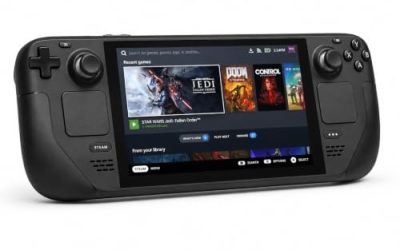
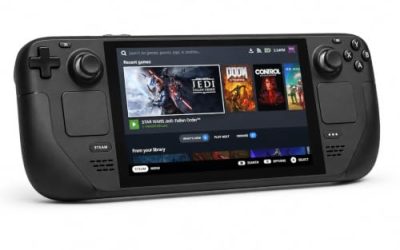
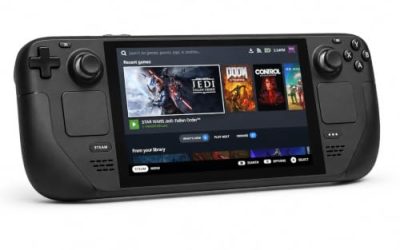
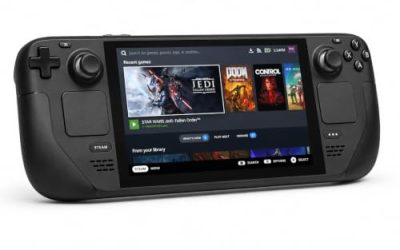
Desktop Linux and the Steam Deck part company here. Valve’s compatibility sheet for this app, read through SteamDB’s republication of Valve’s data after Valve’s own endpoint returned no usable response this session, records the category as Unsupported, with SteamOS compatibility also Unsupported. The sheet’s display line is the plainest one Valve issues: SteamOS does not support this game. The tested configuration names the input class as other and the recommended runtime as the stable Proton branch, and none of the usual deduction flags are raised, because this is not a deduction case at all: the test simply records that the game does not run on SteamOS.
The paperwork, unusually for a badge this old, is current by construction. Valve’s single test is dated 23 April 2022 and graded build 250756, exactly the public branch build on sale today, frozen since May 2014. There is no newer build for the badge to be stale against, so the Unsupported rating describes the files a buyer downloads now. The split is worth stating plainly: Proton on a desktop distribution and Proton inside SteamOS are different environments, and this is one of the games where their records diverge. The desktop file says the Windows build runs beautifully under Proton; the Deck sheet says Valve’s test could not get it running on the handheld’s system. Neither record cancels the other.
The GOG alternative
GOG sells Evil Genius too, and its catalogue record was checked directly rather than by search. The live product page resolves under the game’s own name, and the product API record behind it, identity-verified by title and slug, reads windows true, osx false, linux false. So GOG’s edition exists, but it is the same Windows build in a DRM-free wrapper: it changes the installer and the ownership terms, not the platform. On Linux it feeds the same Proton route as the Steam copy, and the practical difference is the offline installer and the freedom to archive it.
Gear for a mouse-driven lair
The record shapes the desk: no controller support on paper, a Deck badge that says no, and a game driven by pointer and shortcuts. The picks follow that shape, desktop first.
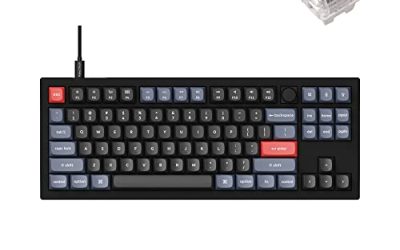
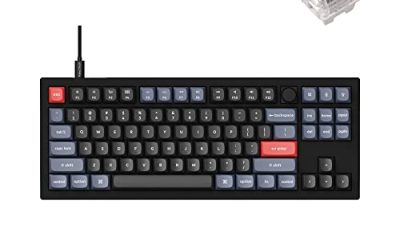
Keychron V3
The keyboard pick for long lair sessions: Evil Genius lives on hotkeys, and a tenkeyless board with firmware-level remapping puts the game-speed and camera keys where your hand expects them, on any Linux install.
Specs
- Tenkeyless layout with rotary knob
- QMK and VIA remapping support
- Hot-swappable K Pro Brown switches
- Wired USB-C connection
- Maker-rated 1,000 Hz polling
Logitech G502 HERO
The mouse is the real controller here: laying out rooms, tagging agents and sweeping the world map are all pointer work. Eleven programmable buttons absorb the orders and speed controls a long session repeats constantly.
Specs
- HERO optical sensor, up to 25,600 DPI
- 11 programmable buttons
- Adjustable weight system
- Wired USB connection
- On-board memory profiles
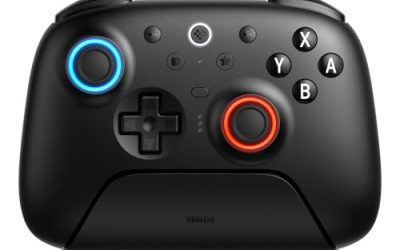
8BitDo Ultimate 2 Bluetooth Controller

A library pick, stated honestly: this game’s record declares no controller support, so the pad is not for Evil Genius itself. It earns its place for the rest of a Linux library, where modern sticks, triggers and back buttons cover the games that do take one.
Specs
- Connectivity: Bluetooth wireless and USB-C wired
- Joysticks: TMR electromagnetic, anti-drift design
- Triggers: Hall effect, with mode switching
- Extras: two remappable back buttons, motion control
- In the box: charging dock included
Xbox Wireless Controller, Carbon Black
The guest pad for the wider library, again not for this title: Steam Input support is universal, the glyphs match what most games display, and it pairs over Bluetooth or its own wireless standard when a game asks for a controller.
- Connectivity: Xbox Wireless and Bluetooth
- Port: USB-C for wired play
- Controls: hybrid D-pad, dedicated Share button
- Power: AA batteries or optional rechargeable pack
Samsung T9 Portable SSD 2TB
For moving a Linux game library between machines, or keeping an offline backup of the GOG installer, a fast USB-C drive is the simple answer. The headline figure needs a Gen 2×2 host port; on a lesser port the drive runs at that ceiling instead.
Specs
- Capacity: 2 TB portable SSD
- Interface: USB 3.2 Gen 2×2, USB-C connector
- Maker-rated speeds: up to 2,000 MB per second read, 1,950 MB per second write
- Features: Dynamic Thermal Guard, maker-rated drop resistance
How to choose
Choose the storefront by what you value around the same Windows build. The Steam copy is the one both compatibility records describe, installs in one click, and drops straight into Proton with no configuration expected: the Platinum file says the default compatibility tool is the whole job. The GOG copy buys you the offline installer and an archive-friendly licence for the identical build, at the cost of wiring the install into Proton yourself. Either way, plan on a desktop or laptop with a mouse and keyboard; that is the input pair the game was built for and the environment its Platinum record was earned in. Storage demands are trivial: the full depot set is a few gigabytes at most.
Who should skip
Skip this one if the Steam Deck is your only Linux machine: Valve’s sheet rates the build Unsupported, and that test graded the exact build on sale, so there is no paperwork staleness to hide behind. Skip it if you insist on native builds on principle, because there is none on any storefront and a game frozen since 2014 is not getting one. Skip it if you play with a controller alone, since the record declares no controller support at all. And skip it if real-time base building with a mouse sounds like work: the game’s charms are real, but they are all on the other side of a pointer.
FAQ
Is Evil Genius native on Linux?
No. Steam’s platform flags, its single purchase package and the depot set all describe a Windows-only game, and GOG’s product record reads Windows alone as well. No native build exists on any storefront; the Linux route is Proton.
How well does Evil Genius run under Proton?
ProtonDB’s summary file is Platinum on its headline, best-reported and trending tiers, from 30 reports with strong confidence. That is the desktop record: on a regular Linux distribution, the Windows build is among the best-documented runners of its era.
Can I play Evil Genius on Steam Deck?
Valve’s compatibility sheet rates it Unsupported, for the Deck and for SteamOS alike, and the test behind the badge graded build 250756, the exact build still on sale. The official record says the handheld is not a route for this game.
Is the GOG version any different on Linux?
Only in the wrapper. GOG’s edition exists and is DRM-free with an offline installer, but its product record lists Windows alone, so on Linux it runs through the same Proton layer as the Steam copy.
Final verdict
Evil Genius on Linux is a study in split records. Natively, there is nothing: no port, no depot, no package, on Steam or on GOG, and the paperwork has been frozen since 2014. Through Proton on a desktop, there is nearly everything: a Platinum file, unanimous across its tiers, deep enough to trust. The one hard no is the Steam Deck, where Valve’s own test says the game does not run. Buy it for a desk and drive it with a mouse, and the old lair runs like it was built yesterday; buy it for the handheld, and the badge has already told you how that ends.
Product and ASIN Reference
| Product | ASIN |
|---|---|
| Keychron V3 | B0B2DMMMG2 |
| Logitech G502 HERO | B07GBZ4Q68 |
| 8BitDo Ultimate 2 Bluetooth Controller | B0F194QFT2 |
| Xbox Wireless Controller, Carbon Black | B08DF248LD |
| Samsung T9 Portable SSD 2TB | B0CHFS9K14 |