Most games in this series need a detective. Tropico 5 needs an auditor, because its Linux story is written in three hands: a native port that genuinely shipped, a Mac build that fell off the record, and a family of add-ons that still claims a platform the base game no longer sells.


The short version is that the Linux thread is the honest one. Haemimont Games released Tropico 5 for Kalypso Media Digital on 23 May 2014, the Mac and Linux builds followed, and Steam’s record still describes a native Linux edition at every layer that decides what a purchase delivers. The Mac thread is the dead one, and the add-ons are where the paperwork disagrees.
As an Amazon Associate, we earn from qualifying purchases.
Quick answer
Tropico 5 is genuinely native on Linux, and the native build is still the one Steam sells. The flags, the published Ubuntu requirements, the purchase package and all thirteen add-ons agree, and a Linux client icon sits on the record. The one dead leg is Mac: the base record no longer sells a Mac build.
The flag is only the first witness
Steam’s platform flags for app 245620 read Windows true, Linux true and Mac false. A flag on its own proves nothing in this series, so the next witness is the requirements block, and here it testifies in detail. The published Linux requirements are a real spec, not a stub: Ubuntu or SteamOS in a current version, a 2 GHz dual-core processor, 4 GB of memory, a GeForce 400 series or Radeon HD 4000 series class card, and 4 GB of storage.
The Mac requirements field is the trap in this record. It is fully populated, down to an OSX 10.9 minimum, even though the Mac flag reads false. A populated field is paperwork that survives the thing it described: a Mac build existed, and the field was never cleaned up when the build stopped being sold. Auditing from the requirements tabs alone, you would conclude Mac support is alive. It is not, and the layer that settles the question is the purchase package.
The decisive layer: what the licence grants
Steam sells the base game through a single standalone package, the Steam Special Edition, package 42660. Read on packagedetails, it grants Windows true, Mac false and Linux true. That mask is the verdict in miniature: the licence a buyer receives today includes the Linux build and not a Mac build. Flags, Linux requirements and package all say the same thing, which is what a genuine, still-sold native port looks like.
The Complete Collection changes nothing underneath: it is sold as a bundle of the individual items rather than as its own package with its own platform mask, so every component is bought through the same records audited here. SteamDB’s asset list adds two corroborations: a LinuxClientIcon is registered for the app, and the store carries the Mac and Linux release trailer from the port’s launch era. The depot table could not be extracted in this session, so the ruling rests on those four agreeing layers.
The family sweep: thirteen add-ons, one split
The base record’s add-on array holds thirteen entries, each read on its own record: Espionage, Waterborne, The Big Cheese, T-Day, Mad World, The Supercomputer, Surf’s Up!, Generalissimo, Gone Green, Joint Venture, Supervillain, Inquisition and the Map Pack. Every one is typed as add-on content for this game, and every one reads Windows, Mac and Linux all true. Espionage’s own purchase package repeats the all-true mask.
On the Linux leg, that is unanimity: no add-on dissents from the base game’s native build. On the Mac leg, the family disagrees with its own base record. The add-ons still claim a Mac build the base game’s flag and package have withdrawn, and since add-on content cannot run without the base game, those flags describe a build a new buyer cannot assemble. It is the mirror image of the usual trap: the children kept a flag the parent dropped, and the parent tells the truth.
What ProtonDB says about a native game
ProtonDB classifies Tropico 5 as Native and heads its requirements block “Natively Supports:”, and for this game the heading and Steam’s record agree. The file holds 33 reports. Its summary feed returned no record on repeated reads in this session, so no headline, best-reported or trending tier is claimed here; what the page itself shows is a community split between two builds, because players file against both the native port and the Windows build running through Proton.
The texture of those filings is worth more than a tier would be. Native filings include clean full-campaign runs and, on some systems, campaign crashes with no clear trigger; one reports that cloud saves would not come down, and another notes that native saves are incompatible with the Windows build, matching Valve’s no-cross-platform-saves note below. Proton filings report pointer and edge-scroll quirks, with a WINE_MOUSE_WARP_OVERRIDE launch option as the recurring workaround. Neither route is spotless.
The Steam Deck sheet, read carefully
Valve rates Tropico 5 Playable on Steam Deck, with SteamOS separately Compatible. The sheet, read through SteamDB’s republication of Valve’s compatibility record, dates its test to 1 April 2023 on build 5820970. Its findings: all functionality is accessible with the default controller configuration, interface text is legible, and the default graphics configuration performs well. The deductions are a launcher that may need the touchscreen or virtual keyboard, glyphs that do not always match the Deck, and the map editor not being accessible on the device.
Two details deserve emphasis. First, the sheet names proton-stable as the recommended runtime, meaning Valve graded the Windows build through Proton, not the native build: the badge certifies a route most desktop players will not use. Second, the record declares no controller support at all, so the grade rests on Steam Input’s default configuration doing the translating. On a desktop this is a mouse-and-keyboard game; the pads below are for the Deck and the dock.
The GOG ruling
GOG sells Tropico 5, and its live product page, identity-checked against the same Haemimont title and 2014 release date, reads “Works on: Windows” and nothing else. Its own FAQ answers the operating-system question with Windows alone, and its published requirements are a Windows 7, 8 and 10 spec. So the split is clean: a DRM-free edition exists, it is Windows-only, and Steam is the only storefront that sells the Linux build.
One silence to report as silence: no layer names any anti-cheat. Steam carries no anti-cheat or account notice for this game, SteamDB’s detection finds only the HaemimontSol engine, and the community anti-cheat index holds no entry for the app. That is the absence of a listing, not a promise about the netcode.
Gear that fits the record
The picks follow the badge and the build: the handheld Valve graded, two pads for docked play under Steam Input, a precise mouse for the desktop game this actually is, and fast storage for a library that moves.
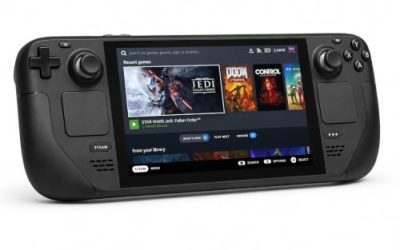
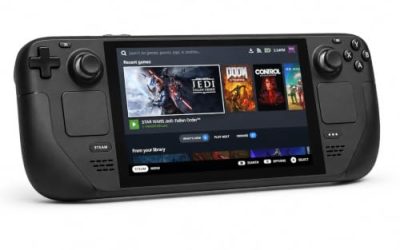
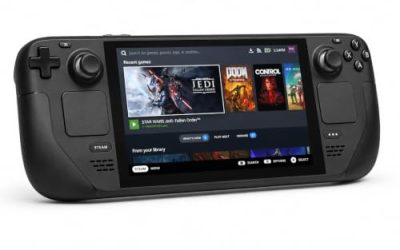
Valve Steam Deck OLED 512GB
The handheld behind the Playable badge. The native build’s published requirements sit far below this hardware, and even the Proton route Valve graded fits comfortably inside the APU’s headroom.
Specs
- Display: 7.4-inch HDR OLED, 1280 by 800, up to 90 Hz
- Processor: AMD Zen 2 and RDNA 2 custom APU
- Memory: 16 GB LPDDR5
- Storage: 512 GB NVMe, plus a microSD slot
- Wireless: Wi-Fi 6E and Bluetooth
- Channel note: Valve sells the Deck mainly through its own store, so Amazon listings are third-party sellers
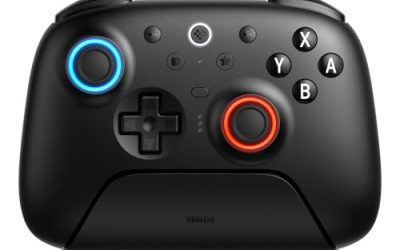
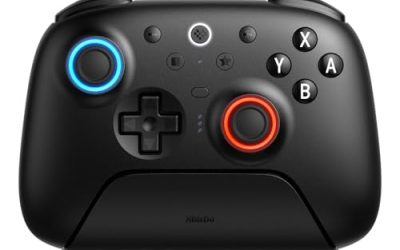
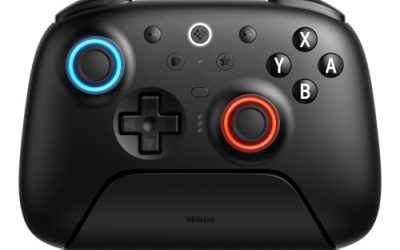
8BitDo Ultimate 2 Bluetooth Controller
For docked Deck play and the wider Steam Input library: modern sticks and triggers plus back buttons that suit a menu-heavy strategy game once a configuration is mapped.
Specs
- Connectivity: Bluetooth wireless and USB-C wired
- Joysticks: TMR electromagnetic, anti-drift design
- Triggers: Hall effect, with mode switching
- Extras: two remappable back buttons, motion control
- In the box: charging dock included
Xbox Wireless Controller, Carbon Black

The safest guest pad in PC gaming: Steam Input support is universal, the glyphs match what most games display, and it pairs over Bluetooth or its own wireless standard. On the handheld, the test sheet’s note applies: an external pad may need a manual Quick Access Menu switch before it takes over.
- Connectivity: Xbox Wireless and Bluetooth
- Port: USB-C for wired play
- Controls: hybrid D-pad, dedicated Share button
- Power: AA batteries or optional rechargeable pack
Logitech G502 HERO

Tropico is a panel-and-cursor game, and a precise wired mouse is its natural controller. Eleven programmable buttons cover the confirm, cancel and camera inputs a session repeats.
Specs
- HERO optical sensor, up to 25,600 DPI
- 11 programmable buttons
- Adjustable weight system
- Wired USB connection
- On-board memory profiles
Samsung T9 Portable SSD 2TB

For moving a Linux game library between machines, or keeping an offline backup of installers, a fast USB-C drive is the simple answer. The headline figure needs a Gen 2×2 host port; on a lesser port the drive runs at that ceiling.
Specs
- Capacity: 2 TB portable SSD
- Interface: USB 3.2 Gen 2×2, USB-C connector
- Maker-rated speeds: up to 2,000 MB per second read, 1,950 MB per second write
- Features: Dynamic Thermal Guard, maker-rated drop resistance
How to choose
Buy it on Steam, because that is the only shelf carrying the Linux build; the GOG edition is a Windows copy. Choose the base edition if the campaign eras are the draw, and the Complete Collection bundle if the two expansions, Espionage and Waterborne, are on your list, since every add-on carries the base game’s native platform story. On desktop, install the native build first and treat Proton as the documented fallback for the reported crashes or save quirks. On the Deck, expect the Playable experience Valve described: workable with the default configuration, the map editor out of reach, and a launcher that may ask for the touchscreen.
Who should skip
Skip the GOG edition if native Linux is the point of the purchase. Skip this entry if you are shopping for a Mac build: the requirements tab still advertises one, but no package on the record sells it, and the add-ons’ surviving Mac flags cannot resurrect it. Skip the Deck as your only screen if the map editor matters to you, because Valve lists it as inaccessible there. And skip Tropico 5 as a starting point if you want the newest game with the freshest paperwork; its sequel carries a fuller record.
FAQ
Is Tropico 5 native on Linux?
Yes. The flag, the published Ubuntu and SteamOS requirements, the Steam Special Edition package mask and a registered Linux client icon all agree, and all thirteen add-ons carry the Linux flag too.
Can I buy the Linux version on GOG?
No. GOG’s own product page lists the game as working on Windows alone, with Windows-only system requirements. The DRM-free edition is a Windows copy; Steam is the only storefront selling the Linux build.
Is Tropico 5 Steam Deck Verified?
No, it is rated Playable, with SteamOS Compatible. Valve’s April 2023 test found all functionality accessible with the default controller configuration and legible text, with deductions for the launcher, mismatched glyphs and the inaccessible map editor, and it graded the Proton route, not the native build.
What happened to the Mac version?
It fell off the base record. The Mac requirements field is still populated and every add-on still claims Mac support, but the base game’s flag reads false and its package grants no Mac build, so a new purchase does not include one.
Final verdict
Tropico 5 is a genuine native Linux release that is still sold as one, which puts it ahead of most of its own series. Every layer that decides a purchase agrees on Linux, and the record’s only disagreement is confined to a Mac build that survives as leftover paperwork. Buy it on Steam, run the native build, keep Proton as the documented fallback, and let the Deck’s Playable badge mean exactly what its sheet says.
Product and ASIN Reference
| Product | ASIN |
|---|---|
| Valve Steam Deck OLED 512GB | B0CQ3RWQQZ |
| 8BitDo Ultimate 2 Bluetooth Controller | B0F194QFT2 |
| Xbox Wireless Controller, Carbon Black | B08DF248LD |
| Logitech G502 HERO | B07GBZ4Q68 |
| Samsung T9 Portable SSD 2TB | B0CHFS9K14 |