Railroad Tycoon II Platinum is PopTop’s 1998 railroad empire simulator in expanded form: the Platinum package folds the base game together with The Second Century expansion, and the Steam listing, published by 2K, dates from 4 May 2007. Linux players still ask the obvious question about the Collection shelf’s oldest game: did anyone ever ship a native Linux build of it?


Nobody did. Every layer of the record reads Windows-only, and the record has been frozen for over a decade, so that answer is not changing. What makes the game interesting on Linux is the split that follows: on a desktop, Proton handles it at a Platinum standard, while Valve’s Steam Deck sheet rates the same build Unsupported.
As an Amazon Associate, we earn from qualifying purchases.
Quick answer
Railroad Tycoon II Platinum has no native Linux build. Steam’s flags, both purchase packages and the single content depot are Windows-only, and GOG’s edition reads the same. On a Linux desktop the game runs through Proton with a Platinum headline on ProtonDB, but Valve rates it Unsupported on Steam Deck.
What Steam is actually selling
Start with the flags. The app record lists Windows as true and both Mac and Linux as false. Flags alone can lag, so the requirements fields come next. The Windows field is genuinely populated, and it is a period piece: Windows 95 or 98, a Pentium 133 processor, 16 MB of RAM, 100 MB of disk space and a video card capable of 1024 by 768. The Mac and Linux requirements fields are not outdated or partial; they are empty lists outright.
The decisive layer is the purchase packages. Steam sells this game two ways: a standalone package granting the base app alone, and the Railroad Tycoon Collection package, which bundles this game with Railroad Tycoon 3 and Sid Meier’s Railroads. Both packages were read individually, and both repeat the same mask: Windows true, Mac false, Linux false. No purchase route on Steam delivers anything other than a Windows build.
The rest of the record is as bare as the era suggests. No DRM notice, no third-party account notice; the store categories are Single-player and Family Sharing, nothing more. The record declares no controller support at all: no controller field on the app record, and both packages read full gamepad support as false. This is a mouse-and-keyboard game from 1998.
One depot, frozen since 2014
SteamDB’s depot table is the shortest in this series so far: a single content depot, named Railroad Tycoon 2 Platinum Content, holding 637.91 MiB, and that depot is the entire install — no operating-system split, no language depots. The icon set is the plain Windows set; no Linux client icon is registered. The public branch build was assembled on 1 May 2014 and has not moved since. SteamDB also carries the NoServers flag, marking server infrastructure that no longer exists, and the store record agrees with its single-player-only categories. Anti-cheat is a non-question: Steam names none, SteamDB’s detection surfaces only the Miles Sound System and Smacker Video libraries, and the community tracker has no entry for this app — silence reported as silence, not as a ruling.
The family shelf agrees
The base record exposes no DLC array: the Platinum edition already folds The Second Century into the main app, as the store text states. The wider family is recovered from the Collection package. Railroad Tycoon 3 reads Windows-only at every layer, in full agreement. Sid Meier’s Railroads is the one sibling with a wrinkle — its flags include a genuine Mac build, but Linux is false there too. No member of the three-game shelf sells a Linux build, and no soundtrack or artbook app exists to carry friendlier flags.
Proton: a Platinum file with one sharp edge
With no native build on sale, the desktop Linux route is Proton, and the file there is strong. ProtonDB’s summary reads Platinum on the headline tier and Platinum again as best-reported, with Gold trending, drawn from 19 reports with good confidence.
One caution: ProtonDB’s game page heads its requirements block with the words Natively Supports, which Steam’s record contradicts at the flag, package and depot layers. The heading is a template artefact, not a port announcement; buy the game as a Windows build that Proton carries.
The texture underneath is consistent: a game that runs well in session, with one recurring fault, switching window focus. Several filings describe alt-tab crashes on current Proton generations, naming a DirectDraw error, and the repeated remedy is pinning the older Proton 5.0-10 branch, where the fault disappears. Windowed mode is unreliable. That is the known behaviour of a fixed-resolution 1998 program.
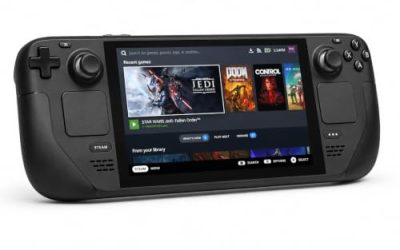
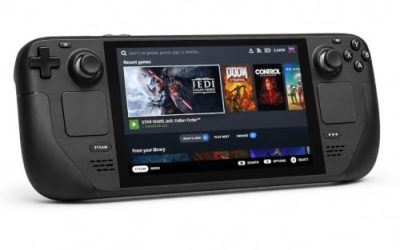
The Deck verdict: Unsupported, on current paperwork
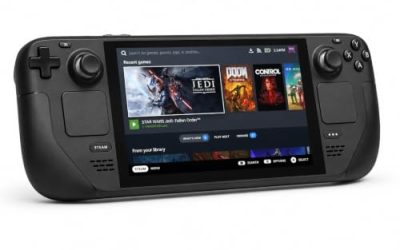
Valve’s compatibility record was read directly from Valve’s own endpoint: the resolved category is Unsupported, with the stated result that SteamOS does not support the game, and SteamOS separately carries the same rating.
The paperwork behind it is current in the way that matters. SteamDB’s republication of Valve’s sheet shows one test, dated 21 September 2022, run on build 251841 with the stable Proton runtime — exactly the current public branch build, assembled in May 2014 and never replaced, so the verdict grades the same bytes a buyer downloads today. Its notes flag small text and a manual keyboard invoke. Community filings are more forgiving, one calling it very good with a community layout; they are reported at report weight and do not change the verdict.
GOG sells the same Windows build
GOG’s catalogue was ruled from its own records, not from search results. The live product page resolves under the game’s own name, and the product record behind it, identity-checked by title and slug, reads system compatibility as Windows true, Mac false and Linux false. GOG therefore sells the same Windows build Steam sells, in a DRM-free wrapper: a Linux buyer is choosing the wrapper, not a different game, and must supply the compatibility layer through a community launcher or manual setup rather than getting it built into the client.
Gear for a desktop railroad
The Deck verdict and the record’s silence on controllers set the shape of this section: desktop gear for a mouse-and-keyboard game. The keyboard and mouse lead, as the inputs the game was designed around. The pads are wider-library picks; this record declares no controller support, and nothing below changes that, or the Deck verdict.
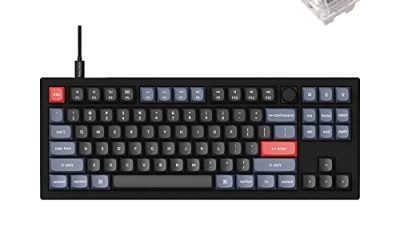
Keychron V3
This game is run from the keyboard as much as the mouse: scenario hotkeys, speed controls and menu shortcuts carry a long session. A tenkeyless board with firmware-level remapping lets those bindings live in the keyboard itself, surviving every reinstall.
Specs
- Tenkeyless layout with rotary knob
- QMK and VIA remapping support
- Hot-swappable K Pro Brown switches
- Wired USB-C connection
- Maker-rated 1,000 Hz polling
Logitech G502 HERO
The mouse is the primary instrument here: laying track, dragging routes and working dense financial menus are pointer tasks from the first minute to the last. Eleven programmable buttons put the confirm, cancel and camera inputs a session repeats under one hand.
Specs
- HERO optical sensor, up to 25,600 DPI
- 11 programmable buttons
- Adjustable weight system
- Wired USB connection
- On-board memory profiles
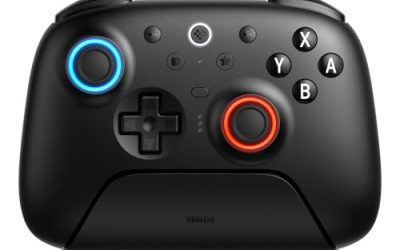
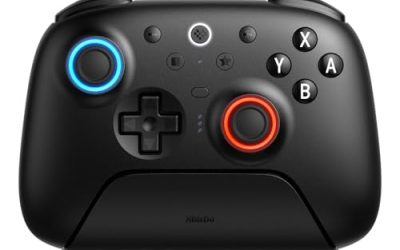
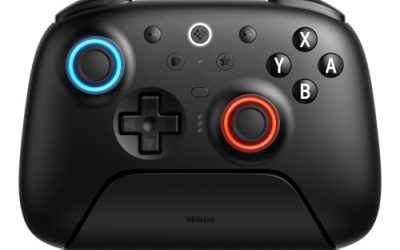
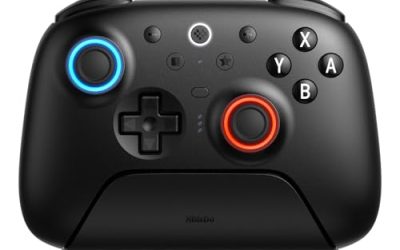
8BitDo Ultimate 2 Bluetooth Controller

A wider-library pick rather than a pick for this game: most modern Linux titles expect a pad, and this one covers that shelf with modern sticks, triggers and a charging dock. For this title it would work only through Steam Input translation, which the record does not promise.
Specs
- Connectivity: Bluetooth wireless and USB-C wired
- Joysticks: TMR electromagnetic, anti-drift design
- Triggers: Hall effect, with mode switching
- Extras: two remappable back buttons, motion control
- In the box: charging dock included
Xbox Wireless Controller, Carbon Black

The safest guest pad in PC gaming: Steam Input support is universal, and it pairs over Bluetooth or its own wireless standard. This game’s record declares no controller support, so treat it as catalogue gear, not as a way into this title.
- Connectivity: Xbox Wireless and Bluetooth
- Port: USB-C for wired play
- Controls: hybrid D-pad, dedicated Share button
- Power: AA batteries or optional rechargeable pack
Samsung T9 Portable SSD 2TB

The game itself is a rounding error at well under a gigabyte, so this pick is about the library around it: a fast USB-C drive moves a whole Linux collection between machines, or keeps an offline backup of installers. The headline figure needs a Gen 2×2 host port; on a lesser port it runs at that ceiling.
Specs
- Capacity: 2 TB portable SSD
- Interface: USB 3.2 Gen 2×2, USB-C connector
- Maker-rated speeds: up to 2,000 MB per second read, 1,950 MB per second write
- Features: Dynamic Thermal Guard, maker-rated drop resistance
How to choose
Choose the store first. Steam is the smoother route for a Linux desktop: Proton is built into the client, and the 19-report Platinum file describes exactly that path. GOG offers the same build without DRM, but the compatibility layer becomes your own wiring job. The Collection bundle makes sense only if Railroad Tycoon 3 and Sid Meier’s Railroads are on your list too; all three are Windows builds, and the bundle changes nothing about how any of them runs.
Choose the Proton branch second. Start with the default; if the alt-tab crash appears, pin the older 5.0-10 branch reporters recommend, where the fault is documented to disappear, and keep the game at its fixed period resolution rather than fighting its windowed mode. And choose the machine firmly: a Linux desktop or laptop is the platform this record supports. The Steam Deck is not, whatever individual filings suggest.
Who should skip
Skip this one if you are collecting native Linux strategy games: the Platinum in the name refers to the edition’s contents, not to any port. Skip it as a Steam Deck purchase: Valve’s Unsupported verdict was tested against the exact build on sale, and community filings do not overturn a published rating. Skip it if the draw is period multiplayer: the NoServers flag and single-player-only categories make this a solo game. And skip it if a fixed 1024 by 768 presentation and focus-sensitive windowing will irritate more than the empire building rewards; that texture is documented, and a record frozen since 2014 will not be patched.
FAQ
Is there a native Linux version of Railroad Tycoon II Platinum?
No. Steam’s flags, both purchase packages and the single content depot all read Windows-only, the Linux requirements field is an empty list, and GOG’s product record reads Windows-only as well. The Linux route is Proton.
How well does it run on a Linux desktop?
Very well by the available evidence. ProtonDB’s summary reads Platinum on the headline and best-reported tiers with Gold trending, from 19 reports with good confidence. The one documented fault is focus switching: alt-tabbing can crash the game on current Proton generations, and filings recommend pinning the older 5.0-10 branch.
Can I play it on Steam Deck?
Valve rates the game Unsupported on Steam Deck, and SteamOS separately Unsupported. The single test behind that verdict, from September 2022, graded the exact build still on sale. Some Deck owners report workable sessions in community filings, but the published verdict is the one to buy against.
Does the GOG version change anything for Linux?
Only the wrapper. GOG’s edition is the same Windows build, sold DRM-free, and its product record reads Windows-only like Steam’s packages. Steam remains the easier route because Proton is integrated into the client; the GOG copy leaves the compatibility layer to you.
Final verdict
Railroad Tycoon II Platinum on Linux is a desktop Proton story: a Windows-only record at the flag, package, depot and GOG layers, a family shelf in full agreement, and a build frozen since 2014 that makes even the Deck paperwork current. For a Linux desktop it is one of the safest old-game purchases in the catalogue. For a Steam Deck, it is a purchase against Valve’s published Unsupported verdict. Buy it for the desk, pin an older Proton branch if focus switching bites, and let the Platinum tier, not the Platinum name, set expectations.
Product and ASIN Reference
| Product | ASIN |
|---|---|
| Keychron V3 | B0B2DMMMG2 |
| Logitech G502 HERO | B07GBZ4Q68 |
| 8BitDo Ultimate 2 Bluetooth Controller | B0F194QFT2 |
| Xbox Wireless Controller, Carbon Black | B08DF248LD |
| Samsung T9 Portable SSD 2TB | B0CHFS9K14 |