Most games whose Steam flags claim Windows, Mac and Linux support fall apart somewhere underneath: the package quietly drops a platform, the Linux requirements tab is an empty list, or the depot layer holds a soundtrack wearing the game’s name. Imperium Galactica II is the exception this column keeps looking for. The 2017 remaster of Digital Reality’s 1999 empire-building RTS, published by THQ Nordic with Gyroscope Games on the re-release, makes the three-platform claim at the top of its record — and repeats it at every layer below.


That consistency is the story here, so this piece walks the record in order: the flags and requirements tabs, both purchase packages, the depot table, the ProtonDB file, the empty Steam Deck sheet, and the second storefront selling a Linux build.
As an Amazon Associate, we earn from qualifying purchases.
Quick answer
Yes — Imperium Galactica II is genuinely native on Linux, one of the rare all-true records that survives every check. Steam’s flags, both purchase packages, a populated Linux requirements tab and a dedicated Linux depot of 632.45 MiB all agree, and GOG sells a Linux build too. There is no Steam Deck verdict.
The flags are backed by a real requirements tab
Steam’s app record for app 490370 lists the platforms as Windows true, Mac true and Linux true. On its own that line proves nothing; this project has graded dozens of games whose flags outran their depots. What separates this record is that the requirements fields underneath are filled in for all three systems: Windows XP through Windows 10 on the Windows tab, OS X 10.7 Lion on the Mac tab, and Ubuntu and SteamOS on the Linux tab — each with an Intel 1.4 GHz processor, 1 GB of RAM, an OpenGL 2.0 graphics card and a shared 700 MB storage figure.
A populated Linux tab is a deliberate act by whoever maintains the record; empty lists are the default failure mode for games claiming a port they do not ship. The category list is Single-player, Multi-player, PvP, Online PvP, Steam Cloud and Family Sharing, with no DRM or external account notice. One absence worth naming early: the record declares no controller support at all, which shapes the hardware framing further down.
Two packages, and both repeat the three-platform mask
The purchase layer is where inflated flags usually get corrected, so both of this game’s packages were read individually. Steam sells the game two ways — a standard purchase package and a commercial licence package, each granting the base app alone — and both read Windows true, Mac true, Linux true on their own records. Neither trims the platform list.
The family sweep is equally plain. The base record exposes no DLC array at all, and no add-on apps — no expansion, demo, soundtrack or art book — are associated with the game on Steam. That matters because the classic trap in this cluster is a soundtrack app whose flags read all-true and poison a family scan; here no such app exists. The Alliances expansion content is folded into the single remastered app, as the GOG name makes explicit below.
The depot layer: a Linux build with real weight
SteamDB’s depot table for app 490370 is the decisive layer, and it is unambiguous. Three content depots exist, one per platform: a Windows depot named as the remaster content at 639.35 MiB, a macOS depot at 644.92 MiB, and a Linux depot at 632.45 MiB. The Linux depot is no token entry, zero-byte shell or stranded leftover; it sits within a few percent of the Windows depot’s size, what the same game built for a third system should weigh. A registered Linux client icon completes the asset set.
The public branch stands at build 14553583, built 30 May 2024, so the record is maintained rather than abandoned, carrying all three platforms with it. The only redistributables listed are Windows shared-install packages, bookkeeping that touches nothing on the Linux side. Taken together, this is the clean-agreement shape: every layer independently describes the same three-platform game.
ProtonDB: a Native classification with a thin file
ProtonDB classifies Imperium Galactica II as Native, and its game page heads the requirements block “Natively Supports:” — a heading this project usually finds contradicting Steam, here agreeing with it completely. The heading check is completed: a rare clean agreement. Beyond that, honesty about the file’s limits: the summary endpoint returns no record for this app, so no headline, best-reported or trending tier is claimed anywhere here. The game page shows six reports.
Several of those filings, including Deck owners running the Windows build under Proton 9.0-4, describe a black screen on launch that a documented launch option cures: clearing the preload variable and overriding the reported Mesa OpenGL version to 3.3, written into the Steam launch options field as LD_PRELOAD=”” MESA_GL_VERSION_OVERRIDE=3.3 MESA_GLSL_VERSION_OVERRIDE=330 ahead of the game’s own command. The same fix reportedly helps the native build on affected Mesa setups — a driver-reporting quirk, not a broken port. One reporter judged the Windows build slightly sharper graphically while calling the native version completely playable across two finished campaigns.
Steam Deck: no verdict exists
Valve’s own compatibility endpoint was read directly for this app, and it returns the untested shape: resolved category 0 with an empty item list, for both the Deck and SteamOS readings. ProtonDB’s republication reads Unknown, corroborating. So no badge is claimed here — not Verified, not Playable, not Unsupported — and with no test sheet in existence, there is no paperwork whose currency could be assessed.
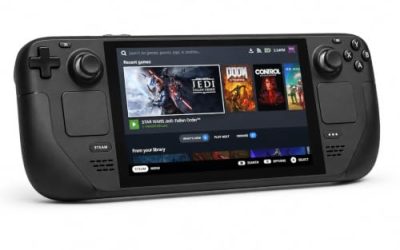
That absence cuts both ways. The community filings include Deck owners playing the game, at report weight, but a handful of user reports is not a Valve verdict. Treat Deck play as ungraded territory: the native build is the same code a Deck would run in desktop mode, the launch-option fix is documented, and the mouse-first interface of a 1999 RTS is the real question — hence the desktop framing below.
The GOG copy sells Linux too
GOG’s catalogue was ruled from GOG’s own records, never from search: the storefront search routes returned nothing usable for this title — the known blind spot — so the ruling rests on the product record itself. GOG sells the game as Imperium Galactica II: Alliances, and its product API record, identity-verified by title and slug, reads content system compatibility as Windows true, OS X true and Linux true; the live product page resolves under that title and confirms the edition. So the native verdict is not a Steam-only artefact — a second storefront independently sells a DRM-free Linux build — and the Alliances name settles the family question: the expansion’s content folded into one product, matching Steam’s single-app record.
Hardware for a mouse-first empire
The game’s record declares no controller support, and both packages report full gamepad support as false, so this shelf is framed honestly: keyboard and mouse are the game’s real input shape, and the two pads are Steam Input and wider-library picks. With no Deck verdict in existence, the shelf is desktop-framed throughout.
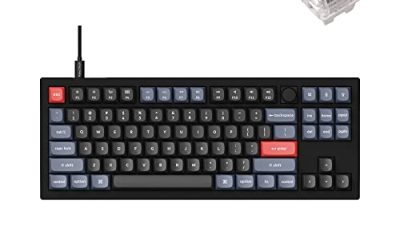
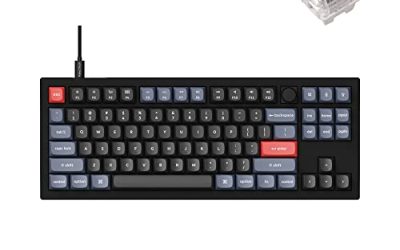
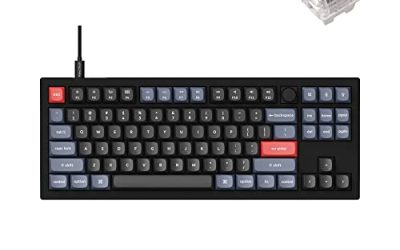
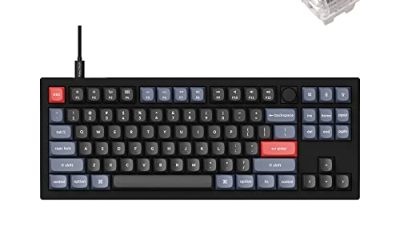
Keychron V3
A 1999 RTS lives on hotkeys — fleet orders, research queues, diplomacy screens — and a tenkeyless board with firmware-level remapping puts those keys where the game never offered to. The primary input pick for this title.
Specs
- Tenkeyless layout with rotary knob
- QMK and VIA remapping support
- Hot-swappable K Pro Brown switches
- Wired USB-C connection
- Maker-rated 1,000 Hz polling
Logitech G502 HERO
Colony management is thousands of precise clicks across star maps and build queues; a high-resolution wired sensor with eleven programmable buttons is the natural instrument.
Specs
- HERO optical sensor, up to 25,600 DPI
- 11 programmable buttons
- Adjustable weight system
- Wired USB connection
- On-board memory profiles
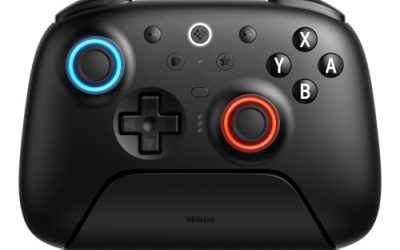
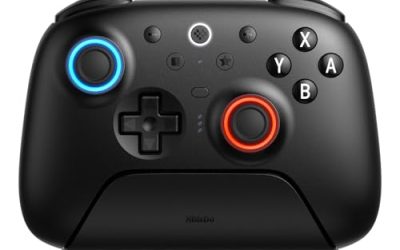
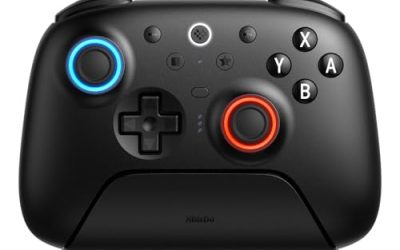
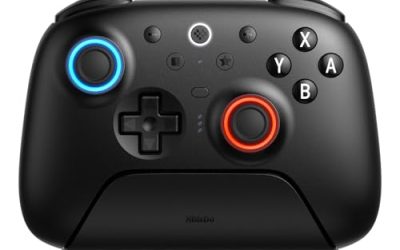
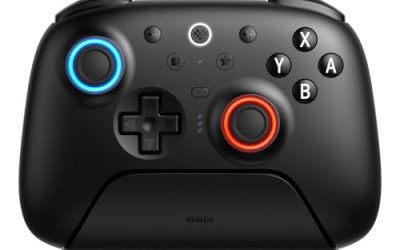
8BitDo Ultimate 2 Bluetooth Controller

Not for this game — its record is explicit — but for the wider Linux library around it, this is the docked pad pick for titles that do declare pad support.
Specs
- Connectivity: Bluetooth wireless and USB-C wired
- Joysticks: TMR electromagnetic, anti-drift design
- Triggers: Hall effect, with mode switching
- Extras: two remappable back buttons, motion control
- In the box: charging dock included
Xbox Wireless Controller, Carbon Black

The safest guest pad in PC gaming: Steam Input support is universal, the glyphs match what most games display, and it pairs over Bluetooth or its own wireless standard.
- Connectivity: Xbox Wireless and Bluetooth
- Port: USB-C for wired play
- Controls: hybrid D-pad, dedicated Share button
- Power: AA batteries or optional rechargeable pack
Samsung T9 Portable SSD 2TB

The remaster is well under a gigabyte, so this drive is about a Linux library that moves between desktop and laptop, or an offline installer backup, at Gen 2×2 speeds on hosts that support them.
Specs
- Capacity: 2 TB portable SSD
- Interface: USB 3.2 Gen 2×2, USB-C connector
- Maker-rated speeds: up to 2,000 MB per second read, 1,950 MB per second write
- Features: Dynamic Thermal Guard, maker-rated drop resistance
How to choose
Choose the Steam copy if your library lives there: it is the build every layer of this article describes, Steam Cloud is on the category list, and the branch is maintained. Choose the GOG copy for DRM-free installers — the same remaster, same three-platform support, under the Alliances name. Either way, install the native build and skip the compatibility-tool settings; no Proton is needed. If the first launch shows a black screen on a Mesa driver, apply the launch option from the ProtonDB section first — the filings are consistent that it is the fix. The hardware asks almost nothing: a 1.4 GHz processor and 1 GB of RAM are the whole minimum.
Who should skip
Skip it if a Steam Deck badge is your buying filter: none exists, and the community filings do not amount to one. Skip it if you want a gamepad-first strategy title, because the record declares no controller support and the interface is a mouse-driven 1999 design. Skip it if thin community documentation worries you — six reports is a small file, and the one known workaround is documented by users, not the publisher. And skip it if you want a modern 4X with an active multiplayer scene; this is a preserved classic, and its online categories describe the record as published, not a populated lobby.
FAQ
Is Imperium Galactica II native on Linux or does it need Proton?
It is genuinely native. Steam’s flags, both purchase packages and a dedicated Linux depot of 632.45 MiB describe a real Linux build, the requirements tab names Ubuntu and SteamOS, and GOG independently sells a Linux copy. Proton is an optional detour, not a requirement.
Why does ProtonDB show no tier for this game?
The summary endpoint holds no record for this app, so no headline or trending tier exists to quote; the game page classifies it as Native, heads its requirements “Natively Supports:” in agreement with Steam, and shows six reports.
Does Imperium Galactica II work on Steam Deck?
Valve has never published a verdict: its endpoint returns the untested category with no items, and ProtonDB’s republication reads Unknown. Deck owners appear in the community filings playing the game, but that is report-weight evidence, not a badge.
Which storefront should a Linux player buy from?
Either. Steam sells the remaster as a single app with the Alliances content folded in; GOG sells the same three-platform remaster DRM-free under the Alliances name, its product record confirming a Linux build. The choice is about library and installer preferences, not platform support.
Final verdict
Imperium Galactica II earns the verdict most games in this series fail to: native, at every layer, with nothing to walk back. Flags, requirements tabs, both packages, a full-weight Linux depot, a registered Linux client icon, a maintained branch, and a second storefront selling the same Linux build — every layer agrees. The caveats are paperwork, not port problems: no Deck verdict, and a community file six reports deep with no summary tier. Buy either copy, install the native build, keep the Mesa launch option in your pocket for a first-launch black screen, and play a 1999 classic the way its record says you can.
Product and ASIN Reference
| Product | ASIN |
|---|---|
| Keychron V3 | B0B2DMMMG2 |
| Logitech G502 HERO | B07GBZ4Q68 |
| 8BitDo Ultimate 2 Bluetooth Controller | B0F194QFT2 |
| Xbox Wireless Controller, Carbon Black | B08DF248LD |
| Samsung T9 Portable SSD 2TB | B0CHFS9K14 |