Stronghold Crusader 2 took Firefly Studios back to the desert in September 2014, twelve years after the original Crusader, with a new 3D engine, Havok-driven castle destruction and a full set of skirmish trails. Linux players searching for a native port will find plenty of encouraging noise around it: a healthy ProtonDB file, a Playable Steam Deck badge, and a requirements heading on its ProtonDB page that appears to promise native support outright.
The store record underneath that noise is unusually tidy. Every layer Steam publishes — flags, requirements tabs, purchase packages, depot list and the whole add-on family — points the same way, and none of it points at Linux. This article reads each layer in turn, checks the second storefront, and closes with the hardware that fits a mouse-first castle sim played through Proton.
As an Amazon Associate, we earn from qualifying purchases.
Quick answer
Stronghold Crusader 2 has no native Linux build. Steam’s flags list Windows only, all three purchase packages repeat that mask, and no Linux depot or client icon exists on the record. The working route is Proton: ProtonDB’s page shows a Gold headline across 39 reports, and Valve rates the game Playable on Steam Deck.
The record, layer by layer
Start with the flags. Steam’s record for Stronghold Crusader 2 (app 232890, Firefly Studios as developer and publisher, released 22 September 2014) lists Windows true, Mac false, Linux false. The requirements tabs back the flags: the Windows field is genuinely populated, asking for a Core 2 Duo class processor and 2 GB of RAM at minimum, while the Mac and Linux fields are empty lists outright.
The decisive layer is the purchase packages, and all three agree. The standard package grants the base app alone under that same mask. The Special Edition package grants the same single app; no second platform rides along. The Ultimate Edition is the wide one, granting the base game, all six campaign add-ons, Stronghold Crusader HD and a Stronghold Kingdoms starter pack — and it still reads Windows-only.
SteamDB’s depot list closes the question. The content depot and the ten language depots are all configured for Windows, and there is no Linux depot anywhere — none emptied, none stranded. The icon set registers a client icon and a logo set only: no LinuxClientIcon was ever filed. The record carries no DRM notice and no external account notice, and SteamDB detects only the Vision Engine, Bink Video, FMOD and PathEngine — no anti-cheat technology. AreWeAntiCheatYet carries no entry for this app either, so on anti-cheat the three sources are simply silent. The public branch is still maintained — its current build was assembled in June 2026 — and every update in that history has been Windows content.
Six campaigns and a shelf of ghosts
The add-on family is where records like this usually hide a dissenting flag, so each app was read individually. The base record’s array holds exactly six apps, all typed as downloadable content with their full-game pointer naming Crusader 2: The Princess and The Pig, Delivering Justice, Freedom Fighters, The Emperor and The Hermit, The Templar and The Duke, and The Jackal and The Khan. Every one repeats the base game’s mask, with empty Mac and Linux lists of its own. Six for six agree.
SteamDB associates a second ring of apps that never made the array. A soundtrack app and an art book app both have real depots on the base game’s depot list, yet both return no readable store record today, so no platform mask can be read from them and none is claimed here. Three pre-order shield apps, an Ultimate Edition shields app and a Halloween overlay app sit in the same ring, their depots marked unused and size-less. None of these ghost apps changes the verdict — none is a route by which the game itself is sold.
What the Proton file actually supports
ProtonDB’s summary feed returned no data for this app during this session, so the figures here come from the game’s ProtonDB page itself and are headline-level only: a Gold headline tier across 39 reports. Best-reported and trending figures could not be read and are not claimed. One thing the page does show plainly is its requirements heading, which reads “Natively Supports:” — a stray template artefact that Steam’s record contradicts at every layer checked above. The article follows Steam; the heading is named only so readers who land on that page are not misled by it.
The report texture underneath the Gold headline is two-sided. Filings on recent Proton builds describe the campaigns and skirmish play running well, in some cases indistinguishable from Windows. A second strand, mostly on older Proton and NVIDIA combinations, reports a black screen after the intro videos. One recurring tinker step is the launch option PROTON_USE_WINED3D=1, and one report fixes a pink interface tint by installing the game’s bundled DirectX redistributables through protontricks. Multiplayer filings mention stutter — with at least one reporter noting the same behaviour on Windows, which makes it a game trait rather than a Proton fault.
A Playable badge from an older build
Valve’s own compatibility record, read directly from the store’s compatibility endpoint, rates Stronghold Crusader 2 Playable on Steam Deck, with SteamOS separately rated Compatible. The sheet’s positives matter for a strategy game: interface text is legible and the default graphics configuration performs well. Its deductions are input-shaped — the default controller configuration is not fully functional, some functionality needs the touchscreen, the virtual keyboard or a community configuration, the game sometimes shows mouse and keyboard glyphs, text entry needs the on-screen keyboard invoked manually, and an external pad does not take over by default. The recommended runtime is proton-stable.
One caution belongs on the record: the paperwork is old. Valve’s single test dates from February 2022, while the current public branch build was assembled in June 2026, so the Playable grade was strictly earned by a build several updates behind the one on sale today. The game’s record also lists no controller support at all, and every package reports full gamepad support as false — the Deck experience rests on Steam Input translation and community layouts, not on native pad support.
The second storefront
GOG sells this game, and its record settles the platform question from the other side. The live product page resolves under the slug stronghold_crusader_2, and the product record behind it (product 1433852499, identity-checked against the Steam record) reads content system compatibility as Windows true, Mac false, Linux false; a Special Edition product repeats the mask. GOG’s embed search returned zero results for this title — the known blind spot in that route — and was not relied on. The DRM-free copy is the same Windows build: a GOG purchase changes the licensing, not the platform.
Gear for a mouse-first castle sim
Crusader 2 is a desktop strategy game with a Playable handheld badge, so the gear follows that shape: the handheld itself, two pads for docked play, a precise mouse for the desk, and fast storage.
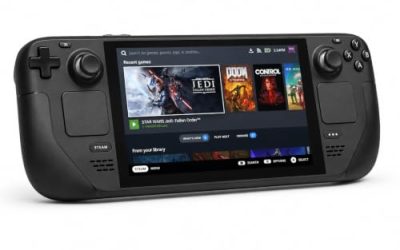
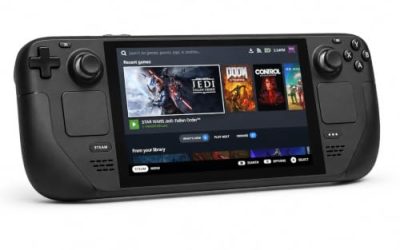
Valve Steam Deck OLED 512GB
The handheld the Playable badge was written for. The game’s requirements are modest next to the Deck’s APU, and Valve’s sheet confirms legible text and a performant default configuration.
Specs
- Display: 7.4-inch HDR OLED, 1280 by 800, up to 90 Hz
- Processor: AMD Zen 2 and RDNA 2 custom APU
- Memory: 16 GB LPDDR5
- Storage: 512 GB NVMe, plus a microSD slot
- Wireless: Wi-Fi 6E and Bluetooth
- Channel note: Valve sells the Deck mainly through its own store, so Amazon listings are third-party sellers
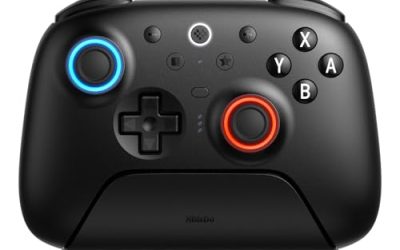
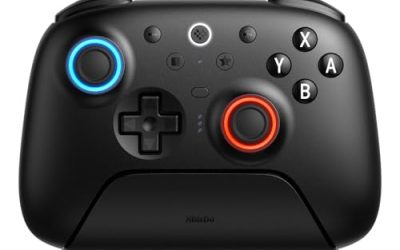
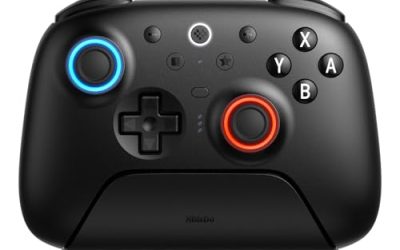
8BitDo Ultimate 2 Bluetooth Controller

The docked pick, in the mid-range tier. Because the game declares no pad support, any controller here works through Steam Input — and this pad’s back buttons and modern sticks make that translation comfortable.
Specs
- Connectivity: Bluetooth wireless and USB-C wired
- Joysticks: TMR electromagnetic, anti-drift design
- Triggers: Hall effect, with mode switching
- Extras: two remappable back buttons, motion control
- In the box: charging dock included
Xbox Wireless Controller, Carbon Black
The premium guest-pad option. Valve’s sheet warns that an external pad may not take over automatically on the Deck; this pad’s pairing behaviour and glyphs cause the fewest surprises when you switch it in.
- Connectivity: Xbox Wireless and Bluetooth
- Port: USB-C for wired play
- Controls: hybrid D-pad, dedicated Share button
- Power: AA batteries or optional rechargeable pack
Logitech G502 HERO
The budget-friendly desk anchor, and honestly the primary input for this game: wall placement, unit selection and camera work are mouse tasks. Eleven programmable buttons absorb the hotkeys a long siege repeats, and the wired connection keeps latency out of the equation.
Specs
- HERO optical sensor, up to 25,600 DPI
- 11 programmable buttons
- Adjustable weight system
- Wired USB connection
- On-board memory profiles
Samsung T9 Portable SSD 2TB
The premium storage pick for players whose Proton library moves between machines. A fast USB-C drive keeps the whole strategy shelf in one place; the headline speed figure needs a Gen 2×2 host port, and on a lesser port the drive runs at that ceiling.
Specs
- Capacity: 2 TB portable SSD
- Interface: USB 3.2 Gen 2×2, USB-C connector
- Maker-rated speeds: up to 2,000 MB per second read, 1,950 MB per second write
- Features: Dynamic Thermal Guard, maker-rated drop resistance
How to choose
Choose between the storefronts on licensing, not platform: Steam and GOG sell the identical Windows build, and both copies run on Linux through Proton. On Steam, the standard package is the sensible default; the Ultimate Edition earns its tier only if the six campaign add-ons and the bundled Crusader HD are all on your list. Install, leave the compatibility tool on its default, and reach for the WineD3D launch option only if your setup matches the older black-screen reports. On a Steam Deck, expect a playable but input-heavy experience — budget a few minutes for a community controller layout.
Who should skip
Skip this game if you buy only native Linux releases: no native build exists on either storefront, and the ProtonDB heading that suggests otherwise is a template artefact. Skip it if handheld play is your main route and fiddly input bothers you — the Playable badge carries touchscreen and keyboard caveats, and its test predates the current build. Skip it if your interest is competitive multiplayer, where the filings describe stutter that appears to be a trait of the game itself.
FAQ
Is Stronghold Crusader 2 native on Linux?
No. Steam’s flags list Windows only, all three purchase packages repeat that mask, the Mac and Linux requirement fields are empty lists, and SteamDB shows no Linux depot or client icon. GOG’s product record reads the same way. Every Linux route runs the Windows build through Proton.
How well does Stronghold Crusader 2 run under Proton?
ProtonDB’s page shows a Gold headline across 39 reports. Recent filings describe campaigns and skirmish running well, while a minority of older reports describe black screens fixed by a WineD3D launch option or the bundled DirectX redistributables. Multiplayer filings mention stutter that also appears on Windows.
Is Stronghold Crusader 2 Steam Deck Verified?
No — it is rated Playable, one tier below Verified, with SteamOS rated Compatible. Valve’s test found legible text and good default performance but flagged the default controller configuration, manual keyboard invocation and non-Deck glyphs. The test dates from February 2022, several builds behind the current branch.
Can I buy Stronghold Crusader 2 on GOG instead?
Yes, if you prefer DRM-free licensing. Its product record is Windows-only, exactly like Steam’s, so the Linux experience is the same Proton route either way.
Final verdict
Stronghold Crusader 2 is one of the cleanest Windows-only records in the Stronghold catalogue: flags, requirements, three packages, depots and six campaign add-ons all agree, and the GOG record independently repeats the answer. Nothing in that verdict should scare a Linux player off — the Proton file is Gold, the Deck badge is Playable, and the failure modes in the reports are old, specific and documented. Buy it on whichever storefront you prefer, and play it at a desk with a mouse first.
Product and ASIN Reference
| Product | ASIN |
|---|---|
| Valve Steam Deck OLED 512GB | B0CQ3RWQQZ |
| 8BitDo Ultimate 2 Bluetooth Controller | B0F194QFT2 |
| Xbox Wireless Controller, Carbon Black | B08DF248LD |
| Logitech G502 HERO | B07GBZ4Q68 |
| Samsung T9 Portable SSD 2TB | B0CHFS9K14 |