SpellForce 2: Faith in Destiny is the standalone 2012 expansion to Phenomic’s role-playing and real-time strategy hybrid, developed by Mind Over Matter Studios and published by THQ Nordic. It continues the Shaikan campaign with a new storyline and the series’ familiar blend of hero-led role-playing and base-building strategy, and it has sat in the Steam catalogue unchanged for well over a decade.


Because the wider SpellForce family sends mixed platform signals — one relative’s soundtrack famously flags every operating system at once — Faith in Destiny deserves a reading of its own record rather than a borrowed verdict. This article works through that record layer by layer: the store flags, the packages, the depots, the add-on family, the ProtonDB file, the Deck paperwork and the GOG edition.
As an Amazon Associate, we earn from qualifying purchases.
Quick answer
No. SpellForce 2: Faith in Destiny has no native Linux build on any storefront. Steam’s own record and both of its purchase packages are Windows-only, GOG’s edition is Windows-only too, and ProtonDB holds no summary file for the game at all. Valve has also rated it Unsupported on Steam Deck, so Linux play means an untested Proton experiment.
The store record, read plainly
Start with the game’s own Steam page data. The platform flags read windows true, mac false, linux false. The Windows system requirements are genuinely populated — a Pentium IV class processor, 2 GB of memory and a 3D graphics card with 128 MB of RAM — while the macOS and Linux requirements sections are empty lists outright: no build was ever prepared for either platform.
Two absences matter. There is no third-party DRM notice and no external account notice, so no activation layer stands between a buyer and the game on the paperwork. And there is no controller support declared anywhere: the app record carries no controller field, and both packages report full gamepad support as false. This is a keyboard and mouse game on its own record. SteamDB’s copy adds two period artefacts: the NoServers flag is set, so the original multiplayer infrastructure is gone, and a third-party CD key flag survives from the retail era.
The packages settle it
Store flags can be edited carelessly, so the decisive layer is the purchase package — the record of what a buyer’s money actually grants. Steam sells Faith in Destiny two ways, and both were read individually. The standard package grants the base app alone and reads windows true, mac false, linux false. The Digital Deluxe package grants the base app plus the Digital Extras add-on, and repeats the identical mask. No third package or bundle hides a different platform set.
The depot list tells the same story in bytes. The content depot holds 4.23 GiB, joined by five language depots, a third-party depot and the add-on depots below. Filtered to Windows and English, the download accounts for the whole game; no depot carries a Linux or macOS configuration, nothing is emptied or stranded, and the registered icon set includes no Linux client icon. The public branch stands on build 52591, built in March 2013, and has never moved.
A family that behaves itself
The base record’s downloadable content array holds four apps, each read on its own record. Three are the scenario packs — Flink’s Secret Diary, The Golden Fool and The Last Stand — each typed as downloadable content with a fullgame pointer back to Faith in Destiny. The fourth is the Digital Extras package: the soundtrack, a world map and an artwork booklet, delivered as files inside the game folder.
That fourth entry is where this family could have repeated the series’ famous trap, and it does not. In the Anniversary Edition’s record, a standalone soundtrack app flags windows, mac and linux all true, and scanners that credit the base game with family flags report a Linux build that does not exist. Faith in Destiny’s soundtrack never got its own app; it lives inside the Digital Extras add-on, whose record reads windows true, mac false, linux false. The sweep is unanimous: four add-ons, four agreements, no trap.
The ProtonDB file that is not there
ProtonDB is where a Windows-only game usually earns its practical Linux answer, a community tier built from player reports. For this app, that file does not exist. The summary endpoint returns a 404 on repeated reads, so ProtonDB holds no summary record for Faith in Destiny at all: no tier, no report count and no confidence rating to quote. Any article that assigns this game a ProtonDB tier is inventing it.
The heading check could not be completed either: the game’s ProtonDB page renders through client-side scripting and returns no readable requirements heading to a text fetch, so no claim is made about a native-support heading. The database Linux players rely on for exactly this question is silent about this game, and the silence itself is the finding.
Steam Deck: Unsupported, on the build still on sale
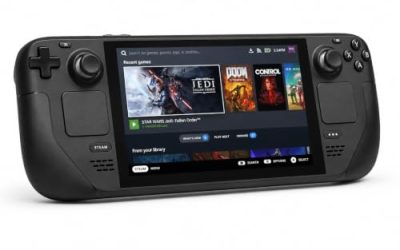
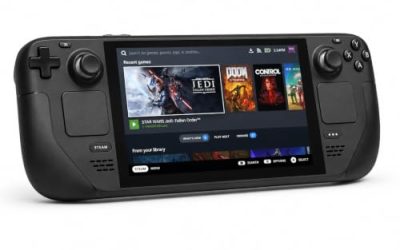
Valve’s own compatibility record is not silent, and it is not kind. Read directly from Valve’s compatibility endpoint, and matching the copy republished on SteamDB, the verdict is Unsupported on Steam Deck, with SteamOS rated Unsupported separately. The test behind the badge ran on 2 June 2023 and recorded the familiar deductions: the default configuration is not fully functional, the game shows non-Deck glyphs, text can be small, and the keyboard must be invoked manually. The recommended runtime on the sheet is Proton 8.0-2.
One detail makes this paperwork stronger than most. Deck tests are often dismissed for grading an old build the store no longer sells; that escape hatch is closed here, because the tested build is 52591, exactly the branch build standing since March 2013. The verdict grades the build a buyer downloads today.
Anti-cheat is a three-source silence rather than a ruling: Steam names none on the record, SteamDB’s detection surfaces only Bink Video, Lua and the Miles Sound System, and the AreWeAntiCheatYet catalogue carries no entry for this app.
The GOG edition agrees
GOG sells Faith in Destiny, verified independently rather than borrowed from the Anniversary Edition’s reading. The live product page resolves under the game’s own catalogue entry, and the product record behind it — product 1914219141 — reads content system compatibility as windows true, osx false, linux false. GOG’s scenario pack and digital extras products carry the same reading. The DRM-free route changes the launcher and licensing, not the platform.
Gear for a Windows-era desktop game
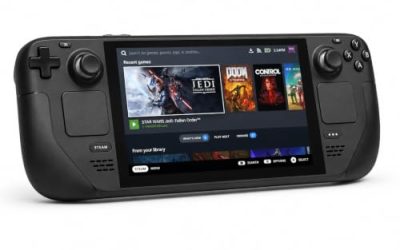
With the Deck rated Unsupported and no controller support on the record, the sensible hardware frame is a Linux desktop running the game as an experiment. The pads below are Steam Input and wider-library picks — the game declares no gamepad support, so treat them as library hardware, not as something this title recognises natively.
Keychron V3
The keyboard is the primary input device this record actually describes, so it leads the list. Firmware-level remapping lets you put the game’s confirm, cancel and camera keys where your hands expect them, and the tenkeyless layout leaves desk room for a mouse.
Specs
- Tenkeyless layout with rotary knob
- QMK and VIA remapping support
- Hot-swappable K Pro Brown switches
- Wired USB-C connection
- Maker-rated 1,000 Hz polling
8BitDo Ultimate 2 Bluetooth Controller
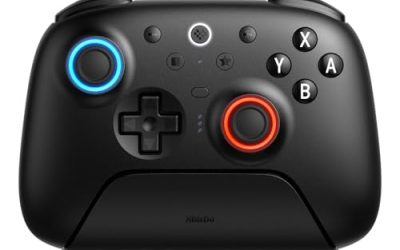
The mid-range pad pick for the rest of a Linux library. Faith in Destiny will not recognise it natively, but Steam Input can translate it where translation is accepted, and its dock keeps it charged between sessions.
Specs
- Connectivity: Bluetooth wireless and USB-C wired
- Joysticks: TMR electromagnetic, anti-drift design
- Triggers: Hall effect, with mode switching
- Extras: two remappable back buttons, motion control
- In the box: charging dock included
Xbox Wireless Controller, Carbon Black

The premium-framing pad option for a mixed library: the glyphs most PC games display match this controller’s labels, removing a layer of confusion in titles that do support pads. Here it remains a Steam Input device for the wider shelf.
- Connectivity: Xbox Wireless and Bluetooth
- Port: USB-C for wired play
- Controls: hybrid D-pad, dedicated Share button
- Power: AA batteries or optional rechargeable pack
Logitech G502 HERO

A real-time strategy hybrid lives by its mouse: unit selection, camera edges and menu trips are all pointer work. This wired mouse is the budget-friendly end of the serious options, with enough buttons to park the game’s repeated commands under the thumb.
Specs
- HERO optical sensor, up to 25,600 DPI
- 11 programmable buttons
- Adjustable weight system
- Wired USB connection
- On-board memory profiles
Samsung T9 Portable SSD 2TB

The storage pick for players who keep a retro catalogue installed alongside modern titles. Faith in Destiny needs under 5 GB; a fast portable drive earns its place by holding the whole shelf and moving it between machines.
Specs
- Capacity: 2 TB portable SSD
- Interface: USB 3.2 Gen 2×2, USB-C connector
- Maker-rated speeds: up to 2,000 MB per second read, 1,950 MB per second write
- Features: Dynamic Thermal Guard, maker-rated drop resistance
How to choose
Decide first whether the experiment is worth it. The honest summary: no native build anywhere, no ProtonDB record to lean on, and an official Unsupported badge graded against the build still on sale. Windows or a dual-boot remains the only route with paperwork behind it.
If you buy it for a Linux desktop anyway, buy it as a budget-tier experiment and start from the one data point Valve left behind: the test sheet’s recommended runtime, Proton 8.0-2. Treat the scenario packs and the Digital Extras as Windows-delivered content too, because their records say exactly that. Choose your storefront on other grounds — refund policy, DRM preference — since both deliver the identical Windows build.
For the hardware, match the spend to the plan. A keyboard and mouse you already own are enough to attempt the game; the picks above make sense when they serve a wider library — keyboard and mouse as the budget tier, the pads as mid-range library hardware, the portable drive as the premium convenience.
Who should skip
Skip this entirely if you need a game that simply works on Linux today. There is no native build, no community compatibility file and no handheld verdict in your favour. Skip it on Steam Deck specifically: Unsupported is the strongest negative rating Valve issues, earned on the current build.
Skip it also if the multiplayer or co-op listings attracted you: the NoServers flag means the original online infrastructure is retired, so what remains is the single-player campaign. And if the wider SpellForce story is what you want, the Anniversary Edition at least carries a deep ProtonDB file to plan around.
FAQ
Is SpellForce 2: Faith in Destiny native on Linux?
No. The game’s Steam flags, both purchase packages, its depot list and its GOG product record all read Windows-only. No native Linux build exists on any storefront.
Why do some scanners claim SpellForce 2 supports Linux?
Because of the neighbouring Anniversary Edition, whose standalone soundtrack app flags every platform at once. Faith in Destiny’s own record contains no such trap: its soundtrack is bundled inside the Digital Extras add-on, Windows-only like everything else here.
Can I play Faith in Destiny on Steam Deck?
Valve rates it Unsupported, and the test behind that rating graded build 52591 — the same build still on sale, unchanged since 2013. Deck play is an experiment against official advice.
Does ProtonDB rate Faith in Destiny?
No. ProtonDB holds no summary file for this app at all, so there is no tier, report count or confidence rating to consult.
Final verdict
Faith in Destiny is the tidy member of a messy family. Where its Anniversary Edition sibling hides a soundtrack that flags every platform and invites false Linux claims, this record is unanimous at every layer: flags, packages, depots, add-ons and the GOG edition all say Windows-only. The verdict is not native, and it is not close.
The practical answer follows. Linux desktop play is an untested Proton experiment with no community file behind it, Deck play is officially Unsupported on the current build, and the only supported route remains Windows. Buy it knowing exactly that.
Product and ASIN Reference
| Product | ASIN |
|---|---|
| Keychron V3 | B0B2DMMMG2 |
| 8BitDo Ultimate 2 Bluetooth Controller | B0F194QFT2 |
| Xbox Wireless Controller, Carbon Black | B08DF248LD |
| Logitech G502 HERO | B07GBZ4Q68 |
| Samsung T9 Portable SSD 2TB | B0CHFS9K14 |