Lawn Mowing Simulator, Skyhook Games’ 2021 simulation of a lawn-care business built around licensed ride-on mowers, is a Windows game at every layer of its Steam record. The platform flags stop at Windows, the purchase package repeats that mask, the one content depot carries no platform split, and the lone launch entry is a Windows executable. Even the Linux requirements field is an empty shell of headings over empty lists.
So the Linux question here is a Proton question, and on that side the news is better than the flags suggest. ProtonDB’s game page shows a Gold headline, the recent filings describe an install-and-run game, and Valve has stamped the title Steam Deck Verified — though that stamp was earned in the summer of 2022, on a build long since left behind.
As an Amazon Associate, we earn from qualifying purchases.
Quick answer
No. Lawn Mowing Simulator has no native Linux build: Steam’s record is Windows-only at every layer, from the platform flags and the single purchase package to the one content depot and the lone Windows launch entry. Linux players run the Windows build through Proton, where the ProtonDB page shows a Gold headline across 26 reports, and the game carries a Steam Deck Verified badge.
What the store record sells, and what it leaves blank
Start with the flags, because everything underneath them agrees. The app record lists Windows as true and macOS and Linux as false. Its only purchase package repeats that mask exactly, granting the base app alone, for Windows alone. No bundle or licence tier quietly adds a platform the flags deny.
The requirements tabs tell the same story in two typefaces. The Windows tab is genuinely populated in both tiers: at minimum a Windows 10 64-bit system with an FX-8350 class processor, 8 GB of memory and a GTX 960 class card under DirectX 11; the recommended tier steps up in kind. The macOS and Linux tabs are empty shells — Minimum and Recommended headings over empty lists: paperwork for a build that was never registered.
Two smaller fields round out the picture. The record declares full controller support, and the package’s full-gamepad flag reads true to match, so gamepads are a first-class input here rather than a Steam Input workaround; the extended OS string is likewise empty.
One depot, one launch entry
The depot layer is where a hidden native build would have to live, and there is exactly one place for it to hide. SteamDB lists a single content depot, named Lawnmowing Simulator Content, at 22.29 GiB, with no operating-system split. There is no second depot in any state — nothing sized for Linux, nothing emptied, nothing stranded. The three expansion depots registered inside the base game’s list are shells of a different kind: the Ancient Britain pack’s reads zero bytes, the Dino Safari pack’s is marked unused with no size at all, and the Heritage Park depot reads zero bytes — registry stubs for content that rides inside the main download, not platform evidence.
The launch configuration is just as plain: one entry, a single executable typed for Windows and 64-bit only. A native build cannot launch without a Linux entry in this list, and none exists. The icon set agrees — standard client icons, no dedicated Linux client icon. The record is no fossil: the public branch stands at a November 2025 build, so the Windows-only shape is current.
The expansion shelf agrees
The base record’s add-on array holds three expansions, each read on its own record. Ancient Britain, released in November 2021, flags Windows only, with the same empty-shell Linux field as the base game. Dino Safari, from March 2022, repeats the pattern exactly. Heritage Park, the newest, arrived in September 2025 and is also Windows-only at every layer. Three for three: no expansion dissents, and none smuggles in a Linux build.
The family also contains no soundtrack, artbook or demo app, so the familiar all-true music-app trap never forms here. One separation matters: Lawn Mowing Simulator 2 is a different, newer app with its own record; nothing here reads across to it.
The Proton file: a good page wearing the wrong heading
Because the Windows build is the only build, Proton carries the Linux story, and its community file is decent. One sourcing note: ProtonDB’s summary feed returned no data across repeated checks this session, for this game or control titles, so no best-reported, trending or confidence figures are claimed. The figures quoted are the game page’s own: a Gold headline across 26 reports.
The page’s classification heading, however, is stray. ProtonDB heads this game’s requirements block with the line reserved for native titles, and Steam’s record contradicts it at every layer; the heading is a template artefact, not a port. At report weight, the texture under the Gold headline splits by age. The newest reports, on current Proton builds, describe a flawless out-of-the-box run at maximum settings. The complaints cluster in earlier filings: stutter with the cutter engaged, camera freezes, and a recurring grumble about the resolution list offering odd ceilings.
A Verified badge earned on an older build
Valve’s own test sheet is the strongest document in this file, and the one needing the most careful reading. The sheet — read here through SteamDB’s republication of Valve’s data, because Valve’s own compatibility endpoint returned empty responses throughout this session — rates the game Verified on Steam Deck, with SteamOS separately marked Compatible. Its checks are clean: full functionality under the default controller configuration, Deck icons shown, text legible, default graphics performant, no manual keyboard invoke. The recommended runtime is proton-stable, the honest frame for the badge: Valve graded the Windows build travelling under Proton, the only build.
The caution is the date. That test was run on 1 July 2022 against build 9015776; the public branch has since moved to a November 2025 build the test never saw. A Verified badge does not expire, but it does not re-test itself: read it as a 2022 measurement of an ancestor build, not a current one.
The second-storefront ruling
There is no GOG edition of Lawn Mowing Simulator. The game’s natural product address on GOG redirects to the general catalogue, and GOG’s catalogue records hold no product for this title; a catalogue query returns only unrelated demos. The two tests agree, and neither rests on a bare search result. Steam is the only storefront route, so the Windows build under Proton is the only Linux route there is.
Gear that fits the record
The picks follow the record’s shape: the badge’s handheld, two pads for a game with full controller support, a mouse for the management menus, and fast storage for a 22.29 GiB download.
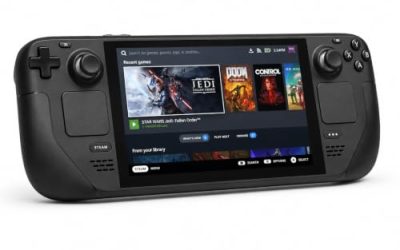
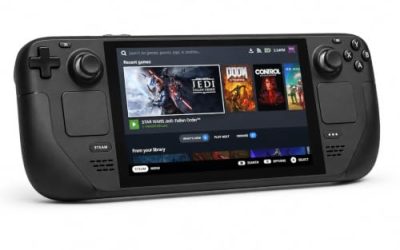
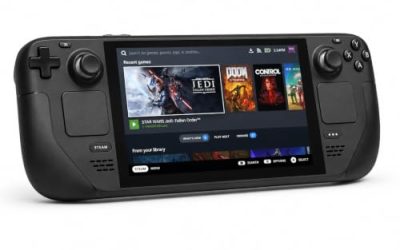
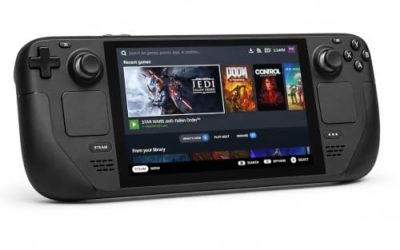
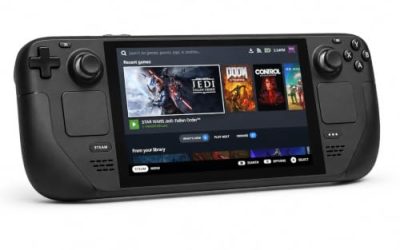
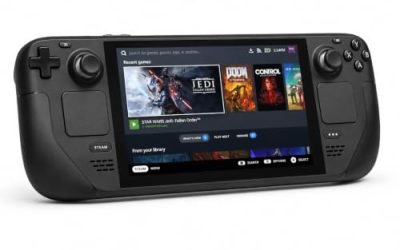
Valve Steam Deck OLED 512GB

The handheld Valve’s test sheet describes. Its checks — legible text, Deck glyphs, performant default graphics — were written against this hardware class, and the game’s recommended specification sits well inside the APU’s reach.
Specs
- Display: 7.4-inch HDR OLED, 1280 by 800, up to 90 Hz
- Processor: AMD Zen 2 and RDNA 2 custom APU
- Memory: 16 GB LPDDR5
- Storage: 512 GB NVMe, plus a microSD slot
- Wireless: Wi-Fi 6E and Bluetooth
- Channel note: Valve sells the Deck mainly through its own store, so Amazon listings are third-party sellers
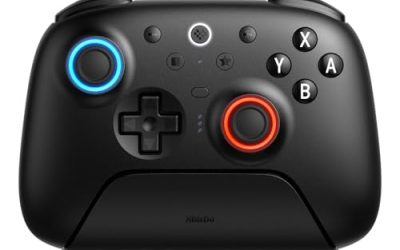
8BitDo Ultimate 2 Bluetooth Controller
The couch and docked pick. The game’s record declares full controller support, so a pad talks to it directly, and this one adds back buttons for the camera and cutter controls.
Specs
- Connectivity: Bluetooth wireless and USB-C wired
- Joysticks: TMR electromagnetic, anti-drift design
- Triggers: Hall effect, with mode switching
- Extras: two remappable back buttons, motion control
- In the box: charging dock included
Xbox Wireless Controller, Carbon Black
The safest guest pad in PC gaming: Steam Input support is universal, the glyphs match what most games display, and it pairs over Bluetooth or its own wireless standard.
- Connectivity: Xbox Wireless and Bluetooth
- Port: USB-C for wired play
- Controls: hybrid D-pad, dedicated Share button
- Power: AA batteries or optional rechargeable pack
Logitech G502 HERO
The management half of this game — contracts, staff, machine purchases — is menu work, and at a desk a precise wired mouse turns those screens into single clicks.
Specs
- HERO optical sensor, up to 25,600 DPI
- 11 programmable buttons
- Adjustable weight system
- Wired USB connection
- On-board memory profiles
Samsung T9 Portable SSD 2TB
For moving a Linux library between machines or backing up installers, a fast USB-C drive is the simple answer. The headline figure needs a Gen 2×2 host port; lesser ports run at their own ceiling.
Specs
- Capacity: 2 TB portable SSD
- Interface: USB 3.2 Gen 2×2, USB-C connector
- Maker-rated speeds: up to 2,000 MB per second read, 1,950 MB per second write
- Features: Dynamic Thermal Guard, maker-rated drop resistance
How to choose
Three routes cover most readers. The budget route is the one you probably already own: a Linux desktop and the Steam copy. Recent filings say current Proton builds run this game out of the box, so finding out whether it suits you costs an install, not a purchase. The mid-range route adds a proper pad — the record’s full controller support makes a gamepad the natural way to drive the mowers. The premium route is the Steam Deck, where the Verified badge, however dated, still describes a sheet with no failed checks.
Whichever route you take, set two expectations from the record rather than the badge. You are always running the Windows build, with no native fallback if a future update dents Proton compatibility. And check the resolution behaviour early; the report file’s recurring complaint is an odd resolution list.
Who should skip
Skip this one if a native build is a condition of purchase: there is none anywhere, and expansions still arriving in 2025, all Windows-only, give no sign of one coming. Skip it if you treat a Deck Verified badge as certification of the current build; here it certifies a 2022 build. And skip it if the report-file grumbles are deal-breakers: an eccentric resolution list and cutter-engaged stutter on older Proton versions are documented at report weight.
FAQ
Is Lawn Mowing Simulator native on Linux?
No. Every layer of Steam’s record is Windows-only: the platform flags, the single purchase package, the one content depot with no platform split, and a launch configuration whose only entry is a Windows executable. The Linux requirements field is an empty shell; no Linux client icon exists. ProtonDB’s native-style heading is a template artefact the record contradicts.
How well does Lawn Mowing Simulator run under Proton?
ProtonDB’s page displays a Gold headline across 26 reports; the summary feed could not be read this session, so no finer tiers are claimed. Recent filings describe current Proton builds as flawless out of the box; the stutter, camera-freeze and resolution complaints sit in older reports.
Is Lawn Mowing Simulator Steam Deck Verified?
Yes, with a date attached. Valve’s sheet rates it Verified, every check passed, with SteamOS marked Compatible. But the test was run in July 2022 on build 9015776, and the public branch has moved on to a November 2025 build. Read the badge as a clean measurement of an older build, not a fresh test.
Can I buy Lawn Mowing Simulator on GOG instead?
No. GOG sells no edition of this game — the natural product address redirects to the general catalogue and no product record exists. Steam is the only storefront route.
Final verdict
Lawn Mowing Simulator is one of the plainest records covered here: a Windows-only game whose flags, package, depot, launch entry and expansion shelf all agree, with no trap app and no stray paperwork beyond ProtonDB’s mislabelled heading. What Linux players get is a well-behaved Proton title — a Gold page headline, clean recent filings, and a Verified Deck sheet whose only flaw is its age. Buy it on Steam if the Proton route suits you — and do not let the badge convince you the current build was ever tested. If native-or-nothing is your rule, this is a straightforward skip.
Product and ASIN Reference
| Product | ASIN |
|---|---|
| Valve Steam Deck OLED 512GB | B0CQ3RWQQZ |
| 8BitDo Ultimate 2 Bluetooth Controller | B0F194QFT2 |
| Xbox Wireless Controller, Carbon Black | B08DF248LD |
| Logitech G502 HERO | B07GBZ4Q68 |
| Samsung T9 Portable SSD 2TB | B0CHFS9K14 |