Let’s Build a Zoo is Springloaded’s pixel-art zoo management game, published by No More Robots in November 2021, built around an animal-splicing twist: combine species, unlock strange hybrids, and run the park around them. Linux players searching for it find a Steam page that never mentions their platform, and this article reads the full record to answer whether a native build exists and how the Windows build behaves through Proton.
Every layer tells the same story. Steam sells a Windows build and nothing else, no Linux depot or launch entry hides in the configuration, and the Linux requirements tab is an empty shell. The good news sits one layer over: the Proton file is mature, the Deck badge is a Playable, and the game’s hardware appetite makes it an easy passenger for the compatibility layer.
As an Amazon Associate, we earn from qualifying purchases.
Quick answer
No. Let’s Build a Zoo has no native Linux build: Steam sells a Windows-only package, the single content depot and the only launch entry are Windows, and the Linux requirements tab is an empty shell. Linux players run the Windows build through Proton, where ProtonDB rates it Gold across 17 reports, and Valve rates it Playable on Steam Deck.
The status at a glance
| Question | Answer |
|---|---|
| Native Linux build on Steam | No — Windows-only at every layer |
| Mac build on Steam | No |
| Route for Linux players | Proton (the Windows build) |
| ProtonDB file | Gold headline, Platinum best reported, 17 reports |
| Steam Deck | Playable (paperwork from August 2023) |
| Controller support | Full, declared on the record |
| GOG edition | None |
| Anti-cheat | None named on any record |
What the Steam record sells
The platform flags read Windows true, Mac false, Linux false, and the purchase layer repeats them exactly. The game’s only purchase package (546695) contains the base app alone and reads Windows-only, so no bundle or edition quietly carries a second platform. The requirements tabs split the same way: the Windows tab is genuinely populated — Windows 7 or later, a Core i5, 2 GB of RAM at minimum, rising to Windows 10 and 4 GB recommended — while the Mac and Linux tabs are empty shells, Minimum and Recommended headings printed over lists with nothing in them. An empty shell is a form the developer never filled in, not a port that was planned and cut.
Two smaller fields round out the picture. The record declares full controller support, and the package agrees, so gamepads are a first-class input rather than a Steam Input workaround. There is no DRM notice and no external-account notice either, so nothing outside the game itself stands between the Windows build and the compatibility layer.
One depot, one launch entry
SteamDB’s depot table is where a hidden native build would have to surface, and it shows the plainest shape in this series: exactly one content depot, numbered 1547891 and holding 1.02 GiB, with no operating-system split in its configuration. The only other downloads are Windows redistributables, DirectX among them. There is no Linux depot in any state — not sized, not emptied, not stranded — and no Mac depot either.
The launch configuration matches: a single entry pointing at LetsBuildAZoo.exe with its operating system set to Windows, and the standard client icons with no Linux client icon registered. Technology detection reads MonoGame and XNA with SharpDX — a Windows-flavoured .NET stack. The record is also alive: the public branch stands at build 20618772, assembled at the end of October 2025, so the Windows-only shape is the current state of a maintained game, not a launch-week fossil.
The add-ons all agree
The downloadable-content array holds four apps, each read on its own record. Dinosaur Island (May 2022) flags Windows-only. Aquarium Odyssey (August 2023) flags Windows-only. Amphibian Encounters, announced and not yet released, flags Windows-only and has no purchase package yet. The soundtrack is the interesting one: soundtrack apps frequently flag all three platforms true and form a paper mask over a Windows-only game, but this one flags Windows-only too. No family member contradicts the base record, and no trap forms.
Proton is the only route, and the file is good
With no native build on sale, the Linux question becomes how the Windows build runs under Proton, and ProtonDB’s summary file is reassuring: headline tier Gold, best-reported tier Platinum, trending tier Gold, across 17 reports with good confidence. One caution: the ProtonDB game page heads its requirements block “Natively Supports:”, a classification Steam’s record contradicts at every layer. Treat that heading as a template artefact and follow Steam.
The report texture explains the Gold rather than a Platinum headline. Launch-era filings from late 2021 are rough: on early Proton 6 builds the game crashed around its splash screen, and the developer’s workaround at the time removed the in-game music so the rest would run. That history is closed. Filings on Proton 7 and 8, including several from Steam Deck, describe a game that installs and runs out of the box; the most demanding recent note is one player who switched to Proton 8.0-2 after a second launch failed on Experimental. In short: current Proton, no tinkering expected.
Steam Deck: Playable, on ageing paperwork
Valve’s compatibility sheet, read directly from the publisher’s endpoint, rates the game Playable on Steam Deck, with SteamOS rated Compatible. The checks are nearly clean: all functionality is accessible under the default controller configuration, the game shows Steam Deck controller icons, and the default graphics configuration performs well. The single deduction is small text — some in-game text may be difficult to read on the handheld’s screen.
The honest caveat is the paperwork’s age. The sheet rests on one test from 9 August 2023, run against build 10590558 with the stable Proton line recommended. The public branch has since moved to build 20618772 (October 2025), so the badge grades an ancestor of the build on sale today. Nothing in the recent ProtonDB file suggests the newer builds regressed, but the rating has not been re-earned against the current build.
The storefront question
There is no second PC storefront to route around Steam with. GOG’s natural product address for this title redirects to the general catalogue, and GOG’s catalogue records hold no Let’s Build a Zoo product; no GOG edition exists. Steam is the only PC storefront, so the Windows-only shape is the whole market: no alternative edition carries a Linux build that Steam lacks.
Gear that fits the record
The gear below follows the record’s shape: the handheld the Playable badge was written for, two pads for a game that declares full controller support, a mouse for menu-heavy desktop sessions, and fast storage for a portable library.
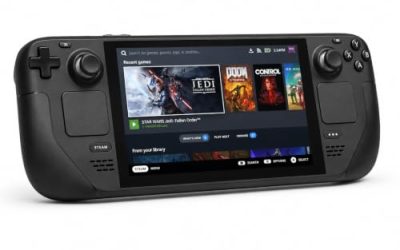
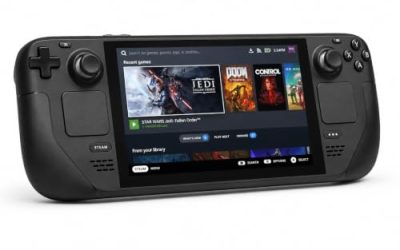
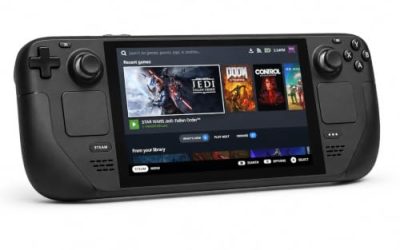
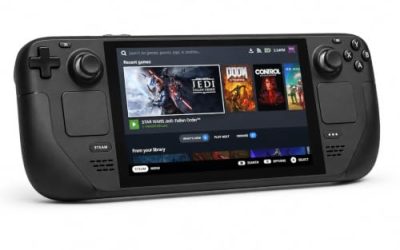
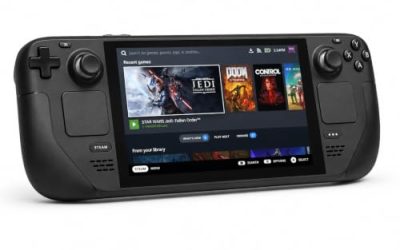
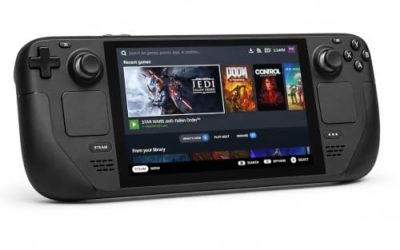
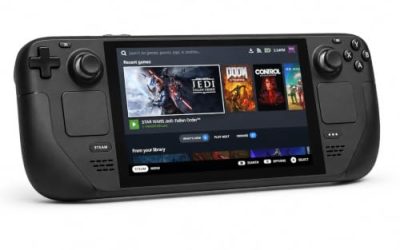
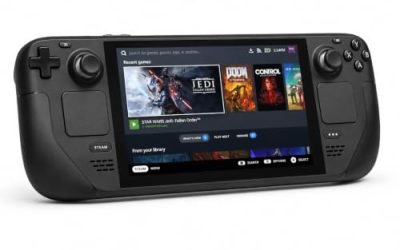
Valve Steam Deck OLED 512GB

The handheld the Playable badge was written for. The game’s requirements are a rounding error next to the Deck’s APU, and Valve’s test sheet gives the Windows build a near-clean pass under the stable Proton line, with small text as the only deduction.
Specs
- Display: 7.4-inch HDR OLED, 1280 by 800, up to 90 Hz
- Processor: AMD Zen 2 and RDNA 2 custom APU
- Memory: 16 GB LPDDR5
- Storage: 512 GB NVMe, plus a microSD slot
- Wireless: Wi-Fi 6E and Bluetooth
- Channel note: Valve sells the Deck mainly through its own store, so Amazon listings are third-party sellers
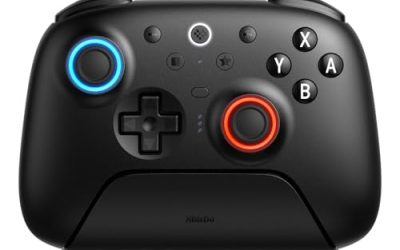
8BitDo Ultimate 2 Bluetooth Controller
The docked and desktop pad pick. The game’s record declares full controller support, and this pad covers the couch case with modern sticks, triggers and back buttons for menu shortcuts.
Specs
- Connectivity: Bluetooth wireless and USB-C wired
- Joysticks: TMR electromagnetic, anti-drift design
- Triggers: Hall effect, with mode switching
- Extras: two remappable back buttons, motion control
- In the box: charging dock included
Xbox Wireless Controller, Carbon Black
The safest guest pad in PC gaming: Steam Input support is universal, the glyphs match what most games display, and it pairs over Bluetooth or its own wireless standard. The Deck sheet confirms this game accepts the default controller configuration without adjustment.
- Connectivity: Xbox Wireless and Bluetooth
- Port: USB-C for wired play
- Controls: hybrid D-pad, dedicated Share button
- Power: AA batteries or optional rechargeable pack
Logitech G502 HERO
Zoo management is menu work — enclosures, staff, splicing labs — and a precise wired mouse turns long planning sessions into single clicks. Eleven programmable buttons cover the confirm, cancel and camera inputs a long session repeats.
Specs
- HERO optical sensor, up to 25,600 DPI
- 11 programmable buttons
- Adjustable weight system
- Wired USB connection
- On-board memory profiles
Samsung T9 Portable SSD 2TB
For moving a Linux game library between a desktop and a laptop, or keeping a backup of installers, a fast USB-C drive is the answer. The headline figure needs a Gen 2×2 host port; on a lesser port the drive runs at that ceiling.
Specs
- Capacity: 2 TB portable SSD
- Interface: USB 3.2 Gen 2×2, USB-C connector
- Maker-rated speeds: up to 2,000 MB per second read, 1,950 MB per second write
- Features: Dynamic Thermal Guard, maker-rated drop resistance
How to choose
Buy the Steam copy, because it is the only PC edition on sale and the exact build the records describe. On a Linux desktop or laptop, install it and leave the compatibility tool at its default first; if a launch ever fails, the ProtonDB file points to a numbered Proton 8 build as the known-good step rather than Experimental. On Steam Deck, install and play: the badge expects no configuration work, and the one compromise is reading small interface text on the handheld screen. The record’s full controller support means any pad above works as the game intends; the mouse is a desktop luxury, not a requirement. Budget buyers need nothing beyond the game itself; the mid-range step is a pad you already like; the premium step is the Deck OLED, which makes it a couch title.
Who should skip
Skip this one if you buy native Linux builds on principle: there is none here, none is promised anywhere on the record, and the maintained branch has stayed Windows-only through years of updates. Skip it on Deck if small interface text is a deal-breaker — that is the badge’s one deduction and the genre leans on dense panels. And note that every expansion inherits the same Windows-only shape, so Proton is the route for the whole family, not just the base game.
FAQ
Is Let’s Build a Zoo native on Linux?
No. The Steam flags, the sole purchase package, the single content depot and the only launch entry are all Windows-only, the Linux requirements tab is an empty shell, and all four add-on apps repeat the same flags.
How well does Let’s Build a Zoo run under Proton?
ProtonDB’s summary reads Gold on the headline and trending tiers with a Platinum best-reported tier, from 17 reports at good confidence. The rough launch-era reports date from 2021; recent filings on Proton 7 and 8 describe an out-of-the-box game.
Is Let’s Build a Zoo Steam Deck Verified?
It is rated Playable, one step below Verified, with small text as the only deduction. The rating rests on a single August 2023 test against an older build, while the current branch dates from October 2025 — the badge is genuine but its paperwork predates the build on sale.
Can I buy Let’s Build a Zoo on GOG instead?
No. GOG sells no edition: the natural product address redirects to the general catalogue and no catalogue record exists for it. Steam is the only PC storefront for this title.
Final verdict
Let’s Build a Zoo is a clean Windows-only record: one package, one depot, one launch entry, an empty Linux tab, and a family of add-ons that all say the same thing. Nothing is hidden and nothing is stranded — there is simply no native build. What Linux players get instead is one of the easier Proton cases in this series: a Gold file with a Platinum ceiling, a Playable Deck badge whose only deduction is small text, full controller support, and requirements any machine clears. Buy it on Steam, run it through Proton, and splice responsibly.
Product and ASIN Reference
| Product | ASIN |
|---|---|
| Valve Steam Deck OLED 512GB | B0CQ3RWQQZ |
| 8BitDo Ultimate 2 Bluetooth Controller | B0F194QFT2 |
| Xbox Wireless Controller, Carbon Black | B08DF248LD |
| Logitech G502 HERO | B07GBZ4Q68 |
| Samsung T9 Portable SSD 2TB | B0CHFS9K14 |