Toree 3D is a bite-sized 3D platformer from solo developer Siactro, released on 9 April 2021. It wears a late-90s low-poly look, strings nine short levels together around fast, momentum-driven movement, and hides two secret characters for players who clear its stages quickly. It is exactly the kind of small speedrun-friendly game Linux players pick up on a whim, which makes the platform question worth answering precisely: is there a native Linux build, or does the Steam copy only run through a compatibility layer?
The record gives an unusually clean answer. Steam flags Windows as the game’s only platform, the Mac and Linux requirements fields are empty lists rather than filled tabs, and the depot table holds exactly one content depot: a Windows build that is also the entire size of the game on disk. There is no Linux build to find here. What Linux players get instead is the Proton route, carrying Valve’s own top handheld rating on paperwork that still matches the build Steam serves today.
As an Amazon Associate, we earn from qualifying purchases.
Quick answer
No. Toree 3D has no native Linux build. Steam flags Windows as its only platform, both Mac and Linux requirements fields are empty lists, and the single content depot in the store package is a Windows build. Linux players run that build through Proton, the route behind its Verified Steam Deck badge.
One depot, one platform: what the Steam record ships
Start with the platform flags on the appdetails record for app 1554840. Windows reads true; Mac reads false; Linux reads false. The requirements fields agree without any of the ambiguity this series often has to unpick. The Windows field is genuinely populated at both tiers: Windows 7, 8 or 10, a Pentium Dual-Core T4200 at 2.00 GHz, 1 GB of RAM, a GeForce GTX 960 and 110 MB of storage, with the recommended tier repeating the same list. The Mac requirements field is an empty list outright, and so is the Linux field. There is no Linux tab in shell form and no minimum tier hiding behind a heading; the field simply is not there.
The depot table settles the question the same way. SteamDB lists exactly one content depot: depot 1554841, named Toree 3D Content, configured for Windows, at 122.65 MiB. The total size on disk for the whole game is also 122.65 MiB, so the Windows build is not the largest part of the delivery; it is the whole delivery. The depot’s own page lists the store package, sub 549103, billing type Store or CD Key, among the packages containing it, so that build is the one buyers receive. Its manifest is a Unity and Mono delivery of Windows executables and libraries, matching the Unity Engine and Mono SDK entries in SteamDB’s detected-technologies list. No Linux or Mac depot exists in any branch, and the public branch has sat on build 7154170 since August 2021.
Two smaller points close the scan. The record’s osarch and osextended values are both empty strings, so no architecture claim is made either way here. And the family sweep is the shortest this series produces: the record carries no DLC array at all. No soundtrack app, art book or expansion exists under Toree 3D, so the soundtrack trap cannot form and no relative’s stray flag can be misread as the game’s. The not-native case rests on the game alone, and it is unanimous.
Two gaps are stated as gaps. The record publishes no DRM notice and no external account notice, so nothing is claimed here about copy protection or account requirements beyond their absence. Steam’s category list is short: Single-player, Partial Controller Support and Family Sharing, across the Action, Adventure and Indie genres. That partial controller support is the one place the store page itself tempers expectations.
The Proton file that would not load
ProtonDB is the source this series normally uses to grade the Windows build under Proton, and this session it could not be read at all. The summary address returned a page-not-found response and the game page itself would not load for reading, so no headline tier, no best-reported or trending tier, no report count and no confidence figure is claimed anywhere in this article. The game page’s classification heading likewise could not be checked, so nothing is asserted about it in either direction. Those are gaps in this session’s evidence, disclosed rather than papered over.
The gap matters less here than it might for a heavier game. The requirements are minimal, the engine is Unity with Mono, and the build has been frozen since 2021, so the Windows build installed today is the same one every compatibility signal on record was earned against. Readers who want the community grade should read the game’s ProtonDB page directly rather than take a number this article cannot stand behind.
Steam Deck: Verified, on paperwork that still matches
Valve’s own compatibility endpoint answered directly this session, and it gives Toree 3D its top category. The Deck record resolves to category 3, Verified, with all four checks passing: the default controller configuration is fully functional, the game shows Steam Deck controller icons, interface text is legible, and the default graphics configuration performs well. The SteamOS side resolves to Compatible, with game startup functional.
The dated paperwork comes from SteamDB’s republication of Valve’s compatibility data, and it is unusually tidy. The test was run on 26 August 2022 against build 7154170, with proton-stable as the recommended runtime. That is the same build the public branch still serves, unchanged since August 2021, so unlike many older titles in this series the Deck paperwork does not predate the current branch build; there is no newer build for it to be stale against. The runtime line carries the familiar caveat: the Verified badge certifies the Windows build running under Proton, not a native Linux build.
Buying Toree 3D outside Steam
There is no GOG edition to consider. The game’s natural product address on GOG resolves to the store’s general games catalogue, which is how GOG answers an address for a title it does not sell, and GOG’s own product search returns no record for the game. No product page exists to read, so no claim is made beyond that absence. Steam is the only PC storefront route, and its single Windows depot is the copy every record above describes.
Hardware picks for a nine-level speedrun game
A game this small makes no demands, so the picks below suit the way it gets played: short sessions, a controller in hand, a library that travels.
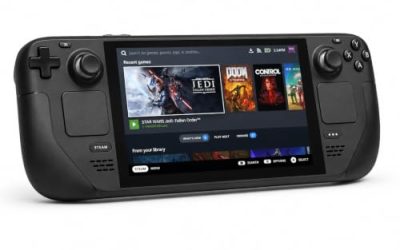
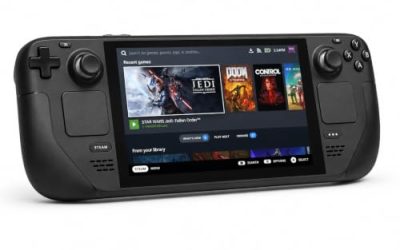
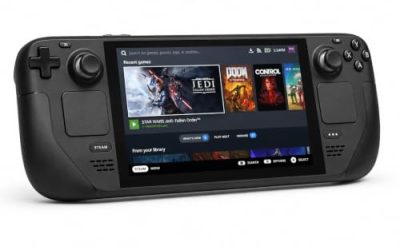
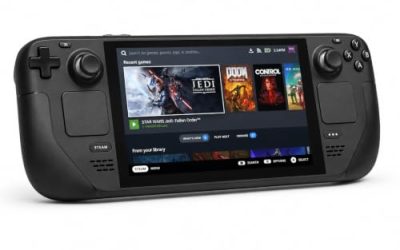
Valve Steam Deck OLED 512GB

The handheld the Verified badge was written for. The game’s requirements are a rounding error next to the Deck’s APU, and Valve’s test sheet gives the Windows build a clean pass under proton-stable.
Specs
- Display: 7.4-inch HDR OLED, 1280 by 800, up to 90 Hz
- Processor: AMD Zen 2 and RDNA 2 custom APU
- Memory: 16 GB LPDDR5
- Storage: 512 GB NVMe, plus a microSD slot
- Wireless: Wi-Fi 6E and Bluetooth
- Channel note: Valve sells the Deck mainly through its own store, so Amazon listings are third-party sellers
8BitDo Ultimate 2 Bluetooth Controller

The docked and desktop pad pick. Steam lists partial controller support for the game, so a pad with modern sticks, triggers and back buttons covers the couch case and any menu shortcuts a run needs.
Specs
- Connectivity: Bluetooth wireless and USB-C wired
- Joysticks: TMR electromagnetic, anti-drift design
- Triggers: Hall effect, with mode switching
- Extras: two remappable back buttons, motion control
- In the box: charging dock included
Xbox Wireless Controller, Carbon Black

The safest guest pad in PC gaming: Steam Input support is universal, the glyphs match what most games display, and it pairs over Bluetooth or its own wireless standard. A straightforward second controller for a shared screen.
- Connectivity: Xbox Wireless and Bluetooth
- Port: USB-C for wired play
- Controls: hybrid D-pad, dedicated Share button
- Power: AA batteries or optional rechargeable pack
Logitech G502 HERO

At a desk, the menus and level select screens between runs are mouse work, and a precise wired mouse turns those trips into single clicks. Eleven programmable buttons cover the confirm, cancel and restart inputs a session repeats.
Specs
- HERO optical sensor, up to 25,600 DPI
- 11 programmable buttons
- Adjustable weight system
- Wired USB connection
- On-board memory profiles
Samsung T9 Portable SSD 2TB

For moving a Linux game library between a desktop and a laptop, or keeping an offline backup of installers, a fast USB-C drive is the simple answer. The headline figure needs a Gen 2×2 host port; on a lesser port the drive runs at that ceiling.
Specs
- Capacity: 2 TB portable SSD
- Interface: USB 3.2 Gen 2×2, USB-C connector
- Maker-rated speeds: up to 2,000 MB per second read, 1,950 MB per second write
- Features: Dynamic Thermal Guard, maker-rated drop resistance
How to choose
Decide first where the game will live. On a Steam Deck, no decision is really required: the Verified badge was earned on the exact build Steam still serves, so the default install is the tested configuration. On a desktop or laptop, the same Windows build runs under Proton; choose the current stable Proton in Steam’s compatibility settings rather than an experimental branch, since the record’s recommended runtime is the stable line. Keep a controller connected either way, because the store page promises only partial controller support. Storage is a non-issue at 122.65 MiB, and the published Windows requirements are low enough that any machine running a Linux desktop clears them on paper.
Who should skip
Skip Toree 3D if a native Linux build is a condition of purchase. There is none, no Linux depot exists in any branch, and the build has not changed since 2021, so waiting for a port means waiting on a record that gives no sign of one. Skip it if you want a long platformer: nine short levels is the whole offer, aimed at players who replay stages for faster times. And skip the GOG route entirely, because no edition exists there; buy the Steam copy with the Proton understanding stated above.
FAQ
Is Toree 3D native on Linux?
No. Steam flags Windows only, the Linux requirements field is an empty list, and the single content depot in the store package is a Windows build. There is no Linux tab, depot or branch build to point to.
How does Toree 3D run on Linux, then?
Through Proton. The Windows build is the only build, and Valve’s own Deck test certifies it under the proton-stable runtime. No ProtonDB grade is claimed here, because that source could not be read this session.
Is Toree 3D Steam Deck Verified?
Yes. Valve’s record gives it the top category with all four checks passing, tested in August 2022 on build 7154170, still the build the public branch serves. The badge certifies the Windows build under Proton.
Can I buy Toree 3D on GOG instead?
No. GOG sells no edition of the game; its product address resolves to the general catalogue and its search returns no record. The Steam copy is the only PC edition.
Final verdict
Toree 3D is a Windows-only release with nothing to untangle: one flag set, one depot, one frozen build, and no family apps to muddy the scan. Linux players get it through Proton, and the strongest evidence for that route is Valve’s own paperwork, a Verified badge tested against the same build Steam serves today. The one honest gap is the community file, unread this session and claimed nowhere here. Buy the Steam copy for what it is, a tiny speedrun platformer that runs through a compatibility layer, and the record supports exactly that purchase.
Product and ASIN Reference
| Product | ASIN |
|---|---|
| Valve Steam Deck OLED 512GB | B0CQ3RWQQZ |
| 8BitDo Ultimate 2 Bluetooth Controller | B0F194QFT2 |
| Xbox Wireless Controller, Carbon Black | B08DF248LD |
| Logitech G502 HERO | B07GBZ4Q68 |
| Samsung T9 Portable SSD 2TB | B0CHFS9K14 |