Pikuniku, the puzzle-exploration game from the Sectordub team and publisher Devolver Digital, released in January 2019, is one of the uncommon cases where every layer of the record agrees. Steam flags it for Windows, Mac and Linux together, and unlike the many listings where a Linux flag is decoration, this one is backed by a filled-in requirements tab and a dedicated Linux depot buyers actually receive.
The interesting questions are the secondary ones. How strong is the ProtonDB file, given its reports split between the native build and Proton runs? What did Valve test on Steam Deck, and is that test still current? Does a second storefront sell the Linux edition? Each record is read separately here: flags, tabs, depots, the add-on app, the Proton file, the Deck sheet and GOG.
As an Amazon Associate, we earn from qualifying purchases.
Quick answer
Yes. Pikuniku is genuinely native on Linux. Steam flags all three platforms, the Linux requirements tab is filled in at both tiers, and a dedicated Linux depot of 335.20 MiB sits inside the store package with native executables. Valve rates it Verified on Steam Deck, tested on the build the public branch still serves, and GOG sells a Linux edition too.
The status at a glance
| Question | Answer from the record |
|---|---|
| Native Linux build | Yes — flag, tab and depot all agree |
| Linux depot | 572894, 335.20 MiB, in the store package |
| ProtonDB record | Platinum on all tiers, 22 reports |
| Steam Deck verdict | Verified, tested March 2022, current build |
| GOG edition | Exists, lists Linux |
What the store record actually shows
Steam’s appdetails record for Pikuniku (app 572890) lists the platforms as Windows true, Mac true, Linux true. The developers are named as Arnaud De Bock, Rémi Forcadell, Alan Zucconi, Calum Bowen and Sectordub, the publisher as Devolver Digital, and the release date as 24 January 2019. The genres are Action, Adventure, Casual and Indie, and the categories are entirely local: single-player, shared and split screen co-op and PvP, partial controller support, cloud saves and Remote Play — nothing online.
The Linux requirements field is the genuine article. The minimum tier names Ubuntu 16.04, 18.04 or 18.10, or Mint 19, on x86 or x64, with a Core2 Duo E4300 class processor, 2 GB of memory, a GeForce 9600 GT class card and 300 MB of storage. A recommended tier exists too, rarer than it should be: Ubuntu 18.10 x64, an i7-4771 class processor, 8 GB of memory and a GeForce GTX 970. This is neither the empty shell nor the empty list outright — it is a written specification for a build the publisher expected people to install.
Two absences are worth stating plainly: the record carries no DRM notice and no external account notice, and its architecture field is an empty string, so no architecture value is claimed from it — that evidence lives in the depot manifest.
The depot table settles it
A flag and a tab are paperwork. The depot table is delivery, and here it confirms the paperwork. SteamDB lists four platform depots: Windows 64-bit at 290.64 MiB, Windows 32-bit at 285.16 MiB, macOS at 304.30 MiB, and a dedicated Linux depot, 572894, at 335.20 MiB — the largest of the four.
The Linux depot’s own page lists the packages that contain it, and among them is sub 145587, the Pikuniku package billed as Store or CD Key. That membership is the point: the build is part of what a buyer downloads, not stranded in a developer-only or beta package. Its manifest holds 275 files, including x86 and x86_64 executables and native shared libraries — the expected shape of a Unity game shipped for Linux. The depot belongs to build 3541072, dated February 2019, also the build the public branch still serves.
The one add-on app, read on its own
The DLC array holds exactly one app: the Pikuniku Collector’s Edition (1016520), whose depot delivers a soundtrack and comic bundle of 97.65 MiB. Read individually, its record flags all three platforms and its Linux requirements text copies the game’s minimum tier word for word — the familiar shape of an audio bundle inheriting the parent game’s paperwork, so no platform conclusion is drawn from it. The native case rests on the game’s own flag, tab and depot. Pikuniku 2, a separate game under a separate app, was kept strictly apart.
Anti-cheat, from three separate chairs
The anti-cheat question is short for a game whose multiplayer is all local, but it was still asked of three sources. Steam’s record names no anti-cheat and publishes no notice of one. SteamDB’s detected technologies are the Unity Engine and the Mono SDK — engine plumbing, not enforcement software. Are We Anti-Cheat Yet, checked across its full dataset of 1,167 games by name and by app id, carries no entry for Pikuniku at all. Three sources, three negatives.
ProtonDB: a Platinum file over two routes
ProtonDB’s summary record answered in full: Platinum on the headline, best-reported and trending tiers, across 22 reports, with confidence rated good at 0.72. The game page classifies Pikuniku as native under its Natively Supports heading, and for once that heading and Steam’s record agree on every layer: the clean-agreement case, not the stray-tag pattern.
One framing point matters. The 22 reports are a pooled file: a large share were filed under the native runtime, the rest under named Proton versions up to Proton 10.0-3, so the Platinum grades both routes together rather than certifying the Windows build alone. The texture underneath is calm — repeated native runs with no problems, local multiplayer rated excellent where scored — with two honest wrinkles: one reporter found controller input broken on the native build and flawless under Proton, and one noted a brief framerate dip in a few sections. Both are carried at report weight.
Steam Deck: Verified, on the build still served
Valve’s own compatibility endpoint answered directly this session. It resolves the game to category 3, Verified, with all four checks passing — controller configuration, glyphs, legible text and default graphics performance. The SteamOS side reads Compatible separately.
The dated paperwork comes from SteamDB’s republication of Valve’s compatibility data, disclosed here as the source. Valve tested the game on 23 March 2022, on build 3541072, with the recommended runtime listed as native — so the badge certifies the Linux build itself, not a Windows build carried by Proton. That build is the one the public branch still serves, so the paperwork is current on the build axis.
The GOG shelf
A GOG edition exists, and it lists Linux. The ruling rests on GOG’s own catalogue record for the game (product 1246381210, slug pikuniku), whose operating system list reads windows, linux and osx; the product page’s identity was verified first. One caution: GOG’s search endpoints returned no result for this title at all — the known blind spot in that storefront’s search — so a search box alone would mislead twice over.
Gear that fits the record
The gear below follows the record’s shape: the handheld whose badge this game earned, two pads for the shared-screen modes, a desktop mouse, and library storage.
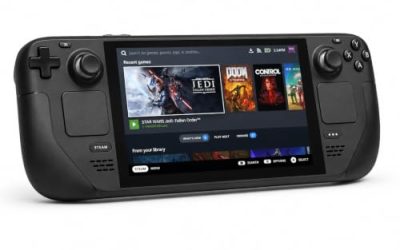
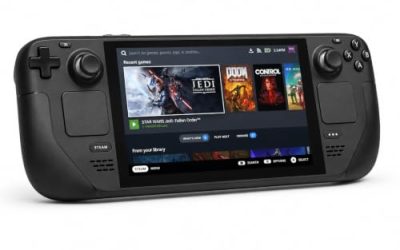
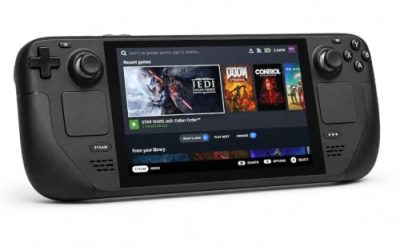
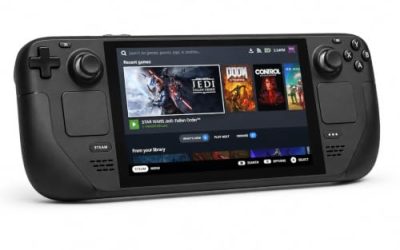
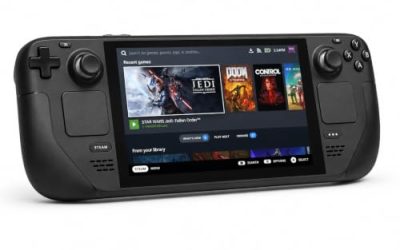
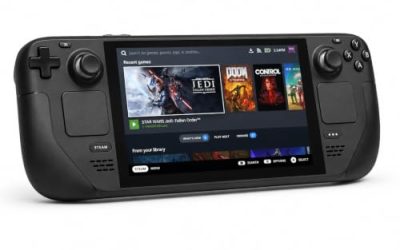
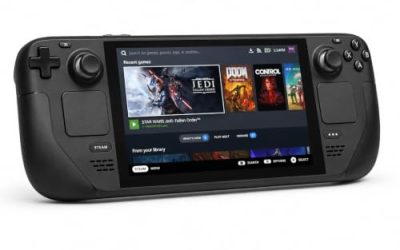
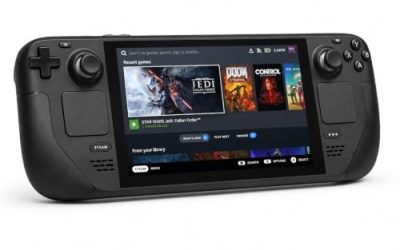
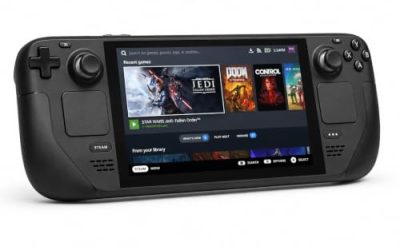
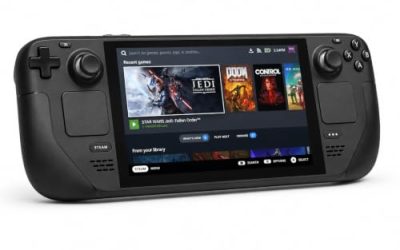
Valve Steam Deck OLED 512GB

The handheld the Verified badge was written for: Valve tested the native build itself, on the exact build the store still serves.
Specs
- Display: 7.4-inch HDR OLED, 1280 by 800, up to 90 Hz
- Processor: AMD Zen 2 and RDNA 2 custom APU
- Memory: 16 GB LPDDR5
- Storage: 512 GB NVMe, plus a microSD slot
- Wireless: Wi-Fi 6E and Bluetooth
- Channel note: Valve sells the Deck mainly through its own store, so Amazon listings are third-party sellers
8BitDo Ultimate 2 Bluetooth Controller

The second-player pad for the shared-screen co-op and versus modes, with remappable back buttons for docked desktop play.
Specs
- Connectivity: Bluetooth wireless and USB-C wired
- Joysticks: TMR electromagnetic, anti-drift design
- Triggers: Hall effect, with mode switching
- Extras: two remappable back buttons, motion control
- In the box: charging dock included
Xbox Wireless Controller, Carbon Black

The safest guest pad in PC gaming: universal Steam Input support and matching glyphs. One community report found an Xbox pad awkward to bind on the native build — exactly the case a spare pad solves.
- Connectivity: Xbox Wireless and Bluetooth
- Port: USB-C for wired play
- Controls: hybrid D-pad, dedicated Share button
- Power: AA batteries or optional rechargeable pack
Logitech G502 HERO

For desktop players who drive menus with a pointer between pad sessions: eleven programmable buttons cover the confirm, cancel and camera inputs a long session repeats.
Specs
- HERO optical sensor, up to 25,600 DPI
- 11 programmable buttons
- Adjustable weight system
- Wired USB connection
- On-board memory profiles
Samsung T9 Portable SSD 2TB

For moving a Linux game library between machines or keeping an offline backup, a fast USB-C drive is the simple answer. The headline figure needs a Gen 2×2 host port; on a lesser port the drive runs at that ceiling.
Specs
- Capacity: 2 TB portable SSD
- Interface: USB 3.2 Gen 2×2, USB-C connector
- Maker-rated speeds: up to 2,000 MB per second read, 1,950 MB per second write
- Features: Dynamic Thermal Guard, maker-rated drop resistance
How to choose
Choose either storefront, because both sell the Linux build: Steam’s copy is the one the depot table and Deck sheet describe, and GOG’s catalogue record lists Linux outright. On a Linux desktop, install the native build and play it as delivered. Keep Proton in reserve as a targeted fix rather than a default — the file’s one recurring complaint, a controller binding failure on the native build, was solved by exactly that switch in the report that raised it. On Steam Deck, install and launch: the badge was earned on the native runtime and the build still served.
Who should skip
Skip the native build, and use Proton instead, if your pad refuses to bind the way the one detailed community report describes; the game is the same either way. Skip this title if you only buy games with online multiplayer — its multiplayer is shared and split screen, local by design. Skip it if a 22-report file feels too thin to trust on its own; the reassurance here rests on the store record and depot table. And skip the Collector’s Edition bundle expecting extra platform support: its paperwork mirrors the game’s.
FAQ
Is Pikuniku native on Linux?
Yes. Steam flags Linux true, the requirements tab is populated at both tiers, and depot 572894 delivers a 335.20 MiB Linux build, with native executables and libraries, inside the store package buyers receive.
How well does Pikuniku run under Proton?
ProtonDB’s summary reads Platinum on all three tiers across 22 reports, with good confidence. The file pools native-runtime reports with Proton reports, so the tier grades both routes; Proton appears mainly as a fix for a reported controller binding problem.
Is Pikuniku Steam Deck Verified?
Yes. Valve’s own record resolves the game to Verified with all four checks passing, and the dated test sheet — read through SteamDB’s republication of Valve’s data — shows a March 2022 test on build 3541072, the build the public branch still serves, with the native runtime recommended.
Can I buy Pikuniku on GOG instead?
Yes, and the GOG edition lists Linux in GOG’s own catalogue record alongside Windows and macOS. Do not trust a GOG search box here: its search endpoints returned nothing for a game its catalogue sells.
Final verdict
Pikuniku is the straightforward case this series rarely gets: a native Linux build whose flag, requirements tab, depot membership and Deck paperwork all agree, with a test sheet current against the build still on the branch. The community file adds a unanimous Platinum pooled over 22 reports, and its one wrinkle — a controller binding complaint on the native build — comes with a documented Proton workaround. Buy it on Steam or GOG and play the native build.
Product and ASIN Reference
| Product | ASIN |
|---|---|
| Valve Steam Deck OLED 512GB | B0CQ3RWQQZ |
| 8BitDo Ultimate 2 Bluetooth Controller | B0F194QFT2 |
| Xbox Wireless Controller, Carbon Black | B08DF248LD |
| Logitech G502 HERO | B07GBZ4Q68 |
| Samsung T9 Portable SSD 2TB | B0CHFS9K14 |