Cuphead is Studio MDHR’s hand-drawn run-and-gun boss rush, released on Steam on 29 September 2017, and its record looks confusing from the outside. The store page shows a Linux requirements tab, the family around the game includes two separate soundtrack apps, and a GOG edition sits beside the Steam one — each of those details can be misread as a native Linux build. This article reads the primary records directly — Steam’s own listing, every related app in the family, the ProtonDB summary figures, Valve’s Steam Deck record, and GOG’s catalogue — and rules on each one.
The short version: no native Linux build of Cuphead exists on any storefront. What Linux players get instead is one of the strongest Proton files in this series, a top-tier Steam Deck badge, and a family sweep with a twist — the soundtrack trap that has caught so many other games in this run does not fire here, because neither soundtrack app flags Linux at all.
As an Amazon Associate, we earn from qualifying purchases.
Quick answer
Cuphead is not native on Linux: Steam flags the game for Windows and Mac only, and its Linux requirements tab is an empty shell. The Proton route is as strong as this class gets — ProtonDB reads Platinum on all three tiers across 347 reports, Valve’s Deck record is Verified, and the GOG edition is Windows and Mac only too.
What Steam’s record actually says
Steam’s own listing for app 268910 flags the game for Windows and Mac, with the Linux flag set to false. The Linux requirements field exists on the page but is an empty shell: the Minimum and Recommended headings are present and both lists under them are empty. That shape is a store-template artefact, not a specification — there is no Linux system requirement anywhere in the record, because there is no Linux build for it to describe.
The rest of the record is straightforward. The category list names single-player, local co-op in shared and split screen form, Steam Achievements, full controller support, Steam Trading Cards, Steam Cloud, Remote Play Together and Family Sharing. The record carries no DRM notice, so this article names no DRM product, and no third-party account or launcher is named either. The published Windows minimum is modest: a 64-bit copy of Windows 7, an Intel Core2 Duo E8400 or AMD Athlon 64 X2 6000+, 3 GB of RAM, a GeForce 9600 GT or AMD HD 3870 with 512 MB, DirectX 11, and 4 GB of storage. The Mac build flagged on the same record is a real second platform, but a Mac build is not a Linux build.
The family sweep: two soundtracks, zero Linux flags
The base game’s record lists exactly three related apps, each read individually. The Delicious Last Course (app 1117850), the expansion released on 30 June 2022, is ordinary downloadable content flagging Windows and Mac with the same empty-shell Linux field as the base game. The Cuphead Official Soundtrack (app 704710) is a type-music app, and the Cuphead DLC Official Soundtrack (app 2072990) is a second type-music app covering the expansion’s score.
That pair matters because this series has repeatedly found soundtrack apps flagging all three platforms while the game itself flags Windows only — a pattern that can make a family scan look like it found a Linux build. Here the trap does not fire. Both soundtrack apps flag Windows and Mac only, with the Linux flag false and the Linux requirements field an empty list outright. Across all four apps in the family — the game, the expansion and the two albums — the Linux-flag count is exactly zero.
What ProtonDB’s file says
ProtonDB’s summary record for the game is unanimous: Platinum on the headline tier, Platinum on the best-reported tier and Platinum on the trending tier, across 347 reports, with strong confidence. A unanimous Platinum file on a pool that deep is the strongest shape this audit encounters — no split to explain away, no launch-era headline dragging behind current builds, no thin sample to qualify. The file describes the Windows build running under Proton, exactly the route a Linux buyer of the Steam copy would use.
Two limits are worth stating. The summary file does not separate the base game from The Delicious Last Course, so no expansion-specific verdict is claimed. And a Platinum tier is a community compatibility verdict, not a performance promise — it says the build runs correctly under Proton, which for a game with Cuphead’s published minimum is the question that matters.
The Steam Deck record
Valve’s compatibility record for the game, read through SteamDB’s republication of Valve’s own data after Valve’s test endpoint returned empty responses in this session, gives Cuphead the top category: Verified. All four Verified checks pass — all functionality is accessible with the default controller configuration, the game shows Steam Deck controller icons, in-game interface text is legible, and the default graphics configuration performs well. No deductions, no informational notes: a clean sheet. The same record’s SteamOS line reads Compatible.
The record publishes its test paperwork, and this article claims it as published: the test is dated 16 February 2022, against build 3847656, with proton-stable named as the recommended runtime. That date places the test in the Deck’s launch window, and the article claims nothing newer — the badge on the store today is that test’s result, carried forward.
The GOG edition
A GOG edition of Cuphead exists — one of the cases where GOG’s embed search returns zero products while the catalogue record and the live product page both answer, so the ruling rests on those. GOG’s catalogue record lists the game’s operating systems as Windows and Mac, and the expansion the same way. So the DRM-free copy is real, but it is not a native Linux route: it is the same Windows build, with a Mac build beside it, that Steam sells.
For a Linux buyer the Steam copy remains the one both compatibility records describe — the ProtonDB file and Valve’s Deck test both track the Steam build and its default Proton configuration. The GOG copy suits a Windows or Mac machine in the same household; it changes nothing about the Linux position.
Gear that fits the record
The gear below follows the record’s shape: the handheld the badge was written for, two pads for the game’s two-player local co-op and docked play, a mouse for desktop sessions, and library storage.
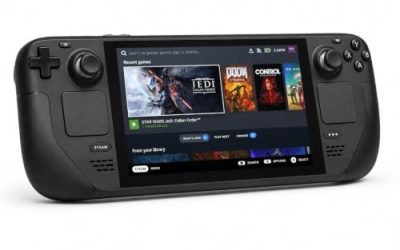
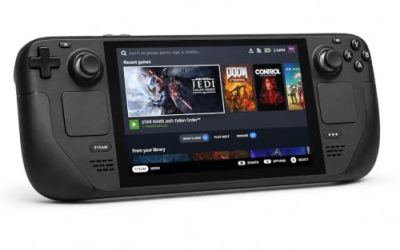
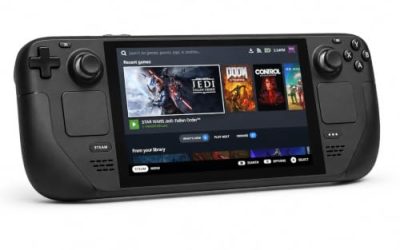
Valve Steam Deck OLED 512GB

The handheld the Verified badge was written for. The game’s published requirements are a rounding error next to the Deck’s APU, and Valve’s test sheet gives the Windows build a clean pass under proton-stable.
Specs
- Display: 7.4-inch HDR OLED, 1280 by 800, up to 90 Hz
- Processor: AMD Zen 2 and RDNA 2 custom APU
- Memory: 16 GB LPDDR5
- Storage: 512 GB NVMe, plus a microSD slot
- Wireless: Wi-Fi 6E and Bluetooth
- Channel note: Valve sells the Deck mainly through its own store, so Amazon listings are third-party sellers
8BitDo Ultimate 2 Bluetooth Controller

The first pad pick, for docked play and for the second chair in local co-op. Cuphead’s record lists full controller support and shared-screen co-op for two players, and this pad adds back buttons for the dash and weapon-swap inputs a boss fight repeats.
Specs
- Connectivity: Bluetooth wireless and USB-C wired
- Joysticks: TMR electromagnetic, anti-drift design
- Triggers: Hall effect, with mode switching
- Extras: two remappable back buttons, motion control
- In the box: charging dock included
Xbox Wireless Controller, Carbon Black

The safest guest pad in PC gaming, and the natural player-two controller for a co-op session: Steam Input support is universal, and it pairs over Bluetooth or its own wireless standard.
Specs
- Connectivity: Xbox Wireless and Bluetooth
- Port: USB-C for wired play
- Controls: hybrid D-pad, dedicated Share button
- Power: AA batteries or optional rechargeable pack
Logitech G502 HERO

Cuphead itself is a pad game, and this article will not pretend otherwise. At a desk, though, the sessions around the game — library management, settings, the desktop itself — are mouse work, and a precise wired mouse covers the confirm, cancel and shortcut inputs a desktop player repeats all day.
Specs
- HERO optical sensor, up to 25,600 DPI
- 11 programmable buttons
- Adjustable weight system
- Wired USB connection
- On-board memory profiles
Samsung T9 Portable SSD 2TB

The game itself needs only 4 GB, so this drive is for moving a whole Linux game library between a desktop and a laptop, or keeping an offline backup of installers. The headline figure needs a Gen 2×2 host port; on a lesser port the drive runs at that ceiling instead.
Specs
- Capacity: 2 TB portable SSD
- Interface: USB 3.2 Gen 2×2, USB-C connector
- Maker-rated speeds: up to 2,000 MB per second read, 1,950 MB per second write
- Features: Dynamic Thermal Guard, maker-rated drop resistance
How to choose
Choose the Steam copy, because it is the exact build both compatibility records describe. On desktop or laptop, install under Proton and leave the compatibility tool at its default — Valve’s own test used the stable Proton line, and the unanimous Platinum community file says current builds run the game correctly. On a Steam Deck, the Verified badge means no configuration work is expected: install and launch. For input, plan on pads: full controller support and two-player local co-op make a second controller the most useful accessory this game has.
Who should skip
Skip this one if you are shopping for a native Linux Cuphead: there is none, on Steam, on GOG or anywhere else in the records read here — the Linux tab on the store page is an empty form, not a build. Skip it if you want online multiplayer, because the record’s co-op is local, with Remote Play Together as the only networked route listed. Skip the GOG copy as a Linux purchase, since its platform list stops at Windows and Mac. And skip the game itself if a deliberately punishing boss-rush structure is not what you are after.
FAQ
Is Cuphead native on Linux?
No. Steam’s record for app 268910 flags Windows and Mac only, the Linux requirements field is an empty shell with no entries under either heading, and GOG’s catalogue lists the same two platforms.
How well does Cuphead run under Proton?
ProtonDB’s summary record is unanimous Platinum — headline, best-reported and trending tiers all at the top grade — across 347 reports with strong confidence, with no split between the launch period and current builds to qualify.
Is Cuphead Steam Deck Verified?
Yes. Valve’s record gives the game its top category, Verified, with all four checks passing and no deductions or notes. The published test is dated 16 February 2022 and names proton-stable as the recommended runtime; the record was read through SteamDB’s republication of Valve’s data.
Can I buy Cuphead on GOG instead?
Yes, but not for Linux. GOG sells the game and its expansion with Windows and Mac listed as the operating systems, confirmed from GOG’s own catalogue record after its embed search returned nothing. The DRM-free copy is the same Windows build Steam sells.
Final verdict
Cuphead is a Windows and Mac release with an unusually clean paper trail: an empty-shell Linux tab that promises nothing, a four-app family in which not one app — not even the two soundtrack albums that so often carry a stray flag — flags Linux, and a GOG edition listing the same two platforms. What it offers Linux players instead is close to the best case for a non-native game: a unanimous Platinum ProtonDB file across 347 reports, a Verified Steam Deck badge earned on the Windows build under proton-stable, full controller support and local co-op. Buy the Steam copy, play it under Proton, and do not let the empty tab sell you a native build that does not exist.
Product and ASIN Reference
| Product | ASIN |
|---|---|
| Valve Steam Deck OLED 512GB | B0CQ3RWQQZ |
| 8BitDo Ultimate 2 Bluetooth Controller | B0F194QFT2 |
| Xbox Wireless Controller, Carbon Black | B08DF248LD |
| Logitech G502 HERO | B07GBZ4Q68 |
| Samsung T9 Portable SSD 2TB | B0CHFS9K14 |