DOOM Eternal is the Linux question with a plot twist in its past: a shooter that ran well under Proton, lost that compatibility for one week in 2020 to a kernel-level anti-cheat, then got it back. This audit reads the current record end to end — Steam’s flags, the DLC family, the community file, Valve’s Deck test sheet, the anti-cheat history and the GOG shelf — so the verdict rests on documents, not on memories of that week.
The short version: there is no native Linux build, and there never has been. What exists today is a Windows build with one of the deepest ProtonDB files in this audit series, a Playable badge on Steam Deck, and no anti-cheat between a Linux player and either the campaign or Battlemode.
As an Amazon Associate, we earn from qualifying purchases.
Quick answer
DOOM Eternal is not native on Linux. Steam flags the game Windows only, and its Linux requirements tab is an empty shell. Under Proton the record is deep and strong: Gold on the headline tier, Platinum on the best-reported and trending tiers, across 1,251 reports. Valve rates the Deck build Playable, and no anti-cheat gate stands today.
What Steam’s own record says
Steam’s store search returns exactly one game app for the name, app 782330: DOOM Eternal, developed by id Software, published by Bethesda Softworks, released in March 2020. Its platform flags read windows true, mac false, linux false. The Linux requirements field exists but is an empty shell — the Minimum and Recommended headings are present and both lists under them are empty. That is the store-template trap in its standard form: a requirements tab shape with no Linux build behind it.
The category record lists single-player, multi-player, PvP and online PvP, Steam Achievements, Trading Cards, partial controller support, Steam Cloud, HDR and Family Sharing. Store data also lists a Bethesda.net third-party account, which the online features ask for. Two absences matter. The record carries no DRM notice, so this article names no DRM product as part of the current build — the same record gap the Final Fantasy XVI and Final Fantasy VII Rebirth audits carried. And it names no anti-cheat, a point the history section puts in context.
The published Windows minimum asks for a 64-bit Windows 7 or Windows 10 system, a Core i5 at 3.3 GHz or a Ryzen 3 at 3.1 GHz, 8 GB of RAM, a GTX 1050 Ti, GTX 1060 or GTX 1650 class card or a Radeon R9 280, R9 290 or RX 470, and 80 GB of storage, targeting 1080p at 60 frames per second on low settings.
The family sweep: four add-ons, zero Linux flags
The game app’s record lists four DLC apps, each read individually. The Ancient Gods Expansion Pack, The Ancient Gods Part One and The Ancient Gods Part Two are full expansion apps, and every one flags Windows only. The Complete Cosmetic Pack is an ordinary DLC app and also flags Windows only. A dedicated soundtrack search returns zero results, so the usual audio-album trap cannot fire. Across all five apps the Linux-flag count is exactly zero.
ProtonDB: a split file on a very deep pool
ProtonDB’s summary record for app 782330 reads Gold on the headline tier, Platinum on the best-reported tier and Platinum on the trending tier, across 1,251 reports with strong confidence. That count makes this one of the deepest community files in this audit series, and the split is worth reading properly: the headline carries the game’s whole history, including the week in 2020 when the build genuinely did not run under Proton at all, while the best-reported and trending tiers describe the build as it stands now, which recent reports consistently describe as running well. The file covers the Windows build as a whole and does not split the campaign from Battlemode.
Steam Deck: Playable, with two deductions
Valve’s own compatibility endpoint answered directly for this app, and SteamDB’s republication of the same record agrees. The resolved category is Playable, one step below the top badge. Two checks pass outright: the default controller configuration is fully functional, and the default graphics configuration performs well. Two deductions hold the badge at Playable: the game sometimes shows mouse, keyboard or non-Steam-Deck controller icons instead of Deck glyphs, and some in-game text is small and may be difficult to read. One informational note adds that the game does not default to external Bluetooth or USB controllers and may require manually switching the active controller through the Quick Access Menu. SteamOS separately reads Compatible. A test date is published on this record and is claimed: tested 28 August 2026, on build 24695697, with proton-stable as the recommended runtime.
The anti-cheat history, stated as history
Steam’s current record names no anti-cheat, and that is the present position. The past position is documented and short. PCGamingWiki’s record of the game, backed by id Software’s own patch notes, states that Update 1 on 14 May 2020 added Denuvo Anti-Cheat — a kernel-mode driver, and a different product from Denuvo’s anti-tamper copy protection — to protect the Battlemode multiplayer. The driver broke Proton compatibility outright, and after a week of backlash id Software announced its removal on 20 May 2020; Update 1.1, released 27 May 2020, removed the integration, and id’s own patch notes say so in those words. The same reference records that the separate anti-tamper protection was removed in September 2023, consistent with the current store record carrying no DRM notice at all. Nothing in today’s record reinstates any of it: no anti-cheat is named, no kernel driver is listed, and recent ProtonDB reports describe current builds running under Proton. No bypass tool is needed here, and none is recommended.
The GOG ruling
A GOG edition exists. GOG’s own search endpoints return zero products for the title — the catalogue blind spot firing again — but the live product page is real, and its details table reads Works on: Windows, with the same March 2020 release date. So the DRM-free copy is a genuine second storefront, but a Windows build: not a native route, and not the build either compatibility record describes. The Steam copy remains the buy, because it is the exact build the ProtonDB file and the Deck test sheet were written against.
Gear that fits the record
The gear below follows the record’s shape: the handheld the Playable badge was written for, two pads for docked and desktop play, a mouse for fast desktop aiming, and library storage.
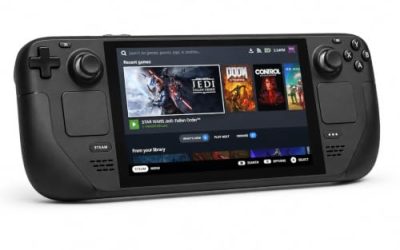
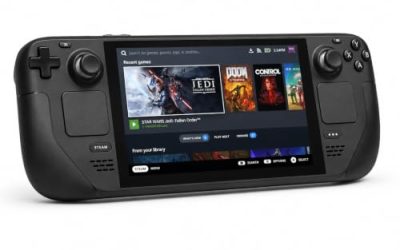
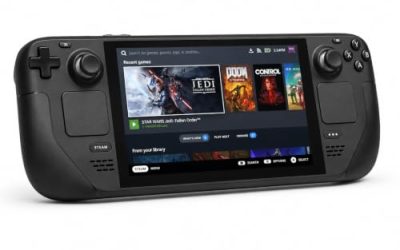
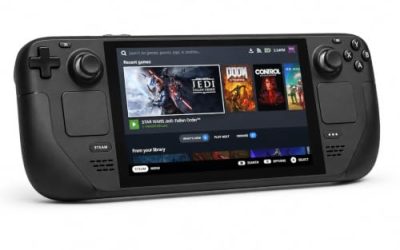
Valve Steam Deck OLED 512GB

The handheld the Playable badge was written for. Valve’s test sheet passes the default configuration on performance and controller function; the two deductions are glyphs and small text.
Specs
- Display: 7.4-inch HDR OLED, 1280 by 800, up to 90 Hz
- Processor: AMD Zen 2 and RDNA 2 custom APU
- Memory: 16 GB LPDDR5
- Storage: 512 GB NVMe, plus a microSD slot
- Wireless: Wi-Fi 6E and Bluetooth
- Channel note: Valve sells the Deck mainly through its own store, so Amazon listings are third-party sellers
8BitDo Ultimate 2 Bluetooth Controller

The docked and desktop pad pick. Steam lists partial controller support for the game — menus still lean on a pointer — and this pad covers the couch case with modern sticks, triggers and back buttons. On the handheld, remember the test sheet’s note: an external pad may need the Quick Access Menu switch before it takes over.
Specs
- Connectivity: Bluetooth wireless and USB-C wired
- Joysticks: TMR electromagnetic, anti-drift design
- Triggers: Hall effect, with mode switching
- Extras: two remappable back buttons, motion control
- In the box: charging dock included
Xbox Wireless Controller, Carbon Black

The safest guest pad in PC gaming: Steam Input support is universal, and it pairs over Bluetooth or its own wireless standard. On the Deck it is subject to the same manual-switch note as any external pad.
Specs
- Connectivity: Xbox Wireless and Bluetooth
- Port: USB-C for wired play
- Controls: hybrid D-pad, dedicated Share button
- Power: AA batteries or optional rechargeable pack
Logitech G502 HERO

DOOM Eternal is a mouse-aim game at heart, and Steam only claims partial controller support, so at a desk a precise wired mouse is the primary input rather than a supplement. Eleven programmable buttons cover the weapon and equipment inputs a long session repeats.
Specs
- HERO optical sensor, up to 25,600 DPI
- 11 programmable buttons
- Adjustable weight system
- Wired USB connection
- On-board memory profiles
Samsung T9 Portable SSD 2TB

For moving a Linux game library between machines, or keeping an offline backup of installers, a fast USB-C drive is the simple answer. The headline figure needs a Gen 2×2 host port; on a lesser port the drive runs at that ceiling instead. The game itself needs 80 GB per Steam’s published minimum.
Specs
- Capacity: 2 TB portable SSD
- Interface: USB 3.2 Gen 2×2, USB-C connector
- Maker-rated speeds: up to 2,000 MB per second read, 1,950 MB per second write
- Features: Dynamic Thermal Guard, maker-rated drop resistance
How to choose
Choose the Steam copy, because it is the exact build both compatibility records describe. On desktop or laptop, install under Proton and leave the compatibility tool at its default; the Gold headline with Platinum best-reported and trending tiers, across more than a thousand reports, says the current build runs well. On a Steam Deck, the Playable badge means the default configuration performs; budget a moment for the two deductions — occasional non-Deck glyphs and small text — and for the manual controller switch if you pair an external pad.
Who should skip
Skip this one if you are shopping for a native Linux shooter: this game is not it, and no app in its family flags Linux at all. Skip the GOG copy if your plan was a native or record-matched route — it is a Windows build that neither compatibility record describes. Skip it if a split ProtonDB headline is not reassurance enough and you only play unanimous-Platinum games. And skip the Deck version if small in-game text is a deal-breaker.
FAQ
Is DOOM Eternal native on Linux?
No. Steam’s record for app 782330 flags Windows only, and the Linux requirements field is an empty shell. All four DLC apps flag Windows only as well, and there is no soundtrack app to borrow a flag from.
Does DOOM Eternal still have Denuvo Anti-Cheat?
No. It was added for Battlemode in May 2020 and removed the same month by Update 1.1, as id Software’s own patch notes state. Steam’s current record names no anti-cheat, and the separate anti-tamper protection was also removed years later.
How well does DOOM Eternal run under Proton?
ProtonDB’s summary record reads Gold on the headline tier and Platinum on the best-reported and trending tiers, across 1,251 reports with strong confidence. The headline carries the game’s early history, including the one week the anti-cheat blocked Proton entirely; current reports describe a build that runs well.
Is DOOM Eternal Steam Deck Verified?
It is one step below: Playable. Valve’s record, tested 28 August 2026, passes the default controller configuration and default graphics performance, with two deductions — controller glyphs that sometimes do not match the Deck, and small in-game text.
Final verdict
DOOM Eternal is a Windows-only release whose Linux story is better than its reputation: the kernel-level anti-cheat that broke Proton in 2020 was removed within the month and never returned, the anti-tamper protection followed years later, and what remains is a clean record — no native build and no pretending otherwise, a Gold and Platinum community file on more than a thousand reports, and a Playable Deck badge with its deductions printed on the sheet. Buy the Steam copy, play it under Proton, and judge the game by today’s record rather than its worst week.
Product and ASIN Reference
| Product | ASIN |
|---|---|
| Valve Steam Deck OLED 512GB | B0CQ3RWQQZ |
| 8BitDo Ultimate 2 Bluetooth Controller | B0F194QFT2 |
| Xbox Wireless Controller, Carbon Black | B08DF248LD |
| Logitech G502 HERO | B07GBZ4Q68 |
| Samsung T9 Portable SSD 2TB | B0CHFS9K14 |