The Outer Worlds: Spacer’s Choice Edition is the 2023 re-release of Obsidian Entertainment’s colony-hopping RPG. The original 2019 edition still has its own separate store listing, so this audit covers one app only: the Spacer’s Choice Edition, app 1920490, published by Xbox Game Studios on 7 March 2023.
The short version is that no native Linux build exists, the Windows build runs well under Proton with a Gold headline and Platinum on its best-reported and trending tiers, and Valve rates the game Playable on Steam Deck with a test dated 24 September 2026. A GOG edition exists, but it is Windows only, so the DRM-free copy is not a native route either.
As an Amazon Associate, we earn from qualifying purchases.
Quick answer
The Outer Worlds: Spacer’s Choice Edition is not native on Linux: Steam flags it Windows only and its Linux requirements tab is an empty shell. The route is Proton: ProtonDB rates the Windows build Gold, Platinum on its best-reported and trending tiers, across 75 reports, and Valve rates the game Playable on Steam Deck. Buy the Steam copy, the only PC edition with the full compatibility record behind it.
The status at a glance
| Question | Answer from the record |
|---|---|
| Native Linux build | No — Steam flags read Windows only |
| Linux requirements tab | Empty shell — headings present, both lists empty |
| Add-on apps | No DLC list at all, no soundtrack app |
| ProtonDB record | Gold headline, Platinum best and trending, 75 reports |
| Steam Deck verdict | Playable, tested 24 September 2026 |
| GOG edition | Exists, but Windows only |
| DRM or anti-cheat | None named on the store record |
What Steam’s own record says
Steam’s appdetails record for The Outer Worlds: Spacer’s Choice Edition (app 1920490, established from Steam’s own store search) lists the platforms as Windows true, Mac false, Linux false. Obsidian Entertainment and Virtuos Games developed the edition, Xbox Game Studios published it, and no Mac or Linux build sits beside the Windows one.
The Linux requirements field follows the empty-shell pattern this series tracks: Minimum and Recommended headings are present, but both lists are empty. That is the store-template trap in its classic form — a page that looks as though it has a Linux tab until you read it and find nothing underneath.
Steam lists single-player, Steam Achievements, full controller support, Steam Cloud and Family Sharing. No DRM notice appears on the record, no anti-cheat is named, and no third-party launcher or account is required. The published Windows minimum is a modern one: a 64-bit processor and operating system, Windows 10, an Intel Core i7-6700 or AMD Ryzen 5 1600, 12 GB of RAM, a GeForce GTX 1060 with 6 GB of video memory or a Radeon RX 590, and 62 GB of storage.
One listing note matters for buyers. The original 2019 edition has its own separate Steam listing, app 578650, and it reads the same way: Windows true, Mac false, Linux false, with no DLC list attached. This article covers the Spacer’s Choice Edition only, because that is the current listing, and no verdict here transfers to the 2019 original.
The family sweep: no add-ons, no soundtrack flag
The base game’s record lists no DLC array at all. There is nothing to sweep: no costume pack, no expansion, no season pass, and no soundtrack app hangs off app 1920490. The soundtrack trap, where an audio product carries a Linux flag that a careless scan then credits to the game, cannot fire here, because there is no family to misread. Across the single app in the family, the Linux-flag count is zero.
GOG’s catalogue also lists an original soundtrack album for The Outer Worlds, and that album flags Windows only. It is an album of audio files, not a game build.
The Proton file
ProtonDB’s summary record for app 1920490, read directly this session, gives a split file: a Gold headline tier, a Platinum best-reported tier and a Platinum trending tier, across 75 reports with strong confidence. ProtonDB does not classify the game as native, which agrees with Steam’s flags. Seventy-five reports is a substantial file for a single-player RPG, and the strong confidence rating means the tiers rest on more than a handful of submissions.
The split is worth reading rather than flattening. A Gold headline with Platinum on both the best-reported and trending tiers says the game runs well for most reporters today, with the headline held down by older reports from the edition’s launch window.
The Steam Deck sheet
Valve rates The Outer Worlds: Spacer’s Choice Edition Playable on Steam Deck, the middle category, and SteamOS separately Compatible. One evidence note: Valve’s own compatibility endpoint returned an empty body this session, and the store page answered with nothing readable, so the verdict, its check sheet and its test paperwork were read through SteamDB’s republication of Valve’s record for this app, the fallback route this project has used before.
The sheet carries two deductions. Entering some text requires manually invoking the on-screen keyboard, and some in-game text is small and may be difficult to read on the Deck’s screen. Three checks pass: all functionality is accessible with the default controller configuration, the game shows Steam Deck controller icons, and the default graphics configuration performs well. One informational note rides along: the game does not default to external Bluetooth or USB controllers on Deck, and may require manually switching the active controller through the Quick Access Menu. SteamOS separately reads Compatible, and the Steam Machine row reads Playable as well. A test date is published on this record and is claimed here: tested 24 September 2026, on build 24562689, with proton-stable as the recommended runtime.
The storefront ruling
There is a second copy to weigh, and it loses on the only question that matters. GOG’s embed search returns zero products for the game — the blind spot fired — but the catalogue search lists the Spacer’s Choice Edition as a live product, with operating systems reading Windows only. The DRM-free copy is not a native route. The Steam copy is ruled the buy: it is the build both compatibility records describe, and the only edition with a published Deck test sheet behind it.
Gear that fits the record
The gear below follows the record’s shape: the handheld the Playable badge was written for, two pads, a mouse, and library storage. Both pads are desktop and docked picks, since the Deck itself may need a manual switch before an external pad takes over.
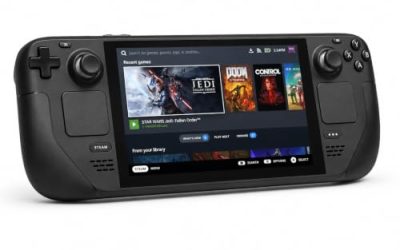
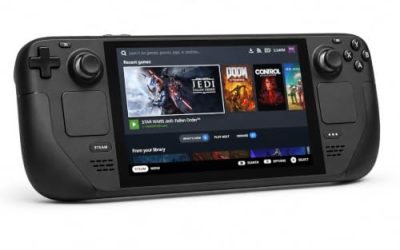
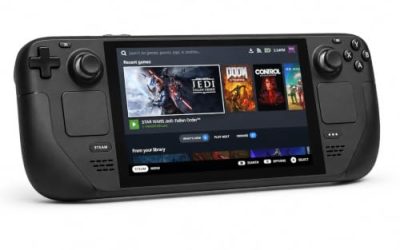
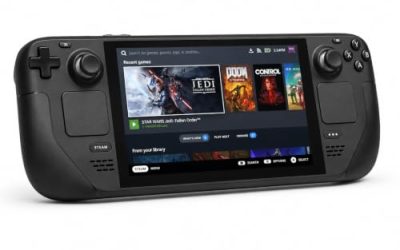
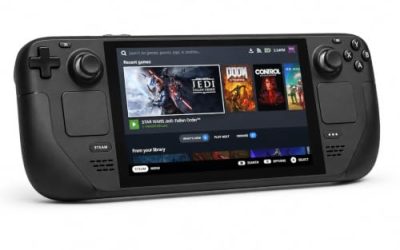
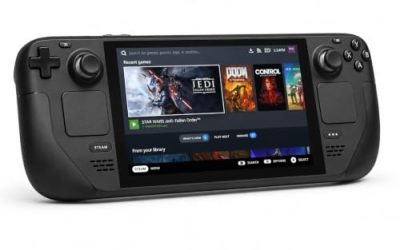
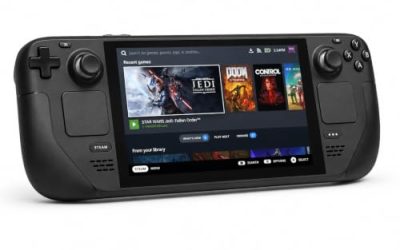
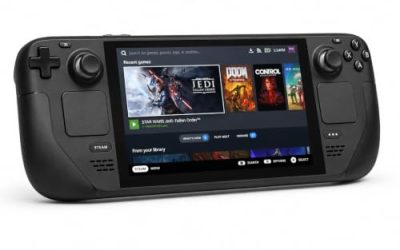
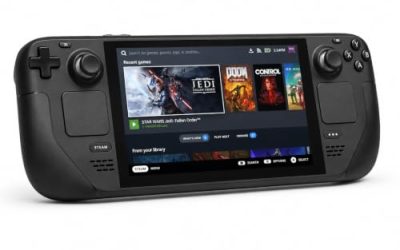
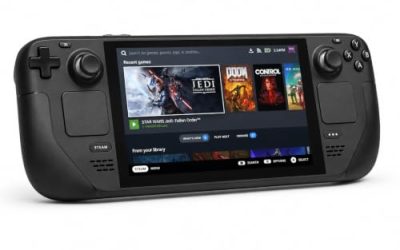
Valve Steam Deck OLED 512GB

The handheld the Playable badge was written for. The game’s published minimum is within the Deck’s reach, and the sheet’s two deductions are things a player can work around, not a refusal to run.
Specs
- Display: 7.4-inch HDR OLED, 1280 by 800, up to 90 Hz
- Processor: AMD Zen 2 and RDNA 2 custom APU
- Memory: 16 GB LPDDR5
- Storage: 512 GB NVMe, plus a microSD slot
- Wireless: Wi-Fi 6E and Bluetooth
- Channel note: Valve sells the Deck mainly through its own store, so Amazon listings are third-party sellers
8BitDo Ultimate 2 Bluetooth Controller

The docked and desktop pad pick. Steam lists full controller support for the game, and this pad covers the couch case with modern sticks and triggers plus back buttons for menu shortcuts.
Specs
- Connectivity: Bluetooth wireless and USB-C wired
- Joysticks: TMR electromagnetic, anti-drift design
- Triggers: Hall effect, with mode switching
- Extras: two remappable back buttons, motion control
- In the box: charging dock included
Xbox Wireless Controller, Carbon Black

The safest guest pad in PC gaming: Steam Input support is universal, the glyphs match what most games display, and it pairs over Bluetooth or its own wireless standard. On the handheld, the test sheet’s note applies: an external pad may need a manual Quick Access Menu switch before it takes over.
- Connectivity: Xbox Wireless and Bluetooth
- Port: USB-C for wired play
- Controls: hybrid D-pad, dedicated Share button
- Power: AA batteries or optional rechargeable pack
Logitech G502 HERO

The Outer Worlds is dialogue-heavy and menu-driven, and at a desk a precise wired mouse turns inventory, dialogue and vendor trips into single clicks.
Specs
- HERO optical sensor, up to 25,600 DPI
- 11 programmable buttons
- Adjustable weight system
- Wired USB connection
- On-board memory profiles
Samsung T9 Portable SSD 2TB

For moving a Linux game library between a desktop and a laptop, or keeping an offline backup of installers, a fast USB-C drive is the simple answer.
Specs
- Capacity: 2 TB portable SSD
- Interface: USB 3.2 Gen 2×2, USB-C connector
- Maker-rated speeds: up to 2,000 MB per second read, 1,950 MB per second write
- Features: Dynamic Thermal Guard, maker-rated drop resistance
How to choose
Choose the Steam copy of the Spacer’s Choice Edition, because it is the edition both compatibility records describe and the only one with a published Deck test sheet. On desktop or laptop, install under Proton and leave the compatibility tool at its default; the Gold headline with Platinum on its best-reported and trending tiers says current builds run the game well. On a Steam Deck, expect two small compromises from the Playable sheet: small text in places, and manual keyboard invocation. Use the Deck’s own controls, since an external pad may need the manual switch the test sheet notes. For input, a pad is the native shape of this game on every platform; a mouse earns its place only for long desktop inventory and dialogue sessions.
Who should skip
Skip this one if you are shopping for a native Linux Outer Worlds: this game is not it, and neither the Spacer’s Choice Edition nor the 2019 original carries a Linux build. Skip it if a Gold headline is not reassurance enough and you only play unanimous-Platinum games. And skip the Deck as your only machine if small text and manual keyboard invocation are deal-breakers.
FAQ
Is The Outer Worlds: Spacer’s Choice Edition native on Linux?
No. Steam’s record for app 1920490 flags Windows only, and the Linux requirements field is an empty shell with headings over empty lists. The game runs under Proton instead.
How well does The Outer Worlds run under Proton?
ProtonDB’s summary record reads Gold on the headline tier and Platinum on the best-reported and trending tiers, across 75 reports with strong confidence. The headline carries the edition’s earlier months; recent reports describe a clean run on current Proton versions.
Is The Outer Worlds: Spacer’s Choice Edition Steam Deck Playable?
Yes. Valve’s record gives the game its middle category, Playable, with two deductions: entering text requires manually invoking the on-screen keyboard, and some in-game text is small and may be difficult to read. The default controller configuration is fully functional and the default graphics configuration performs well. The record was tested 24 September 2026 under proton-stable.
Can I buy The Outer Worlds on GOG instead?
Yes, but it buys no Linux route. GOG sells the Spacer’s Choice Edition as a Windows-only product, so the DRM-free copy runs the same Windows build. The Steam copy is the buy, because it is the build both compatibility records describe.
Final verdict
The Outer Worlds: Spacer’s Choice Edition is a clean Windows-only case with an unusually short paper trail: one app, no add-ons, no soundtrack flag to inflate a scan, and no Linux flag anywhere. What it offers Linux players instead is a strong Proton route — a Gold community file whose best and trending tiers reach Platinum across 75 reports — and a Playable Steam Deck badge tested in September 2026. Buy the Steam copy, play it under Proton, and do not let the GOG listing sell you a native build that does not exist.
Product and ASIN Reference
| Product | ASIN |
|---|---|
| Valve Steam Deck OLED 512GB | B0CQ3RWQQZ |
| 8BitDo Ultimate 2 Bluetooth Controller | B0F194QFT2 |
| Xbox Wireless Controller, Carbon Black | B08DF248LD |
| Logitech G502 HERO | B07GBZ4Q68 |
| Samsung T9 Portable SSD 2TB | B0CHFS9K14 |