Capitalism 2, Enlight Software’s deep business simulation from 2001, reached Steam in August 2017 as a re-release of the original game, and the record Valve’s store keeps for it has never carried a second platform. Every layer — the app flags, the single purchase package, the depot list — describes one Windows build and nothing else. There is no Linux port hiding in a requirements tab.


What makes the game worth a closer look is how well that lone Windows build travels. The community compatibility file is as strong as those files get, Valve has tested the game on Steam Deck recently enough to grade the exact build on sale today, and a second storefront sells the same Windows edition. This piece reads each layer separately: the flags, the family shelf, the Proton file, the Deck sheet and the GOG ruling.
As an Amazon Associate, we earn from qualifying purchases.
Quick answer
Capitalism 2 is not native on Linux. Steam’s record flags Windows alone, its only purchase package repeats that mask, and its single content depot is a Windows build. Linux players run it through Proton, where the community file reads Platinum across all three tiers, and Valve rates the game Playable on Steam Deck.
One depot, one platform: what the Steam record holds
Start with the flags. Steam’s app record lists Windows as true and both macOS and Linux as false. The Windows requirements field is genuinely populated: a 1 GHz processor, 512 MB of memory, DirectX 9.0c class graphics and 200 MB of storage, under an operating system line running from Windows 98 through Windows 10. The macOS and Linux requirements fields, by contrast, are empty lists outright — not headings over blank space, just nothing.
The purchase layer repeats the mask exactly, and the purchase layer is the decisive one. Steam sells this game through a single package reading Windows true, macOS false, Linux false, granting the base app alone. The copy a buyer receives is licensed for Windows only.
SteamDB’s depot view closes the question. The game ships exactly one content depot, named as Windows content, holding 143.36 MiB on disk. There is no macOS depot, no Linux depot, nothing emptied out or stranded, and the icon set holds no Linux client icon. The public branch stands on a build from March 2023 containing the same single Windows depot. No layer dissents: this is the plainest not-native shape a Steam record can take.
Two absences are worth naming. The record carries no DRM notice and no third-party account notice, and it declares no controller support of any kind — a point that matters when the Deck sheet arrives.
The family shelf is empty
Some records complicate a verdict with their relatives, so the relatives get checked. This one has none to check. The app record exposes no DLC array at all, and SteamDB associates no add-on apps with the game: no expansion, no soundtrack, no artbook, no demo. The family sweep returns a size of zero, which also means the classic trap cannot form here — no soundtrack app flies all three platform flags to confuse a scanner into reporting Linux support the game never had.
Two neighbouring names deserve a fence each, because searches blur them. Capitalism Plus, the 1996 predecessor, is a separate game with its own record; nothing about its editions says anything about this one. Capitalism Lab, the later follow-up from the same developer, is not a Steam product at all, and its arrangements belong to a different storefront.
Platinum on paper: the ProtonDB file, and a heading that overclaims
ProtonDB’s summary for this app reads Platinum on the headline tier, Platinum on the best-reported tier and Platinum on the trending tier, across 12 reports with moderate confidence. That is the strongest uniform reading the summary gives, and it matches the individual filings on modern Proton versions: the game installs, launches and plays, with caveats about its age, not its compatibility. The display is fixed at a low 4:3 resolution, one filing notes minor audio crackling that also occurs on Windows, and another reports that the multiplayer mode does not start — filed here at report weight, not as a verdict. The only borked filings are antiques from the earliest Proton generations.
One element of the page does overclaim. The requirements block is headed “Natively Supports:”, a template heading that Steam’s record contradicts at every layer walked above: flags, package, depots, icons. The heading is wrong; the tiers are the part worth trusting. This article follows Steam on the native question and ProtonDB on the Proton question.
On anti-cheat, the honest sentence is a short one: Steam names none, SteamDB’s detection surfaces none, and the community-maintained anti-cheat catalogue carries no entry for this app — silence on three sources, not a ruling.
The Deck sheet: Playable, and tested against the build on sale
Valve’s compatibility record for the game, read from Valve’s own endpoint, resolves to Playable. The test behind the badge is dated 3 December 2025, and the build it graded is the same build that stands on the public branch today — the March 2023 build — so the badge grades the exact bytes a buyer downloads now. The sheet’s recommended runtime is a Proton 10 beta build.
The deductions are the familiar pair for a mouse-driven game of this vintage: the game sometimes shows mouse, keyboard or non-Deck controller icons, and entering text means invoking the on-screen keyboard by hand. Against those, the sheet credits the default controller configuration with full access to the game’s functionality, legible interface text, and a default graphics configuration that performs well. SteamOS separately rates the game Compatible, with the same keyboard note.
One tension deserves stating rather than smoothing over. The game’s own record declares no controller support whatsoever, and its package reports no full gamepad support — yet Valve’s sheet says the default controller configuration reaches everything. Both statements stand because both are on the record: the game was built for a mouse, Steam Input bridges it, and the badge describes the bridge, not a native pad implementation. Community filings call the bridge walkable but clunky, and recommend a mouse and keyboard instead.
The GOG ruling
GOG does sell this game, and the ruling rests on GOG’s own product record rather than on any search result: the live product page resolves under the game’s own name, and the product record behind it — identity-checked by title and slug — reads Windows true, macOS false, Linux false. The DRM-free edition exists, and it is the same Windows build Steam sells. A Linux buyer gains no native copy by switching storefronts; the choice is about DRM and library preference, not platform support.
Gear that fits a mouse-first record
The record’s shape decides the gear: the freshly badged handheld, pads justified by Steam Input and the wider library, a precision mouse for the input this game was built around, and fast portable storage.
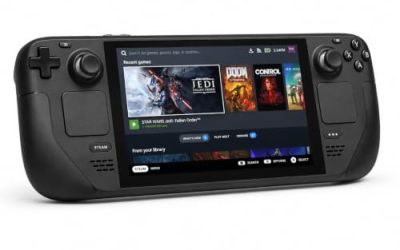
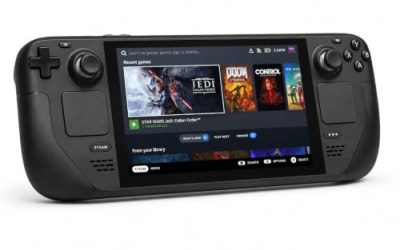
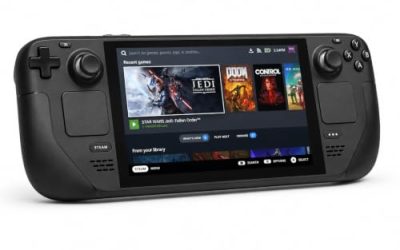
Valve Steam Deck OLED 512GB
The handheld the Playable badge was written for, graded against the current build. A 2001 simulation’s requirements are trivial next to the Deck’s APU; the caveats are the fixed 4:3 picture and the keyboard-invoke note.
Specs
- Display: 7.4-inch HDR OLED, 1280 by 800, up to 90 Hz
- Processor: AMD Zen 2 and RDNA 2 custom APU
- Memory: 16 GB LPDDR5
- Storage: 512 GB NVMe, plus a microSD slot
- Wireless: Wi-Fi 6E and Bluetooth
- Channel note: Valve sells the Deck mainly through its own store, so Amazon listings are third-party sellers
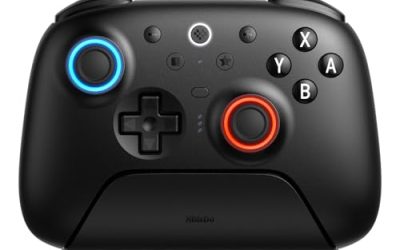
8BitDo Ultimate 2 Bluetooth Controller
The docked pad pick. This game declares no controller support, so its job here is Steam Input translation on the couch and full duty in the rest of a library; modern sticks, triggers and back buttons make it the premium-tier way to cover both roles.
Specs
- Connectivity: Bluetooth wireless and USB-C wired
- Joysticks: TMR electromagnetic, anti-drift design
- Triggers: Hall effect, with mode switching
- Extras: two remappable back buttons, motion control
- In the box: charging dock included
Xbox Wireless Controller, Carbon Black

The mid-range guest pad: Steam Input support is universal, the glyphs match what most games display, and it pairs over Bluetooth or its own wireless standard. On this title it works through the same Steam Input bridge the sheet describes.
- Connectivity: Xbox Wireless and Bluetooth
- Port: USB-C for wired play
- Controls: hybrid D-pad, dedicated Share button
- Power: AA batteries or optional rechargeable pack
Logitech G502 HERO

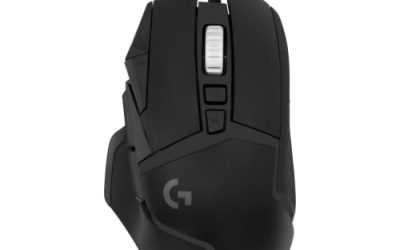
The natural primary input for this game. Capitalism 2 is a lattice of menus, ledgers and small buttons, and a precise wired mouse with programmable inputs for the actions a long session repeats is the upgrade that changes it most.
Specs
- HERO optical sensor, up to 25,600 DPI
- 11 programmable buttons
- Adjustable weight system
- Wired USB connection
- On-board memory profiles
Samsung T9 Portable SSD 2TB

For moving a Linux game library between machines, or keeping an offline backup of installers, a fast USB-C drive is the simple answer. The headline figure needs a Gen 2×2 host port; on a lesser port it runs at that ceiling.
Specs
- Capacity: 2 TB portable SSD
- Interface: USB 3.2 Gen 2×2, USB-C connector
- Maker-rated speeds: up to 2,000 MB per second read, 1,950 MB per second write
- Features: Dynamic Thermal Guard, maker-rated drop resistance
How to choose
Choose either storefront on preference, because both sell the identical Windows build: Steam if the library and the Deck badge matter, GOG if a DRM-free installer matters more. On a Linux desktop or laptop, install under Proton and leave the compatibility tool at its default; a Platinum headline says the single-player game needs no tinkering. On Steam Deck, expect a playable rather than seamless ride: the badge is current, the picture stays in its 4:3 frame, and text entry asks for a manual keyboard invoke. For input, lead with a mouse at a desk.
Who should skip
Skip the purchase if a native Linux build is a condition rather than a preference: none exists on either storefront, and nothing suggests one is coming. Skip it if multiplayer is the point — the record lists the game as single-player, and the one community filing that tried multiplayer reports it does not start. Skip the Deck as your only screen if a fixed low-resolution 4:3 picture with borders is a compromise too far, or if heavy text entry through an on-screen keyboard would wear thin. Skip the pads entirely if this genre is your whole library: a good mouse serves this game better.
FAQ
Is Capitalism 2 native on Linux?
No. Steam’s flags list Windows alone, the only purchase package repeats that mask, the single content depot is a Windows build, and the GOG edition’s product record reads Windows-only as well.
How well does Capitalism 2 run under Proton?
The ProtonDB summary reads Platinum on its headline, best-reported and trending tiers across 12 reports with moderate confidence. Filings on modern Proton versions describe a game that installs and plays, with the fixed 4:3 resolution and minor audio crackling as caveats.
Is Capitalism 2 playable on Steam Deck?
Yes — Valve rates it Playable, from a test dated December 2025 against the same build on sale today. The notes are the expected ones for a mouse-first game: non-Deck icons at times, manual keyboard invoke for text, and a default controller configuration that reaches all functionality.
Does buying on GOG get me a Linux version?
No. GOG sells the game, and its product record reads Windows true with macOS and Linux both false — the same Windows build Steam sells, in a DRM-free wrapper.
Final verdict
Capitalism 2 on Linux is a clean, uncomplicated case: not native anywhere, and not close — one platform on the flags, one Windows-only package, one Windows depot, and a second storefront selling the same build. What rescues it as a Linux purchase is the quality of the detour: a Platinum file on every ProtonDB tier, and a Playable badge earned against the build on sale. Buy it as a Proton game with a mouse nearby, on whichever storefront you prefer.
Product and ASIN Reference
| Product | ASIN |
|---|---|
| Valve Steam Deck OLED 512GB | B0CQ3RWQQZ |
| 8BitDo Ultimate 2 Bluetooth Controller | B0F194QFT2 |
| Xbox Wireless Controller, Carbon Black | B08DF248LD |
| Logitech G502 HERO | B07GBZ4Q68 |
| Samsung T9 Portable SSD 2TB | B0CHFS9K14 |