Stronghold HD is Firefly Studios’ 2012 high-definition re-release of the 2001 castle sim that started the series: build a working economy behind walls, feed and tax your peasants, then defend the keep or take someone else’s apart. It is the version of the original most storefronts have sold for over a decade, and the classic-era Stronghold Linux players ask about most, because the Definitive Edition gets the headlines while this lighter re-release quietly keeps selling.


The Linux answer splits cleanly in two. As a native proposition, this game does not exist: every layer of Steam’s record says Windows and only Windows. As a Proton proposition, it is one of the strongest classic strategy records on the site. The catch sits on the handheld side, where Valve’s own test sheet disagrees with the desktop mood.
As an Amazon Associate, we earn from qualifying purchases.
Quick answer
Stronghold HD is not native on Linux: Steam flags it Windows only, its Linux requirements field is an empty list, and every purchase package repeats the mask. The Proton route is strong: ProtonDB rates the Windows build Platinum on all three tiers across 56 reports. Valve rates it Unsupported on Steam Deck.
The record, layer by layer
Start with the app flags, because everything else agrees with them. Steam’s record for app 40950 reads windows true, mac false, linux false. The requirements fields tell the same story: the Windows field is genuinely populated with a period specification (a 1.6 GHz class processor, 512 MB of RAM, a 64 MB card with hardware transform and lighting, DirectX 9.0c), while the Mac and Linux requirements fields are empty lists outright — no shell of a Linux tab, simply nothing there.
The decisive layer is the purchase package, and it is unambiguous. The standalone package repeats the mask exactly, granting the base app alone, and the three bundle packages that also carry the game — the Stronghold Collection and the two Warlords special editions — were read individually and repeat it too. No purchase route on Steam delivers anything but the Windows build.
The depot list closes the question. SteamDB lists a main content depot of about 629 MiB plus ten language depots and a small depot for the add-on below. None carries a Mac or Linux configuration, the icon set registers no LinuxClientIcon, and there is no emptied or stranded Linux depot. The record also carries no drm notice, no external account notice and no controller support at all.
The family is as small as families get. The add-on array holds exactly one app: the USA Campaign Map Skin, a cosmetic map skin from 2017 whose record reads windows true, mac false, linux false with a fullgame pointer back to this app. One for one, the family agrees, and no soundtrack app exists to form the familiar all-true trap.
On anti-cheat, three sources were checked and all three are silent, reported as silence rather than as a ruling: Steam names none, SteamDB’s detection finds only the Bink Video and Miles Sound System SDKs, and the AreWeAntiCheatYet index carries no entry for this app. The multiplayer caveat that does exist is older than anti-cheat: the requirements text says GameRanger software is installed for matchmaking, and reports describe the multiplayer menu misbehaving until a legacy DirectPlay component is added through protontricks. Period plumbing, not a compatibility wall.
What the Proton file actually says
ProtonDB’s summary for this app is the cleanest shape the database produces: headline Platinum, best-reported Platinum, trending Platinum, across 56 reports, with strong confidence. The whole file agrees with itself, and the sample is deep enough that one bad filing cannot move it.
One check on that page does not agree with anything. The game page heads its requirements block “Natively Supports:”, a claim Steam’s record contradicts at the flag, package, field and depot layers. The heading check was completed for this article, the heading is wrong for this game, and this article follows Steam.
The report texture underneath the tier holds the honest caveats. The recurring fault is windowing: alt-tabbing away can leave a black screen on return, fixed in filing after filing by enabling a virtual desktop for the prefix through protontricks. Several recent filings settle on Proton 9.0-4 rather than the newest branch. Multiplayer filings are the weakest strand, describing garbled menus until the DirectPlay component is added. None of this dents the single-player verdict, but expect a few minutes of setup first.
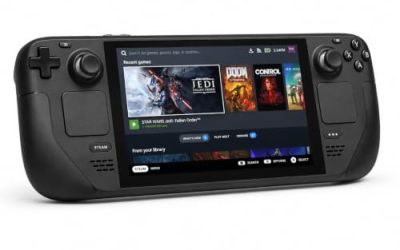
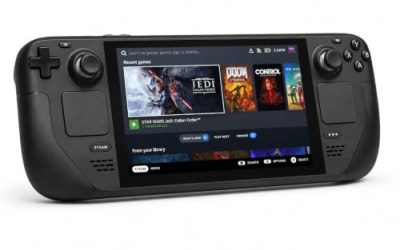
The Deck sheet: an old Unsupported
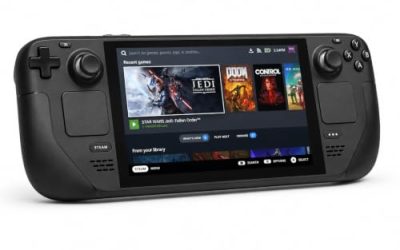
Valve’s verdict is Unsupported, on Steam Deck and SteamOS alike, and the test notes carry the blunt display token that SteamOS does not support the game. The remaining configuration notes are the familiar mouse-first deductions: supported input class other, manual keyboard invocation, non-Deck display glyphs, small in-game text. The recommended runtime on the sheet is proton-7.0-3.
Two evidence notes belong with that verdict. First, the route: Valve’s own compatibility endpoint returned garbled and redirecting responses this session, so the verdict and its paperwork were read through SteamDB’s republication of Valve’s record for this app. Second, the paperwork is stale: the test is dated 26 August 2022 and graded build 7882786, while the current public branch stands on a much newer build, rebuilt in June 2026. The badge is what Valve currently publishes, but the graded build is not the build on sale today. Treat the Unsupported as a statement about the 2022 handheld experience — trackpad cursor work, small text, manual keyboard — not as evidence the game fails under Proton.
The GOG copy
A second storefront edition exists, and it changes nothing for Linux. GOG sells this game under the title Stronghold HD on a live product page, and its product record reads windows true, osx false, linux false in its system compatibility block. Identity was verified against the Steam record before ruling: the GOG product is the same Firefly HD re-release of the 2001 game, not the later Definitive Edition. Two search-shaped traps were avoided on the way: GOG’s catalogue search returned fuzzy, unrelated products for this title, and the guessed high-definition address redirects to the general catalogue, so neither was relied on. The ruling rests on the live product page and the product record behind it. The consequence is simple: the GOG copy is the same Windows build in a DRM-free wrapper — an alternative storefront, not an alternative platform — and the Steam copy is the one both compatibility records above were written against.
Gear for a desktop castle
This is a desktop game by every signal in the record: no controller support listed, an Unsupported Deck sheet, a design built on precise cursor work. A keyboard and mouse lead; two pads follow for Steam Input duty.
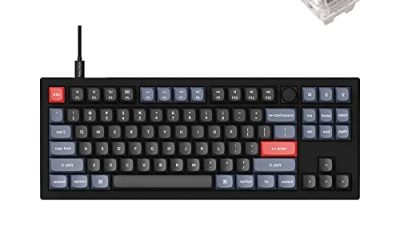
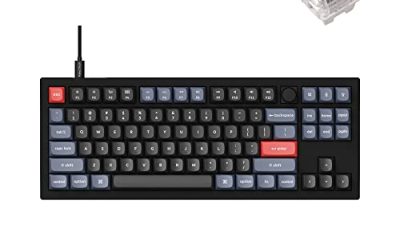
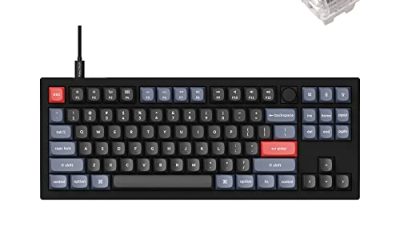
Keychron V3
The keyboard pick for desktop sessions: QMK and VIA support lets you remap keys at the keyboard level, across every Linux install you plug it into. Group-selection and camera keys are the inputs a long siege repeats.
Specs
- Tenkeyless layout with rotary knob
- QMK and VIA remapping support
- Hot-swappable K Pro Brown switches
- Wired USB-C connection
- Maker-rated 1,000 Hz polling
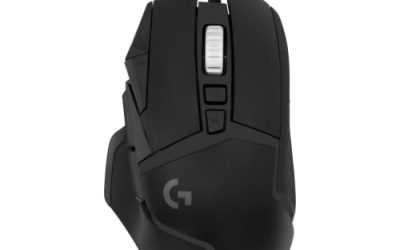
Logitech G502 HERO
The primary input for this game, full stop. Wall placement, building rotation and troop boxing are fine pointer work, and eleven programmable buttons put shortcuts under the aiming hand.
Specs
- HERO optical sensor, up to 25,600 DPI
- 11 programmable buttons
- Adjustable weight system
- Wired USB connection
- On-board memory profiles
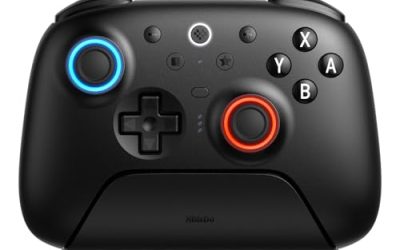
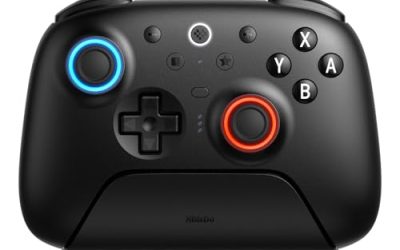
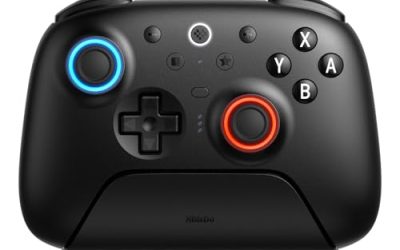
8BitDo Ultimate 2 Bluetooth Controller

The honest framing first: this record lists no controller support, so no pad is a native input for Stronghold HD. This one earns its place as a Steam Input device for the wider library and for couch sessions in games that do speak pad.
Specs
- Connectivity: Bluetooth wireless and USB-C wired
- Joysticks: TMR electromagnetic, anti-drift design
- Triggers: Hall effect, with mode switching
- Extras: two remappable back buttons, motion control
- In the box: charging dock included
Xbox Wireless Controller, Carbon Black

The safest guest pad in PC gaming: Steam Input support is universal, and it pairs over Bluetooth or its own wireless standard. For this title it is a library pick rather than a Stronghold input, since the game itself is mouse-driven.
- Connectivity: Xbox Wireless and Bluetooth
- Port: USB-C for wired play
- Controls: hybrid D-pad, dedicated Share button
- Power: AA batteries or optional rechargeable pack
Samsung T9 Portable SSD 2TB

The whole classic shelf is a rounding error on a drive this size, making it the library mover between a desktop and a laptop. The headline figure needs a Gen 2×2 host port; on a lesser port the drive runs at that ceiling.
Specs
- Capacity: 2 TB portable SSD
- Interface: USB 3.2 Gen 2×2, USB-C connector
- Maker-rated speeds: up to 2,000 MB per second read, 1,950 MB per second write
- Features: Dynamic Thermal Guard, maker-rated drop resistance
How to choose
Choose between the two storefront copies first. The Steam copy is the default: it is the build the ProtonDB file and the Deck sheet describe, with Steam Cloud and the level editor the record lists. Take the GOG copy only if a DRM-free offline installer matters more than store integration; the build underneath is the same Windows one and the Linux route is identical.
Then choose by where you will play. On a desktop or laptop, install under Proton and budget a few minutes for the two known setup items: the virtual desktop through protontricks if alt-tabbing misbehaves, and the DirectPlay component the same way for the multiplayer menu. On a Steam Deck, go in with the Unsupported badge in mind — small text, manual keyboard work, non-Deck glyphs — so a docked mouse and keyboard is the comfortable way to play it there.
Who should skip
Skip this edition if you only buy native Linux ports: there is none here, and no Stronghold game changes that. Skip it if the Steam Deck is your only screen and an Unsupported badge with small interface text is a deal-breaker. Skip it if your main interest is online multiplayer, because matchmaking leans on GameRanger-era plumbing and community fixes rather than anything the record guarantees. And skip it if you already own the Definitive Edition and want new content; this is the 2001 game in a widescreen coat.
FAQ
Is Stronghold HD native on Linux?
No. Steam’s flags read windows true, mac false, linux false; the standalone purchase package repeats that mask; the Mac and Linux requirements fields are empty lists; and the depot list holds no Linux-configured content. Every Linux route runs the Windows build through Proton.
How well does it run under Proton?
ProtonDB rates it Platinum on all three tiers, with strong confidence across 56 reports. The recurring caveats are an alt-tab black screen fixed by enabling a virtual desktop through protontricks, and a multiplayer menu that needs a legacy DirectPlay component added the same way.
What is the Steam Deck verdict?
Unsupported, for Steam Deck and SteamOS both, from a test dated 26 August 2022 on build 7882786 with proton-7.0-3 as the recommended runtime. The paperwork predates the current public branch build, so it describes the handheld experience Valve measured then — small text, manual keyboard invocation, non-Deck glyphs — not the current desktop Proton record, which is Platinum.
Is the GOG version any different for Linux?
No. GOG sells the same Firefly re-release as Stronghold HD, and its product record reads windows true, osx false, linux false: a DRM-free copy of the same Windows build, an alternative storefront rather than an alternative platform.
Final verdict
Stronghold HD is the plainest record shape in this series: a Windows-only game at every layer Steam exposes, sold the same way by a second storefront, with a single cosmetic add-on that agrees with its parent. What redeems it on Linux is the unanimity of the Proton file — Platinum on all three tiers, strong confidence, 56 reports — against a Deck sheet that says Unsupported on paperwork several builds old. Desktop players get one of the safest classic-RTS bets in the catalogue; handheld-only players get a badge telling them to dock or look at the remasters.
Product and ASIN Reference
| Product | ASIN |
|---|---|
| Keychron V3 | B0B2DMMMG2 |
| Logitech G502 HERO | B07GBZ4Q68 |
| 8BitDo Ultimate 2 Bluetooth Controller | B0F194QFT2 |
| Xbox Wireless Controller, Carbon Black | B08DF248LD |
| Samsung T9 Portable SSD 2TB | B0CHFS9K14 |