Ice Crusade is the stand-alone expansion to Cuban Missile Crisis, G5 Software’s alternate-history real-time strategy in which the 1962 standoff escalated into a third world war. The expansion moves the war north: it is 1967, and Soviet forces cross the Arctic to strike American cities. It arrived on Steam on 25 March 2015, the same day as the base game, published by Fulqrum Publishing — as a Windows game, full stop.


That is the whole subject of this article. The record is easy to misread: the store copy calls it an expansion while the underlying record types it as something else, and its one-report ProtonDB file can be quoted beyond what the sample supports. This piece reads the record layer by layer — typing, packages, depots, community file, Deck paperwork and storefronts.
As an Amazon Associate, we earn from qualifying purchases.
Quick answer
Cuban Missile Crisis: Ice Crusade is not native on Linux. Steam types the expansion as its own game app, and both of its purchase packages, its app flags and both of its depots read Windows-only; the Linux requirements field is an empty list. Its ProtonDB file holds a single report, and Valve has published no Steam Deck verdict for this app.
An expansion that Steam types as its own game
Start with the typing, because it decides which record you are looking at. The store page describes Ice Crusade as a stand-alone expansion, and the appdetails record agrees in its own way: app 356290 is typed “game”, a full game app in its own right. There is no fullgame pointer naming the base game, and no must-own requirement tying this app to Cuban Missile Crisis (356270). Steam treats the two products as siblings, not parent and add-on.
The decisive layer, as usual, is the purchase packages — what a licence actually delivers. The standalone package (62958) grants Ice Crusade alone, and packagedetails reads it windows true, mac false, linux false. The Cuban Missile Crisis + Ice Crusade Pack (63830) grants both apps together and reads exactly the same. The app’s platform flags repeat the mask. No purchase route carries a Mac or Linux grant, so no way of buying the game changes the platform answer.
The fields and depots say the same thing
The requirements fields match the packages. The Windows minimum is genuinely populated with a period specification: XP (SP3), Vista (SP1) or Windows 7, an 800 MHz processor, 512 MB of RAM, a 64 MB video card and 2 GB of storage, with the publisher’s note that functioning on Windows 8 and later is not guaranteed. The Mac field is an empty list outright. The Linux field is also an empty list outright — not a stub, not a copied Windows tab, nothing.
SteamDB’s depot table closes the question. The record holds two depots: the main content depot (356291) at 1.18 GiB and a Russian-language depot (356292) at 1.08 GiB, 2.26 GiB in total. Both are Windows-configured, and the size filtered to Windows and English equals the English content depot exactly — every delivered byte is Windows content. No Linux depot, no macOS depot, nothing emptied or stranded. The icon set registers no LinuxClientIcon. The record carries no DRM notice and no external account notice, and it lists no controller support at all: the field is absent, and both packages read full gamepad false.
The family sweep: there is no family
Some records hide their answer in the add-on shelf, so the sweep matters even when it comes back empty. This record exposes no DLC array at all, and SteamDB’s association listing attaches no add-on apps either — no demo, no soundtrack app. The family size is zero, so the familiar trap cannot form: there is no soundtrack app whose all-platform flags could make the game look supported in a family-level scan.
The relationship runs the other way. Ice Crusade is itself the sole member of the base game’s family, recovered from the package layer during the base game’s audit: the two apps share the bundle package and nothing else. Each stands alone, each reads Windows-only, and neither lends the other a platform it does not have.
Anti-cheat: three sources, all silent
Nothing on this record suggests a compatibility blocker beyond the missing port. Steam names no anti-cheat: no anti-cheat category, no DRM notice, no account notice. SteamDB’s detection surfaces no anti-cheat technology. The AreWeAntiCheatYet catalogue, checked in full across its 1,167 listed games, carries no entry for this app — nor for the base game. That silence is reported as silence, not as a ruling: for a 2005-era strategy title, the practical question was never anti-cheat. It is the absent Linux build.
One report deep: the ProtonDB file
ProtonDB does hold a file for this app — the thinnest kind the site produces. The summary reads: headline tier pending, best-reported tier Platinum, trending tier pending, across exactly one report, with confidence rated inadequate. The single filing behind those labels reports the game running under Proton — encouraging, and almost contentless at the same time: one machine, one configuration, no corroboration.
Two cautions belong with those numbers. First, a best-reported Platinum drawn from a sample of one describes that filing, not the game; the pending headline is ProtonDB’s way of saying the file has not settled. Second, the heading check on the game’s ProtonDB page could not be completed this session: the page returned no readable text, so no claim is made about whether it heads its requirements block with a native-support line. The base game’s deeper file — four reports, Platinum on headline, best-reported and trending tiers — is labelled here as what it is: inherited evidence from a sibling app, not a measurement of Ice Crusade itself.
The Deck sheet that does not exist
Valve has published no Steam Deck verdict for this app, and this article claims none. The routes behind that statement: Valve’s compatibility endpoint returned empty and garbled responses on repeated reads, and SteamDB carries no Deck test sheet for the app. No tested build, test date or recommended runtime exists on record. The base game sits in the same position — no sheet, no badge.
One currency note does apply. The public branch is not a fossil: SteamDB shows it rebuilt as build 19841355 in September 2025, a maintenance touch the base game received in the same weeks. The rebuild changed no platform flags, added no depot and produced no Deck paperwork. The record today is freshly stamped and unchanged in shape.
The storefront ruling: Steam is the only shelf
GOG was checked the careful way, because its search endpoints have a known blind spot. The natural product addresses for both the expansion and the base title redirect to GOG’s general catalogue; no live product page exists for either. The catalogue API returns only fuzzy, unrelated strategy titles, and the products API search returns an empty set. With no product page to identity-check, the ruling is that no GOG edition exists: Steam’s Windows build is the only PC edition sold anywhere.
Gear for a desktop-only record
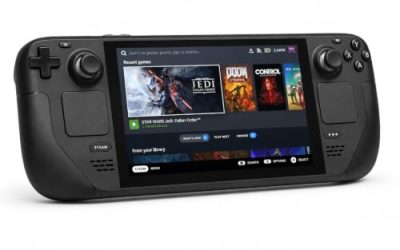
No Deck verdict and no controller support on the record means the honest setup is a desk: keyboard and mouse lead, with pads framed as Steam Input devices for the wider library.
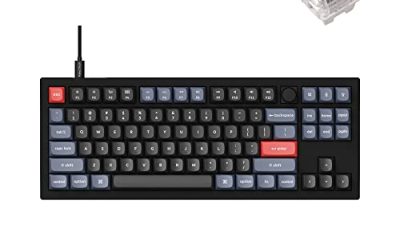
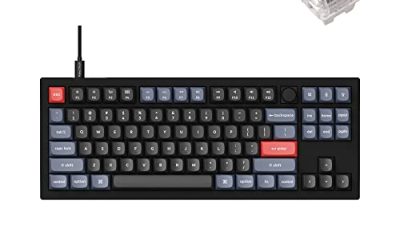
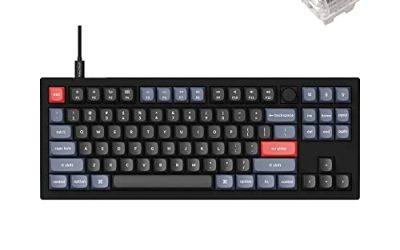
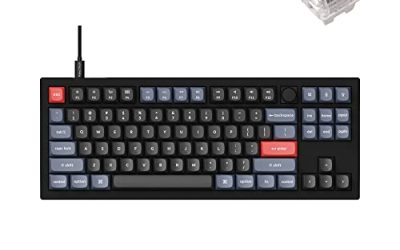
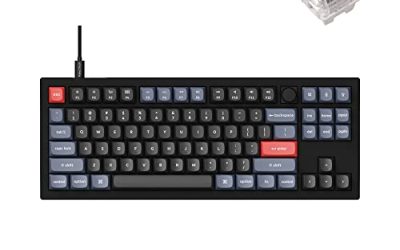
Keychron V3
The keyboard pick for desktop sessions: a tenkeyless board with QMK and VIA support lets you remap keys at the keyboard level, across every Linux install you plug it into.
Specs
- Tenkeyless layout with rotary knob
- QMK and VIA remapping support
- Hot-swappable K Pro Brown switches
- Wired USB-C connection
- Maker-rated 1,000 Hz polling
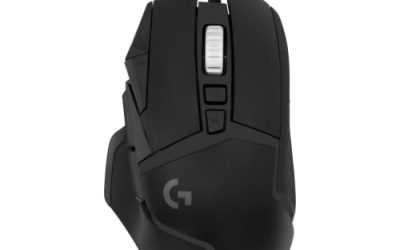
Logitech G502 HERO
A menu-and-map strategy game lives on its mouse. Eleven programmable buttons cover the hotkeys a long session repeats, and the wired connection keeps input behaviour identical on every distribution.
Specs
- HERO optical sensor, up to 25,600 DPI
- 11 programmable buttons
- Adjustable weight system
- Wired USB connection
- On-board memory profiles
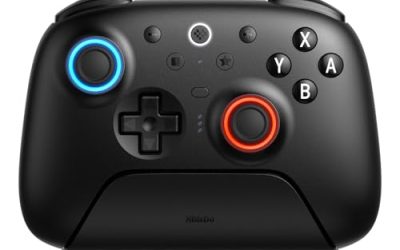
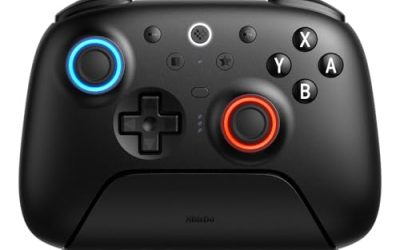
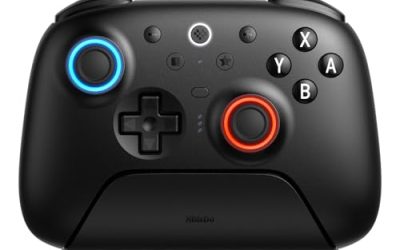
8BitDo Ultimate 2 Bluetooth Controller

The pad pick for the wider library. This record lists no controller support, so treat it as a Steam Input device for games that speak controller, not as a way to drive this RTS.
Specs
- Connectivity: Bluetooth wireless and USB-C wired
- Joysticks: TMR electromagnetic, anti-drift design
- Triggers: Hall effect, with mode switching
- Extras: two remappable back buttons, motion control
- In the box: charging dock included
Xbox Wireless Controller, Carbon Black

The safest guest pad in PC gaming: Steam Input support is universal and the glyphs match what most games display. For this title it stays in the drawer; for the wider library, it is the default.
- Connectivity: Xbox Wireless and Bluetooth
- Port: USB-C for wired play
- Controls: hybrid D-pad, dedicated Share button
- Power: AA batteries or optional rechargeable pack
Samsung T9 Portable SSD 2TB

A fast portable drive earns its place moving a Linux library between machines or holding offline installer backups. The headline speed needs a Gen 2×2 host port; on a lesser port it runs at that ceiling.
Specs
- Capacity: 2 TB portable SSD
- Interface: USB 3.2 Gen 2×2, USB-C connector
- Maker-rated speeds: up to 2,000 MB per second read, 1,950 MB per second write
- Features: Dynamic Thermal Guard, maker-rated drop resistance
How to choose
Buy the standalone package if the Arctic campaign is all you want; buy the pack if the base game’s campaigns interest you too, since the bundle is the only joint sale and each app is a separate install. On Linux, plan around Proton from the first minute: no native build to wait for, no second storefront, no Deck badge to lean on. Weight the single Platinum filing as a hint rather than a verdict, and let the base game’s deeper Platinum file — same engine, same record shape — carry the rest of the expectation, labelled as borrowed evidence.
Who should skip
Skip Ice Crusade if you buy only native Linux games: the record is Windows-only at the flag, package, field and depot layers, and a 2025 maintenance rebuild left every layer untouched. Skip it if a settled compatibility file matters to you, because one report is not a file you can plan around. Skip it if you wanted the expansion’s content inside the base game’s install, since Steam installs it as its own app. And skip the Deck idea until Valve publishes a sheet — there is no verdict to point to.
FAQ
Is Cuban Missile Crisis: Ice Crusade native on Linux?
No. Both purchase packages read Windows-only on packagedetails, the app flags repeat that mask, the Linux field is an empty list, both depots are Windows-configured and no LinuxClientIcon is registered. No route to a native build exists on the record.
Is Ice Crusade DLC for the base game?
Steam does not type it that way. The store copy calls it a stand-alone expansion, and the record types app 356290 as a game in its own right, with no fullgame pointer and no must-own requirement. It sells standalone or in a two-app bundle, and installs separately.
How well does Ice Crusade run under Proton?
The honest answer is that the file is one report deep. ProtonDB’s summary reads headline pending and best-reported Platinum across a single filing, with confidence rated inadequate. The base game’s file is deeper — Platinum across four reports — but that is inherited evidence about a sibling app, not a measurement of this one.
Is Ice Crusade Steam Deck Verified?
No verdict exists. Valve’s endpoint returned no readable sheet for this app and SteamDB carries no Deck test for it, so there is no badge — Verified, Playable or Unsupported — to report. Treat any Deck claim about this game as untested.
Final verdict
Ice Crusade is a Windows-only record wearing an expansion’s name and a standalone game’s typing. Every decisive layer agrees: two packages, one flag mask, two depots, two empty non-Windows fields, no Linux icon, no second storefront, no Deck paperwork. Linux players get one route, Proton, supported by one community filing plus a deeper sibling file lending plausibility. Buy it as alternate-history strategy if that thin evidence is enough; buy it knowing the record promises nothing beyond Windows.
Product and ASIN Reference
| Product | ASIN |
|---|---|
| Keychron V3 | B0B2DMMMG2 |
| Logitech G502 HERO | B07GBZ4Q68 |
| 8BitDo Ultimate 2 Bluetooth Controller | B0F194QFT2 |
| Xbox Wireless Controller, Carbon Black | B08DF248LD |
| Samsung T9 Portable SSD 2TB | B0CHFS9K14 |