Jagged Alliance 2 Classic is the listing through which Steam sells the original 1999 Jagged Alliance 2 today: Sir-Tech’s Arulco campaign as it shipped, before I-deal Games reworked it into Wildfire. It reached Steam on 23 February 2017, years after both of its neighbours, as its own product with its own purchase package. The record it carries underneath is stranger than the shelf suggests.


Read quickly, the record argues with itself. Steam’s backend types the app as downloadable content belonging to another game, and its Mac and Linux requirements tabs are empty. Yet its platform flags claim all three systems, and the content layer underneath is one of the most complete native arrangements in this series of checks.
As an Amazon Associate, we earn from qualifying purchases.
Quick answer
Jagged Alliance 2 Classic is native on Linux on Steam: its flags, its purchase package and its depot sets all read three platforms, with a Linux build per language. The catch is bookkeeping — Steam registers the app as downloadable content of Wildfire, so buying it requires owning Wildfire. ProtonDB holds no file for this app, Valve has published no Deck verdict for it, and GOG’s Classic listing is Windows-only.
Filed as an add-on, sold as a product
The first thing the record says about this app is that it is not, formally, a game. The appdetails type reads dlc, and its fullgame pointer names app 215930, Jagged Alliance 2 – Wildfire. SteamDB’s configuration fields agree: DLCForAppID is 215930, MustOwnAppToPurchase is 215930, and the store text itself opens by calling the package “this DLC” that includes the original version of Jagged Alliance 2. The developers read Sir-Tech and I-Deal, the publisher TopWare Interactive.
That filing has one practical consequence: the purchase is gated. Owning Wildfire is the precondition for buying Classic, even though Classic has its own listing and its own purchase package. The two are neighbours on the shelf and parent and child in the database — which is why a verdict about one says nothing automatic about the other.
The platform record: three flags, one package, fifteen depots
The platform flags are the cleanest part of the file. Windows, Mac and Linux all read true on the app record, and the decisive layer repeats them exactly: the single purchase package, 134400, reads windows true, mac true, linux true on packagedetails and grants app 545210 alone. The depot layer then answers the only remaining question — whether real content stands behind them — at unusual length.
Because Classic is registered as Wildfire’s add-on, its depots live under the parent app’s depot list, each tagged as belonging to DLC 545210. There are five per platform, one per language: the Windows set runs 545212 through 545215 plus Russian depot 588860, the Mac set 215947 to 215949 plus 545211 and 588862, the Linux set 545216 through 545219 plus 588861. These are not stubs: the English Linux depot, 545216, holds 1.53 GiB on disk, its manifest carries the expected Linux file types down to shared libraries and a desktop entry, and the group was last publicly updated on 18 July 2020.
Three paperwork gaps sit around that solid core. The Windows requirements field is genuinely populated with a period specification (a single-core processor, 512 MB of memory, a DirectX 9 class card), while the Mac and Linux fields are empty lists outright — the store page never describes the two builds it ships. The app’s own depot, 545210, sits marked unused with no size at all; the real content rides the parent-registered depots. And the icon set registers no LinuxClientIcon, the same cosmetic omission the Wildfire record carries. None of these gaps removes a byte.
The family around the app
Neither this record nor Wildfire’s exposes a downloadable-content array in the store data, so the family was recovered from SteamDB’s association listing and each member read on its own record. Classic has no add-on apps of its own. Its siblings under the same parent are the Digital Deluxe Content (2482740) and the German strategy guide (2513910), each typed as a dlc app of Wildfire with its own fullgame pointer to 215930, and each reading all three platforms true. Three family members, three identical masks, no dissent.
That unanimity defuses the usual trap in reverse. An extras app reading all three platforms is normally a warning sign, because a soundtrack can claim Linux its parent game never shipped; here the extras agree with a base record that is itself native at the package and depot layers, so there is nothing for the trap to fake. Outside the family, Jagged Alliance 2 Gold (1620) reads Windows-only at every layer, and Jagged Alliance 3 is a different game. No verdict travels between any of them.
Anti-cheat and the community file that is not there
Anti-cheat is a three-source silence, reported as silence. Steam’s record names none — no anti-cheat category, no drm notice, no external account notice. SteamDB’s detection surfaces no anti-cheat technology for the app. The AreWeAntiCheatYet games list, checked in full on its master branch, carries no entry for app 545210.
ProtonDB is the one empty chair at the table. The summary endpoint for app 545210 returns a 404: no community file exists for this app, so there is no headline tier, no report count and no confidence figure to quote, and this article invents none. The game page renders no readable requirements heading through the routes available, so the heading check could not be completed either. For a native build the absence matters less: the Proton file grades a fallback this record does not need.
Steam Deck: no sheet exists for this app
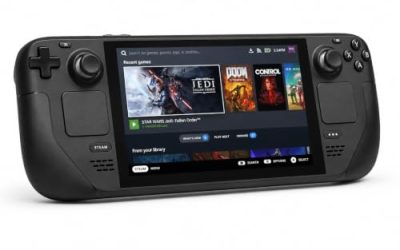
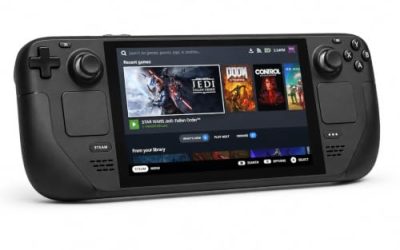
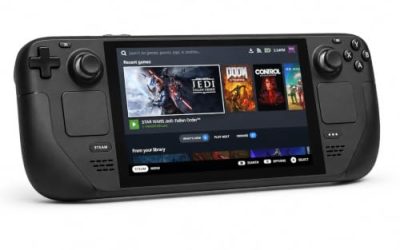
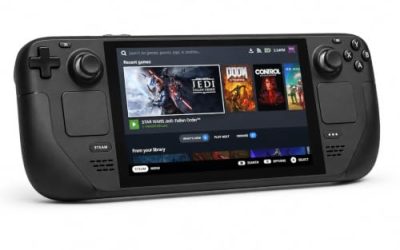
Valve’s compatibility endpoint returned no usable sheet for app 545210, and SteamDB’s republication carries no Deck section for it. Deck verdicts are published against game records, and this app is filed as another game’s add-on. No verdict exists for Jagged Alliance 2 Classic, and this article claims none. The parent does carry a badge — Wildfire’s own sheet reads Unsupported, against Wildfire’s current build — but transferring it down to Classic would be the borrowed-claims error the family section warns about, in the negative direction. The gear below is framed for a desk.
The GOG split: same name, opposite answer
GOG sells a product with this exact name, identity-checked before any ruling was drawn from it: the natural product address resolves live, and the product API record 2041310597 carries the exact title Jagged Alliance 2 Classic, the slug jagged_alliance_2_classic and the same game_type, dlc, that Steam assigns. That record reads content_system_compatibility windows true, osx false, linux false: on GOG, Classic is a Windows-only product. The search routes were not relied on — the catalogue search returned unrelated noise and the products search an empty set, the same blind spot that has inverted rulings before.
The contrast inside the family reverses the Steam pattern. GOG’s Wildfire product, read on its own product record (1207658743), lists windows and linux true: on GOG the DRM-free native route runs through the Wildfire listing, not the Classic one. On Steam both listings are native; on GOG only the parent is.
Gear for a desktop record
The record lists no controller support, so the pads here are Steam Input and wider-library picks; a 1999 tactics interface belongs to the keyboard and mouse leading the list.
Keychron V3
The keyboard pick for desktop sessions: QMK and VIA support lets you remap keys at the keyboard level, which keeps working across every Linux install you plug it into.
Specs
- Tenkeyless layout with rotary knob
- QMK and VIA remapping support
- Hot-swappable K Pro Brown switches
- Wired USB-C connection
- Maker-rated 1,000 Hz polling
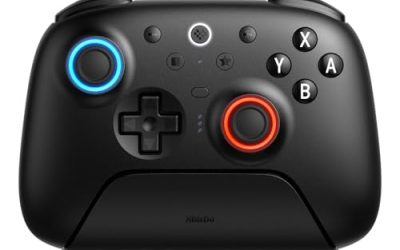
8BitDo Ultimate 2 Bluetooth Controller
A modern pad for the rest of a desktop library, with a dock that keeps it charged between sessions. On this game it works only through Steam Input translation — a general-purpose pick, not a Classic accessory.
Specs
- Connectivity: Bluetooth wireless and USB-C wired
- Joysticks: TMR electromagnetic, anti-drift design
- Triggers: Hall effect, with mode switching
- Extras: two remappable back buttons, motion control
- In the box: charging dock included
Xbox Wireless Controller, Carbon Black

The safest guest pad in PC gaming: Steam Input support is universal, and it pairs over Bluetooth or its own wireless standard.
- Connectivity: Xbox Wireless and Bluetooth
- Port: USB-C for wired play
- Controls: hybrid D-pad, dedicated Share button
- Power: AA batteries or optional rechargeable pack
Logitech G502 HERO

The primary input for this game at a desk: squad orders, inventory and map scrolling are pointer work, and eleven programmable buttons cover the repeated inputs.
Specs
- HERO optical sensor, up to 25,600 DPI
- 11 programmable buttons
- Adjustable weight system
- Wired USB connection
- On-board memory profiles
Samsung T9 Portable SSD 2TB

For moving a Linux game library between machines, or keeping an offline backup of installers, a fast USB-C drive is the simple answer. The headline figure needs a Gen 2×2 host port; on a lesser port the drive runs at that ceiling.
Specs
- Capacity: 2 TB portable SSD
- Interface: USB 3.2 Gen 2×2, USB-C connector
- Maker-rated speeds: up to 2,000 MB per second read, 1,950 MB per second write
- Features: Dynamic Thermal Guard, maker-rated drop resistance
How to choose
Choose the Steam route if the 1999 original is the point: Wildfire first, because the purchase gate requires it, then Classic on top, and the native Linux build is simply there — no compatibility layer, no tinker step. Choose GOG’s Wildfire listing if a DRM-free native build matters most. Choose GOG’s Classic listing only if Windows is your platform anyway.
Who should skip
Skip Classic if you do not own Wildfire and do not want it: the must-own filing means there is no standalone route into this app on Steam. Skip it if your plan was a Deck purchase — no verdict exists for this app. Skip the GOG copy if Linux is your system, full stop. And skip it if what you want is the Gold edition’s arrangement, with Unfinished Business folded into one Windows-only app; that is a different record, covered separately in this folder.
FAQ
Is Jagged Alliance 2 Classic native on Linux?
Yes, on Steam. The app flags read windows, mac and linux true, the purchase package 134400 repeats all three, and the depot layer holds a full Linux build for each of the five supported languages — the English depot alone measures 1.53 GiB. The empty Linux requirements tab is paperwork, not a missing build.
Why does Steam call Classic downloadable content if it has its own listing?
Because the backend filing and the storefront presentation are different things. The record types the app as dlc with a fullgame pointer to Wildfire, and its must-own field names Wildfire, so buying it requires owning the parent game — while the listing, the package and the depots are all Classic’s own.
Is the GOG version of Classic native too?
No. GOG’s Classic product, identity-checked on its product API record, reads windows true and linux false — a Windows-only edition. GOG’s native listing in this family is Wildfire, whose own record lists Linux.
Is Jagged Alliance 2 Classic Steam Deck Verified?
No verdict exists to quote. Valve publishes Deck sheets against game records, this app is filed as an add-on, and no sheet for it appears on Valve’s endpoint or SteamDB’s republication. The parent’s Unsupported badge belongs to Wildfire’s record and does not transfer.
Final verdict
Jagged Alliance 2 Classic is native on Linux, and the verdict is not close: flags, purchase package and a fifteen-depot content layer all agree, in five languages, with sized and maintained Linux builds. Everything odd about the record — the downloadable-content typing, the purchase gate, the empty requirements tabs, the unused own-name depot, the missing client icon — is bookkeeping around a real build, not evidence against one. The genuine cautions are absences: ProtonDB has never opened a file on this app, and Valve has never graded it for the Deck. Buy it on Steam as Wildfire’s companion and it is a native game; buy the same name on GOG and it is a Windows game.
Product and ASIN Reference
| Product | ASIN |
|---|---|
| Keychron V3 | B0B2DMMMG2 |
| 8BitDo Ultimate 2 Bluetooth Controller | B0F194QFT2 |
| Xbox Wireless Controller, Carbon Black | B08DF248LD |
| Logitech G502 HERO | B07GBZ4Q68 |
| Samsung T9 Portable SSD 2TB | B0CHFS9K14 |