Firefly Studios released Stronghold: Definitive Edition in November 2023, rebuilding the 2001 castle sim with remade artwork, a remastered soundtrack, the two classic campaigns, a new narrative campaign and a Castle Trail of extra scenarios. It is the most complete version of the original Stronghold ever sold, which makes the Linux question a common one: did the remaster bring a native build with it?


It did not. Every layer of Steam’s record describes a Windows-only game, and the sections below read those layers one at a time: the flags, the package, the depots, the add-ons, the ProtonDB file, Valve’s Deck test sheet and the second-storefront ruling. Proton carries this game unusually well, but no native Linux copy exists anywhere.
As an Amazon Associate, we earn from qualifying purchases.
Quick answer
Stronghold: Definitive Edition is not native on Linux: Steam’s flags, its single purchase package and every depot describe a Windows-only game, and the Mac and Linux requirements tabs are empty shells. The working route is Proton, where 44 reports hold Platinum across all three tiers, and Valve rates the game Playable on Steam Deck.
What the Steam record actually sells
Start with the decisive layer, the purchase package. Steam sells exactly one package for this app, and its packagedetails record reads windows true, mac false, linux false, granting the base app alone. The app-level flags repeat the same mask. A purchase today therefore delivers a Windows build and nothing else.
The requirements tabs tell the same story more quietly. The Windows field is genuinely populated: 64-bit Windows 10 or 11, a Core i3-3220 class processor, 6 GB of RAM, DirectX 11 graphics and 4 GB of storage. The Mac and Linux fields exist only as empty shells — the Minimum and Recommended headings are present, but the lists under them are empty. That is the paperwork of a port that was never made.
The depot layer closes the question. SteamDB lists the base content depot and a full set of language depots, none carrying a Linux configuration; the two add-on depots are labelled Windows outright, and the only redistributable attached is a Windows Visual C++ package. The registered icon set — client icon, targa variant, store icon — holds no Linux client icon. There is no emptied or stranded Linux depot: the build was simply never produced.
The two campaign add-ons
The base record’s add-on array holds exactly two apps, both read individually. The Swine’s Bay Campaign arrived in February 2024 and the Valley of the Wolf Campaign followed in April 2024. Each is typed as downloadable content pointing back at the base game, each repeats the platform mask of windows true, mac false, linux false, and each carries the same empty-shell Mac and Linux fields as the parent app. The family sweep is unanimous: two of two add-ons agree with the base game, and no soundtrack or artbook app sits outside the array to muddy the picture.
This matters because add-ons occasionally break ranks with their base game in this catalogue. Here there is no split to manage: every component of the remaster is the same Windows build travelling through the same compatibility layer.
The Proton file: Platinum, and nothing watching the gate
ProtonDB’s summary for this app is the strongest kind the service publishes: Platinum on the headline tier, Platinum on the best-reported tier and Platinum on the trending tier, across 44 reports with strong confidence. The rating is not propped up by a handful of old filings or one generous reviewer; recent reports agree with the historical average, and both sit at the ceiling. For a mouse-driven strategy game from a Windows-only record, that is about as settled as a community file gets.
One check could not be completed: the ProtonDB game page renders through client-side scripting, and the fetched text shows no readable requirements heading, so this piece makes no claim about whether that page carries a native-support heading. The summary above is complete and is what the verdict rests on.
The gatekeeping check is simpler. Steam’s record names no third-party DRM notice and no external account notice. SteamDB’s technology detection finds the Unity engine and its supporting libraries, and no anti-cheat system among them. The AreWeAntiCheatYet catalogue, checked in full, carries no entry for this app at all. Three sources, three silences — reported as silence, not a ruling, but consistent with the Proton file: nothing suggests a blocker beyond the missing port.
The Deck badge and its ageing paperwork
Valve’s own compatibility endpoint returned empty and garbled responses on repeated reads, so the Deck verdict here was read through SteamDB’s republication of Valve’s data, which preserves the full test sheet. The category is Playable, with SteamOS separately rated Compatible and the stable Proton branch named as the recommended runtime. The notes are the familiar mouse-first pattern: the default graphics configuration performs well, while some functionality needs the touchscreen, the virtual keyboard or a community controller configuration, entering text means invoking the on-screen keyboard manually, the game sometimes shows mouse and keyboard icons instead of Deck glyphs, and some in-game text is small.
The paperwork, however, is old. The test is dated November 2023, days after launch, and graded an early build. The public branch has moved since — SteamDB shows the current build dating from June 2026, after two campaign add-ons and years of patches — so the badge grades a build no longer on sale. That cuts less deeply here than it might: the deductions were interface items, not performance failures, and the ProtonDB trending tier still reads Platinum. But a reader weighing the badge should know its date.
One input fact shapes the gear below. The game’s record lists no controller support at all: no controller-support field in the app record, and the package reports full gamepad support as false. The Deck sheet lists gamepad as the supported input class because Steam Input translates the Deck’s controls for a mouse-and-keyboard game — also how any external pad will work with it.
Gear that fits the record
The picks below follow that shape: the handheld the Playable badge was written for, two pads that work through Steam Input, a mouse for the game’s natural input on a desk, and fast storage for a travelling library.
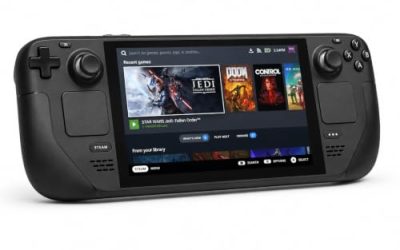
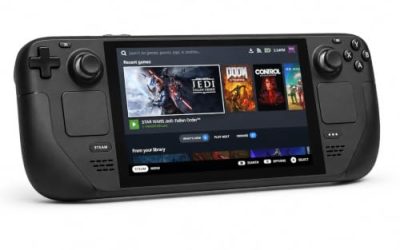
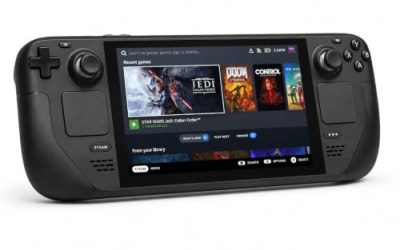
Valve Steam Deck OLED 512GB
The handheld the Playable badge was written for. The game’s minimum specification is far below the Deck’s hardware, and Valve’s test sheet confirms the default graphics configuration performs well; the compromises are text size and keyboard invocation, not frame rate.
Specs
- Display: 7.4-inch HDR OLED, 1280 by 800, up to 90 Hz
- Processor: AMD Zen 2 and RDNA 2 custom APU
- Memory: 16 GB LPDDR5
- Storage: 512 GB NVMe, plus a microSD slot
- Wireless: Wi-Fi 6E and Bluetooth
- Channel note: Valve sells the Deck mainly through its own store, so Amazon listings are third-party sellers
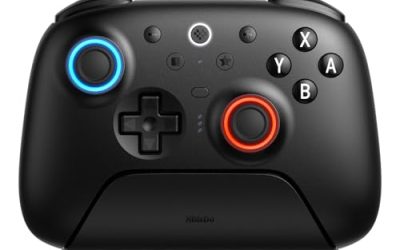
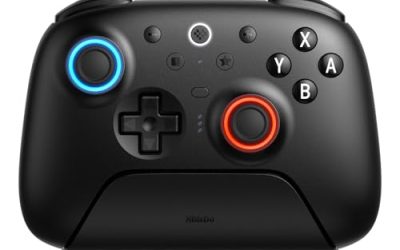
8BitDo Ultimate 2 Bluetooth Controller
The docked pad pick. The game has no native controller support, so on a television this pad works through Steam Input like every other pad — and its back buttons are a practical place to park keyboard shortcuts.
Specs
- Connectivity: Bluetooth wireless and USB-C wired
- Joysticks: TMR electromagnetic, anti-drift design
- Triggers: Hall effect, with mode switching
- Extras: two remappable back buttons, motion control
- In the box: charging dock included
Xbox Wireless Controller, Carbon Black

The safest guest pad in PC gaming: Steam Input support is universal, and it pairs over Bluetooth or its own wireless standard. With a mouse-first game like this one it is a couch convenience rather than the primary tool, but for sofa skirmish sessions it does the job through translation.
- Connectivity: Xbox Wireless and Bluetooth
- Port: USB-C for wired play
- Controls: hybrid D-pad, dedicated Share button
- Power: AA batteries or optional rechargeable pack
Logitech G502 HERO

This is a mouse game at heart — castle placement, wall tracing and economy menus all reward a precise pointer — and at a desk a wired mouse is the input the design assumes. Eleven programmable buttons cover the confirm, cancel and camera inputs a long session repeats.
Specs
- HERO optical sensor, up to 25,600 DPI
- 11 programmable buttons
- Adjustable weight system
- Wired USB connection
- On-board memory profiles
Samsung T9 Portable SSD 2TB

For moving a Linux game library between machines, or keeping an offline backup of installers, a fast USB-C drive is the simple answer. The headline figure needs a Gen 2×2 host port; on a lesser port the drive runs at that ceiling.
Specs
- Capacity: 2 TB portable SSD
- Interface: USB 3.2 Gen 2×2, USB-C connector
- Maker-rated speeds: up to 2,000 MB per second read, 1,950 MB per second write
- Features: Dynamic Thermal Guard, maker-rated drop resistance
How to choose
Choose the Steam copy, because it is the only PC edition on sale: GOG’s catalogue, checked three ways, carries the older Stronghold HD releases and Warlords but no Definitive Edition in any form. On a desktop or laptop, install under Proton and leave the compatibility tool on its default branch; a Platinum headline with a Platinum trending tier says current builds file the good reports. Add the two campaign add-ons freely if you want the content — they share the base game’s record exactly. On Steam Deck, expect a playable mouse-first experience: performant graphics, small text, and the occasional trip to the touchscreen or virtual keyboard. At a desk, lead with the mouse; treat pads as Steam Input conveniences for the couch.
Who should skip
Skip this remaster if you require a native Linux build as a matter of principle — there is none, on any storefront, and nothing in the record hints at one coming. Skip the Deck as your only platform if small text and manual keyboard invocation would frustrate you across long campaign sessions; the badge is Playable, not Verified, and the deductions are real. Skip it, too, if you already own Stronghold HD and only wanted the original campaigns: the case for this edition rests on the remade presentation, the new campaign and the Castle Trail.
FAQ
Is Stronghold: Definitive Edition native on Linux?
No. Steam’s platform flags list Windows only, the single purchase package repeats that mask, and the Linux requirements field is an empty shell. Every depot on the record is a Windows or language depot, and no Linux client icon is registered. The game runs on Linux through Proton, not through a port.
How well does it run under Proton?
ProtonDB rates it Platinum on its headline, best-reported and trending tiers alike, across 44 reports with strong confidence — the service’s ceiling, held consistently rather than by a few filings. Nothing in the record — no DRM notice, no account requirement, no detected anti-cheat — stands between the Windows build and the compatibility layer.
Is it playable on Steam Deck?
Valve rates it Playable, with SteamOS Compatible. The test notes say the default graphics configuration performs well; the deductions are interface items — small text, manual on-screen keyboard invocation, occasional mouse and keyboard glyphs, and some functions needing the touchscreen or a community configuration. Note the test dates from November 2023 and graded an early build, while the current build is much newer.
Can I buy it on GOG instead?
No. The natural product address redirects to GOG’s general catalogue, the products search returns no match, and a full enumeration of GOG’s Stronghold listings — seventeen products covering the HD editions, Warlords and Crusader 2 — contains no Definitive Edition. Steam is the only storefront for this remaster.
Final verdict
Stronghold: Definitive Edition is a Windows-only remaster with an unusually strong second life on Linux. The record is unambiguous at every layer — flags, package, depots, add-ons — and equally unambiguous in Proton’s favour: Platinum across all three tiers on a strong-confidence file, a Playable Deck badge whose only real caveat is its age, and no DRM or anti-cheat complication in the paperwork. If you want the definitive version of the original castle sim and play on Linux, the Steam copy under Proton is a confident buy; just do not mistake the compatibility story for a port.
Product and ASIN Reference
| Product | ASIN |
|---|---|
| Valve Steam Deck OLED 512GB | B0CQ3RWQQZ |
| 8BitDo Ultimate 2 Bluetooth Controller | B0F194QFT2 |
| Xbox Wireless Controller, Carbon Black | B08DF248LD |
| Logitech G502 HERO | B07GBZ4Q68 |
| Samsung T9 Portable SSD 2TB | B0CHFS9K14 |