Move or Die is the four-player party game built on one rule: keep moving or your health drains away. It launched on 21 January 2016 from developers Xelu and Those Awesome Guys, with Those Awesome Guys publishing, and its Steam record carries a Linux flag that turns out to be one of the honest ones: backed by a written Linux requirements field, by Linux binaries inside the only content depot the game ships, and by a Deck test sheet whose recommended runtime is native.
The oddity on this record sits on the other platform axis: the macOS flag is switched off, yet a full macOS requirements text still sits on the page. This piece reads every layer separately.
As an Amazon Associate, we earn from qualifying purchases.
Quick answer
Yes. Move or Die has a genuine native Linux build: Steam flags Linux alongside Windows, publishes a populated Linux minimum specification, and ships Linux binaries inside the same content depot a normal purchase delivers. ProtonDB classifies the game as Native, and Valve rates it Verified on Steam Deck with the native runtime named on the test sheet.
What Steam’s own record says
The platform flags on app 323850 read windows true, linux true and mac false. The Linux requirements field is populated rather than decorative: the minimum names Ubuntu 12.04 to 13.10, asks for 8 GB of memory, recommends a dedicated graphics card, lists a broadband connection and reserves 1 GB of storage. This is a specification written for Linux players, not a copied block: the Windows minimum adds an AMD frame-rate note the Linux field does not carry.
The category list covers every multiplayer shape a party game needs: online PvP and co-op, LAN play, split screen, Remote Play Together, full controller support, Steam Workshop, a level editor and Steam Cloud. Two absences matter below: no DRM notice and no external-account notice.
The macOS field that outlived its flag
The strange paperwork belongs to macOS, not Linux. The mac flag is false, no macOS depot exists, and yet the mac requirements field is fully written out, naming OS X 10.6 through macOS Mojave and closing with the warning that Move or Die will not work on macOS 10.15 Catalina or later. The signals tell one story: a Mac build existed in the game’s past, the flag and the depot were withdrawn, and the text was left behind. It is the mirror image of the pattern this cluster usually hunts, where a flag survives with nothing behind it. Here the text survives instead. Linux shows the opposite arrangement at every step.
One depot, three platforms inside
SteamDB lists exactly two depots. The first, 323851, is the whole game: 749.57 MiB named simply Move or Die Content. The second, 323852, is a tiny 218-byte configuration depot labelled Linux Steam Deck. There is no separate Linux or Windows depot, because the LÖVE engine build ships everything in one place. The current manifest of depot 323851, on build 15175566 from July 2024, contains Linux shared libraries and shell launch scripts alongside the Windows executables and libraries.
The package layer closes the loop. Depot 323851 sits inside sub 51076, the ordinary store package a purchase delivers, and inside sub 51145, the four-copy pack. The package that sells the game contains the depot holding the Linux binaries.
The family sweep finds no family
Some records need a long sweep because a soundtrack app wears a Linux flag the game itself never earned. This record is the opposite case: the DLC array on app 323850 is empty. No soundtrack, no art book, no supporter pack. The Linux flag belongs to the game alone.
Anti-cheat, from three separate sources
An online party game lives or dies on whether its multiplayer path tolerates Linux, so the anti-cheat file gets its own section, with the three sources kept apart. Steam’s record names no anti-cheat software, publishes no DRM notice and requires no external account. SteamDB’s detected-technology list is engine and middleware only: the Love2D engine, the Discord SDK, Lua, Ogg, OpenAL, SDL, Vorbis and an iCue integration. The Are We Anti-Cheat Yet dataset, all 1,167 games on its master branch, searched by name and by app number, carries no entry for this game. Three independent silences add up to one reading: no anti-cheat gate stands on the record, and the online modes are listed without a platform condition. That is a statement about the record, not a promise about any individual match.
The ProtonDB file: a Native heading that agrees
ProtonDB classifies Move or Die as Native, and its game page heads the requirements block with the native-support wording. For once that heading is not a stray tag: Steam’s flags, the populated Linux field and the depot contents all say the same thing, so the heading check ends in clean agreement. One limit has to be stated plainly: the ProtonDB summary feed did not answer during this session despite repeated attempts, so no tier split and no confidence figure are claimed here; what follows rests on the game page itself, which lists 16 reports.
Several filings run the native build and rate multiplayer, online and local, as excellent. A recurring fault runs through the file, though: multiple reporters found the native build produced no sound at all, and the fixes they document are plumbing fixes, installing the 32-bit PulseAudio or PipeWire libraries the build expects. Others sidestepped the issue by forcing Proton, where the Windows build ran with working audio, and a couple of older filings judge the Proton route smoother overall, citing fullscreen and controller-disconnect crashes natively. None of that overturns the native verdict; a player who hits silence has two recorded ways out.
The Steam Deck sheet
Valve’s compatibility record, read through SteamDB’s republication of it, rates Move or Die Verified on Steam Deck, with SteamOS separately marked Compatible. Every graded item passes: all functionality is accessible on the default controller configuration, the game shows Steam Deck controller icons, interface text is legible, and the default graphics configuration performs well. The configuration’s recommended runtime is native, so the badge certifies the Linux build itself rather than a compatibility layer. Two notes ride along: single-player play requires an active internet connection, and external Bluetooth or USB controllers do not take over by default, so a paired pad may need a manual Quick Access Menu switch.
The paperwork has one dated edge: the test was recorded on 16 July 2023 against build 11685051, while the public branch now serves build 15175566 from July 2024. The verdict stands, but the sheet predates the current build.
The storefront ruling
There is no second PC storefront to compare. GOG carries no edition of the game: the natural product address resolves to GOG’s general catalogue rather than a product page, and GOG’s own catalogue search returns no product for the title. The Steam copy is the only PC edition on sale.
Gear that fits the record
The gear below follows the record’s shape: the handheld, two pads, a mouse for the editor and menus, and library storage.
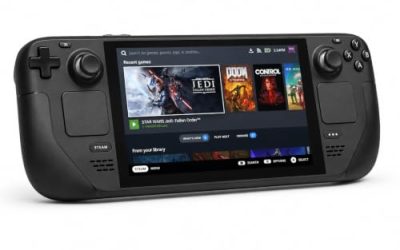
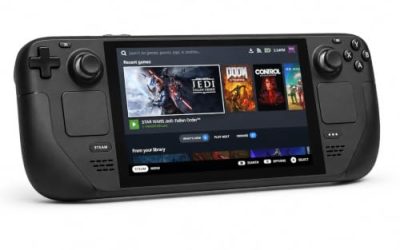
Valve Steam Deck OLED 512GB

The handheld the Verified badge was written for, and here the badge certifies the native build itself. Only the external-controller note needs remembering.
Specs
- Display: 7.4-inch HDR OLED, 1280 by 800, up to 90 Hz
- Processor: AMD Zen 2 and RDNA 2 custom APU
- Memory: 16 GB LPDDR5
- Storage: 512 GB NVMe, plus a microSD slot
- Wireless: Wi-Fi 6E and Bluetooth
- Channel note: Valve sells the Deck mainly through its own store, so Amazon listings are third-party sellers
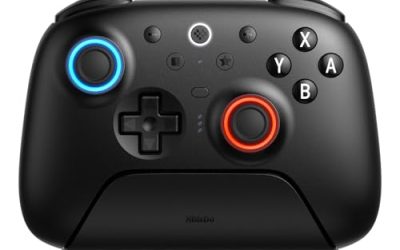
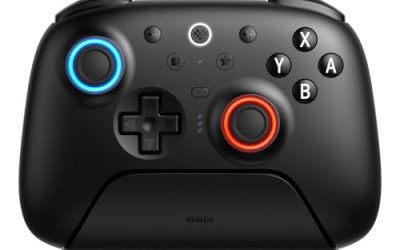
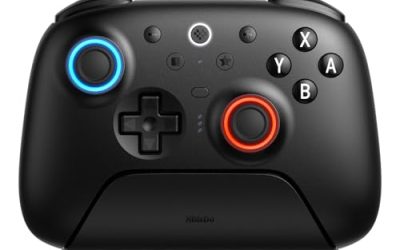
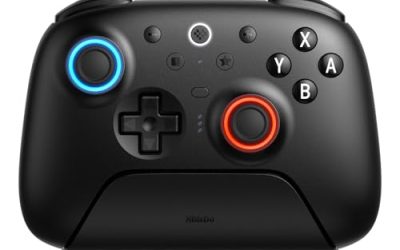
8BitDo Ultimate 2 Bluetooth Controller
The docked and desktop pad pick. Steam lists full controller support, and this pad covers the couch case with modern sticks, triggers and back buttons.
Specs
- Connectivity: Bluetooth wireless and USB-C wired
- Joysticks: TMR electromagnetic, anti-drift design
- Triggers: Hall effect, with mode switching
- Extras: two remappable back buttons, motion control
- In the box: charging dock included
Xbox Wireless Controller, Carbon Black
The safest guest pad in PC gaming: Steam Input support is universal, the glyphs match what most games display, and it pairs over Bluetooth or its own wireless standard. On the handheld, the test sheet’s note applies: an external pad may need a manual Quick Access Menu switch before it takes over.
- Connectivity: Xbox Wireless and Bluetooth
- Port: USB-C for wired play
- Controls: hybrid D-pad, dedicated Share button
- Power: AA batteries or optional rechargeable pack
Logitech G502 HERO
The game is pad-shaped, but its menus, level editor and Workshop browsing are desk work, where a precise wired mouse helps.
Specs
- HERO optical sensor, up to 25,600 DPI
- 11 programmable buttons
- Adjustable weight system
- Wired USB connection
- On-board memory profiles
Samsung T9 Portable SSD 2TB
For moving a Linux game library between machines, or keeping an offline backup of installers, a fast USB-C drive is the simple answer. The headline figure needs a Gen 2×2 host port; on a lesser port the drive runs at that ceiling.
Specs
- Capacity: 2 TB portable SSD
- Interface: USB 3.2 Gen 2×2, USB-C connector
- Maker-rated speeds: up to 2,000 MB per second read, 1,950 MB per second write
- Features: Dynamic Thermal Guard, maker-rated drop resistance
How to choose
Choose the Steam copy, because it is the only PC edition on sale. On a Linux desktop or laptop, install and launch as delivered: the native build is the default, the specification is modest, and the one community-documented rough edge is audio, answered either by the 32-bit sound libraries the reports name or by forcing Proton as a fallback. On a Steam Deck, the Verified badge with a native runtime means no configuration work is expected; remember the internet requirement for single-player and the manual switch for external pads. Pads are the game’s shape, four for the full couch mode; a mouse earns its place only around the editor and menus.
Who should skip
Skip this one if your group plays on macOS: the Mac flag is off, no Mac depot exists, and the leftover requirements text itself warns the game off modern macOS. Skip it if your play is offline by design, since even single-player needs an active connection. Skip it if you want a storefront choice, because Steam is the only PC seller. And if the documented native audio fault sounds like more plumbing than you want to touch, the Proton fallback exists, but it is a workaround, not the headline route.
FAQ
Is Move or Die native on Linux?
Yes. Steam flags Linux, the Linux requirements field is populated with a real minimum specification, and the single content depot a purchase delivers contains Linux shared libraries and launch scripts. ProtonDB independently classifies the game as Native.
Does Move or Die use anti-cheat software?
None is named anywhere on the record. Steam publishes no DRM or external-account notice, SteamDB detects only engine and middleware libraries, and the Are We Anti-Cheat Yet dataset carries no entry for the game.
Is Move or Die Steam Deck Verified?
Yes. Valve’s record rates it Verified with SteamOS Compatible, and the sheet’s recommended runtime is the native build. The test was recorded in July 2023 against an older build than the branch now serves, and single-player play needs an internet connection.
Can I buy Move or Die on GOG instead?
No. GOG carries no edition of the game; its catalogue search returns nothing for the title. The Steam copy is the only PC edition.
Final verdict
Move or Die is one of the clean native files in this cluster: flag, written specification, depot contents, package membership, community classification and Deck runtime all point the same way, and the only paperwork oddity lives on the macOS axis. The caveats are small and specific: a dated Deck test sheet, a native audio fault the community has documented with recorded fixes, and an always-online note even for solo play. For a Linux player with three friends and four pads, the record says buy the Steam copy and keep moving.
Product and ASIN Reference
| Product | ASIN |
|---|---|
| Valve Steam Deck OLED 512GB | B0CQ3RWQQZ |
| 8BitDo Ultimate 2 Bluetooth Controller | B0F194QFT2 |
| Xbox Wireless Controller, Carbon Black | B08DF248LD |
| Logitech G502 HERO | B07GBZ4Q68 |
| Samsung T9 Portable SSD 2TB | B0CHFS9K14 |