Use Your Words, the Smiling Buddha Games party title from April 2017 built on typed answers and votes, never received a Linux build. Steam’s record is plain: the flags read Windows true, Mac true, Linux false, and the depots underneath are a Windows build and a Mac build. There is no third depot, no hidden tab, and no add-on app whose flag could confuse the scan, because the record carries no DLC array.


What makes this file worth reading is what sits around that plain negative. ProtonDB heads its page with a label claiming native support that Steam’s record contradicts, and Valve’s Steam Deck test sheet grades the game Unsupported on the exact build players still download today, with a configuration line that explains the community file’s one recurring fault.
As an Amazon Associate, we earn from qualifying purchases.
Quick answer
Use Your Words is not native on Linux. Steam flags it for Windows and Mac only, its Linux requirements field is an empty list, and its depot table holds no Linux build. The route in is Proton: ProtonDB’s page shows Silver across 15 reports, and Valve grades the game Unsupported on Steam Deck. Buy the Steam copy; it is the only PC edition.
The status at a glance
| Question | Answer from the record |
|---|---|
| Native Linux build | No — flags read Windows and Mac only |
| Linux requirements tab | Absent — the field is an empty list |
| Linux depot | None — Windows and macOS depots only |
| Add-on apps | None — no DLC array |
| ProtonDB record | Silver on the game page, 15 reports |
| Steam Deck verdict | Unsupported, tested January 2023 |
| GOG edition | None — no product record exists |
| Anti-cheat or account layer | None named by any source |
The flags, the fields and the missing tab
Steam’s appdetails record for Use Your Words (app 521350, confirmed against the store record: Smiling Buddha Games, LLC developing, Screenwave Media publishing, released 3 April 2017) lists the platforms as Windows true, Mac true, Linux false. Two of the three platforms are real releases, which makes the third one’s absence a decision, not an oversight.
The requirements fields tell the same story in texture. The Windows minimum is genuinely written: Windows Vista through 10, a 2 GHz dual core processor, 1 GB of memory, DirectX 9.0 and 1 GB of storage. The Mac minimum is likewise populated, naming Mac OSX 10.5 and newer and a dual core processor. The Linux field, by contrast, is an empty list outright — not the empty shell of headings over blank lists, and not copied Windows text behind a Linux heading. No Linux tab exists in any form.
Two depots and one package
The depot table closes the question the flags open. SteamDB lists exactly two content depots: depot 521351, the Windows build at 1005.08 MiB, and depot 521352, the macOS build at 1011.95 MiB. The only other depot is the shared Windows DirectX redistributable. No Linux depot exists in any form — not a full build, not a stub, not a zero-byte placeholder.
The purchase layer agrees. The game’s single store package, sub 123677, grants the game app alone, and Steam’s packagedetails record reads Windows true, Mac true, Linux false. A normal purchase delivers exactly the two builds above, and the public branch still serves build 5117646, unchanged since June 2020, so this shape is the current state, not a launch-era fossil.
The family layer is absent rather than misleading: the record carries no DLC array at all — no soundtrack, art book, supporter pack or demo whose stray flag could make a Windows-only game look supported. An empty family is itself evidence.
Anti-cheat and accounts: three sources, all quiet
The three sources this series checks separately all come back negative. Steam’s store record names no anti-cheat, carries no DRM notice and no external account notice; the categories are the party set — multi-player, full controller support, Remote Play on TV and Remote Play Together. SteamDB’s detected-technology list names engine plumbing only: the Unity Engine and the Mono SDK. Are We Anti-Cheat Yet, whose dataset covers 1,167 games, carries no entry for this title under its name or its app id. Nothing gates the Windows build, matching a game played on one screen with players joining from their own devices.
The ProtonDB file: a Silver tier under a stray heading
ProtonDB’s summary endpoint returned an error page on repeated attempts this session, so this section rests on the game page itself, read directly: it displays a Silver tier beside the game’s name and a count of 15 reports. No tier split and no confidence figure are claimed.
The page’s classification heading needs naming, because it points the wrong way. ProtonDB heads the game’s requirements block “Natively Supports:”, its label for games it classifies as native. Steam’s record contradicts that label on every layer above: flag false, field an empty list, no Linux depot, package flags Linux false. The article follows Steam. The heading is a stray tag, not a build.
The reports underneath are more useful than the heading. One fault recurs across the file: the video clips inside the Sub the Title round, where players dub a film scene, play back garbled or frozen under stock Proton builds, because the game’s video playback depends on components a default Proton install handles poorly. The fixes repeat just as consistently: several recent reports run the game under Proton Experimental or a GE-Proton build and rate local multiplayer Excellent once the videos play, while older filings on Proton 4 and 5 lines sink to Bronze and Borked on the same fault.
The Deck sheet: Unsupported, and current
Valve’s compatibility record for the game — read through SteamDB’s republication of Valve’s data, the readable route to the sheet — grades Use Your Words Unsupported on Steam Deck, with SteamOS carrying the same grade and the sheet’s stated test result the plain one: SteamOS does not support this title.
Two details make this sheet stronger evidence than most. The first is currency: Valve tested the game on 31 January 2023 against build 5117646, still the public branch build today, untouched since June 2020, so the paperwork covers the exact build a buyer downloads. The second is the configuration block, which recommends the proton-7.0-5 runtime and lists two requirements: manual invocation of the on-screen keyboard, the natural cost of a typing game, and h264 video support. The h264 line corroborates the ProtonDB complaint: the Sub the Title videos are load-bearing, and a runtime that cannot play them cannot carry the game. Desktop framing therefore governs the gear below.
GOG and the other routes
GOG’s own catalogue records were checked directly, through its product API and catalogue search, and both return no product for Use Your Words. No GOG product record exists, so no edition exists to buy. The Steam copy is the only PC edition on sale.
Gear for a desktop party setup
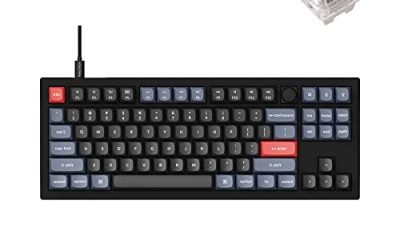
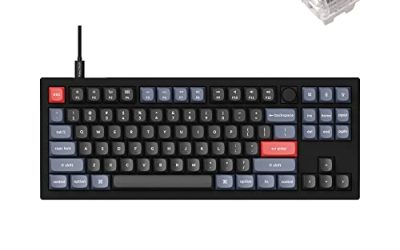
Keychron V3
The keyboard pick for desktop sessions: QMK and VIA support lets you remap keys at the keyboard level, which keeps working across every Linux install you plug it into. For a game whose entire input is typed answers, the host keyboard is never idle.
Specs
- Tenkeyless layout with rotary knob
- QMK and VIA remapping support
- Hot-swappable K Pro Brown switches
- Wired USB-C connection
- Maker-rated 1,000 Hz polling
8BitDo Ultimate 2 Bluetooth Controller
The pad pick for the host machine. Steam lists full controller support, and while guests play from their own devices, the host still navigates menus from the couch; this pad covers that role with modern sticks and triggers.
Specs
- Connectivity: Bluetooth wireless and USB-C wired
- Joysticks: TMR electromagnetic, anti-drift design
- Triggers: Hall effect, with mode switching
- Extras: two remappable back buttons, motion control
- In the box: charging dock included
Xbox Wireless Controller, Carbon Black

The safest second pad in PC gaming: Steam Input support is universal, the glyphs match what games display, and it pairs over Bluetooth or its own wireless standard.
- Connectivity: Xbox Wireless and Bluetooth
- Port: USB-C for wired play
- Controls: hybrid D-pad, dedicated Share button
- Power: AA batteries or optional rechargeable pack
Logitech G502 HERO

Between rounds the host clicks through prompts, scores and settings, and a precise wired mouse makes that housekeeping instant. Eleven programmable buttons cover the confirm and cancel inputs a session repeats.
Specs
- HERO optical sensor, up to 25,600 DPI
- 11 programmable buttons
- Adjustable weight system
- Wired USB connection
- On-board memory profiles
Samsung T9 Portable SSD 2TB

For moving a Linux game library between machines, or keeping an offline backup of installers, a fast USB-C drive is the simple answer. The headline figure needs a Gen 2×2 host port; on a lesser port the drive runs at that ceiling.
Specs
- Capacity: 2 TB portable SSD
- Interface: USB 3.2 Gen 2×2, USB-C connector
- Maker-rated speeds: up to 2,000 MB per second read, 1,950 MB per second write
- Features: Dynamic Thermal Guard, maker-rated drop resistance
How to choose
Choose the Steam copy, because it is the only PC edition on sale. Run it on a desktop or laptop under Proton, and go straight to the fix the community file repeats: if the Sub the Title videos play back garbled or frozen under the default runtime, switch the compatibility tool to Proton Experimental or a GE-Proton build, since that round decides most negative reports. Keep a real keyboard at the host machine, because typing is the game’s core input. Treat the Deck as out of scope: Valve’s Unsupported grade was earned on the build still being served, and the h264 requirement behind it is a property of the game, not of one Proton version.
Who should skip
Skip this one if you are shopping for a native Linux party game: this is not one, and ProtonDB’s “Natively Supports:” heading does not make it one. Skip it if your plan was the Steam Deck on the couch, because Valve grades the game Unsupported on the current build. Skip it if you want a DRM-free offline installer, because no GOG edition exists. And skip it if your group will not tolerate one runtime switch to get the video round playing, since that step separates the Silver file the page shows from the Excellent local reports underneath it.
FAQ
Is Use Your Words native on Linux?
No. Steam’s record for app 521350 flags Windows and Mac true and Linux false, the Linux requirements field is an empty list, and the depot table holds only Windows and macOS builds. No native build exists.
How well does Use Your Words run under Proton?
ProtonDB’s game page displays a Silver tier across 15 reports. The recurring fault is video playback in the Sub the Title round under stock Proton builds; reports that switch to Proton Experimental or a GE-Proton build rate local multiplayer Excellent once the videos play.
Is Use Your Words playable on Steam Deck?
Valve grades it Unsupported, tested in January 2023 on build 5117646, still the current build. The sheet notes a manual keyboard invocation requirement and an h264 video requirement — the same video dependency behind the ProtonDB reports’ main complaint.
Can I buy Use Your Words on GOG instead?
No. GOG’s product API and catalogue search both return no product for the game. The Steam copy is the only PC edition on sale.
Final verdict
Use Your Words is a Windows and Mac release whose Linux paper trail is easy to read: flag false, field an empty list, two depots and neither is Linux, the package agreeing, and the family layer absent entirely rather than misleading. Against that stands a single stray heading on the community page, named here rather than followed. What Linux players get is a Proton route with a known shape — a Silver page whose negative reports converge on one video-dependent round and whose recent reports, on the runtimes that fix it, rate the local game Excellent — and a Deck grade of Unsupported on current paperwork. Buy the Steam copy, play it at a desk or a living-room PC, and bring a keyboard.
Product and ASIN Reference
| Product | ASIN |
|---|---|
| Keychron V3 | B0B2DMMMG2 |
| 8BitDo Ultimate 2 Bluetooth Controller | B0F194QFT2 |
| Xbox Wireless Controller, Carbon Black | B08DF248LD |
| Logitech G502 HERO | B07GBZ4Q68 |
| Samsung T9 Portable SSD 2TB | B0CHFS9K14 |