Neo Cab is the visual novel from Chance Agency, published by Fellow Traveller and released on 3 October 2019, in which Lina, the last human cab driver in the automated city of Los Ojos, works the night streets searching for a missing friend. A conversation game of dialogue choices and mood management, it raises the question Linux players bring to every such release: did a native Linux build ever ship?
The short answer is no, and the record barely argues about it. Steam flags Windows and Mac only, the Linux requirements fields are empty shells, and the purchase package holds exactly two depots, one per platform. What Linux players run is the Windows build through Proton, where the file sits at Platinum, and Valve rates the game Playable on Steam Deck.
As an Amazon Associate, we earn from qualifying purchases.
Quick answer
Neo Cab has no native Linux build. Steam’s record flags Windows and Mac only, its Linux requirements fields are empty shells, and the store package delivers exactly two depots, one per platform. Linux players run the Windows build through Proton, where nine reports hold Platinum at moderate confidence, and the Steam Deck rates it Playable.
What Steam’s record actually ships
Start with the flags: windows true, mac true, linux false. The requirements fields agree. The Windows minimum is genuinely populated: Windows 7, a two-core Intel processor at 1.8 GHz and 8 GB of RAM, with no graphics or storage line at that tier. The recommended tier raises it to Windows 10, a four-core Intel at 2 GHz or greater, the same memory, a dedicated graphics card with 1 GB of VRAM and an SSD in the notes. The Mac field is populated in the same style, macOS 10.14 Mojave minimum and 10.15 Catalina recommended. The Linux field, at both tiers, is a pair of headings over empty lists; nothing was ever written into it.
The store categories are Single-player, Steam Achievements, Captions available, Custom Volume Controls, Mouse Only Option, Steam Cloud, Remote Play on Phone, Remote Play on Tablet and Family Sharing; the genres are Adventure, Indie and RPG. No controller-support category appears at all, which matters for the gear below. Two gaps: the record carries no drm_notice and no ext_user_account_notice, so Steam names no third-party DRM and no external account requirement.
The depot ledger
SteamDB’s depot table holds exactly two content depots. Depot 794542 carries the Windows build, 642.58 MiB on disk; depot 794543 carries the macOS build, 636.83 MiB; together they are the game’s whole 1.25 GiB. No third depot, named for Linux or otherwise, hides anywhere in the app.
The package layer closes the last loophole. The only purchase option is the package named Neo Cab, sub 241001, billed as Store or CD Key, and its record lists exactly one app, this game, and the same two depots. No package names a Linux depot the app’s table omits, and no other app references either depot. The public branch stands on build 8158598, untouched since February 2022. Two smaller fields agree: osarch reads 64, and osextended reads macos64, Mac packaging metadata, not a platform promise.
Anti-cheat, from three sources kept separate: Steam names none, fitting a single-player record with no notices. SteamDB detects the Unity Engine, the Mono SDK and the cURL SDK: engine plumbing only. Are We Anti-Cheat Yet carries no entry, searched by name and by app number.
The family: one soundtrack, and it does not flag Linux either
The game’s full DLC array holds exactly one app, read individually: the Neo Cab Original Soundtrack, app 1160390, type music, released a day before the game. Soundtracks are this series’ usual source of a stray Linux flag. Here the trap never forms: the soundtrack flags windows true, mac true and linux false, agreeing with the game, and its Linux field is the same empty shell. The family’s only member agrees with the game, so the not-native case rests on the game alone, and it is unanimous.
The Proton file
ProtonDB’s summary record, read in full: headline tier Platinum, best-reported tier Platinum, trending tier Platinum, across 9 reports, at moderate confidence. Every report was filed under a named Proton version, from the 4.11 line up to 10.0 builds: nobody on this page runs a native build.
One artefact on that page needs naming. ProtonDB heads the game’s requirements block “Natively Supports”, the stray-tag pattern this series keeps meeting, but Steam’s record contradicts it on every layer: false flag, empty field, no depot. The heading is a labelling habit, not a port announcement.
The oldest reports, on Proton 4.11, describe a hang at the end of the tutorial that blocked progress in that era. A 6.3 report notes the animated images in the in-game phone chat failing to display, with slight main-menu performance problems. Recent reports on the 8.0 and 10.0 lines describe clean runs, with one cosmetic survivor: animated chat emojis can render as test videos. The Platinum headline rests on the modern file; the old bugs stay at report weight, attached to their versions.
Steam Deck: Playable, on paperwork that still matches the build
Valve rates Neo Cab Playable on Steam Deck, with SteamOS rated Compatible separately. The verdict and paperwork come from SteamDB’s republication of Valve’s compatibility data. Valve reviewed it on 3 May 2022, on build 8158598, with proton-stable as the recommended runtime. That build is still the public branch build, so unlike most sheets in this series, this paperwork matches the build on sale exactly; no stale-paperwork caveat attaches.
What holds it at Playable is one functional note: some functionality is not accessible under the default controller configuration, requiring the touchscreen, the virtual keyboard or a community configuration. Text legibility and default graphics performance pass. A second note says external Bluetooth or USB controllers do not take over by default and may need a manual Quick Access Menu switch. Both notes fit the record: a mouse game wearing a controller configuration.
The GOG shelf
A GOG edition of Neo Cab exists, ruled from GOG’s own product record rather than any search listing. Its compatibility line reads windows true, osx false, linux false: Windows only. It does not even carry the Mac build Steam sells, let alone a Linux one. The storefront choice changes nothing about platforms, and there is no DRM-free Linux route, because no Linux build exists.
Gear that fits the record
The gear below follows the record’s shape. Input honesty matters more than raw power here.
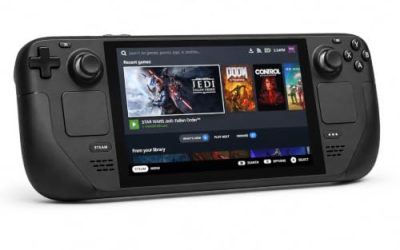
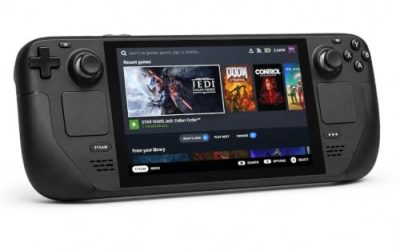
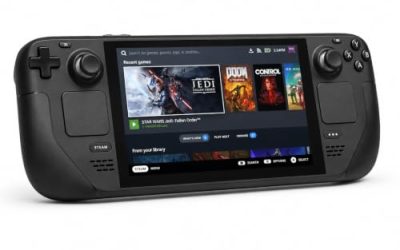
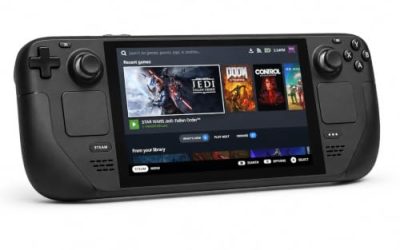
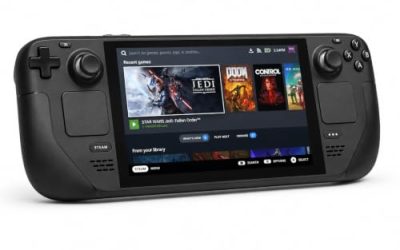
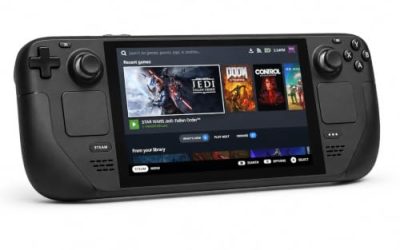
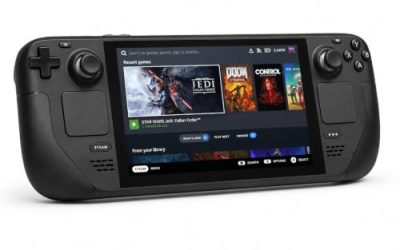
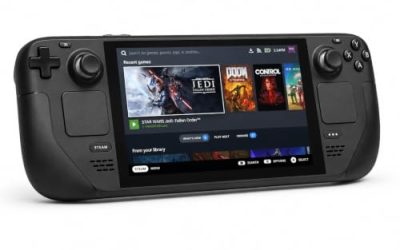
Valve Steam Deck OLED 512GB

The handheld route the Playable badge was written for. Valve’s sheet passes the Windows build under proton-stable, on the build still on sale, with legible text and good graphics; the caveat is reaching for the touchscreen or a community layout where the default configuration falls short.
Specs
- Display: 7.4-inch HDR OLED, 1280 by 800, up to 90 Hz
- Processor: AMD Zen 2 and RDNA 2 custom APU
- Memory: 16 GB LPDDR5
- Storage: 512 GB NVMe, plus a microSD slot
- Wireless: Wi-Fi 6E and Bluetooth
- Channel note: Valve sells the Deck mainly through its own store, so Amazon listings are third-party sellers
8BitDo Ultimate 2 Bluetooth Controller

The couch option, honestly labelled: Neo Cab lists no controller support, so a pad here is a Steam Input route rather than a native one, best paired with a community configuration of the kind Valve’s Deck notes point to. The back buttons earn their place mapped to the clicks a dialogue game repeats.
Specs
- Connectivity: Bluetooth wireless and USB-C wired
- Joysticks: TMR electromagnetic, anti-drift design
- Triggers: Hall effect, with mode switching
- Extras: two remappable back buttons, motion control
- In the box: charging dock included
Xbox Wireless Controller, Carbon Black

The universal spare pad, again through Steam Input rather than any support the store page claims. On the handheld, this game’s own sheet carries the note: an external pad does not take over by default and may need a manual Quick Access Menu switch before it drives.
- Connectivity: Xbox Wireless and Bluetooth
- Port: USB-C for wired play
- Controls: hybrid D-pad, dedicated Share button
- Power: AA batteries or optional rechargeable pack
Logitech G502 HERO

The primary input the record points to. The store page lists a Mouse Only Option in its categories, and every choice in Los Ojos is a pointer decision; a precise wired mouse is the native shape of this game at a desk, with spare buttons for the advance and menu inputs a long night repeats.
Specs
- HERO optical sensor, up to 25,600 DPI
- 11 programmable buttons
- Adjustable weight system
- Wired USB connection
- On-board memory profiles
Samsung T9 Portable SSD 2TB

For moving a Linux game library between machines, a fast USB-C drive is the simple answer. The headline figure needs a Gen 2×2 host port; on a lesser port the drive runs at that ceiling.
Specs
- Capacity: 2 TB portable SSD
- Interface: USB 3.2 Gen 2×2, USB-C connector
- Maker-rated speeds: up to 2,000 MB per second read, 1,950 MB per second write
- Features: Dynamic Thermal Guard, maker-rated drop resistance
How to choose
Choose the Steam copy, the build both records describe: the ProtonDB file is Platinum across its tiers, and the Deck sheet was written against the exact build still on sale. On a Linux desktop or laptop, install and leave the compatibility tool at its default; modern reports describe clean runs. On Steam Deck, expect Playable rather than badge-perfect: the touchscreen covers what the default configuration cannot reach. Choose GOG only if its installer model matters to you, knowing the edition is Windows only. For input, start with a mouse; treat any pad as a Steam Input project.
Who should skip
Skip this one if you are shopping for a native Linux visual novel: Neo Cab is not one, on Steam, on GOG, or anywhere else. Skip it if you want a DRM-free offline installer for a Linux machine, because the GOG edition is a Windows build. Skip the pad-first plan if you will not lean on the touchscreen or a community layout, since the store page promises no controller support at all. And skip it if nine reports feels too thin to trust; the confidence is moderate.
FAQ
Is Neo Cab native on Linux?
No. Steam flags Windows and Mac only, the Linux requirements fields are empty shells, and the depot table holds exactly two depots, one per platform, both granted by the single store package. No Linux build exists.
How well does Neo Cab run under Proton?
ProtonDB’s summary reads Platinum on the headline, best-reported and trending tiers, across 9 reports at moderate confidence. The oldest reports describe a Proton 4.11-era tutorial hang; recent reports on the 8.0 and 10.0 lines describe clean runs, with animated chat emojis occasionally rendering as test videos.
Is Neo Cab Steam Deck Verified?
No, it is rated Playable. Valve’s sheet, tested in May 2022 on the same build the store still serves, passes legible text and default graphics performance, but notes some functionality is not accessible under the default controller configuration and needs the touchscreen, the virtual keyboard or a community configuration.
Can I buy Neo Cab on GOG for Linux?
No. A GOG edition exists, but GOG’s own product record lists it as Windows only; it does not carry the Mac build Steam sells, and there is no Linux build on either storefront. Every PC route runs the Windows version, under Proton on a Linux machine.
Final verdict
Neo Cab is a Windows and Mac release with an unusually quiet paper trail: a false Linux flag, empty Linux fields, two depots, and a soundtrack that does not pretend otherwise. The one loud artefact, ProtonDB’s “Natively Supports” heading, is contradicted by every report beneath it. What Linux players get instead is a strong compatibility-layer route: a Platinum Proton file, and a Playable Deck badge whose paperwork still matches the build on sale. Buy the Steam copy, play it with a mouse or the touchscreen, and let the Platinum file carry the weight the missing port cannot.
Product and ASIN Reference
| Product | ASIN |
|---|---|
| Valve Steam Deck OLED 512GB | B0CQ3RWQQZ |
| 8BitDo Ultimate 2 Bluetooth Controller | B0F194QFT2 |
| Xbox Wireless Controller, Carbon Black | B08DF248LD |
| Logitech G502 HERO | B07GBZ4Q68 |
| Samsung T9 Portable SSD 2TB | B0CHFS9K14 |