Yoku’s Island Express sends a pint-sized beetle postman across Mokumana Island, where pinball flippers and bumpers replace the usual platforming jumps: the island is one connected map of slopes, rails and self-contained pinball tables, and progress means delivering parcels, helping the locals and waking an ancient deity. The game was developed by Villa Gorilla, published by Team17 Digital Ltd, and launched on 29 May 2018.
That longevity makes the Linux question a recurring one, because the game looks like a natural fit for a small native port. The answer, though, sits in Steam’s own record for app 334940: the platform flags, the requirements fields, the depot table and the packages that deliver them. This article works through each layer, then checks ProtonDB’s file, Valve’s Deck sheet and the separate GOG edition.
As an Amazon Associate, we earn from qualifying purchases.
Quick answer
No. Yoku’s Island Express has no native Linux build: Steam flags Linux false, the Linux requirements field is an empty shell, and the only content depot is a Windows build. Linux players run that Windows build through Proton, where 70 ProtonDB reports hold a Platinum rating, and Valve rates the game Steam Deck Verified.
The flags say Windows, and only Windows
Steam’s platform flags for app 334940 are as plain as they come: windows true, mac false, linux false. Nothing further down the record contradicts them.
The requirements fields tell the same story, with one wrinkle worth naming. The Windows minimum is genuinely populated: Windows 7, an Intel i3-2100 or AMD A8-5500 processor, 4 GB of RAM, a GeForce GT 630, Radeon 7770 or Intel HD 530 class graphics card, DirectX 10 and 3 GB of storage, under a note that a 64-bit processor and operating system are required. The Windows recommended tier is nearly bare, carrying only that 64-bit line. The Mac and Linux fields, meanwhile, are empty shells: Minimum and Recommended headings over lists with nothing in them. An empty field under a false flag is not a hidden port; it is leftover store-template scaffolding, and it appears on the Mac side too, where the flag is equally false. Real ports list an operating system, processor and memory in that field. This record lists none.
The rest of the page fits: categories run from Single-player and Full controller support to Steam Cloud and Family Sharing, the genres are Adventure and Indie, and the record carries no drm_notice and no ext_user_account_notice: no third-party DRM or account requirement to report, and the gaps are stated as gaps.
One depot carries the whole game
SteamDB’s depot table removes any remaining doubt, because a native build has to ship as files, and files ship as depots. This game has exactly one content depot: depot 334941, named Windows Pinball Stories Content, at 1.13 GiB. There is no depot for another operating system, and no Linux-labelled shell of any size. The only other entries are shared Windows redistributables.
The package evidence closes the loop. The store package, sub 55259, billed as Store or CD Key, grants app 334940 and exactly one depot: 334941. So the depot that exists is the depot a purchase delivers, and no Linux depot hides in a key-only or beta package either, because there is none at all. The public branch stands on build 7426140, built in September 2021; osarch reads 64.
A family of one
Some games in this series hide their only Linux flag inside a soundtrack or an art book. There is nothing to sweep here: app 334940 publishes no DLC array at all, so the family’s Linux-flag count is zero of zero and the not-native case rests entirely on the game itself, where the flags, the empty field and the single depot already put it.
Anti-cheat takes three short checks. Steam names none, fitting a single-player record with no notices. SteamDB’s detected technologies amount to the Wwise audio SDK: audio plumbing, not a protection layer. And Are We Anti-Cheat Yet, checked across its 1,167-game catalogue by name and app id, carries no entry for this game.
The Proton file: Platinum, and well populated
ProtonDB’s summary record for app 334940 was read in full, and it is one of the stronger files in the series. The overall tier is Platinum, the best-reported tier is Platinum and the trending tier is Platinum, across 70 reports, with confidence at strong and a score of 0.84. Seventy reports is a deep pool for a game of this size, and unanimity across all three tiers means the behaviour under Proton is no lucky-configuration story: the reports describe a game that installs, launches and plays without workarounds.
One check here could not be completed, and the gap is stated rather than smoothed over: the classification heading on the game’s ProtonDB page did not surface in the fetched copy, so this article neither claims the page classifies the game as native nor alleges the stray heading seen on other games in this series.
The Deck sheet: Verified, and the paperwork is current
Valve rates Yoku’s Island Express Steam Deck Verified, with SteamOS separately rated Compatible. The verdict and paperwork were read from SteamDB’s republication of Valve’s compatibility data. All four Verified items pass: all functionality is accessible with the default controller configuration, the game shows Steam Deck controller icons, in-game interface text is legible, and the default graphics configuration performs well. One note item sits alongside: the game does not default to external Bluetooth or USB controllers, and may require a manual controller switch through the Quick Access Menu. The recommended runtime is proton-stable: the Windows build under Proton.
The paperwork also passes the currency check many games in this series fail. Valve tested the game on 5 February 2022, on build 7426140, and the public branch today stands on that same build, so the certified build is the one a buyer downloads now. No supplement is owed.
The GOG shelf
A GOG edition exists, ruled on from GOG’s own live product page, its identity checked against the Steam record: same title, Villa Gorilla as developer, Team17 as publisher, same release date. GOG’s compatibility line reads Works on: Windows, and its own answers state the game is officially supported on Windows. The second storefront changes the licensing terms, since GOG sells the game without DRM and with an offline installer, but not the platform answer: there is no Linux build on GOG either.
Gear that fits the record
The gear below follows the record’s shape: the handheld the badge was written for, two pads, a mouse for desktop sessions, and library storage.
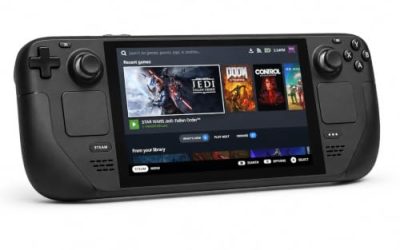
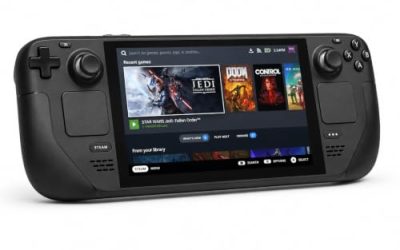
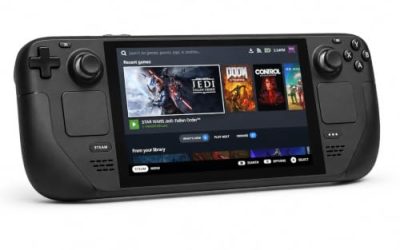
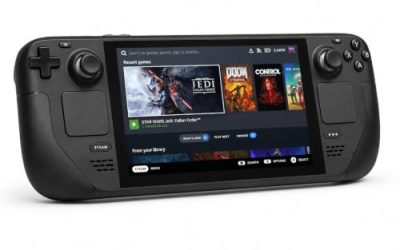
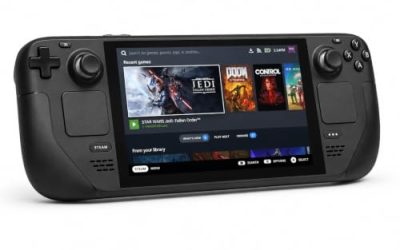
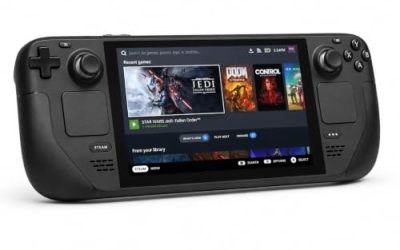
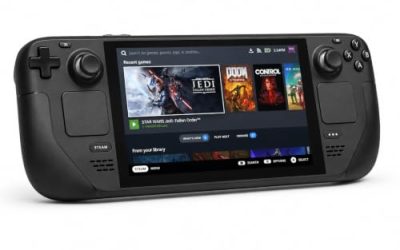
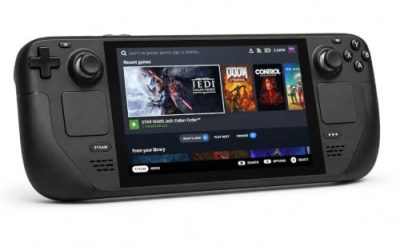
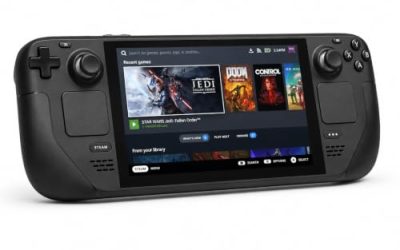
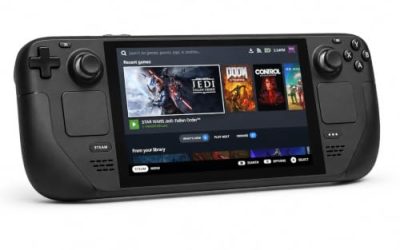
Valve Steam Deck OLED 512GB

The handheld the Verified badge was written for, and here the badge still describes the build on the branch today. The game’s requirements are a rounding error next to the Deck’s APU, and Valve’s sheet gives the Windows build a clean pass under proton-stable.
Specs
- Display: 7.4-inch HDR OLED, 1280 by 800, up to 90 Hz
- Processor: AMD Zen 2 and RDNA 2 custom APU
- Memory: 16 GB LPDDR5
- Storage: 512 GB NVMe, plus a microSD slot
- Wireless: Wi-Fi 6E and Bluetooth
- Channel note: Valve sells the Deck mainly through its own store, so Amazon listings are third-party sellers
8BitDo Ultimate 2 Bluetooth Controller

The docked and desktop pad pick. Steam lists full controller support, and this pad covers the couch case with modern sticks and triggers plus back buttons for menu shortcuts.
Specs
- Connectivity: Bluetooth wireless and USB-C wired
- Joysticks: TMR electromagnetic, anti-drift design
- Triggers: Hall effect, with mode switching
- Extras: two remappable back buttons, motion control
- In the box: charging dock included
Xbox Wireless Controller, Carbon Black

The safest guest pad in PC gaming: Steam Input support is universal, the glyphs match what most games display, and it pairs over Bluetooth or its own wireless standard. On the handheld, this game’s own sheet carries the note: an external pad may need a manual Quick Access Menu switch before it takes over.
- Connectivity: Xbox Wireless and Bluetooth
- Port: USB-C for wired play
- Controls: hybrid D-pad, dedicated Share button
- Power: AA batteries or optional rechargeable pack
Logitech G502 HERO

Mokumana’s parcel lists, map and menus are pointer-friendly, and at a desk a precise wired mouse turns inventory trips into single clicks. Eleven programmable buttons cover the confirm, cancel and camera inputs a session repeats.
Specs
- HERO optical sensor, up to 25,600 DPI
- 11 programmable buttons
- Adjustable weight system
- Wired USB connection
- On-board memory profiles
Samsung T9 Portable SSD 2TB

For moving a Linux game library between machines, or keeping an offline backup of installers, a fast USB-C drive is the simple answer. The headline figure needs a Gen 2×2 host port; on a lesser port the drive runs at that ceiling.
Specs
- Capacity: 2 TB portable SSD
- Interface: USB 3.2 Gen 2×2, USB-C connector
- Maker-rated speeds: up to 2,000 MB per second read, 1,950 MB per second write
- Features: Dynamic Thermal Guard, maker-rated drop resistance
How to choose
Start from the route, not the hardware. On a Linux desktop, the game is a Proton title: buy it on Steam, let the client apply the stable Proton line Valve’s own test used, and expect the Platinum file’s behaviour rather than a troubleshooting project. On a Steam Deck, the Verified sheet is current against the branch build, so the handheld route needs no homework beyond the external-controller note. The GOG edition suits a player who values the offline installer and already runs Windows builds through a compatibility layer; it offers no platform advantage. Any modern pad serves a game with full controller support, and storage is a non-issue at just over a gigabyte.
Who should skip
Skip the search for a native version entirely: there is none on Steam, none on GOG and none hinted at by an empty requirements field. Players who refuse compatibility layers on principle should skip the game on Linux altogether, since Proton is the only route. Deck players who rely on an external pad should note the sheet’s one blemish, the manual controller switch, before settling in. And anyone who dislikes pinball physics as a movement system will find the island’s charm wears thin quickly, however cleanly it runs.
FAQ
Is Yoku’s Island Express native on Linux?
No. Steam flags Linux false, the Linux requirements field is an empty shell of headings with no system under them, and SteamDB’s depot table holds a single content depot, the Windows build the store package grants. No layer of the record supports a native build.
How well does Yoku’s Island Express run under Proton?
ProtonDB’s summary record, read in full, rates the game Platinum overall, Platinum as its best-reported tier and Platinum on the trending tier, across 70 reports with strong confidence: the profile of a Windows build that runs under Proton without workarounds.
Is Yoku’s Island Express Steam Deck Verified?
Yes. Valve rates it Verified, with SteamOS Compatible, and the paperwork is unusually trustworthy: the test, dated 5 February 2022, ran on build 7426140, still the build on the public branch. The one note is that external controllers do not take over by default and may need a manual Quick Access Menu switch.
Can I buy Yoku’s Island Express on GOG for Linux instead?
A GOG edition exists, but GOG’s page lists it as Works on: Windows, with Windows as the officially supported system. The GOG route buys a DRM-free offline installer for the same Windows build, not a Linux version.
Final verdict
Yoku’s Island Express is not native on Linux, and its record is one of the cleanest negative answers in this series: a false Linux flag, an empty-shell requirements field, exactly one content depot and a store package that grants that Windows depot and nothing else. What Linux players get instead is close to the best Proton outcome: a Platinum file built on 70 reports at strong confidence, and a Deck Verified badge whose tested build is still the build on sale. Buy it on Steam, run the Windows build under Proton, and deliver the post.
Product and ASIN Reference
| Product | ASIN |
|---|---|
| Valve Steam Deck OLED 512GB | B0CQ3RWQQZ |
| 8BitDo Ultimate 2 Bluetooth Controller | B0F194QFT2 |
| Xbox Wireless Controller, Carbon Black | B08DF248LD |
| Logitech G502 HERO | B07GBZ4Q68 |
| Samsung T9 Portable SSD 2TB | B0CHFS9K14 |