ElecHead is the puzzle-platformer from NamaTakahashi and Tsuyomi, published by NamaTakahashi and released on 14 October 2021. A small robot crosses single-screen rooms on one idea: its head conducts electricity into everything it touches, and the head itself can be thrown, so powering a door can mean leaving your head behind on a switch while the body walks on. It is the kind of compact indie release that often turns out to have a quiet Linux build in its store record, which is why the question keeps being asked.
The record gives a clean answer, and it is no. Steam’s own data lists a Windows build and nothing else, so Linux players run that build through Proton. The compensation is strong: a Platinum headline on ProtonDB and a full Steam Deck Verified badge. This article reads the whole file — flags, depots, family, both compatibility records and the second storefront — so the verdict rests on delivery data, not on any single badge.
As an Amazon Associate, we earn from qualifying purchases.
Quick answer
ElecHead has no native Linux build. Steam’s record for NamaTakahashi’s puzzle-platformer flags Windows only, its Linux requirements field is an empty list, and the single depot Steam delivers is the Windows build. That build runs through Proton at a Platinum headline on ProtonDB, and Valve rates the game Steam Deck Verified.
Status at a glance
| Check | The record |
|---|---|
| Native Linux build | None — Steam flags Windows only |
| Steam platform flags | Windows true, Mac false, Linux false |
| Linux requirements field | Empty list |
| Content depots | One, Windows only, 247.80 MiB |
| ProtonDB headline | Platinum, 11 reports |
| Steam Deck | Verified, all four checks passing |
| GOG edition | Exists, Windows installer only |
What the store record says
Steam’s appdetails entry for ElecHead (app 1456880) is unambiguous: the platforms block returns windows=true, mac=false and linux=false. The Windows requirements are published at both tiers — minimum Windows 7 or later, an Intel i5-class processor, 2 GB of memory and a GeForce 450 GTS or Radeon HD 5750, rising to 4 GB and a GTX 460 or Radeon HD 7800 class card recommended. Against that, the Mac and Linux requirements fields are both empty lists: not shells with headings, just nothing published at all. A platform with a real build gets a requirements tab; ElecHead has one only for Windows.
The rest of the record matches. The categories are Single-player, Steam Achievements, Full controller support and Family Sharing; the genres are Action, Adventure and Indie. Two gaps are worth stating: no drm_notice and no ext_user_account_notice, so Steam names no extra DRM layer and no third-party account requirement. SteamDB’s detected-technology list adds one line — the GameMaker engine.
One depot, and it is the Windows build
The depot table is the shortest in this series so far. SteamDB lists exactly one content depot: depot 1456881, labelled Windows content, at 247.80 MiB on disk. There is no Mac depot and no Linux depot in any package, so the usual store-package question — whether a Linux depot is actually granted by a purchase — never arises. Nothing hides in a CD-key package or a beta branch: the delivery is one Windows build, the public branch has sat on build 7969510 since 4 January 2022, and osarch and osextended are both empty strings.
The family: one soundtrack, and it agrees
Relatives can mislead when a soundtrack flags platforms the game itself does not. ElecHead’s family cannot form that trap. The full DLC array holds exactly one app, the ElecHead Original Soundtrack (app 1817690, type music, released 6 December 2021), read individually: its platform flags read windows=true, mac=false and linux=false, its Linux requirements field is the same empty list as the game’s, and its only published requirement is storage for the audio files. One relative, voting the same way as the game on every layer.
ProtonDB: a Platinum headline and a heading to ignore
ProtonDB’s summary endpoint did not answer this session — it returned its page-not-found response on every attempt — so this article claims no best-reported tier, no trending tier and no confidence figure. What the game page itself carries is a Platinum headline across 11 reports, uniform in one respect: every one was filed under a named Proton version, from the 6.3 line through 9.0 builds, on desktop and Deck hardware. The texture at report weight is mostly clean runs; two older 6.3-line reports mention occasional crashes spaced far apart, and one describes running the GOG installer copy through Wine, kept at report weight only.
One artefact needs naming. ProtonDB heads the requirements block “Natively Supports”, the stray-tag pattern this series keeps meeting: a heading implying a native build the record contradicts on every layer — flags, empty field, single Windows depot, Proton reports beneath it. The heading is a labelling quirk, not evidence; the verdict here follows Steam’s delivery record.
Steam Deck: Verified, on paperwork that still matches
Valve’s compatibility sheet for ElecHead resolves to Verified, the top Deck category, with SteamOS separately rated Compatible. The verdict and paperwork were read from SteamDB’s republication of Valve’s own compatibility data. All four Verified items pass: fully functional on the default controller configuration, Deck controller icons shown, interface text legible, and default graphics performing well. One note item rides along: the game does not default to external Bluetooth or USB controllers, which may need a manual Quick Access Menu switch first.
The paperwork is unusually current. Valve tested on 9 August 2022 using build 7969510, with proton-stable the recommended runtime — and build 7969510 is still the public branch build today, unchanged since January 2022. Most Verified sheets certify a build the branch has since moved past; this one certifies the build a buyer downloads now.
The GOG edition exists, and it is Windows too
Unlike many games in this series, ElecHead does have a GOG edition — ruled from GOG’s own records, not from search. GOG’s live product page (product 1940525359, release date 14 October 2021, matching Steam’s) carries a “Works on” line that reads Windows alone, and GOG’s product data lists exactly one installer, flagged for Windows. So the second storefront changes nothing: a GOG purchase delivers a Windows build too, and the Steam copy remains the one both compatibility records were written against.
Anti-cheat: nothing to clear
There is no anti-cheat dimension, and the three sources agree by silence. Steam names no anti-cheat and no DRM notice. SteamDB’s detected technologies list the GameMaker engine and nothing else. Are We Anti-Cheat Yet, checked across its full 1,167-game dataset by name and by app id, carries no entry for ElecHead. A single-player game has no multiplayer component to protect, so no publisher switch can revoke Linux access later.
Gear for the way it actually runs
The gear below follows the record’s shape: the handheld the badge was written for, two pads, a desk mouse, and library storage.
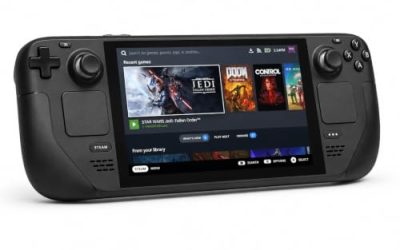
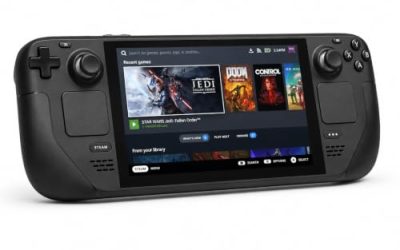
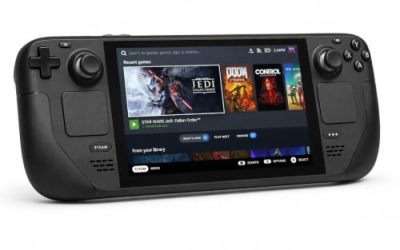
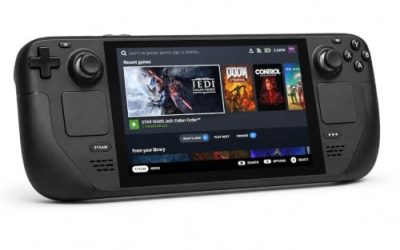
Valve Steam Deck OLED 512GB

The handheld the Verified badge was written for. The install is under 250 MB, the recommended runtime is proton-stable, and the test sheet confirms legible interface text, so the Deck runs the configuration the badge certifies.
Specs
- Display: 7.4-inch HDR OLED, 1280 by 800, up to 90 Hz
- Processor: AMD Zen 2 and RDNA 2 custom APU
- Memory: 16 GB LPDDR5
- Storage: 512 GB NVMe, plus a microSD slot
- Wireless: Wi-Fi 6E and Bluetooth
- Channel note: Valve sells the Deck mainly through its own store, so Amazon listings are third-party sellers
8BitDo Ultimate 2 Bluetooth Controller

The desktop pad pick. ElecHead lists full controller support, and this pad covers the couch case with modern sticks and triggers plus back buttons for the jump and head-throw inputs.
Specs
- Connectivity: Bluetooth wireless and USB-C wired
- Joysticks: TMR electromagnetic, anti-drift design
- Triggers: Hall effect, with mode switching
- Extras: two remappable back buttons, motion control
- In the box: charging dock included
Xbox Wireless Controller, Carbon Black

The safest guest pad in PC gaming: Steam Input support is universal, and the glyphs match what most games display. On the handheld, Valve’s note for this game applies: an external pad does not take over by default and may need a manual Quick Access Menu switch first.
- Connectivity: Xbox Wireless and Bluetooth
- Port: USB-C for wired play
- Controls: hybrid D-pad, dedicated Share button
- Power: AA batteries or optional rechargeable pack
Logitech G502 HERO

ElecHead is a pad game, but at a desk a precise wired mouse covers the menus, the level select and the file work around the setup. Eleven programmable buttons handle the confirm and cancel inputs outside the game.
Specs
- HERO optical sensor, up to 25,600 DPI
- 11 programmable buttons
- Adjustable weight system
- Wired USB connection
- On-board memory profiles
Samsung T9 Portable SSD 2TB

ElecHead is tiny, but a Linux library rarely stops at one game. For moving a library between desktop and laptop, or keeping a backup of installers, a fast USB-C drive is the simple answer. The headline figure needs a Gen 2×2 host port; on a lesser port the drive runs at that ceiling.
Specs
- Capacity: 2 TB portable SSD
- Interface: USB 3.2 Gen 2×2, USB-C connector
- Maker-rated speeds: up to 2,000 MB per second read, 1,950 MB per second write
- Features: Dynamic Thermal Guard, maker-rated drop resistance
How to choose
Choose the Steam copy: it is the build both records describe, and Proton is applied automatically by Steam Play, so on desktop or laptop the whole setup is install and launch. Leave the compatibility tool at its default — Valve’s sheet recommends proton-stable, and the Platinum record was built on ordinary Proton versions with no documented tweaks. On Deck, the badge means the default configuration is the tested one; visit controller settings only if you pair an external pad, which may need the Quick Access Menu switch. The GOG copy is a fair library alternative, but the same Windows build with neither record written against it.
Who should skip
Skip ElecHead if you require a native Linux build on principle: there is none on either storefront, and the empty Linux requirements field says none was ever published. Skip it if you want a long game — this is a compact puzzle-platformer measured in hours, with rooms that reset when you leave them. Skip it if the crash mentions in older reports worry you and you cannot update Proton; both sit on an old 6.3 line. And skip the GOG copy if your reason for buying there was a hope of native Linux support.
FAQ
Is ElecHead native on Linux?
No. Steam’s platform flags read Windows true, Mac false and Linux false, the Linux requirements field is an empty list, and the only content depot is the Windows build. Linux play happens through Proton.
Why does the ProtonDB page say “Natively Supports”?
That heading is a labelling quirk, and the record underneath contradicts it: every report was filed under a named Proton version, and Steam’s data shows no Linux build. Treat it as a stray tag, not native-build evidence.
Is ElecHead Steam Deck Verified?
Yes. Valve rates ElecHead Verified, with all four checks passing, and SteamOS separately Compatible. The test ran on 9 August 2022 against build 7969510 under proton-stable, and that build is still the current branch build.
Does the GOG version change anything for Linux players?
No. A GOG edition exists, but GOG’s own product page lists Windows as the only supported system, with a single Windows installer. Both storefronts sell the same Windows build; the Steam copy is what the ProtonDB and Deck records describe.
Final verdict
ElecHead on Linux is a closed question with a comfortable answer. There is no native build — not hidden in a depot, not promised in a requirements tab, not sold on the second storefront — and the empty field, the single Windows depot and the agreeing soundtrack settle it. What Linux players get instead is the strongest fallback on offer: a Platinum headline on ProtonDB, a Deck Verified badge whose paperwork still matches the build on sale, and no anti-cheat, account or DRM layer in the way. Buy the Steam copy, install, and play.
Product and ASIN Reference
| Product | ASIN |
|---|---|
| Valve Steam Deck OLED 512GB | B0CQ3RWQQZ |
| 8BitDo Ultimate 2 Bluetooth Controller | B0F194QFT2 |
| Xbox Wireless Controller, Carbon Black | B08DF248LD |
| Logitech G502 HERO | B07GBZ4Q68 |
| Samsung T9 Portable SSD 2TB | B0CHFS9K14 |