Lumino City is a puzzle adventure from developer and publisher State of Play, released on 2 December 2014. The whole game was built by hand out of paper, card, miniature lights and motors, then filmed as an explorable city where you play Lumi, searching for her grandfather and repairing the mechanisms that power the streets. Steam files it under Adventure, Casual and Indie, as a single-player game.
The Linux question looks simple until the depot table opens. Steam’s store record says Windows and Mac only, yet a complete Linux build sits on Valve’s servers. Whether it counts depends on one packaging fact: which packages contain it, and whether a buyer’s is one of them.
As an Amazon Associate, we earn from qualifying purchases.
Quick answer
No. Lumino City is not native on Linux in the copy Steam sells. A genuine Linux depot exists on Valve’s servers, but it sits only in developer and beta-key packages, so buyers never receive it. The store copy is Windows and Mac; on Linux it runs through Proton, where ProtonDB rates it Platinum, and the Deck badge is Playable.
The platform record, layer by layer
Steam’s record for app 205020 starts with the flags: Windows true, Mac true, Linux false. The Windows requirements field is genuinely populated at the minimum tier (Windows, a 2 GHz processor, 2 GB of RAM), and the Mac minimum field is populated too (OSX, an Intel processor at 2 GHz, 2 GB of RAM). No recommended tier is published for any platform. The Linux requirements field is an empty list outright: no headings, no shell, nothing.
The rest of the record is equally plain. The categories are Single-player and Family Sharing, with no controller-support category at all. The record carries no DRM notice and no external account notice; both are gaps, stated as gaps. SteamDB’s configuration lines add two small items: osarch is an empty string, so no architecture value can be claimed, and osextended reads macos64, a Mac packaging marker.
The Linux depot that never reaches buyers
SteamDB’s depot table holds seven entries. The shared depot (205021) and the two prerelease depots, Windows (205022) and macOS (205025), are empty shells at zero bytes. The real delivery is the Windows depot (205023, 804.94 MiB) and the macOS depot (205024, 796.47 MiB): filtered to Windows, the game’s total size is exactly the Windows depot alone. Then there is depot 205026, named Lumino City Linux, at 760.61 MiB. Its manifest, dating from February 2015, holds 193 SWF files alongside XML data and a desktop entry: the Adobe AIR build, packaged for Linux, on the same branch build (4332606) the Windows depot serves.
A depot only matters if a package delivers it, and that is where the Linux build falls out of the sale. The Windows depot’s package list includes the two packages a customer can actually get: sub 48855, the standard store package, and sub 61781, the Soundtrack Edition, both billed as Store or CD Key. The Linux depot’s package list holds exactly two entries, neither a store package: sub 48856, the developer comp package, and sub 48857, the beta keys package, both CD Key only. No retail route puts depot 205026 into a buyer’s library, so Steam never downloads it, and the flag stays false because for anyone who buys the game there is no Linux version to install.
Two leftover signals deserve naming. The app record still carries a Linux client icon among its assets; an icon is artwork, not a deliverable. And the depot’s last public update stamp (July 2020) reflects the branch rebuild that touched every depot in the app, not a Linux release: the manifest itself is the February 2015 one.
The family scan
The game’s DLC array holds exactly one app, read on its own record: the Lumino City Soundtrack (351680, released 27 February 2015). Its flags read Windows true, Mac true, Linux false, and its Linux requirements field is an empty list, matching the game line for line. So the usual trap cannot even form here. The family’s only Linux artefact anywhere is the locked depot above.
Anti-cheat, from three separate sources
Kept apart, the three sources all read negative. Steam names no anti-cheat: no DRM notice, no account notice. SteamDB’s detected technologies are the Adobe AIR Engine and the Adobe Flash SDK, the runtime the game was built on rather than any protection layer. Are We Anti-Cheat Yet carries no entry for the game: its full dataset was searched by name and by app id 205020 and returned nothing.
What ProtonDB says
ProtonDB’s summary record reads Platinum on every tier it publishes: headline Platinum, best-reported Platinum and trending Platinum, across 18 reports with good confidence. The game-page classification check was completed, and the stray-tag pattern fires. ProtonDB heads the game’s requirements block “Natively Supports”, but Steam’s record contradicts that heading at every layer checked: a false Linux flag, an empty-list Linux field, and a Linux depot no store package delivers. Every report beneath the heading was filed under a named Proton version, from the 5.0 line through 9.0 builds, so the page’s own evidence describes a Windows build under Proton.
The report texture, kept at report weight, is mild: a mouse pointer offset on launch that a windowed-mode toggle clears, occasional crashes softened by the autosave, one warning that the Steam overlay can stick because the game only renders a frame when something moves on screen, and a frame rate that stays low even on Windows.
Steam Deck: Playable, on paperwork that still matches the branch
The Deck verdict was read directly from Valve’s own compatibility endpoint, which returns resolved category 2: Playable. SteamOS is separately rated Compatible. Two items sit at the note level: the game sometimes shows mouse, keyboard or non-Steam-Deck controller icons, and some in-game text is small. The two functional items pass outright: all functionality is accessible with the default controller configuration, and the default graphics configuration performs well.
The paperwork behind the badge comes from SteamDB’s republication of Valve’s compatibility data, which the endpoint itself does not carry. Valve tested the game on 11 August 2022, on build 4332606, with the recommended runtime listed as proton-stable, so the badge certifies the Windows build carried by Proton, not the locked Linux depot. Unusually, that tested build is the same build the public branch still serves: the paperwork matches what a buyer downloads today, so this file is not a stale-paperwork candidate.
The GOG question
A GOG edition of Lumino City exists, ruled from GOG’s own live product page (identity checked against the Steam record). GOG’s product data lists exactly one operating system for its edition: Windows. So the storefronts agree in effect: GOG sells a Windows build outright, while Steam sells Windows and Mac and keeps its Linux build behind developer keys. Neither shop will sell you a Linux copy.
Gear that fits the record
The gear below follows this record’s shape: a point-and-click game with a Playable Deck badge, a default controller configuration Valve rates fully functional, and a natural home input that is still a precise pointer.
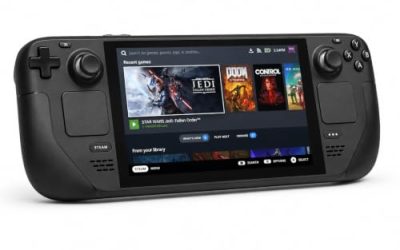
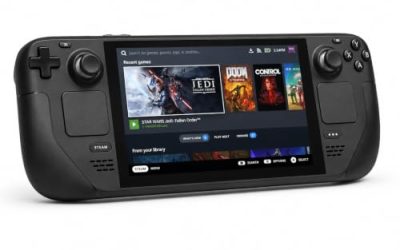
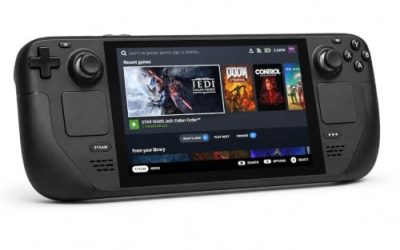
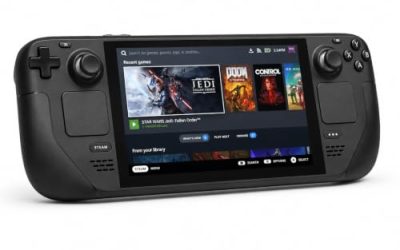
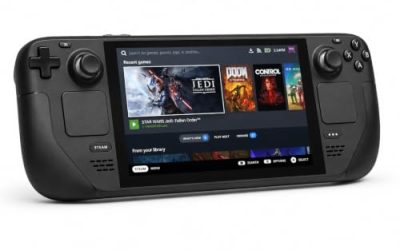
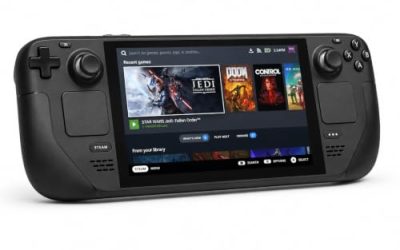
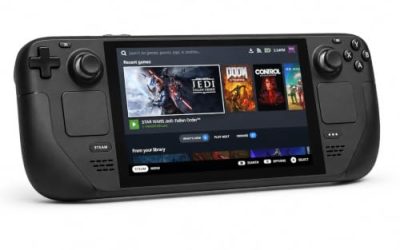
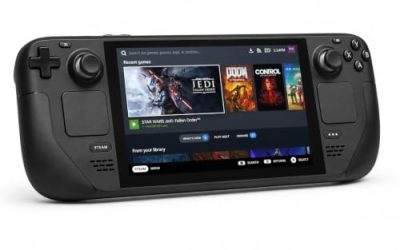
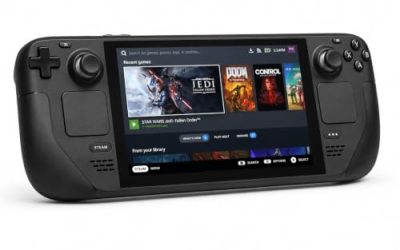
Valve Steam Deck OLED 512GB

The handheld behind the Playable badge: Valve’s sheet passes the game on functionality and performance, with only icon and text-size notes.
Specs
- Display: 7.4-inch HDR OLED, 1280 by 800, up to 90 Hz
- Processor: AMD Zen 2 and RDNA 2 custom APU
- Memory: 16 GB LPDDR5
- Storage: 512 GB NVMe, plus a microSD slot
- Wireless: Wi-Fi 6E and Bluetooth
- Channel note: Valve sells the Deck mainly through its own store, so Amazon listings are third-party sellers
8BitDo Ultimate 2 Bluetooth Controller

The pad for docked and couch play. Valve’s sheet rates the default controller configuration fully functional, and this pad adds modern sticks, triggers and back buttons for sessions where a pad beats a pointer.
Specs
- Connectivity: Bluetooth wireless and USB-C wired
- Joysticks: TMR electromagnetic, anti-drift design
- Triggers: Hall effect, with mode switching
- Extras: two remappable back buttons, motion control
- In the box: charging dock included
Xbox Wireless Controller, Carbon Black

The safest guest pad in PC gaming: Steam Input support is universal, the glyphs match what most games display, and it pairs over Bluetooth or its own wireless standard.
- Connectivity: Xbox Wireless and Bluetooth
- Port: USB-C for wired play
- Controls: hybrid D-pad, dedicated Share button
- Power: AA batteries or optional rechargeable pack
Logitech G502 HERO

Lumino City is a pointer game at heart: hotspots hide in hand-built scenery, and a precise wired mouse makes sweeping a scene for one loose cog a single smooth pass.
Specs
- HERO optical sensor, up to 25,600 DPI
- 11 programmable buttons
- Adjustable weight system
- Wired USB connection
- On-board memory profiles
Samsung T9 Portable SSD 2TB

For moving a Linux game library between machines, or keeping an offline backup of installers, a fast USB-C drive is the simple answer. The headline figure needs a Gen 2×2 host port; on a lesser port the drive runs at that ceiling.
Specs
- Capacity: 2 TB portable SSD
- Interface: USB 3.2 Gen 2×2, USB-C connector
- Maker-rated speeds: up to 2,000 MB per second read, 1,950 MB per second write
- Features: Dynamic Thermal Guard, maker-rated drop resistance
How to choose
Choose the Steam copy if you play on Linux or Deck: the purchase is Windows and Mac on paper, but Proton carries it at a Platinum standard and the Deck badge is in place. Choose the GOG copy only for a DRM-free Windows installer; it changes nothing about Linux, since that edition is Windows alone. What no route offers is the native build: if playing the Linux version itself is the point, no purchase delivers it. Deck buyers should weigh the two note items, small text and occasional non-Deck icons, against a game built around spotting small mechanisms.
Who should skip
Skip this one if a native Linux install is a condition of purchase: the build exists but is not sold. Skip it if small in-game text is a deal-breaker on a handheld screen. And skip it if you need a recommended tier or controller-support paperwork before buying; the record publishes neither.
FAQ
Is Lumino City native on Linux?
No. Steam flags Linux false, the Linux requirements field is an empty list, and although a complete Linux depot exists on Valve’s servers, it belongs only to developer and beta-key packages. The store package delivers the Windows and Mac depots, so Linux play runs through Proton.
Why does a Linux depot exist if the game is not sold for Linux?
Its manifest dates from February 2015, weeks after launch, when a Linux build was clearly prepared. It was placed in the developer comp and beta keys packages, never added to a store package, and the platform flag was never switched on.
How well does Lumino City run under Proton?
ProtonDB rates it Platinum on its headline, best-reported and trending tiers, across 18 reports with good confidence, with a mild report texture: a mouse offset on launch, occasional crashes softened by autosaves, and a low frame rate the game also shows on Windows.
Is Lumino City Steam Deck Verified?
It is one step below: Valve’s record rates it Playable. All functionality works on the default controller configuration and the default graphics perform well; the notes are small text and occasional non-Deck icons. The badge certifies the Windows build under Proton, tested on the same build the store still serves.
Final verdict
Lumino City is the rare case where “the Linux version exists” and “you cannot buy it” are both true. The record is unambiguous: flag false, requirements empty, a real Linux build sealed inside two key-only packages from 2015. Linux players are not stranded, though: a Platinum ProtonDB file and a Playable Deck badge on current paperwork make the Windows build a dependable route. Buy it for the handmade city and play it through Proton; just do not buy it expecting the depot Valve never put on sale.
Product and ASIN Reference
| Product | ASIN |
|---|---|
| Valve Steam Deck OLED 512GB | B0CQ3RWQQZ |
| 8BitDo Ultimate 2 Bluetooth Controller | B0F194QFT2 |
| Xbox Wireless Controller, Carbon Black | B08DF248LD |
| Logitech G502 HERO | B07GBZ4Q68 |
| Samsung T9 Portable SSD 2TB | B0CHFS9K14 |