Pathologic 2 is Ice-Pick Lodge’s narrative survival RPG, published by tinyBuild and released on 23 May 2019. You play a healer returning to a secluded steppe town as an outbreak takes hold, and the game runs on systems rather than spectacle: a twelve-day clock, hunger, exhaustion and infection meters to manage, a barter economy, and a reputation that follows you between districts. Each is a game mechanic with a gauge attached, and the design intent is scarcity — there is never enough time in a day to do everything the town asks.
The question this page answers is narrower: what does the game’s own record say about Linux? The record is closed at every layer that describes delivered software, while the compatibility layers underneath are unusually strong.
As an Amazon Associate, we earn from qualifying purchases.
Quick answer
Pathologic 2 has no native Linux build. Steam flags the game Windows only, its Linux requirements field is an empty list, and SteamDB’s depot table holds no Linux depot in any branch. The Linux route is Proton: ProtonDB’s summary reads Platinum on all three tiers across 68 reports at strong confidence, and Valve rates the game Verified on Steam Deck.
What the store record actually lists
Start with the flags, because everything else agrees with them. Steam’s record for app 505230 reads windows true, mac false, linux false. The developer field names Ice-Pick Lodge and the publisher field names tinyBuild, and the categories are exactly: Single-player, Steam Achievements, Full controller support, Steam Trading Cards, Remote Play on TV and Family Sharing. The store’s content descriptors — Some Nudity or Sexual Content, Frequent Violence or Gore and General Mature Content — are label facts, cited as listed.
The requirements fields tell the same story. The Windows tab is genuinely populated at both tiers: a Core i3 or Ryzen 5 class processor, 8 GB of memory and a GeForce GTX 660 at minimum, rising to a Core i7 or Ryzen 7, 16 GB and a GTX 970 recommended, with 25 GB of storage asked. The Linux field is an empty list outright — no tab, no headings, no minimum tier in any form. The Mac field is the same empty list under its own false flag.
Two absences are gaps rather than promises: no DRM notice and no external account notice appear on the record. Nothing names a third-party launcher, and nothing guarantees the absence of one; the record simply does not say.
The depot table settles it
SteamDB’s depot table is where a hidden build would have to appear, and none does. The depots under the game’s app are all configured for Windows 64-bit: the main content depot at 5.64 GiB on disk, English and Russian language depots, and beta depots beside them. There is no Linux depot and no macOS depot in any branch. The configuration fields add nothing in Linux’s favour: the architecture field is an empty string, and SteamDB’s extracts publish no extended-OS value for this app, so none is claimed here. Its detected technologies — a Unity engine build with the Mono and cURL software kits — describe how the game was assembled, not platform support.
The family check: the flag is on the music
The recurring failure mode in this series is a Windows-only game whose soundtrack or artbook app flags Linux, so store filters mislabel the game itself as supported. That trap fires here, in its purest form. Its DLC array holds exactly three apps, each read individually.
The Marble Nest add-on, app 1141960, agrees with the game: windows true, mac false, linux false, with an empty Linux list. The Artbook, app 1080220, agrees too. The Soundtrack, app 1080230, does not: it flags windows, mac and linux all true — while its own Linux requirements field is an empty list outright, a bare flag on an audio product with no build behind it. Across the four readable family records, the Linux-flag tally is one of four, and the one sits on the music. If a store view has ever shown this game as Linux-supported, the soundtrack is why.
Anti-cheat, from three directions
Anti-cheat is a three-source negative, kept separate as always. Steam’s record names none, expected for a single-player-only game. SteamDB’s detected technologies, listed above, are an engine and two software kits — no anti-cheat product among them. The Are We Anti-Cheat Yet dataset, all 1,167 games of it, carries no entry for this title. Nothing in any source stands between a Linux player and the game except the missing build itself.
ProtonDB: Platinum across the board
With no native build, the practical question is the Proton file, and this one is about as strong as the service records. ProtonDB’s summary record answers in full: headline Platinum, best-reported Platinum, trending Platinum, across 68 reports, at the confidence the service labels strong. That is a unanimous ceiling on a mid-sized pool, and it describes this exact Windows build and its current branch.
One check could not be completed: ProtonDB’s game page, where a classification header would appear, did not return readable content, so no claim is made about any header or tag on that page.
Steam Deck: Verified, on old paperwork
Valve’s own compatibility endpoint returned no usable answer this session, so the Deck record here is read from SteamDB’s republication of Valve’s compatibility data, and it is a clean one. The sheet rates the game Verified on Steam Deck: all functionality accessible with the default controller configuration, Deck controller icons shown, interface text legible, and the default graphics configuration performing well. SteamOS is separately rated Compatible.
The dated paperwork needs its caveat stated plainly. The test sheet is dated 3 February 2022, run on build 4331397 with the stable Proton runtime recommended. The public branch now serves a build dated November 2026, so the paperwork predates the current download while the live category still reads Verified. The ProtonDB file above, which tracks the current branch, is the fresher record, and the two point the same way.
The GOG edition: it exists, and it is Windows only
GOG sells this game, so the ruling rests on GOG’s own live product page rather than its search results. The page’s identity checks out — this game, this developer, the same 2019 release — and its own support answer states the game is officially supported on Windows, with its structured data naming Windows alone. A GOG edition exists, then, but it is the same Windows build in a different wrapper: no Linux build there either, and none of Valve’s Deck paperwork behind it.
Gear for the twelve days
The Verified sheet makes the handheld the natural first pick; the rest of the set covers docked, desktop and library duties.
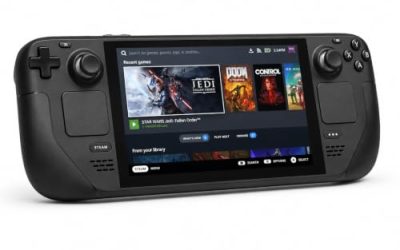
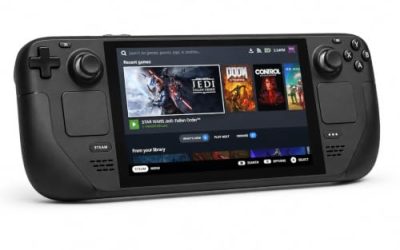
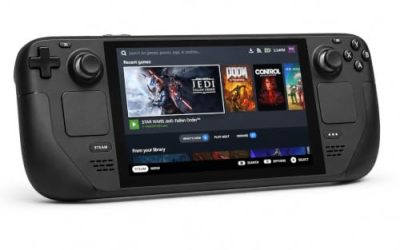
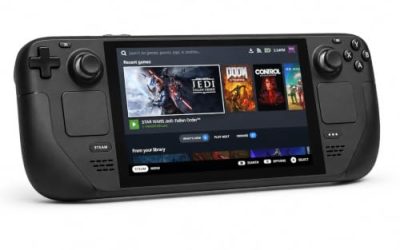
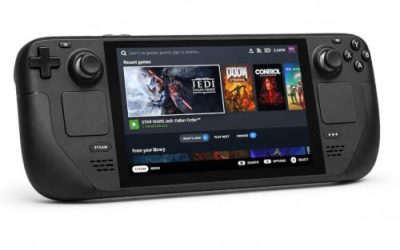
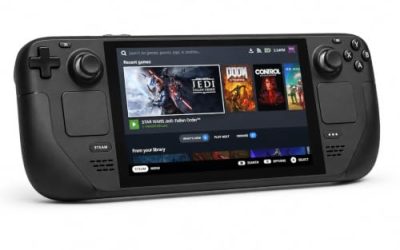
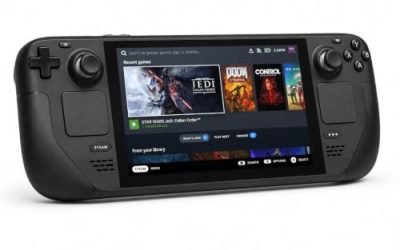
Valve Steam Deck OLED 512GB

The handheld the Verified badge was written for: the game’s published requirements sit far below the Deck’s APU, and Valve’s test sheet passes the Windows build under proton-stable.
Specs
- Display: 7.4-inch HDR OLED, 1280 by 800, up to 90 Hz
- Processor: AMD Zen 2 and RDNA 2 custom APU
- Memory: 16 GB LPDDR5
- Storage: 512 GB NVMe, plus a microSD slot
- Wireless: Wi-Fi 6E and Bluetooth
- Channel note: Valve sells the Deck mainly through its own store, so Amazon listings are third-party sellers
8BitDo Ultimate 2 Bluetooth Controller

The docked and desktop pad pick. Steam lists full controller support for the game, and this pad covers the couch case with modern sticks and triggers plus back buttons for menu shortcuts.
Specs
- Connectivity: Bluetooth wireless and USB-C wired
- Joysticks: TMR electromagnetic, anti-drift design
- Triggers: Hall effect, with mode switching
- Extras: two remappable back buttons, motion control
- In the box: charging dock included
Xbox Wireless Controller, Carbon Black

The safest guest pad in PC gaming: Steam Input support is universal, the glyphs match what most games display, and it pairs over Bluetooth or its own wireless standard.
- Connectivity: Xbox Wireless and Bluetooth
- Port: USB-C for wired play
- Controls: hybrid D-pad, dedicated Share button
- Power: AA batteries or optional rechargeable pack
Logitech G502 HERO

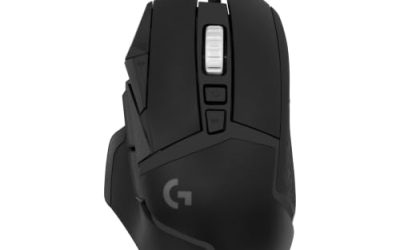
Pathologic 2 is a game of inventories and barter screens, and at a desk a precise wired mouse turns the trading work into single clicks. Eleven programmable buttons cover the confirm, cancel and map inputs a long session repeats.
Specs
- HERO optical sensor, up to 25,600 DPI
- 11 programmable buttons
- Adjustable weight system
- Wired USB connection
- On-board memory profiles
Samsung T9 Portable SSD 2TB

For moving a Linux game library between a desktop and a laptop, or keeping an offline backup of installers, a fast USB-C drive is the simple answer. The headline figure needs a Gen 2×2 host port; on a lesser port the drive runs at that ceiling instead.
Specs
- Capacity: 2 TB portable SSD
- Interface: USB 3.2 Gen 2×2, USB-C connector
- Maker-rated speeds: up to 2,000 MB per second read, 1,950 MB per second write
- Features: Dynamic Thermal Guard, maker-rated drop resistance
How to choose
Choose the Steam copy if the ProtonDB file matters to you, because that record describes this exact build and current branch, unanimously. On a desktop or laptop, install under Proton and start with the default compatibility tool. On a Steam Deck, the Verified badge means no configuration work is expected — install and launch, remembering the badge’s paperwork dates from 2022. Choose the GOG copy only if the offline, activation-free installer is the deciding factor, knowing it is the same Windows build. A pad is the default shape — the game lists full controller support — while a mouse earns its place for the barter and inventory screens.
Who should skip
Skip this one if you buy only native Linux builds: there is none here, none in the Marble Nest add-on or the artbook, and the family’s single Linux flag belongs to a soundtrack whose own requirements field is empty. Skip it if you reached this page through a store filter that labelled the game Linux-supported on the strength of that soundtrack; the label describes the music app, not the game. Skip it if the game’s demands are not for you — the twelve-day clock and the survival meters are the design, not a difficulty setting. And skip it if the material gives you pause: the descriptors are listed in the record section above.
FAQ
Is Pathologic 2 native on Linux?
No. Steam flags the game Windows only, its Linux requirements field is an empty list outright, and SteamDB’s depot table holds no Linux depot. The Linux route is Proton.
Because its soundtrack does. The Soundtrack app flags Windows, Mac and Linux all true, even though its own Linux requirements field is empty. The game, its story add-on and its artbook all flag Linux false on every layer.
How well does Pathologic 2 run under Proton?
ProtonDB’s summary record reads Platinum on its headline, best-reported and trending tiers, across 68 reports at strong confidence — a unanimous file describing the Windows build under Proton.
Is Pathologic 2 Steam Deck Verified?
Yes. Valve’s compatibility record rates it Verified, from a test dated February 2022. That paperwork predates the build the public branch now serves, so treat the badge as a 2022 ruling the current ProtonDB file continues to support.
Final verdict
Pathologic 2 is a closed record with one misleading relative: a Windows-only game whose flags, empty Linux field and Windows-only depots all agree, whose GOG edition changes the wrapper rather than the build, and whose soundtrack carries the family’s only Linux flag on an empty field. Underneath sit two strong compatibility files — a unanimous Platinum ProtonDB summary and a Verified Deck badge, albeit on 2022 paperwork. Buy the Steam copy, run it through Proton, and ignore any Linux label the soundtrack lends the store page.
Product and ASIN Reference
| Product | ASIN |
|---|---|
| Valve Steam Deck OLED 512GB | B0CQ3RWQQZ |
| 8BitDo Ultimate 2 Bluetooth Controller | B0F194QFT2 |
| Xbox Wireless Controller, Carbon Black | B08DF248LD |
| Logitech G502 HERO | B07GBZ4Q68 |
| Samsung T9 Portable SSD 2TB | B0CHFS9K14 |