Everdream Valley is a farming adventure from developer Mooneaters, published by Untold Tales and VARSAV Game Studios and released on 30 May 2023. By day you restore a small farm and care for its animals; by night, dream sequences put you in the shape of the farm’s creatures. It plays solo or in online co-op for up to four players.
None of that comes in a Linux build. This article reads the game’s own records end to end: Steam’s platform flags, requirements fields and depot list, the companion apps, the DRM and account fields, three anti-cheat sources, the ProtonDB file, Valve’s Deck paperwork and the GOG edition.
As an Amazon Associate, we earn from qualifying purchases.
Quick answer
Everdream Valley is not native on Linux. Steam’s record flags Windows only, the Linux requirements field is an empty list, and no Linux depot exists, so desktop play runs through Proton. ProtonDB rates it Platinum on three reports, the Steam Deck carries a Playable rating, and GOG sells a Windows-only edition.
The platform record
Three layers of Steam’s own record agree, and none leaves room for a Linux build. The platform flags on app 1403650 read Windows true, Mac false and Linux false. The Linux requirements field is an empty list outright, the strongest form of the negative: no Linux tab in any form, not even an empty shell with headings. The populated tab is the Windows one, whose minimum names Windows 10, a Core i3 or FX-6300, 8 GB of memory, a GeForce GTX 760 or Radeon 7950 graphics card, DirectX 11 and 10 GB of storage.
SteamDB’s depot table closes the question. The game ships a single content depot of about 4.49 GiB with no operating-system configuration attached, and its downloadable-content depots are labelled Windows or carry no platform split. No Linux or Mac depot sits behind the flags, and SteamDB’s extended-OS string is an empty string. The only build that exists is the Windows build.
The family sweep
Companion apps sometimes carry the flag the game itself lacks, so all five apps in this record’s downloadable-content array were read individually: the Family Time DLC, the Summer Fun DLC, the soundtrack, the Coloring Pages pack and the Official Artbook. The Linux-flag count for the whole family is zero of six including the game.
That includes the soundtrack. The music app is often where a stray Linux flag hides, since soundtracks are plain audio files flagged for every platform by habit; here it flags Windows alone, so the soundtrack trap cannot form. Two companion apps do carry a Linux requirements field shaped like an empty shell, Minimum and Recommended headings over empty lists: the Coloring Pages pack and the Official Artbook. That is leftover paperwork on apps whose own flags read false; a shell with no entries and no depot behind it is not a build. The deciding flag sits on the game, and it reads false family-wide.
DRM and account fields
Steam’s record for this app carries no DRM notice field at all, and no external account notice either: no DRM scheme is named because the field does not exist on this record, and no launcher account or sign-in layer is documented on the store page. The two gaps are stated separately because they are separate fields, and neither is a promise in the other direction; they record only that the store page documents neither for this game.
Anti-cheat, from three sources
Because the game lists multiplayer and online co-op categories, the anti-cheat question was put to three sources. Steam’s own record names none: no anti-cheat category and no notice. SteamDB’s detected technologies are the Unity engine with its Burst and URP components, the Mono and SteamworksNET SDKs, the Discord and FMOD SDKs, Resonance Audio and cURL: engine, networking and audio plumbing, no anti-cheat. The third source, the Are We Anti-Cheat Yet dataset, carries no entry for this game, searched by name and by app number. Three sources, kept apart, one negative: the online layer is documented, and no anti-cheat layer is documented anywhere.
What ProtonDB says
ProtonDB’s summary record for this app, read in full, gives a Platinum headline tier, a Platinum best-reported tier and a Platinum trending tier. The honest caveat is the size of the file behind them: three reports in total, with the summary’s confidence rated low. A Platinum drawn from three reports is a promising signal, not a settled verdict.
The game’s ProtonDB page also carries a classification header reading Natively Supports, and that header is wrong against the record. Steam’s flags, the empty Linux requirements list and the depot table all say the opposite, and the reports filed beneath the header are Proton runs, not native ones. Where the two disagree, this article follows Steam: the game is a Windows build running through Proton, and the Platinum tiers price that route.
The report texture, kept at report weight, is encouraging within its limits. One desktop report on an Arch system with an NVIDIA card, on a Proton 8.0 series build, describes a rough game whose visible bugs were also reported by Windows players. The other two come from the Steam Deck: the game worked out of the box apart from occasional tutorial images that failed to load, and switching to Proton Experimental made it run perfectly for that reporter. No launch failure or Proton-specific blocker appears in the file.
Steam Deck: Playable
Valve’s own compatibility record for this app was read directly, and it returns the Playable category. Three checks pass outright: full functionality on the default controller configuration, Steam Deck controller icons shown, and good default-settings performance. The single deduction is the familiar one: some in-game text is small and may be difficult to read. The separate SteamOS line reads Compatible, with game startup recorded as functional.
The dated paperwork comes from SteamDB’s republication of Valve’s compatibility data, the route used here for the test details: tested on 22 June 2023, on build 11485312, with a Proton 8.0 series build as the recommended runtime, gamepad input, no manual keyboard invocation, no launcher navigation, and no internet requirement for setup or single-player. That date falls in the launch window, so the badge describes the launch-era build; the ProtonDB Deck reports above are fresher, and they point the same way.
The GOG edition
A GOG edition of Everdream Valley does exist, unlike many games in this series. It does not change the Linux answer. GOG’s own product page lists the edition’s compatibility as Windows only, so the GOG copy is the same Windows build in a DRM-free wrapper, not a native port. The ProtonDB file and the Deck badge both describe the Steam copy, so the storefront choice is about installers and libraries, not platform support.
How to choose
Choose the Steam copy for the edition both compatibility records describe: install it, leave the compatibility tool at its default on desktop, and expect the Platinum-rated Windows build under Proton. Choose the GOG copy if a DRM-free offline installer matters more than matching the tested record. On the Deck, the Playable badge means it installs and runs with one caveat: small text. For co-op, buy on the same storefront as your group, since the record documents online co-op without documenting cross-storefront play.
Who should skip
Skip this one if you buy native Linux builds only: there is none here, on any storefront, and no companion app’s flag suggests one is coming. Skip it if a three-report ProtonDB file is not evidence enough, because that is all the desktop Linux record there is. Skip the Deck version if small in-game text is a deal-breaker, the one deduction on Valve’s sheet. And skip it if you need a documented account-free guarantee: the record names no account requirement, but it makes no promise either.
What to play it on
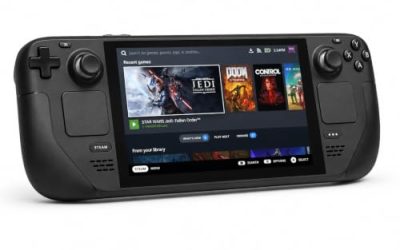
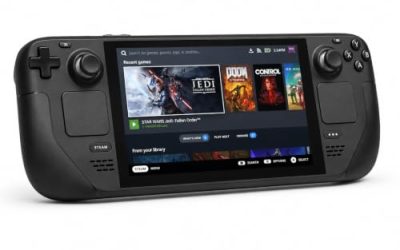
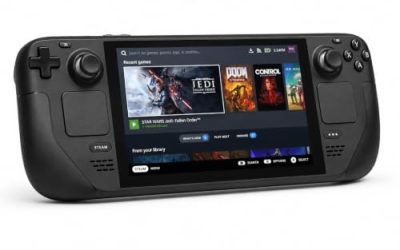
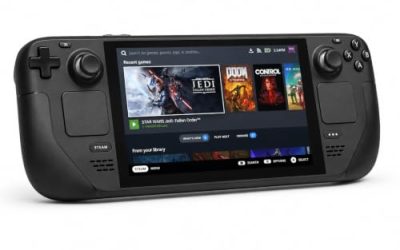
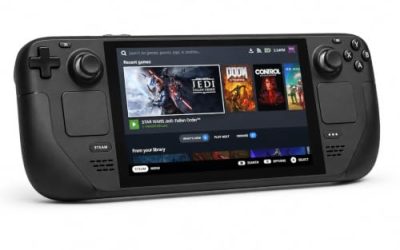
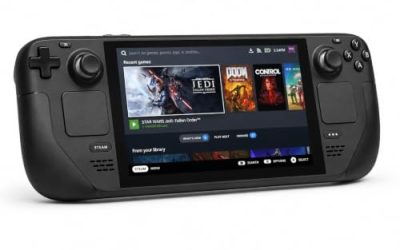
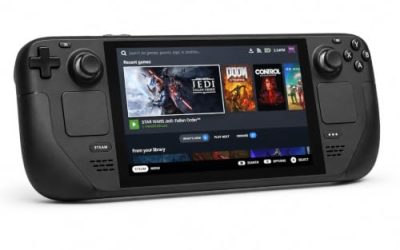
Valve Steam Deck OLED 512GB

The handheld whose Playable badge this article is built around. Valve’s sheet passes the default configuration on performance and controller function, with small text as the only deduction.
Specs
- Display: 7.4-inch HDR OLED, 1280 by 800, up to 90 Hz
- Processor: AMD Zen 2 and RDNA 2 custom APU
- Memory: 16 GB LPDDR5
- Storage: 512 GB NVMe, plus a microSD slot
- Wireless: Wi-Fi 6E and Bluetooth
- Channel note: Valve sells the Deck mainly through its own store, so Amazon listings are third-party sellers
8BitDo Ultimate 2 Bluetooth Controller

The pad for docked Deck sessions and desktop co-op, with back buttons for the menu shortcuts a farm day repeats.
Specs
- Connectivity: Bluetooth wireless and USB-C wired
- Joysticks: TMR electromagnetic, anti-drift design
- Triggers: Hall effect, with mode switching
- Extras: two remappable back buttons, motion control
- In the box: charging dock included
Xbox Wireless Controller, Carbon Black

The straightforward second pad for the co-op case this game is built for: Steam Input support is universal, and it pairs over Bluetooth or its own wireless standard.
- Connectivity: Xbox Wireless and Bluetooth
- Port: USB-C for wired play
- Controls: hybrid D-pad, dedicated Share button
- Power: AA batteries or optional rechargeable pack
Logitech G502 HERO

At a desk, a farming game’s planting, inventory and shop work is pointer work, and a precise wired mouse turns it into single clicks. Eleven programmable buttons cover the inputs the game repeats.
Specs
- HERO optical sensor, up to 25,600 DPI
- 11 programmable buttons
- Adjustable weight system
- Wired USB connection
- On-board memory profiles
Samsung T9 Portable SSD 2TB

For moving a Linux game library between machines, or keeping an offline backup of installers such as the GOG copy, a fast USB-C drive is the simple answer. The headline figure needs a Gen 2×2 host port; on a lesser port the drive runs at that ceiling instead.
Specs
- Capacity: 2 TB portable SSD
- Interface: USB 3.2 Gen 2×2, USB-C connector
- Maker-rated speeds: up to 2,000 MB per second read, 1,950 MB per second write
- Features: Dynamic Thermal Guard, maker-rated drop resistance
FAQ
Is Everdream Valley native on Linux?
No. Steam’s record for app 1403650 flags Windows only, the Linux requirements field is an empty list, and SteamDB’s depot table shows no Linux depot. The ProtonDB page’s Natively Supports header contradicts that record; the reports beneath it are Proton runs.
How well does Everdream Valley run under Proton?
ProtonDB’s summary record reads Platinum on its headline, best-reported and trending tiers, from three reports with low confidence: a good early signal rather than a deep file. The individual reports describe out-of-the-box play on desktop and Deck with minor graphical quirks.
Is Everdream Valley playable on Steam Deck?
Yes, at the Playable level. Valve’s own record passes the default controller configuration, the controller glyphs and default-settings performance, and deducts only for small in-game text. The dated test behind the badge is from June 2023, the game’s launch window.
Does the GOG version run natively on Linux?
No. GOG sells the game, and its own product page lists the edition as Windows only. On Linux the GOG copy is the same Windows build played through Proton; the difference is a DRM-free offline installer, not platform support.
Final verdict
Everdream Valley’s Linux position is easy to state because every layer of the record points the same way. There is no native build and none hiding in the family: the flags, the empty requirements list, the depot table and all five companion apps agree. What Linux players get instead is a Windows build with a Platinum ProtonDB headline on a thin three-report file, a Playable Deck badge whose only deduction is small text, and a choice between the Steam copy the records describe and a DRM-free GOG copy of the same build. Buy it as a Proton game with a promising start, not as a native one.
Product and ASIN Reference
| Product | ASIN |
|---|---|
| Valve Steam Deck OLED 512GB | B0CQ3RWQQZ |
| 8BitDo Ultimate 2 Bluetooth Controller | B0F194QFT2 |
| Xbox Wireless Controller, Carbon Black | B08DF248LD |
| Logitech G502 HERO | B07GBZ4Q68 |
| Samsung T9 Portable SSD 2TB | B0CHFS9K14 |