SOULCALIBUR VI, Bandai Namco’s 2018 weapons-based fighter, never received a Linux build. Steam’s record is unambiguous: the store flags the game for Windows alone, and the Linux requirements tab is an empty shell with headings over empty lists.
The useful question is the Proton one: how well does the one build that exists travel? The community file is deep, Valve has rated the game on Steam Deck and published the middle badge it gives, and no second storefront sells a copy at all. This piece reads each record separately: the flags, the sixteen add-on apps, the Proton file, the Deck test sheet and the storefront ruling.
As an Amazon Associate, we earn from qualifying purchases.
Quick answer
SOULCALIBUR VI is not native on Linux: Steam flags it Windows only and its Linux requirements tab is an empty shell. The route is Proton: ProtonDB rates the Windows build Gold, Platinum on its best-reported and trending tiers, across 162 reports, and Valve rates the game Playable on Steam Deck. Buy the Steam copy, the only PC edition sold.
The status at a glance
| Question | Answer from the record |
|---|---|
| Native Linux build | No — Steam flags read Windows only |
| Linux requirements tab | Empty shell — headings over empty lists |
| Add-on apps | 16 DLC apps, every one Windows only |
| ProtonDB record | Gold headline, Platinum best and trending, 162 reports |
| Steam Deck verdict | Playable, four checks pass, one keyboard note |
| GOG edition | None — Dreamlist entry only |
| Anti-cheat or launcher | None named on the store record |
What Steam’s own record says
Steam’s appdetails record for SOULCALIBUR VI (app 544750, established from Steam’s own store search) lists the platforms as Windows true, Mac false, Linux false. No Mac or Linux build hides beside the Windows one. The game is a Bandai Namco Studios and Dimps production, published by Bandai Namco Entertainment, released 18 October 2018.
The Linux requirements field follows the store-template trap this series tracks. It is the empty shell: Minimum and Recommended headings sit over empty lists, which means no Linux tab exists in any form. There is nothing on the store page a reader could mistake for a requirements list.
Steam lists single-player, multi-player, PvP, online PvP, shared and split-screen PvP, Steam Achievements, partial controller support, Steam Cloud, Remote Play on phone and tablet, Remote Play Together and Family Sharing. No anti-cheat is named, no third-party DRM notice appears, and no external launcher or account is required. The published Windows minimum is light for a 2018 fighter: a 64-bit Windows 7, 8.1 or 10 install, a Core i3-4160 at 3.60 GHz, 6 GB of RAM, a GeForce GTX 1050 class card, DirectX 11 and 20 GB of storage. Almost any Linux machine clears that bar easily.
One gap in the record is worth naming plainly. Steam’s record carries no DRM notice for this game, so this article names no DRM product — the same gap the Final Fantasy XVI and Final Fantasy VII Rebirth articles carried.
The family sweep: sixteen add-ons, zero Linux flags
The game’s own record lists sixteen DLC apps, and every one was read individually through appdetails. The roster runs from the early character packs to the second season pass: DLC1 Tira, DLC2 2B, DLC3 Character Creation Set A, DLC4 Amy, DLC5 Character Creation Set B, DLC6 Cassandra, the Season Pass, Season Pass 2, DLC7 Hilde, DLC8 Character Creation Set C, DLC9 Haohmaru, DLC10 Character Creation Set D, DLC11 Setsuka, DLC12 Character Creation Set E, DLC13 Hwang and DLC14 Character Creation Set F. Every one is type “dlc”, every one flags Windows only, and every one’s fullgame field points back at app 544750.
The soundtrack trap cannot fire here because there is no soundtrack app anywhere in the family. A dedicated store search for a soundtrack returns zero results. Across all seventeen apps the Linux-flag count is zero, and no audio product’s flags can be misread as the game’s.
The Proton file
ProtonDB’s summary record for app 544750, read directly this session, gives a favourable split: a Gold headline tier, a Platinum best-reported tier and a Platinum trending tier, across 162 reports with strong confidence. ProtonDB does not classify the game as native, which agrees with Steam’s flags. The headline carries the game’s earlier, rougher years, while the best-reported and trending tiers describe what current Proton does with it. One hundred and sixty-two reports is a deep file for a 2018 fighter, and the strong confidence rating means the tiers rest on far more than a handful of submissions.
The multiplayer question deserves a careful sentence. Steam lists online PvP, and the ProtonDB summary covers the Windows build as a whole without breaking out multiplayer separately, so this article claims no multiplayer-specific verdict. Steam’s record names no anti-cheat, and no bypass discussion appears anywhere in this piece.
The Steam Deck sheet
Valve rates SOULCALIBUR VI Playable on Steam Deck, the middle category, and SteamOS separately Playable with startup functional. One evidence note: Valve’s own compatibility endpoint returned an empty body this session and the appdetails Deck filter returned an empty list, so the verdict and its check sheet were read from Valve’s compatibility record embedded in the game’s own store page, the fallback route this project has used before.
All four Playable checks pass. The default controller configuration is fully functional, the game shows Steam Deck controller icons, in-game interface text is legible, and the default graphics configuration performs well. One informational note rides on the sheet, not a deduction: text input does not automatically invoke the on-screen keyboard. That matters in a game with a character creation mode, where naming a created fighter or searching for parts means bringing the keyboard up by hand. Steam Machine carries the same Playable category, and the Frame row carries no verdict. No test date is published on that record, and none is claimed here.
The storefront ruling
There is no second copy to weigh. GOG’s embed search returns zero products, the catalogue search returns zero purchasable products, and the title’s would-be product address redirects to the general catalogue. The catalogue surfaces only a Dreamlist entry, the community wishlist for titles GOG does not sell. No GOG edition exists, so the Steam copy is ruled the only PC edition and the buy: it is the build both compatibility records describe, and it carries the Steam Cloud saves the store record lists.
Gear that fits the record
The gear below follows the record’s shape: the handheld the Playable badge was written for, two pads for docked and desktop play, a mouse for the creation mode and menus, and library storage. Steam lists only partial controller support for this game, so both pads are framed as Steam Input mapping devices rather than natively recognised ones.
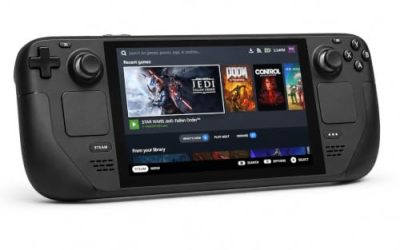
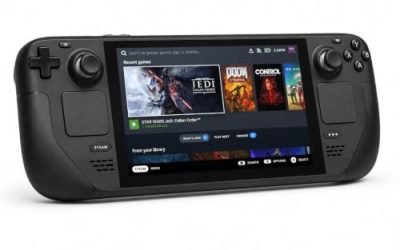
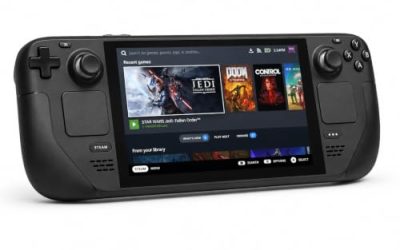
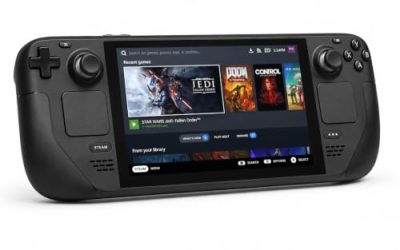
Valve Steam Deck OLED 512GB

The handheld the Playable badge was written for. The game’s published requirements are a rounding error next to the Deck’s APU, and Valve’s own test sheet gives the Windows build a clean pass on all four Playable checks under Proton.
Specs
- Display: 7.4-inch HDR OLED, 1280 by 800, up to 90 Hz
- Processor: AMD Zen 2 and RDNA 2 custom APU
- Memory: 16 GB LPDDR5
- Storage: 512 GB NVMe, plus a microSD slot
- Wireless: Wi-Fi 6E and Bluetooth
- Channel note: Valve sells the Deck mainly through its own store, so Amazon listings are third-party sellers
8BitDo Ultimate 2 Bluetooth Controller

The docked and desktop pad pick for a fighter. Steam lists partial controller support for the game, so this pad earns its place as a Steam Input mapping device, with modern sticks and triggers plus back buttons for training-mode shortcuts.
Specs
- Connectivity: Bluetooth wireless and USB-C wired
- Joysticks: TMR electromagnetic, anti-drift design
- Triggers: Hall effect, with mode switching
- Extras: two remappable back buttons, motion control
- In the box: charging dock included
Xbox Wireless Controller, Carbon Black

The safest guest pad in PC gaming: Steam Input support is universal, the glyphs match what most games display, and it pairs over Bluetooth or its own wireless standard. This is a desktop and docked pick.
Specs
- Connectivity: Xbox Wireless and Bluetooth
- Port: USB-C for wired play
- Controls: hybrid D-pad, dedicated Share button
- Power: AA batteries or optional rechargeable pack
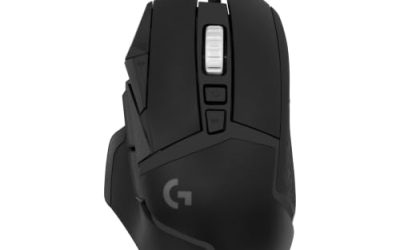
Logitech G502 HERO

A fighter is a pad game, but the character creation mode is menu work, and at a desk a precise wired mouse turns part lists and shop trips into single clicks. Eleven programmable buttons cover the confirm, cancel and camera inputs a long session repeats.
Specs
- Sensor: HERO 25K optical, up to 25,600 DPI
- Buttons: 11 programmable, onboard memory profiles
- Weight: adjustable, 121 grams base
- Cable: braided, USB-A
Samsung T9 Portable SSD 2TB

The storage pick for a library that keeps growing. The game itself needs only 20 GB per Steam’s published minimum, so this drive is bought for the rest of the library, not for this one title.
Specs
- Capacity: 2 TB
- Interface: USB 3.2 Gen 2×2, up to 2,000 MB per second
- Host note: the headline maker figure assumes a USB 3.2 Gen 2×2 host; on a lesser port the drive runs at that lower ceiling
- Build: rubberised shell, drop resistant
How to choose
Choose the Steam copy, because it is the only PC edition on sale and the exact build both records describe. On desktop or laptop, install under Proton and leave the compatibility tool at its default; the Gold headline with Platinum on the best-reported and trending tiers says current builds run the game well. On a Steam Deck, the Playable badge means no configuration work is expected: install and launch, and bring the on-screen keyboard up by hand when the creation mode asks for a name. For input, a pad is the native shape of this game on every platform; a mouse earns its place only for long desktop creation and menu sessions.
Who should skip
Skip this one if you are shopping for a native Linux SOULCALIBUR: this game is not it, and no flag anywhere in its seventeen-app family says otherwise. Skip it if you want a DRM-free offline installer, because no GOG edition exists to buy. Skip it if a Gold headline is not reassurance enough and you only play unanimous-Platinum games. And skip the Deck’s keyboard-free plan if you are unwilling to call up the on-screen keyboard by hand when the creation mode asks for text.
Frequently asked questions
Is SOULCALIBUR VI native on Linux?
No. Steam’s record for app 544750 flags Windows only, and the Linux requirements tab is an empty shell with headings over empty lists. No add-on app in the family flags Linux either.
How well does SOULCALIBUR VI run under Proton?
ProtonDB’s summary record reads Gold on the headline tier and Platinum on the best-reported and trending tiers, across 162 reports with strong confidence. The headline carries the game’s earlier years; the trending tier describes what current Proton does with it.
Is SOULCALIBUR VI Steam Deck Verified?
No. Valve rates it Playable, the middle category, with all four checks passing and one informational note: text input does not automatically invoke the on-screen keyboard. SteamOS is separately Playable. No test date is published on Valve’s record.
Can I buy SOULCALIBUR VI on GOG instead?
No. GOG’s own searches return no product for the game; its only presence there is a Dreamlist wishlist entry. The Steam copy is the only PC edition on sale, and it is the build both compatibility records describe.
Final verdict
SOULCALIBUR VI is a Windows-only release with an unusually honest paper trail: no Linux tab to misread, no soundtrack flag to inflate a family scan, and all sixteen add-on apps plainly Windows only. What it offers Linux players instead is a deep Proton route: a Gold community file whose best and trending reports reach Platinum across 162 submissions, a Playable Steam Deck badge earned on the Windows build, and partial controller support with cloud saves. Buy the Steam copy and play it under Proton.
Product and ASIN Reference
| Product | ASIN |
|---|---|
| Valve Steam Deck OLED 512GB | B0CQ3RWQQZ |
| 8BitDo Ultimate 2 Bluetooth Controller | B0F194QFT2 |
| Xbox Wireless Controller, Carbon Black | B08DF248LD |
| Logitech G502 HERO | B07GBZ4Q68 |
| Samsung T9 Portable SSD 2TB | B0CHFS9K14 |