I Was a Teenage Exocolonist is the narrative RPG from Northway Games, published by Finji and released on 25 August 2022. It follows a colonist kid across ten years on an alien planet: school, work, exploration and card-based battles, with skills shaping how each life turns out. It is a text-heavy, choice-driven game, and the question Linux players bring to it is the usual one for this series: is there a native build, or only a Windows copy under Proton?
Here the short answer is the rare one. Yes, there is a native Linux build, and unusually, every layer of Steam’s record agrees about it: the platform flag, a full Linux requirements sheet at both tiers, and a real Linux depot that the store package itself delivers. This article walks those layers in order and deals with the one stray flag in the game’s family.
As an Amazon Associate, we earn from qualifying purchases.
Quick answer
Yes. I Was a Teenage Exocolonist is native on Linux, and the record is complete at every layer: Steam flags Linux true, publishes full Linux requirements at both tiers, and delivers a real Linux depot through the store package. Valve rates it Steam Deck Verified on the native runtime, and GOG sells a Linux edition too.
The Steam record: three flags, three full sheets
Start with the flags: windows true, mac true, linux true. What separates this record from the false-flag cases elsewhere in this series is that the requirements sheets back the flags up. The Linux minimum names Ubuntu 20.04, Ubuntu 18.04 and CentOS 7 class systems, an x64 processor with SSE2 support, 4 GB of memory, OpenGL 3.2 or Vulkan capable graphics, and 2 GB of storage. The recommended tier is a real second tier, not a copied line: a Core i5-4690k or Athlon 3000G class processor, 8 GB of memory, a GTX 970 or R9 290 class card, and 5 GB of storage.
Windows and Mac publish in the same style: Windows 7 SP1 minimum and Windows 10 64-bit recommended on one side, Catalina minimum and Big Sur with Apple silicon recommended on the other.
The rest of the record is quiet in the right ways. The categories list Single-player, Steam Achievements, Full controller support, Steam Trading Cards, DualShock and DualSense controller support, Steam Cloud and Family Sharing; the genres are Indie, RPG and Simulation. Two gaps are worth stating plainly: the record carries no drm_notice and no ext_user_account_notice, so Steam names no third-party DRM and no external account requirement. SteamDB’s detected technologies are the Unity Engine, Mono SDK, SteamworksNET SDK and cURL SDK, and Are We Anti-Cheat Yet carries no entry for the game in its full dataset.
The depot layer: a Linux build the store actually delivers
Flags and requirement sheets are claims; depots are deliveries. SteamDB’s depot table holds three content depots: 1148761 for Windows at 1.58 GiB, 1148762 for macOS at 1.61 GiB, and 1148763 for Linux at 1.64 GiB, the largest of the three. The Linux depot’s current manifest, dated 30 October 2026, holds 228 files, native shared libraries among them. This is not an empty shell or a placeholder tab.
The package check is where other games in this series have fallen down, their Linux depots stranded in CD-key or developer packages a purchase never grants. Here it passes: the depot’s package list includes sub 391407, the package named for the game itself, billed Store or CD Key, and the depot page records that the game app itself references this depot. The public branch stands on build 26332981, the same build as the depot’s current manifest, so the native build is the one the store serves today.
The one stray flag: the soundtrack and artbook
The game’s full DLC array holds exactly one app, read individually: the Soundtrack and Artbook, app 2120490, a music product. It flags all three platforms true, Linux included. Read on its own record, the flag is bare: its Mac and Linux requirements fields are empty lists outright, and its Windows field lists a single line, storage of 253 MB, the shape of an audio and artwork download rather than a game build.
That flag is named here so it can be set aside. A soundtrack wearing a Linux flag says nothing about whether the game was ported, and here it does not need to: the game’s native case rests on its own record, and never borrowed weight from the music app in either direction.
Steam Deck: Verified, and tested on the native runtime
The Deck paperwork below was read from SteamDB’s republication of Valve’s compatibility data. The category is Verified, the top badge, and SteamOS is rated Compatible separately. All four Verified items pass: full functionality on the default controller configuration, Deck controller icons shown, interface text legible, and default graphics performing well. There are no note items on the sheet.
The configuration block carries the line that matters most here: the recommended runtime is native. Valve’s test, run on 8 August 2023 against build 11802051, exercised the Linux build itself rather than a Windows build under Proton, an independent confirmation of the native verdict from a second record. One caveat belongs with it: the public branch has since moved to build 26332981, so the paperwork predates the build the store serves today and this file joins the candidates for a factual paperwork refresh.
What ProtonDB adds
ProtonDB’s summary record was read in full. It rates the game Platinum on the headline tier, Platinum on the best-reported tier and Platinum on the trending tier, across 15 reports with moderate confidence. The game page classifies the game as Native and heads its requirements block with the Natively Supports line, and for once that heading agrees with Steam’s record on every layer.
Two cautions keep those figures in proportion. The tiers describe the Windows build under Proton, while several reports underneath them were filed as native runs on Arch Linux, so the Platinum file is a mixed record rather than a pure compatibility-layer grade. And the report texture, kept at report weight, is not flawless: one Deck report under Proton 9.0-4 noted the character-creation selection menus needed mouse or touch input, and one Ubuntu report under Proton 10.0-3 described a horizontal layer-shift glitch that cleared after a vsync change. None of that touches the native build’s status.
The GOG shelf
A GOG edition of the game exists, and it lists Linux. The ruling rests on GOG’s own records, never on search results alone: GOG’s catalogue record for the game, product 1972250716 under the slug i_was_a_teenage_exocolonist, lists its operating systems as windows, linux and osx, and GOG’s product record carries installers for all three systems. So the choice here is real: two shelves that both sell a native Linux edition.
Gear that fits the record
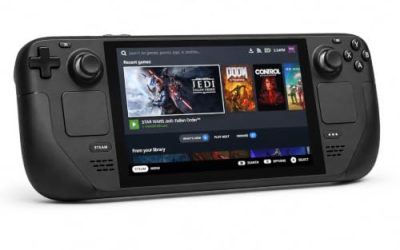
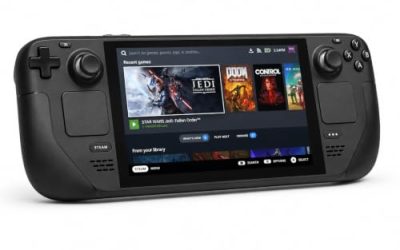
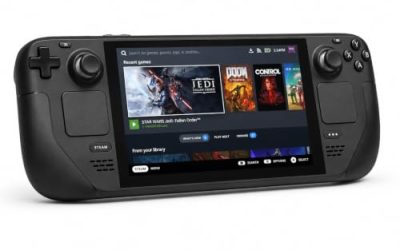
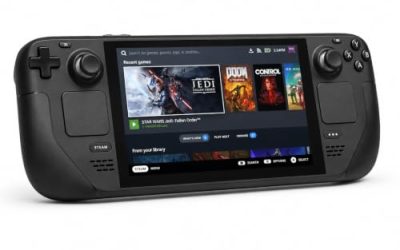
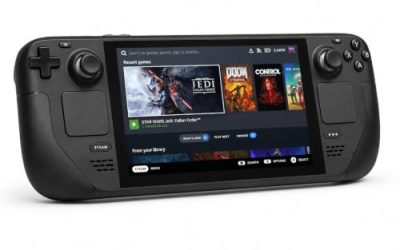
Valve Steam Deck OLED 512GB

The handheld the Verified badge was written for. Valve’s sheet names the native runtime for this game, and the recommended Linux specification sits well below the Deck’s APU, so the handheld runs the same Linux edition a desktop install delivers.
Specs
- Display: 7.4-inch HDR OLED, 1280 by 800, up to 90 Hz
- Processor: AMD Zen 2 and RDNA 2 custom APU
- Memory: 16 GB LPDDR5
- Storage: 512 GB NVMe, plus a microSD slot
- Wireless: Wi-Fi 6E and Bluetooth
- Channel note: Valve sells the Deck mainly through its own store, so Amazon listings are third-party sellers
8BitDo Ultimate 2 Bluetooth Controller

For docked play and desktop sessions away from the keyboard. The store record lists full controller support, so a pad is a first-class way through the menus and card battles, and this one adds back buttons and a charging dock.
Specs
- Connectivity: Bluetooth wireless and USB-C wired
- Joysticks: TMR electromagnetic, anti-drift design
- Triggers: Hall effect, with mode switching
- Extras: two remappable back buttons, motion control
- In the box: charging dock included
Xbox Wireless Controller, Carbon Black

The universal spare pad: Steam Input support is as broad as it gets, the glyphs match what most games display, and it pairs over Bluetooth or its own wireless standard.
- Connectivity: Xbox Wireless and Bluetooth
- Port: USB-C for wired play
- Controls: hybrid D-pad, dedicated Share button
- Power: AA batteries or optional rechargeable pack
Logitech G502 HERO

A narrative game still lives in its menus: journal entries, skill screens and a hand of cards. At a desk, a precise wired mouse makes those screens single-click work, and eleven programmable buttons cover the inputs a long session repeats.
Specs
- HERO optical sensor, up to 25,600 DPI
- 11 programmable buttons
- Adjustable weight system
- Wired USB connection
- On-board memory profiles
Samsung T9 Portable SSD 2TB

The library mover. A fast USB-C drive keeps a Linux game library portable between desktop and laptop, or backed up offline. Its headline speed needs a Gen 2×2 host port; on a lesser port the drive runs at that port’s ceiling instead.
Specs
- Capacity: 2 TB portable SSD
- Interface: USB 3.2 Gen 2×2, USB-C connector
- Maker-rated speeds: up to 2,000 MB per second read, 1,950 MB per second write
- Features: Dynamic Thermal Guard, maker-rated drop resistance
How to choose
Choose the Steam copy if the Deck badge matters to you: its Linux depot is the build the store serves today. Choose the GOG copy if you prefer that storefront’s installer model; unusually, the platform answer does not change, because GOG’s edition names Linux in its own catalogue record. On any Linux machine, install and play the native build directly, and leave Proton alone unless a report-level quirk gives you a reason to experiment.
Who should skip
Skip the Proton route as your plan A: the native build exists, is the largest depot in the game’s own table, and is what Valve tested, so forcing the Windows build through a compatibility layer buys nothing here. Skip this game if you want action-first play: it is a narrative RPG built on reading, choices and card-based battles rather than reflex combat. Skip it if a ten-year, text-heavy campaign is not your format, since the store record lists English only. And know the Deck badge dates from August 2023 on an older build; the verdict is current, the tested build is not.
FAQ
Is I Was a Teenage Exocolonist native on Linux?
Yes. Steam flags Linux true, the Linux requirements sheet is populated at both tiers, and the Linux depot, at 1.64 GiB the largest of the game’s three depots, is granted by the store package itself and referenced by the game app. Valve’s Deck test also names the native runtime.
Does the soundtrack’s Linux flag mean the game was ported?
No, and it is not the evidence either way. The Soundtrack and Artbook app flags all three platforms true while its Mac and Linux fields are empty lists and its Windows field lists storage only. The game’s native status rests on its own record, which is complete without it.
Is I Was a Teenage Exocolonist Steam Deck Verified?
Yes. Valve’s record gives it the Verified category with all four checks passing and SteamOS rated Compatible separately. The test ran in August 2023 on build 11802051 with the native runtime recommended, so the badge certifies the Linux build; the branch has since moved to a newer build than the one tested.
Can I buy it on GOG with Linux support?
Yes. GOG’s catalogue record lists windows, linux and osx as its operating systems, and its product record carries a Linux installer alongside the Windows and Mac ones. Both storefronts sell a native Linux edition.
Final verdict
I Was a Teenage Exocolonist is what the clean end of this series looks like: a Linux flag backed by a two-tier requirements sheet, a real Linux depot granted by the store package, a Deck Verified badge earned on the native runtime, and a second storefront selling the same native edition. The family’s one stray flag sits on the soundtrack, where it belongs, and changes nothing. Buy it on Steam or GOG and install the native build.
Product and ASIN Reference
| Product | ASIN |
|---|---|
| Valve Steam Deck OLED 512GB | B0CQ3RWQQZ |
| 8BitDo Ultimate 2 Bluetooth Controller | B0F194QFT2 |
| Xbox Wireless Controller, Carbon Black | B08DF248LD |
| Logitech G502 HERO | B07GBZ4Q68 |
| Samsung T9 Portable SSD 2TB | B0CHFS9K14 |