BioShock Infinite is Irrational Games’ 2013 trip to the floating city of Columbia, published by 2K, one of the few big-budget shooters of its era actually ported to Linux. The porting credit on Steam’s record belongs to Virtual Programming, and the question this article answers from the primary records is whether that native build is still what the listing describes today.
The short version is that the native record still stands. Steam flags the game for Linux, the requirements tab is fully populated, and every add-on in the family flags Linux as well. The honest caveats live inside the tab itself: its driver notes are period notes from the port’s era. Valve rates the Steam Deck Playable rather than Verified, for one stated reason.
As an Amazon Associate, we earn from qualifying purchases.
Quick answer
BioShock Infinite is genuinely native on Linux. Steam’s record flags Linux true, credits Virtual Programming (Linux) as a developer, and publishes a full Linux requirements tab, and all five add-on apps flag Linux too. ProtonDB’s file reads Gold across 150 reports. Valve rates the Deck Playable. GOG’s edition is Windows-only, so Steam is the buy.
A native record on every layer
Steam’s app record for BioShock Infinite, app 8870, is unambiguous about platforms. The platform flags read Windows true, Mac true and Linux true. The developer field names Irrational Games and Virtual Programming (Linux) side by side, so the record itself credits the porter. The category list is single-player only, with full controller support, Steam Cloud and Family Sharing.
The family sweep agrees with the game app. Steam lists five add-on apps, each read individually: the Season Pass, Burial at Sea Episode One, Burial at Sea Episode Two, Clash in the Clouds, and Columbia’s Finest. Every one is typed as downloadable content, and every one flags Linux true, matching the game. No music-type app exists in this family, so there is no soundtrack flag to misread. The Linux-flag count across the game and its add-ons is six of six, all on playable content. The usual traps are absent: no stray album carries the family’s only Linux flag, and no leftover tab contradicts a changed flag.
What the Linux tab actually asks for
The Linux requirements tab is genuinely populated, with minimum and recommended tiers written for the port. The minimum lists Ubuntu 14.10, Mint 17.1 or a similar distribution, an Intel Core 2 Duo at 2.4 GHz or an AMD Athlon X2 at 2.7 GHz, 4 GB of memory, 20 GB of disk space, an NVidia or AMD card at OpenGL 4.1 level with 1 GB of video memory, and ALSA or PulseAudio sound. The recommended tier raises that to a Core i5 at 3 GHz or similar AMD processor, 8 GB of memory, 30 GB of disk space, and an OpenGL 4.2 level card with 2 GB of video memory.
The tab’s driver notes are the one dated layer, quoted here as the record’s own position rather than as a claim about today’s drivers. The recommended section names NVIDIA driver 340.65 or better, warns that the 331 series is unsupported, names AMD Catalyst 15.7 or better, and states that Mesa drivers and Intel graphics are not currently supported. A reader on a modern Mesa stack should treat those lines as the historical floor the listing documents, not as a tested statement about current Mesa.
No DRM notice, and no anti-cheat anywhere
Two absences on the record are worth stating plainly. First, the DRM position: Steam’s record carries no DRM notice and no external account notice for this game, so this article names no DRM product and no second account layer.
Second, anti-cheat, reported source by source and never blended. Steam’s own record names no anti-cheat system: the category list is single-player only, and no notice appears. SteamDB’s detected technologies are engine and media components: Unreal Engine, Bink Video, the NVIDIA APEX, PhysX and Texture Tools SDKs, and the Wwise audio SDK; no anti-cheat appears among them. Are We Anti-Cheat Yet carries no listing for this title, checked against its dataset as republished by GamingOnLinux. On the Deck side, kept separate, Valve’s sheet records no anti-cheat deduction either.
ProtonDB: a Gold headline over a mixed pool
ProtonDB’s summary feed for app 8870 answered in full. The headline tier is Gold, the best-reported tier is Platinum, and the trending tier is Platinum, across 150 reports, with confidence marked strong.
One framing point matters for a native title. That pool is not a native-only file: its reports include runs of the native build and runs of the Windows build forced through Proton, and at least one page report compares both routes directly. So the Gold headline describes the game’s overall Linux reception, not a verdict on the native build alone. The native ruling here rests on Steam’s record: the flag, the populated tab and the porter’s credit.
Steam Deck: Playable, with one keyboard note
Valve’s own compatibility endpoint returned an empty result for this app in this session, so the Deck record here is read through SteamDB’s republication of Valve’s compatibility data, this project’s fallback route. The category is Playable. Four items pass: the default controller configuration is fully functional, the game shows Steam Deck controller icons, in-game interface text is legible, and the default graphics configuration performs well. The single deduction is that entering some text requires manually invoking the on-screen keyboard. A note adds that external Bluetooth or USB controllers do not default and may need a manual Quick Access Menu switch. No launcher navigation is required, and no internet connection is needed for setup or single-player.
The test is dated: tested 26 February 2025, on build 10404041. SteamOS, rated separately, is Compatible: the sheet states the game runs successfully on SteamOS, with the same keyboard note. One line deserves a plain reading: the sheet’s recommended runtime is written as a Proton 9.0 release candidate, the runtime Valve’s test was recorded against. It sits beside a native build without changing what the store record says about platforms.
The GOG edition is Windows-only
There is a second PC edition, and it changes the Linux picture completely. GOG sells BioShock Infinite Complete Edition, and GOG’s own product API record for that edition lists system compatibility as Windows true, Mac false and Linux false: the same game in a second wrapper, with no native Linux build behind it. Because GOG’s catalogue search can miss listings, this ruling rests on the product record itself, not on search results.
Buy the Steam copy: it is the only edition that carries the native Linux build, and the edition the ProtonDB file and the Deck sheet describe.
Gear that fits the record
The gear below follows the record’s shape: the handheld the Playable badge was written for, two pads, a mouse for desktop aiming, and library storage.
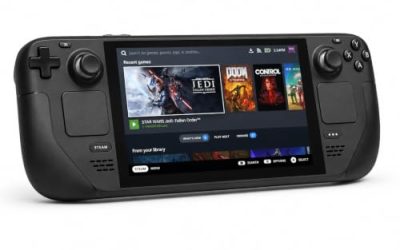
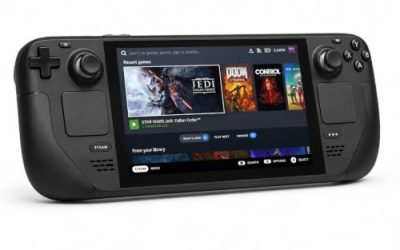
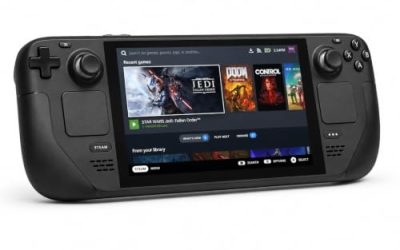
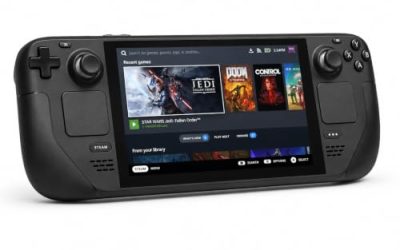
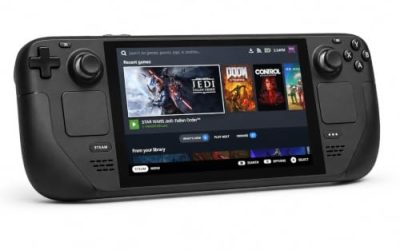
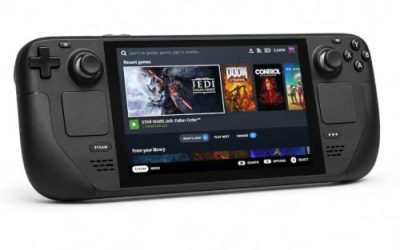
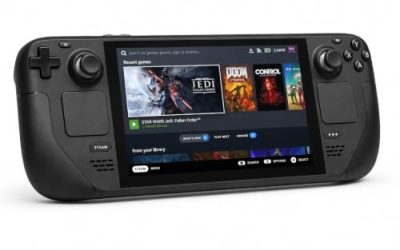
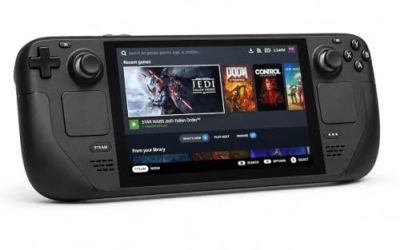
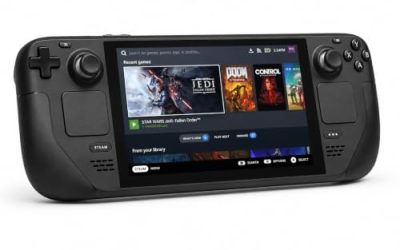
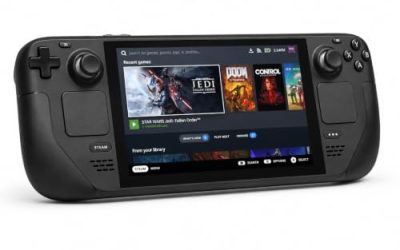
Valve Steam Deck OLED 512GB

The handheld behind the Playable badge. Valve’s test sheet passes this game on functionality, icons, legibility and graphics performance, with the on-screen keyboard as the one chore.
Specs
- Display: 7.4-inch HDR OLED, 1280 by 800, up to 90 Hz
- Processor: AMD Zen 2 and RDNA 2 custom APU
- Memory: 16 GB LPDDR5
- Storage: 512 GB NVMe, plus a microSD slot
- Wireless: Wi-Fi 6E and Bluetooth
- Channel note: Valve sells the Deck mainly through its own store, so Amazon listings are third-party sellers
8BitDo Ultimate 2 Bluetooth Controller

The docked and desktop pad pick. Steam lists full controller support, and this pad covers the couch case with modern sticks and triggers plus back buttons for the inputs a shooter repeats.
Specs
- Connectivity: Bluetooth wireless and USB-C wired
- Joysticks: TMR electromagnetic, anti-drift design
- Triggers: Hall effect, with mode switching
- Extras: two remappable back buttons, motion control
- In the box: charging dock included
Xbox Wireless Controller, Carbon Black

The safest guest pad in PC gaming: Steam Input support is universal, the glyphs match what most games display, and it pairs over Bluetooth or its own wireless standard. On the handheld, an external pad may need a manual Quick Access Menu switch before it takes over.
- Connectivity: Xbox Wireless and Bluetooth
- Port: USB-C for wired play
- Controls: hybrid D-pad, dedicated Share button
- Power: AA batteries or optional rechargeable pack
Logitech G502 HERO

Infinite is a first-person shooter, and at a desk a precise wired mouse is the natural aim input. Eleven programmable buttons cover the vigor, weapon-swap and interaction inputs a session repeats.
Specs
- HERO optical sensor, up to 25,600 DPI
- 11 programmable buttons
- Adjustable weight system
- Wired USB connection
- On-board memory profiles
Samsung T9 Portable SSD 2TB

For moving a Linux game library between machines, or keeping an offline backup of installers, a fast USB-C drive is the simple answer. The headline figure needs a Gen 2×2 host port; on a lesser port the drive runs at that ceiling.
Specs
- Capacity: 2 TB portable SSD
- Interface: USB 3.2 Gen 2×2, USB-C connector
- Maker-rated speeds: up to 2,000 MB per second read, 1,950 MB per second write
- Features: Dynamic Thermal Guard, maker-rated drop resistance
How to choose
Choose the Steam copy, because it is the only edition that carries the native Linux build. On desktop or laptop, the default route is the native port itself: install and launch. If the native build misbehaves on your stack, the Proton route is the documented fallback, and ProtonDB’s Platinum best-reported tier says it is well-trodden. On a Steam Deck, expect the Playable shape: everything works, and entering text means invoking the on-screen keyboard yourself. A pad is comfortable everywhere; a mouse earns its place for desktop aiming.
Who should skip
Skip the GOG edition if Linux is your platform: its product record lists Windows only. Skip the native route as your only plan if your machine depends on the graphics stacks the tab itself names as unsupported, and treat the Proton route as your starting point instead. Skip a Deck-only playthrough if the keyboard chore bothers you. And skip this subject entirely if you were looking for the first BioShock or BioShock 2: separate games, separate records.
FAQ
Is BioShock Infinite native on Linux?
Yes. Steam’s record for app 8870 flags Linux true, the Linux requirements tab is fully populated with minimum and recommended tiers, and the developer field credits Virtual Programming (Linux). All five add-on apps flag Linux as well.
How well does BioShock Infinite run on Linux?
ProtonDB’s summary feed reads Gold at headline level, with Platinum as both the best-reported and trending tier, across 150 reports at strong confidence. That pool mixes native and forced-Proton runs, so it describes the overall Linux file, not the native build alone.
Is BioShock Infinite Steam Deck Verified?
No: it is rated Playable. Valve’s sheet, read through SteamDB’s republication, passes functionality, controller icons, legibility and graphics performance, and deducts only for text entry requiring the on-screen keyboard. The test is dated 26 February 2025.
Can I buy BioShock Infinite on GOG for Linux?
You can buy it there, but not for Linux. GOG’s product record for its Complete Edition lists Windows only, so that copy documents no Linux route. The Steam copy carries the native build.
Final verdict
BioShock Infinite is one of the era’s genuine native Linux ports, and today’s record still says so on every layer: the flag is set, the tab is populated with real specifications, the porter is credited on the listing, and the whole add-on family flags Linux with it. The caveats are honest ones: period driver notes inside the tab, a ProtonDB pool that mixes native and Proton runs, and a Playable rather than Verified badge on the Deck. Buy it on Steam and play the native build on desktop.
Product and ASIN Reference
| Product | ASIN |
|---|---|
| Valve Steam Deck OLED 512GB | B0CQ3RWQQZ |
| 8BitDo Ultimate 2 Bluetooth Controller | B0F194QFT2 |
| Xbox Wireless Controller, Carbon Black | B08DF248LD |
| Logitech G502 HERO | B07GBZ4Q68 |
| Samsung T9 Portable SSD 2TB | B0CHFS9K14 |