Two Point Campus is the university management game from Two Point Studios and SEGA, released in August 2022 as the follow-up to Two Point Hospital. Linux players asking about it want to know whether the studio’s native support survived the move from hospital wards to lecture halls, on desktop Linux and the Steam Deck alike.
The short answer is that the native build is real and still standing on the record. Steam flags Linux on the game itself, the requirements tab names Ubuntu and SteamOS, and Valve’s Deck sheet was written against the native runtime rather than Proton. The one condition is named on the same record: Denuvo Anti-tamper.
As an Amazon Associate, we earn from qualifying purchases.
Quick answer
Two Point Campus ships with a native Linux build: Steam flags Linux on the game and every add-on, the requirements tab names Ubuntu 20.04 and SteamOS, and Valve rates it Verified on Steam Deck with a native runtime. ProtonDB’s small file reads Platinum. The one condition is Denuvo Anti-tamper, named on the store record.
The native evidence, layer by layer
Start with the platform flags. Steam’s app record for Two Point Campus, app 1649080, reads Windows true, Mac true and Linux true. The flag sits on the game app itself, with a Linux client icon on the store record.
The requirements tab backs the flag up with text, in an unusual shape. The minimum side of the Linux tab is nearly bare, carrying a single line: storage, 6 GB available space. The recommended side is fully populated: Ubuntu 20.04 or Steam OS, an Intel Core i5 6600 or AMD Ryzen 1600x processor, 8 GB of memory, and a GeForce GTX 1060 with 3 GB or a Radeon RX 580 with 4 GB, with legacy alternatives listed for older cards. A recommended column written out in full is a maintained tab rather than a placeholder; an empty shell has headings over nothing.
For contrast, the published Windows minimum asks for Windows 7 64-bit, an Intel Core i3 6100 or AMD FX-4350, 4 GB of memory and a GeForce GT 1030 or Radeon RX 550. The Linux recommended specification sits a clear step above that floor: the native build is specced as a real target, not an afterthought.
The category list is equally plain: single-player only, with Steam Achievements, full controller support, Trading Cards, Steam Cloud and Family Sharing — no multiplayer category of any kind, which matters for the anti-cheat picture below.
The DRM line, quoted exactly
One field on the record deserves its own section. The game’s drm_notice field reads, verbatim: “Denuvo Anti-tamper”. SteamDB’s record prints the same third-party DRM line. So the native Linux build ships with Denuvo attached, and any honest account of this game on Linux has to carry that fact rather than bury it.
What the record does not contain is just as definite. There is no external account notice on the game: no second launcher and no publisher account sign-in is named in the app record. The DRM is the only condition the listing states, and no activation term beyond it is published.
The family sweep: five apps, five Linux flags
The game’s record lists four add-on apps, every one read individually. Space Academy (app 1884560) flags Linux and carries the full requirements block as its minimum; School Spirits (app 1907450) flags Linux with the same populated block. Medical School (app 2195430) and the Soundtrack (app 2312070), the family’s music-type app, both flag Linux too, although their requirements fields are empty lists. No demo app exists.
The count is five of five. In most families this sweep is where the soundtrack trap hides, a music app holding the family’s only Linux flag while the game is Windows-only. Here the trap cannot form, because the game app is native and the soundtrack’s flag is one more flag in a family where everything has one. The honest wrinkle runs the other way: two add-ons set the flag without writing requirements text under it, so the flag is uniform even where the paperwork is thin.
Anti-cheat, from three separate records
Kept separate, as always. Steam’s own record names no anti-cheat system: no notice, no category, nothing in the single-player feature list. SteamDB’s detected technologies for the app are the Unity Engine, the NVIDIA Ansel SDK, UnityBurst and UnityIL2CPP — engine and tooling entries, with no anti-cheat product among them. Are We Anti-Cheat Yet, the dedicated tracker, carries no listing for this title at all. The same holds on desktop and on the Deck sheet: no record names an anti-cheat gate on either surface.
ProtonDB: a small Platinum file, presented as Native
ProtonDB’s summary feed answered in full: headline Platinum, best-reported Platinum, trending Platinum, across 13 reports, at moderate confidence. Thirteen reports is a thin file next to the hundreds behind bigger titles, and the moderate label says the same thing. The tiers are unanimous, but they rest on a small pool.
The game’s ProtonDB page presents it as Native, matching Steam’s record: the community file grades the native build rather than a compatibility layer. Recent reports run the native build directly, while one older report describes switching from the Linux runtime to a Proton build after the native version failed to launch at the time. The native route is the one the current record supports.
Steam Deck: Verified, tested against the native runtime
Valve’s own compatibility endpoint returned an empty response this session, so the Deck record here is read through SteamDB’s republication of Valve’s compatibility data, the fallback route this project uses when the endpoint misbehaves. The category is Verified, the top rating. All four checks pass: all functionality is accessible with the default controller configuration, the game shows Steam Deck controller icons, interface text is legible, and the default graphics configuration performs well. The configuration notes are clean: gamepad input, no manual keyboard invocation, no launcher navigation, no small text, no internet required for setup or single-player.
Two details make this badge stronger than most. The sheet’s recommended runtime field reads “native”, so the test was written against the Linux build rather than a Proton run of the Windows version. And the test is dated: tested 16 November 2022, on build 9894893. SteamOS separately rates the game Compatible.
Buying it: Steam yes, GOG no
There is no GOG edition of Two Point Campus. The would-be product address on GOG resolves to the store’s general games catalogue rather than a product page, and GOG’s own catalogue routes return no product for the title — worth stating carefully, because the sibling game is sold there and Campus never joined it. Buy the Steam copy: it is the edition both compatibility records describe, and the only one carrying the native build.
Gear for the Linux playthrough
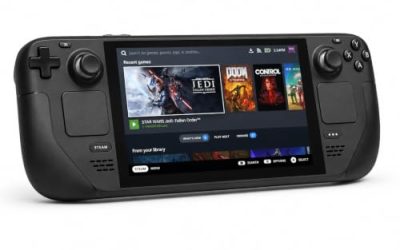
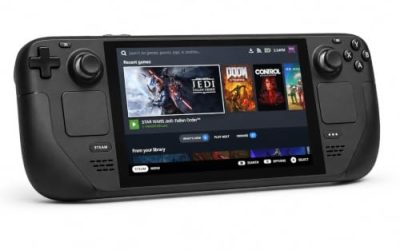
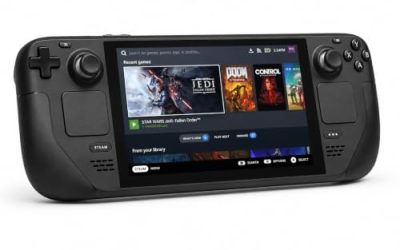
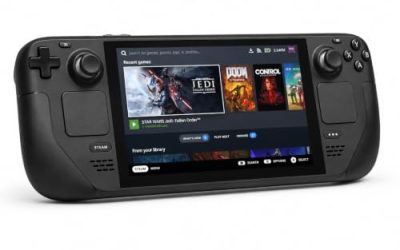
Valve Steam Deck OLED 512GB

The handheld the Verified badge was written for — and here the badge was earned by the native build itself. A management game suits the couch, and the test sheet passes the default graphics configuration outright.
Specs
- Display: 7.4-inch HDR OLED, 1280 by 800, up to 90 Hz
- Processor: AMD Zen 2 and RDNA 2 custom APU
- Memory: 16 GB LPDDR5
- Storage: 512 GB NVMe, plus a microSD slot
- Wireless: Wi-Fi 6E and Bluetooth
- Channel note: Valve sells the Deck mainly through its own store, so Amazon listings are third-party sellers
8BitDo Ultimate 2 Bluetooth Controller

The docked and desktop pad pick. Steam lists full controller support for the game, and this pad covers the couch case with modern sticks and triggers plus back buttons for menu shortcuts.
Specs
- Connectivity: Bluetooth wireless and USB-C wired
- Joysticks: TMR electromagnetic, anti-drift design
- Triggers: Hall effect, with mode switching
- Extras: two remappable back buttons, motion control
- In the box: charging dock included
Xbox Wireless Controller, Carbon Black

The safest guest pad in PC gaming: Steam Input support is universal, the glyphs match what most games display, and it pairs over Bluetooth or its own wireless standard.
- Connectivity: Xbox Wireless and Bluetooth
- Port: USB-C for wired play
- Controls: hybrid D-pad, dedicated Share button
- Power: AA batteries or optional rechargeable pack
Logitech G502 HERO

Campus building is mouse work at a desk: room placement, staff lists and budget screens reward a precise wired pointer. Eleven programmable buttons cover the confirm, cancel and camera inputs.
Specs
- HERO optical sensor, up to 25,600 DPI
- 11 programmable buttons
- Adjustable weight system
- Wired USB connection
- On-board memory profiles
Samsung T9 Portable SSD 2TB

For moving a Linux game library between a desktop and a laptop, or keeping an offline backup of installers, a fast USB-C drive is the simple answer. The headline figure needs a Gen 2×2 host port; on a lesser port the drive runs at that ceiling.
Specs
- Capacity: 2 TB portable SSD
- Interface: USB 3.2 Gen 2×2, USB-C connector
- Maker-rated speeds: up to 2,000 MB per second read, 1,950 MB per second write
- Features: Dynamic Thermal Guard, maker-rated drop resistance
How to choose
Choose the Steam copy and install the native build first; that is the route both records describe, and the Deck badge was tested against it. Check your machine against the Linux tab’s recommended column rather than its bare minimum side: an i5 6600 or Ryzen 1600x class processor, 8 GB of memory and a GTX 1060 or RX 580 class card is the specification the publisher actually wrote out. If the native build misbehaves on your setup, the ProtonDB file shows the Windows build under Proton as a documented fallback. The expansions extend the same native installation: every add-on flags Linux.
Who should skip
Skip it if Denuvo is a hard line for you: the store record names Denuvo Anti-tamper, and no storefront sells a copy without it, since the Steam edition is the only PC edition carrying the game. Skip it if you were hoping to buy on GOG, because no GOG edition exists. Skip it if you want multiplayer management, because the record is single-player only. And skip the Proton route as your plan A: the native build is the supported path, and the one Valve tested.
FAQ
Is Two Point Campus native on Linux?
Yes. Steam’s record for app 1649080 flags Linux on the game itself, the requirements tab names Ubuntu 20.04 and SteamOS in its recommended column, and all four add-on apps flag Linux as well. ProtonDB’s page presents the game as Native.
Does Two Point Campus use Denuvo?
Yes. The store record’s DRM field reads “Denuvo Anti-tamper”, and SteamDB’s record prints the same DRM line. The record names no external account requirement alongside it.
Is Two Point Campus Steam Deck Verified?
Yes. Valve’s sheet, read through SteamDB’s republication of Valve’s compatibility data, gives the game the Verified category with all four checks passing, tested 16 November 2022. Its recommended runtime is the native build, and SteamOS separately rates the game Compatible.
Can I buy Two Point Campus on GOG instead?
No. GOG carries no edition: the product address resolves to its general catalogue and its own catalogue search returns nothing. The Steam copy is the one the compatibility records describe.
Final verdict
Two Point Campus is one of the straightforward Linux records: a genuine native build, flagged on the game and uniformly across its add-ons, a requirements tab that names its target distributions in writing, and a Deck badge Valve tested against the native runtime itself. The ProtonDB file is thin at 13 reports but unanimous at Platinum, and no anti-cheat appears on any record. The single honest condition is printed on the store page: Denuvo Anti-tamper rides along with the native build, and there is no GOG edition to escape to. If that trade is acceptable, the Steam copy is an easy recommendation.
Product and ASIN Reference
| Product | ASIN |
|---|---|
| Valve Steam Deck OLED 512GB | B0CQ3RWQQZ |
| 8BitDo Ultimate 2 Bluetooth Controller | B0F194QFT2 |
| Xbox Wireless Controller, Carbon Black | B08DF248LD |
| Logitech G502 HERO | B07GBZ4Q68 |
| Samsung T9 Portable SSD 2TB | B0CHFS9K14 |