Wuchang: Fallen Feathers, Leenzee’s Ming dynasty soulslike published by 505 Games in July 2025, arrived on Steam as a Windows game, and Steam’s record still says exactly that. The platform flags read Windows true, Mac false, Linux false, and the Linux requirements field is an empty list outright: no Linux tab exists in any form. The family’s single Linux flag is real, but it does not sit on the game. It sits on the soundtrack album sold beside it.
So the practical question is the Proton one: how well does the one build that exists travel to Linux? The community file is short but strong, Valve’s Deck test sheet carries a single deduction, and no second storefront sells a Linux copy. This piece reads each record on its own terms.
As an Amazon Associate, we earn from qualifying purchases.
Quick answer
Wuchang: Fallen Feathers is not native on Linux: Steam flags the game Windows only and its Linux requirements field is an empty list. The family’s only Linux flag sits on the soundtrack album. The route is Proton: ProtonDB rates the build Platinum across 35 reports, and Valve rates it Playable on Steam Deck. Buy the Steam copy.
The status at a glance
| Question | Answer from the record |
|---|---|
| Native Linux build | No — Steam flags read Windows only |
| Linux requirements tab | Absent — an empty list |
| DRM notice / anti-cheat | None published / none named anywhere |
| ProtonDB record | Platinum headline and best, Gold trending, 35 reports |
| Steam Deck verdict | Playable, tested 25 November 2025 |
| GOG edition | None |
What Steam’s own record says
Steam’s appdetails record for Wuchang: Fallen Feathers (app 2277560, established from Steam’s own store search) lists the platforms as Windows true, Mac false, Linux false. No Mac or Linux build hides beside the Windows one, and the category list is a single-player shape: full controller support, DualSense support, Steam Cloud and Family Sharing.
The Linux requirements field is the barest pattern this series tracks. It is not the empty shell, where Minimum and Recommended headings sit over empty lists; it is an empty list outright, so the store page carries nothing a reader could mistake for a Linux specification. The published minimum is a Windows one: Windows 10 64-bit, a Core i5-8400 or Ryzen 5 1600, 16 GB of memory, a GeForce GTX 1060 6GB or Radeon RX 580 8GB, DirectX 12 and 60 GB of storage. The recommended tier raises the graphics ask to an RTX 2070, RX 5700 XT or Arc A750, requires an SSD, and notes the specifications were tested with DLSS or FSR enabled.
The soundtrack carries the family’s only Linux flag
The game’s record lists four add-on apps, each read individually. Three are content packs: the Full-Grown Red Mercury pack, the Glistening Red Mercury pack and the Deluxe Upgrade Pack. Every one is typed as downloadable content and flags Windows only, and there is no demo app on the record.
The fourth add-on is the Soundtrack, a separate app typed as music. Its platform flags read Windows true, Mac true, Linux true. That is the family’s only Linux flag: one of five apps, belonging to an album of audio files, not to anything playable. A scan that counts flags at family level will report this game as Linux-supported, and it will be wrong. The game app’s own flag decides what installs, and it reads false.
DRM and anti-cheat: two empty fields
The DRM position is a gap, stated plainly. Steam’s record carries no drm_notice field at all, and no external account notice either: the store names no DRM product and no second account layer for this title, and the add-on records read the same way. This article therefore names no DRM system, because the primary record does not.
The anti-cheat position is reported source by source, and the three sources agree by silence. Steam’s record names no anti-cheat: no notice, no category, nothing in the requirements text, which fits a single-player game. SteamDB’s detected-technologies list names the Unreal Engine, the Epic Online Services SDK, the DLSS and FidelityFX toolkits and Wwise audio, and no anti-cheat system among them. Are We Anti-Cheat Yet, the community tracker, carries no entry for this title at all, checked against its own data file by name and by app number. On the desktop there is no anti-cheat gate to clear, and Valve’s Deck sheet, covered next, records no anti-cheat deduction either.
The Proton file
ProtonDB’s summary record for app 2277560 gives the Windows build a Platinum headline tier and a Platinum best-reported tier, with a Gold trending tier, across 35 reports, at strong confidence. That is a top-tier file with one honest caveat: the pool is modest. Thirty-five reports is thin next to the hundreds behind older soulslikes, so the Platinum headline rests on fewer machines and driver stacks than a large file would cover. The trending tier one step below the headline also suggests recent reports are a shade less clean than the best of the pool.
Nothing in the summary record classifies the game as native, which agrees with Steam’s flags: every Platinum report describes the Windows build travelling through the compatibility layer, the only build there is.
Steam Deck: Playable, with one deduction
Valve’s compatibility endpoint returned no readable record this session, so the Deck sheet below was read through SteamDB’s republication of Valve’s compatibility data for this app, the fallback route this project has used before.
Valve rates the game Playable on Steam Deck, and rates SteamOS separately as Compatible: the game runs on SteamOS. Three of the four headline checks pass: all functionality is accessible on the default controller configuration, Deck controller icons are shown, and the default graphics configuration performs well. The single deduction is text: some in-game text is small and may be difficult to read. One note, not a deduction, covers external pads, which do not take over by default and may need a Quick Access Menu switch.
The test paperwork dates the check to 25 November 2025, on build 20781879, with a Proton 10.0 beta build as the recommended runtime. The configuration record is otherwise clean: no manual keyboard invoke, no launcher navigation, no internet required for setup or single-player. For a pad-first soulslike, that is a handheld route with one comfort caveat and no blockers.
The storefront ruling
There is no second copy to weigh. GOG’s catalogue and embed searches return no product for this game, and the address a GOG product page would live at resolves to the store’s general games catalogue instead, which is what GOG shows for a title it does not sell. No GOG edition exists, so the Steam copy is ruled the only PC edition and the buy.
Gear that fits the record
The gear below follows the record’s shape: the handheld the Playable badge was written for, two pads for docked and desktop play, a mouse for desktop sessions, and library storage.
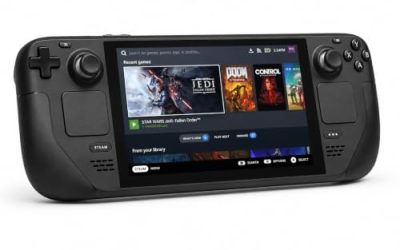
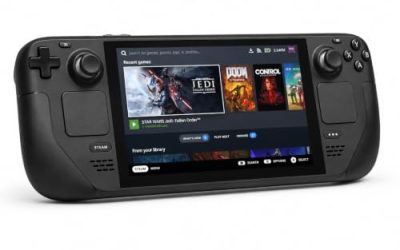
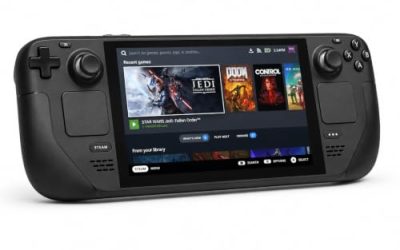
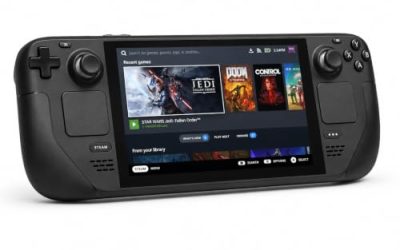
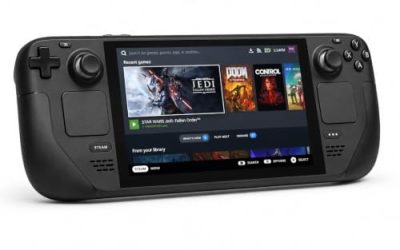
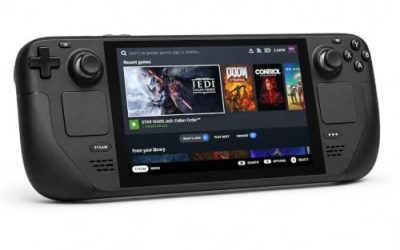
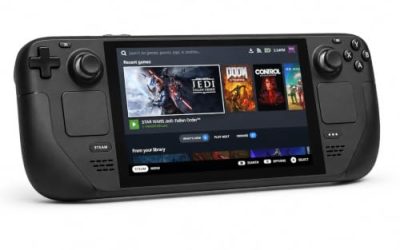
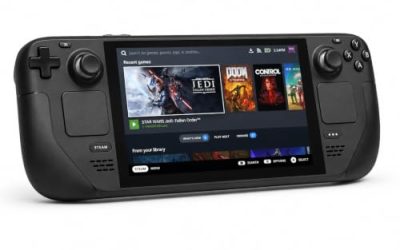
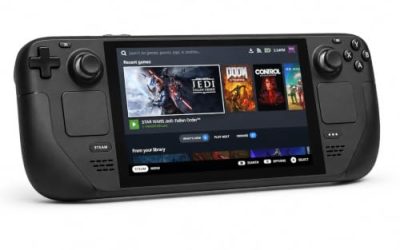
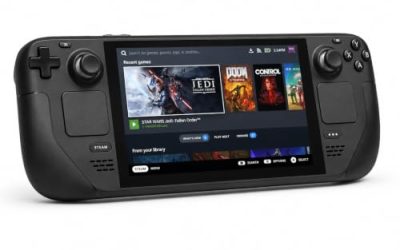
Valve Steam Deck OLED 512GB

The handheld the Playable badge was written for: Valve’s sheet passes the default graphics configuration on this APU, and its one deduction is text size, where the OLED panel’s contrast helps most.
Specs
- Display: 7.4-inch HDR OLED, 1280 by 800, up to 90 Hz
- Processor: AMD Zen 2 and RDNA 2 custom APU
- Memory: 16 GB LPDDR5
- Storage: 512 GB NVMe, plus a microSD slot
- Wireless: Wi-Fi 6E and Bluetooth
- Channel note: Valve sells the Deck mainly through its own store, so Amazon listings are third-party sellers
8BitDo Ultimate 2 Bluetooth Controller

The docked and desktop pad pick: Steam lists full controller support, and this pad covers the couch case with modern sticks, triggers and back buttons.
Specs
- Connectivity: Bluetooth wireless and USB-C wired
- Joysticks: TMR electromagnetic, anti-drift design
- Triggers: Hall effect, with mode switching
- Extras: two remappable back buttons, motion control
- In the box: charging dock included
Xbox Wireless Controller, Carbon Black

The safest guest pad in PC gaming: Steam Input support is universal and it pairs over Bluetooth or its own wireless standard. On the handheld, an external pad may need a manual Quick Access Menu switch before it takes over.
- Connectivity: Xbox Wireless and Bluetooth
- Port: USB-C for wired play
- Controls: hybrid D-pad, dedicated Share button
- Power: AA batteries or optional rechargeable pack
Logitech G502 HERO

Wuchang’s menus and inventory are the desk-side half of a soulslike, and a precise wired mouse turns those trips into single clicks, with eleven programmable buttons for the repeated inputs.
Specs
- HERO optical sensor, up to 25,600 DPI
- 11 programmable buttons
- Adjustable weight system
- Wired USB connection
- On-board memory profiles
Samsung T9 Portable SSD 2TB

For moving a Linux game library between machines or keeping an offline backup, a fast USB-C drive is the simple answer. The headline figure needs a Gen 2×2 host port; on a lesser port the drive runs at that ceiling.
Specs
- Capacity: 2 TB portable SSD
- Interface: USB 3.2 Gen 2×2, USB-C connector
- Maker-rated speeds: up to 2,000 MB per second read, 1,950 MB per second write
- Features: Dynamic Thermal Guard, maker-rated drop resistance
How to choose
Choose the Steam copy, because it is the only PC edition on sale. On desktop or laptop, install under Proton and leave the compatibility tool at its default; a Platinum headline says the build travels well, and no anti-cheat or account layer stands between the install button and the game. On a Steam Deck, the Playable badge means the default configuration already performs: expect to lean in for small text, and make the one manual controller switch if you pair an external pad.
Who should skip
Skip this one if you are shopping for a native Linux soulslike: this game is not it, and the Linux flag in its store family belongs to a soundtrack album. Skip it if you want a DRM-free offline installer, because no GOG edition exists to buy. Skip it if a 35-report Proton file feels too thin to trust. And skip the Deck plan if small in-game text is a hard limit for you, because that is the one deduction Valve’s sheet records.
FAQ
Is Wuchang: Fallen Feathers native on Linux?
No. Steam’s record flags the game app Windows true, Mac false and Linux false, and the Linux requirements field is an empty list outright. The family’s only Linux flag belongs to the soundtrack app, an album, not the game.
How well does Wuchang: Fallen Feathers run under Proton?
ProtonDB’s summary record rates the Windows build Platinum on its headline and best-reported tiers, trending Gold, across 35 reports at strong confidence. The pool is modest, but no anti-cheat or launcher friction appears in any record.
Is Wuchang: Fallen Feathers Steam Deck Playable?
Yes. Valve rates it Playable on Steam Deck and Compatible on SteamOS, tested 25 November 2025, with the default configuration fully functional and performing well. The one deduction is small in-game text, and external pads may need a Quick Access Menu switch.
Can I buy Wuchang: Fallen Feathers on GOG instead?
No. GOG’s catalogue carries no product for this game, so there is no GOG edition to buy. The Steam copy is the only PC edition, and the build both compatibility records describe.
Final verdict
Wuchang: Fallen Feathers is a Windows game with an unusually clean Linux travel record. Steam’s flags are unambiguous, its requirements field is an empty list, and the family’s one Linux flag is a soundtrack decoy. Against that, the Proton file is Platinum across the reports filed so far, no DRM notice, account layer or anti-cheat appears on any record, and Valve’s Deck sheet passes it as Playable with small text as its only deduction. Buy the Steam copy and play it through Proton.
Product and ASIN Reference
| Product | ASIN |
|---|---|
| Valve Steam Deck OLED 512GB | B0CQ3RWQQZ |
| 8BitDo Ultimate 2 Bluetooth Controller | B0F194QFT2 |
| Xbox Wireless Controller, Carbon Black | B08DF248LD |
| Logitech G502 HERO | B07GBZ4Q68 |
| Samsung T9 Portable SSD 2TB | B0CHFS9K14 |