Caesar 3 is the Impressions Games city builder that defined the Roman governor genre: lay out housing, water, food and temples, keep the gods and the emperor satisfied, and watch a tent settlement climb toward marble insulae. Activision brought it to Steam in August 2016 as a straight reissue of the 1999 original, and Linux players have asked the obvious question ever since — did that reissue bring a native Linux build with it?


It did not. Every layer of the record reads the same way: the store flags, the single purchase package, the depot list and the GOG product record all stop at Windows. What Linux players get instead is a Windows build with a long, mostly kind Proton track record and a Playable badge on Steam Deck.
As an Amazon Associate, we earn from qualifying purchases.
Quick answer
Caesar 3 has no native Linux build. Steam’s only purchase package and GOG’s product record both read Windows-only, and the game’s single content depot carries no Linux configuration. Linux play runs through Proton, where 19 reports hold a Gold headline tier, and Valve rates the game Playable on Steam Deck.
One package, one platform: the decisive layer
Start where the money changes hands. Steam sells Caesar 3 through exactly one purchase package, whose platform mask reads windows true, mac false, linux false, granting the base app alone. The app record repeats the mask in its own flags, so no second edition or bundle hides a different answer.
The requirements fields tell the same story in finer detail. The Windows field is genuinely populated — its operating-system line runs from Windows XP through Windows 10. The Mac and Linux requirements fields are empty lists outright. A port that exists leaves paperwork in at least one of those places; here there is none anywhere.
The rest of the record is equally plain. The categories are Single-player and Family Sharing. There is no drm notice and no external-account notice, and SteamDB’s technology detection finds only the Smacker Video SDK, the period movie codec behind the cutscenes. No anti-cheat is named by Steam, none is detected by SteamDB, and the AreWeAntiCheatYet catalogue, checked in full, carries no entry for this game — silence, reported as silence.
The depot layer: a single content depot, frozen since 2016
Underneath the package sits one content depot of 526.56 MiB with no operating-system split at all — no Windows-configured twin, no Mac depot, nothing configured for Linux. The registered icon set is the plain Windows set; there is no Linux client icon, the small registration a real Linux build normally leaves behind.
The public branch completes the picture. Its build was assembled in late August 2016, days before the Steam release, and has never moved since: the build on sale today is the build Activision shipped at the reissue. Nothing in the depot list is emptied or stranded, and there is no leftover Linux artefact to misread.
A family of one
Some records hide their answer inside a crowd of add-on apps. This one has no crowd: the record exposes no DLC field at all, SteamDB associates no expansion, demo, soundtrack or artbook apps with it, and the single package grants the base game alone. Family size zero also means the usual trap cannot form — no soundtrack app flies all-true flags here to make a scan report Linux support the game does not have.
The Proton file: Gold, with a stray heading
ProtonDB’s summary for this app reads in full: headline tier Gold, best-reported tier Platinum, trending tier Gold, drawn from 19 reports with good confidence — a healthy file for a game of this vintage, whose filings mostly describe a city builder that simply runs.
The heading check was completed, and it is stray. The ProtonDB game page heads its requirements block “Natively Supports:”, a template artefact that Steam’s record contradicts at every layer — flags, package, depots and fields. This article follows Steam: no native build hides behind that heading.
The report texture underneath the Gold is consistent. The recurring fault is edge scrolling: the right and bottom screen edges fail to scroll the map in many filings, and the standard workaround is the arrow keys. Windowed mode is the second theme — several filings describe garbled rendering in a window, and at least one notes the same flaw exists in the Windows version, making it an engine quirk rather than a Proton regression. A popular community route swaps in a widescreen replacement executable, credited with fixing the scrolling as a side effect, and one filing mentions the Augustus open-source engine reimplementation via Luxtorpeda. Against that, a more recent filing reports the game collapsing to a black box on an experimental Proton branch. All of that is report-level colour, quoted at report weight; the tier itself is Gold.
The Steam Deck sheet: Playable, and the paperwork is current
Valve’s own compatibility record, read directly from its endpoint and corroborated by SteamDB’s republication of the same sheet, rates Caesar 3 Playable on Steam Deck, with SteamOS separately Compatible. The single test behind the badge ran in December 2022 under the stable Proton runtime and graded the exact build still standing on the public branch — the branch has not moved since 2016, so the paperwork grades the build on sale today.
The sheet’s deductions are interface-shaped, as they usually are for a mouse-era strategy game: the game sometimes shows mouse, keyboard or non-Deck controller glyphs; entering text means invoking the on-screen keyboard manually; it runs across multiple windows that may need manual focus through the overlay; and it does not support the Deck’s native display resolution, which Valve notes may cost performance. On the passing side, all functionality is accessible under the default controller configuration, interface text is legible, and the default graphics configuration performs well.
One tension deserves a sentence of its own. The record declares no controller support at all, and the package reads full gamepad false — yet Valve’s sheet passes the default controller configuration as fully functional. The badge rests on Steam Input translating the Deck’s controls into the mouse-and-keyboard game underneath, not on pad support the game ships.
The GOG copy: same Windows build, no second answer
GOG sells Caesar 3 as its own catalogue product, read independently for this article: the live product page under the game’s own catalogue address, and the product record behind it, which reads content compatibility windows true, osx false, linux false. The DRM-free copy is the same Windows build Steam sells — a legitimate second storefront, but not a second platform answer. There is no Linux edition of Caesar 3 on either storefront.
Gear that fits the record
The record describes a mouse-driven desktop classic that also carries a Playable handheld badge, so the gear below follows that shape: the handheld itself, two pads for Steam Input play away from the desk, a proper mouse, and fast storage for a wider library.
Valve Steam Deck OLED 512GB
The handheld the Playable badge was written for. Valve’s test graded the current build under the stable Proton runtime, and a 1999 city builder’s demands sit far below this APU.
Specs
- Display: 7.4-inch HDR OLED, 1280 by 800, up to 90 Hz
- Processor: AMD Zen 2 and RDNA 2 custom APU
- Memory: 16 GB LPDDR5
- Storage: 512 GB NVMe, plus a microSD slot
- Wireless: Wi-Fi 6E and Bluetooth
- Channel note: Valve sells the Deck mainly through its own store, so Amazon listings are third-party sellers
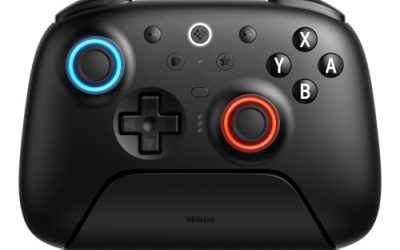
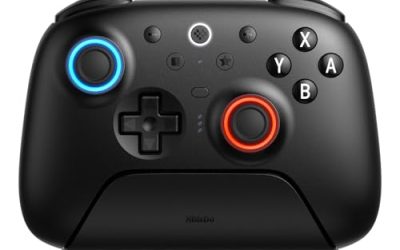
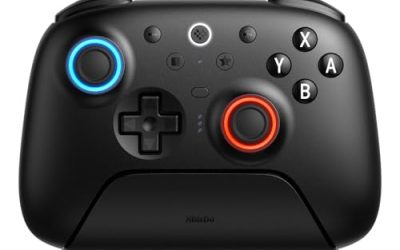
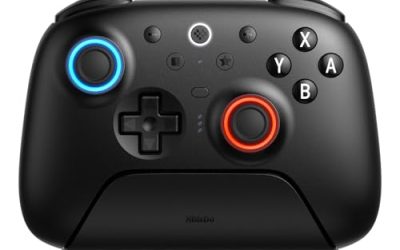
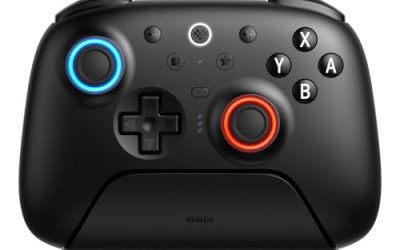
8BitDo Ultimate 2 Bluetooth Controller
The docked pad pick. Caesar 3 declares no controller support, so on a pad you are playing through Steam Input — and this one covers that job with modern sticks, triggers and back buttons for session shortcuts.
Specs
- Connectivity: Bluetooth wireless and USB-C wired
- Joysticks: TMR electromagnetic, anti-drift design
- Triggers: Hall effect, with mode switching
- Extras: two remappable back buttons, motion control
- In the box: charging dock included
Xbox Wireless Controller, Carbon Black

The safest guest pad in PC gaming: Steam Input support is universal, the glyphs match what most games display, and it pairs over Bluetooth or its own wireless standard. On the handheld, the test sheet’s note applies: an external pad may need a manual Quick Access Menu switch before it takes over.
- Connectivity: Xbox Wireless and Bluetooth
- Port: USB-C for wired play
- Controls: hybrid D-pad, dedicated Share button
- Power: AA batteries or optional rechargeable pack
Logitech G502 HERO

This is the input the game was designed around. Governing a city is hundreds of precise clicks on buildings, menus and map edges, and eleven programmable buttons put the repeated inputs under one hand.
Specs
- HERO optical sensor, up to 25,600 DPI
- 11 programmable buttons
- Adjustable weight system
- Wired USB connection
- On-board memory profiles
Samsung T9 Portable SSD 2TB

For moving a Linux game library between machines, or keeping an offline backup of installers, a fast USB-C drive is the simple answer. The headline figure needs a Gen 2×2 host port; on a lesser port the drive runs at that ceiling.
Specs
- Capacity: 2 TB portable SSD
- Interface: USB 3.2 Gen 2×2, USB-C connector
- Maker-rated speeds: up to 2,000 MB per second read, 1,950 MB per second write
- Features: Dynamic Thermal Guard, maker-rated drop resistance
How to choose
Choose the Steam copy if you want the route Valve has actually graded: the Playable badge, the stable-Proton test sheet and the Gold ProtonDB file all describe this exact build, and Steam Input is already configured for it. Choose the GOG copy if a DRM-free installer matters more than the badge — the build is the same Windows code running through the same Proton layer, but no storefront paperwork grades it there. Either way, plan on arrow keys for map scrolling, stay in fullscreen, and treat widescreen executables and the Augustus engine as optional community projects rather than part of the purchase.
Who should skip
Skip this if you only buy games with native Linux builds — there is none here, on any storefront, and the record gives no sign of one coming. Skip it if windowed play matters to you, since the windowed rendering fault appears in filings across many Proton generations. And skip it if you expect a controller-first experience: the game ships no pad support, and every pad route, Deck included, is Steam Input standing in for a mouse.
FAQ
Is Caesar 3 native on Linux?
No. The app flags, the sole purchase package, the depot list and GOG’s product record all read Windows-only, and the Mac and Linux requirements fields are empty. The “Natively Supports:” heading on the ProtonDB page is a template artefact the Steam record contradicts.
How well does Caesar 3 run under Proton?
Well, by the file’s own measure: a Gold headline tier, a Platinum best-reported tier and a Gold trending tier across 19 reports with good confidence. The known faults are edge scrolling on two map edges, garbled windowed rendering, and fixed period resolutions.
Is Caesar 3 Playable on Steam Deck?
Yes — Valve rates it Playable, with SteamOS Compatible, from a December 2022 test that graded the build still on sale today. The deductions are wrong glyphs, manual keyboard invocation, multi-window focus and no native-resolution support; the default configuration passes as fully functional and performant.
Does buying Caesar 3 on GOG get me a Linux version?
No. GOG’s product record reads Windows-only, the same as Steam’s. The GOG copy is a DRM-free edition of the same Windows build; it changes nothing about platforms.
Final verdict
Caesar 3 on Linux is a closed question at the record level and an open invitation at the practical one. Natively, there is nothing: one package, one depot, two storefronts, all Windows-only, frozen since 2016. Through Proton, there is a Gold-rated file with good confidence, a Playable Deck badge whose paperwork still grades the current build, and a short list of documented quirks with known workarounds. Buy it as a Proton game with your eyes open about edge scrolling and windowed mode, and the 1999 original governs exactly as it should.
Product and ASIN Reference
| Product | ASIN |
|---|---|
| Valve Steam Deck OLED 512GB | B0CQ3RWQQZ |
| 8BitDo Ultimate 2 Bluetooth Controller | B0F194QFT2 |
| Xbox Wireless Controller, Carbon Black | B08DF248LD |
| Logitech G502 HERO | B07GBZ4Q68 |
| Samsung T9 Portable SSD 2TB | B0CHFS9K14 |