Not For Broadcast puts you behind the vision-mixing desk of the National Nightly News, cutting between camera feeds, censoring what cannot go out live and steering a country sliding into authoritarian rule. It is a full-motion-video game, which makes its Linux question practical: the footage itself has to play, not just the menus.
Steam’s record answers the platform question without ambiguity, but the family around the game contains one flag that points the wrong way, and a well-known community page repeats the mistake in its own heading. This article walks the record layer by layer: the store flags, the depots a purchase delivers, every related app checked individually, and Valve’s Deck file.
As an Amazon Associate, we earn from qualifying purchases.
Quick answer
Not For Broadcast is not native on Linux. Steam’s record flags Windows only, the Linux requirements tab is an empty shell, and the only Linux flag in the whole family sits on the soundtrack. Linux players run the Windows build under Proton: ProtonDB rates it Gold across 89 reports, and Valve rates the Deck build Playable.
What Steam’s record actually says
The appdetails record for app 1147550 names the game Not For Broadcast, developed by NotGames and published by tinyBuild, released on 25 January 2022. Its platform flags read windows true, mac false and linux false. The Windows requirements are genuinely populated at both tiers, starting from a 64-bit Windows 10 system with 8 GB of memory. The Linux requirements field exists as a form only: Minimum and Recommended headings, each over a completely empty list, and the Mac field has the same hollow shape. No hardware line for Linux has ever been published here.
The depot table backs the flags. The content depot a purchase delivers holds a little over 51 GB on disk, and its file census is Windows material: executable and library files alongside the video bundles the game is built from. The only redistributable attached is a Windows DirectX package, and the store package grants the game app alone, reading Windows only at the package layer too, so no quieter second build hides behind the purchase. The current public branch serves a build from October 2024. Two absences are worth stating as gaps rather than findings: no DRM notice and no external-account notice.
The family sweep: one Linux flag, and it belongs to the soundtrack
The game’s record lists five related apps, and each was opened and read on its own record rather than judged by the game’s flags. Three are story expansions: Live and Spooky, Bits of Your Life and The Timeloop. All three flag Windows only; two pair that flag with Linux fields that are empty lists outright, and the third repeats the main game’s empty shell. The Season Pass flags Windows only too.
The fifth app is the Not For Broadcast Soundtrack, a music product, and it is the one false signal in the family. Its record flags all three platforms true, while its Linux and Mac requirements fields are empty lists with nothing written under them. A bare three-platform flag on an audio release is a known shape in this catalogue: it describes how the soundtrack files are delivered, not a port of anything. It is the only place in the family where the Linux flag is set at all. The free Prologue, a separate app judged on its own record, also flags Windows only, so the demo route agrees with the full release.
Steam Deck: Playable, on paperwork from an older build
Valve’s compatibility file for this game, read through SteamDB’s republication of Valve’s data, gives the game the Playable category, with SteamOS separately rated Compatible. The recommended runtime is proton-stable, so the badge certifies the Windows build under Proton; there is no native build for it to certify. The passing items cover legible interface text, Deck controller icons and sound default performance.
The notes explain why the category stops at Playable. Some functionality is not reachable through the default controller configuration and needs the touchscreen, the virtual keyboard or a community configuration. Entering text requires invoking the on-screen keyboard manually, and an external Bluetooth or USB controller does not take over by default, so it may need a manual switch through the Quick Access Menu. Those are input caveats rather than performance problems, but they are real ones for a handheld session. One caution belongs with the badge: the test was run in November 2022 against the build current then, and the public branch has moved on since, most recently in October 2024, so the paperwork describes an older build than the one a buyer downloads today.
ProtonDB: a Gold file, and a heading that overclaims
ProtonDB’s summary record reads Gold on the headline tier, Platinum on the best-reported tier and Gold on the trending tier, across 89 reports with strong confidence. It points the same way as Valve’s badge: the Windows build is a workable Proton game on current setups.
The game’s ProtonDB page also carries the stray-label pattern this series keeps meeting. The page heads its requirements block with a native-support label, yet every report beneath it was filed under a named Proton version, and Steam’s record contradicts the heading on every layer. The heading is a labelling quirk, not evidence of a native build.
The reports share one recurring theme, and it is the one the game’s format predicts: the video. Friction reports cluster around playback, with freezes and stalled feeds named on the default build by some reporters, and workarounds such as the alternate-video branch or community Proton builds named by others. Plenty describe uneventful runs on recent versions.
Anti-cheat, from three separate sources
Three sources were checked separately, and they should not be merged. Steam’s record names no anti-cheat and carries no DRM or account notice. SteamDB’s detected-technology list names the Unity engine, a game development kit and the Mono runtime: engine entries, not protection systems. The Are We Anti-Cheat Yet dataset, all 1,167 games searched by name and app id, carries no entry for this title. Nothing suggests a kernel-level blocker for Linux play.
The GOG edition: real, and Windows only
A GOG edition of this game exists, ruled from GOG’s own catalogue record and product page, whose description and premise match Steam’s record exactly. Its compatibility data lists Windows alone: no Linux build and no Mac build. The storefront choice therefore changes nothing for a Linux player; both shops sell the same Windows edition, and both routes lead back to Proton. GOG’s quick search returned nothing for this title while the product page is live, so the ruling rests on the page and catalogue record, never on search.
Gear for the broadcast desk
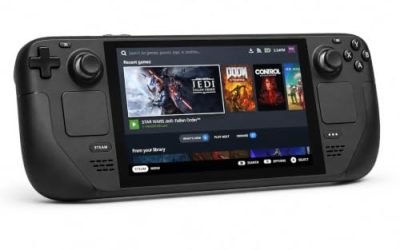
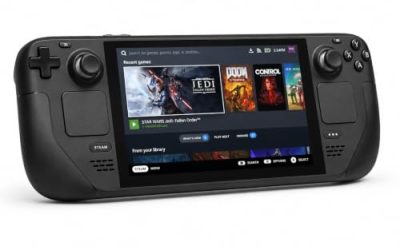
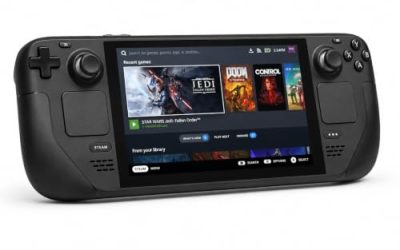
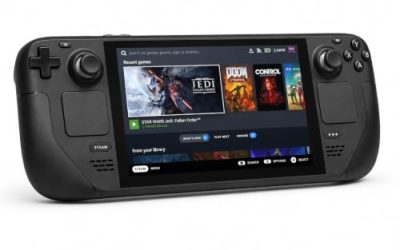
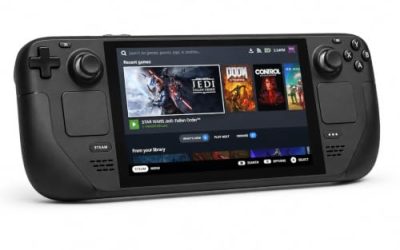
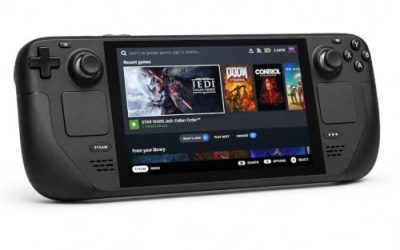
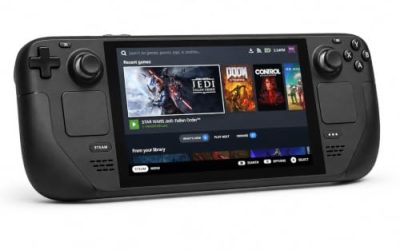
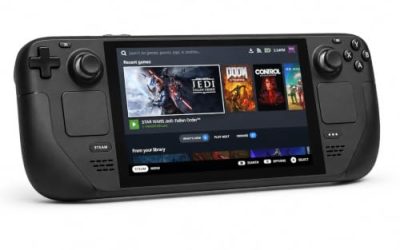
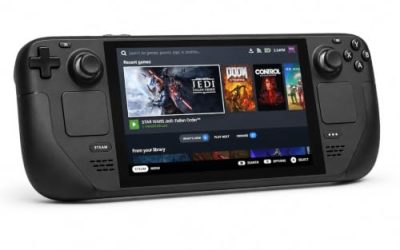
Valve Steam Deck OLED 512GB

The handheld Valve’s Playable badge was written for. Desk-bound play suits the Deck’s controls, the sheet confirms legible text and sound default performance, and the storage swallows a video-heavy install.
Specs
- Display: 7.4-inch HDR OLED, 1280 by 800, up to 90 Hz
- Processor: AMD Zen 2 and RDNA 2 custom APU
- Memory: 16 GB LPDDR5
- Storage: 512 GB NVMe, plus a microSD slot
- Wireless: Wi-Fi 6E and Bluetooth
- Channel note: Valve sells the Deck mainly through its own store, so Amazon listings are third-party sellers
8BitDo Ultimate 2 Bluetooth Controller

The docked and desktop pad pick. Steam lists full controller support, and this pad covers the couch case with modern sticks, triggers and back buttons.
Specs
- Connectivity: Bluetooth wireless and USB-C wired
- Joysticks: TMR electromagnetic, anti-drift design
- Triggers: Hall effect, with mode switching
- Extras: two remappable back buttons, motion control
- In the box: charging dock included
Xbox Wireless Controller, Carbon Black

The safest guest pad in PC gaming: Steam Input support is universal, the glyphs match what most games display, and it pairs over Bluetooth or its own wireless standard. On the handheld, this game’s sheet carries the note: an external pad may need a manual Quick Access Menu switch first.
- Connectivity: Xbox Wireless and Bluetooth
- Port: USB-C for wired play
- Controls: hybrid D-pad, dedicated Share button
- Power: AA batteries or optional rechargeable pack
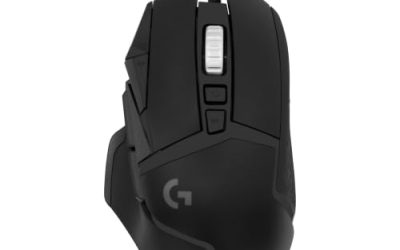
Logitech G502 HERO

On a desktop, this game is played at a mixing desk, and a precise wired mouse is the natural tool for hitting camera cuts and the censor button on cue. Eleven programmable buttons cover the inputs a long session repeats.
Specs
- HERO optical sensor, up to 25,600 DPI
- 11 programmable buttons
- Adjustable weight system
- Wired USB connection
- On-board memory profiles
Samsung T9 Portable SSD 2TB

The base game alone takes a little over 51 GB on disk, and the expansions push the full install far higher, so a fast external drive earns its place for moving a library between machines or keeping a backup. The headline figure needs a Gen 2×2 host port; on a lesser port the drive runs at that ceiling.
Specs
- Capacity: 2 TB portable SSD
- Interface: USB 3.2 Gen 2×2, USB-C connector
- Maker-rated speeds: up to 2,000 MB per second read, 1,950 MB per second write
- Features: Dynamic Thermal Guard, maker-rated drop resistance
How to choose
Choose either storefront, because the product is identical: a Windows build. On a desktop or laptop, install and leave the compatibility tool at its default first; the Gold headline says current builds generally run the game well, and if the video layer misbehaves, the community file points at the alternate-video branch and community Proton builds as the known levers. On a Steam Deck, expect a Playable experience rather than a Verified one: budget for the touchscreen or on-screen keyboard where the sheet says the default configuration falls short.
Who should skip
Skip this one if you are shopping for a native Linux release: none exists, and the soundtrack’s flag is not a substitute for one. Skip it if video playback problems would ruin the game for you and you are unwilling to touch a beta branch or a community Proton build, because the footage layer is where this title fights back. Skip the Deck plan if manual keyboard invocation and controller switching sound like friction you will resent.
FAQ
Is Not For Broadcast native on Linux?
No. Steam’s record for app 1147550 flags Windows only, the Linux requirements field is an empty shell with no hardware lines, and the store package delivers Windows depots only. The one Linux flag in the family belongs to the soundtrack, an audio product whose record flags all three platforms while publishing no requirements for any of them; that pattern describes file delivery, not a port.
How well does Not For Broadcast run under Proton?
ProtonDB’s summary reads Gold on the headline and trending tiers and Platinum on the best-reported tier, across 89 reports with strong confidence. Complaints cluster around video playback, with the alternate-video branch and community Proton builds named as workarounds; many report clean runs on recent versions.
Is Not For Broadcast Steam Deck Verified?
No, it is one step down: Valve rates it Playable, with SteamOS Compatible. The sheet credits legible text, matching controller icons and sound default performance, and notes touchscreen or keyboard steps for some functions. The test dates from November 2022, on an older build than the current branch serves.
Can I buy Not For Broadcast on GOG instead?
Yes, a GOG edition exists, but it is Windows only, so it changes nothing for Linux play. GOG’s catalogue record lists Windows as the sole operating system.
Final verdict
Not For Broadcast is a Windows-only release whose paper trail needs one careful reading: an empty-shell Linux tab, a three-platform flag on its soundtrack, and a community heading that claims more than the record supports. Underneath those quirks the evidence is consistent: the store package delivers Windows depots, every related app agrees, Valve rates the Windows build Playable on the Deck, and 89 reports hold it at Gold with a Platinum ceiling. Buy whichever copy you prefer, play it under Proton, and do not let an audio product’s flag sell you a native build that does not exist.
Product and ASIN Reference
| Product | ASIN |
|---|---|
| Valve Steam Deck OLED 512GB | B0CQ3RWQQZ |
| 8BitDo Ultimate 2 Bluetooth Controller | B0F194QFT2 |
| Xbox Wireless Controller, Carbon Black | B08DF248LD |
| Logitech G502 HERO | B07GBZ4Q68 |
| Samsung T9 Portable SSD 2TB | B0CHFS9K14 |