Strange Antiquities, Bad Viking’s occult shopkeeping sequel to Strange Horticulture, published by Iceberg Interactive and released on 17 September 2025, puts you behind the counter of an Undermere antiquities store, identifying arcane artefacts for townsfolk. It is a Windows and Mac release: Steam flags Linux false, publishes no Linux requirements in any form and holds no Linux depot. Yet a family-level scan can still call it Linux-supported, because one app in its family carries the flag.
That app is the soundtrack. This piece reads the record layer by layer — flags and fields, depots and package, the soundtrack and demo apps individually, the Proton file, the Deck sheet and the GOG edition — so the flag lands on the product it belongs to.
As an Amazon Associate, we earn from qualifying purchases.
Quick answer
Strange Antiquities is not native on Linux. Steam flags the game for Windows and Mac only, its Linux requirements field is an empty list, and SteamDB’s depot table holds a Windows build and a macOS build with no Linux depot. The family’s only Linux flag sits on the soundtrack app. The working route is Proton: ProtonDB’s page rates the game Platinum, and Valve rates it Verified on Steam Deck.
The status at a glance
| Question | Answer from the record |
|---|---|
| Native Linux build | No |
| Linux depot | None |
| The family’s Linux flag | On the soundtrack, not the game |
| ProtonDB record | Platinum headline, 11 reports |
| Steam Deck verdict | Verified |
| GOG edition | Exists, Windows only |
The flag that is not the game’s
Start with the trap. The game’s record lists exactly one DLC app: the Soundtrack (3833030), a music product released the same day as the game. On its own record, the soundtrack flags all three platforms true — Windows, Mac and Linux. Its Linux requirements field is an empty list, its Mac field the same, and its only published requirements text is a storage line for the audio files. A bare platform flag on an audio product, with no build or requirements behind it, is the classic soundtrack trap: roll family flags up to the parent game and Strange Antiquities reads as Linux-supported — wrongly.
The demo tells the opposite story: a separate app (3629010), outside the game’s DLC array, released on 5 June 2025, flagging Windows alone — Linux false, same empty-list Linux field. Within one small family, the free demo agrees with the game; only the paid audio add-on dissents. Neither app changes the game’s own record — each is recorded at its own layer, where flags belong.
What Steam’s own record says
Steam’s record (app 2885870) lists the platforms as Windows true, Mac true, Linux false. The Mac build is real: the Mac requirements field is populated at the minimum tier — Apple M1 or Intel Core M, 4 GB of RAM, 3 GB of storage — and SteamDB’s extended record describes a 64-bit, Apple Silicon, notarized build. The Windows field is populated at both tiers: Windows 10 or above, a quad-core processor and a DX11-class card at minimum, rising to an i3-10100 and a GTX 1060 recommended.
Against those two populated fields, the Linux field is an empty list outright — not the empty shell of headings over blank lists; no Linux tab exists in any form. The store package settles delivery too: package 1028920 grants the game app alone, its flags reading Windows true, Mac true, Linux false.
SteamDB’s depot table matches: two depots exist, 2885871 with the Windows content at 2.52 GiB and 2885872 with the macOS content at 2.59 GiB. No third depot, no Linux build in a test branch, nothing stranded outside the packages. The record also lists full controller support, Steam Cloud, Family Sharing and a long accessibility list — adjustable text size, camera comfort options, colour alternatives, a mouse-only mode.
Anti-cheat, from three separate sources
Three sources, kept separate. Steam’s record names no anti-cheat, carries no DRM notice and requires no external account. SteamDB’s detected technologies are engine and plumbing: Unity, Mono, SteamworksNET, UnityBurst, UnityURP, XAudio2, cURL, plus an Epic Online Services SDK entry — a services library, not an anti-cheat product. The Are We Anti-Cheat Yet dataset carries no entry for the game, searched by name and by app id. Nothing on any of the three records stands between this single-player game’s Windows build and a compatibility layer.
The Proton file
ProtonDB’s game page for app 2885870 carries a Platinum headline across 11 reports. One evidence note: the summary endpoint returned no record for this app this session, in two attempts, so its best-reported and trending tiers and confidence figure could not be read; what follows rests on the game page alone.
The page also carries the stray-tag pattern this series watches for: its requirements block is headed with a native-support label, yet Steam’s record contradicts the heading directly — Linux false, no Linux depot — and every report beneath it was filed under a named Proton version. The heading is a labelling quirk, not a port. At report weight, the file underneath is strong: most reports describe the game working perfectly, with two texture notes. One Proton 10.0-3 reporter found item dragging unresponsive with a mouse while a controller worked fine; one GE-Proton report describes a copy that installed but would not open.
The Steam Deck sheet
Valve rates Strange Antiquities Verified on Steam Deck, its top category, and SteamOS separately Compatible. The verdict and paperwork were read through SteamDB’s republication of Valve’s record for this app, the fallback route this project uses when Valve’s own endpoint misbehaves.
All four Verified checks pass, with no note items: default controller configuration fully functional, Steam Deck controller icons shown, interface text legible, default graphics performing well. The paperwork dates the test to 9 September 2025 — eight days before release — on build 19840142, with proton-10.0-beta the recommended runtime. The runtime line is the tell: the badge certifies the Windows build under Proton, because no native build exists for it to certify.
The build axis has since moved: the public branch now serves build 21410141, dated 7 January 2026, so the paperwork describes a pre-release build rather than the one a buyer downloads today. The category stands, but on the paperwork-versus-branch test this series applies, the game is a supplement candidate: Valve’s file awaits a refresh against the shipping build.
The storefront ruling
A second storefront does sell this game. GOG’s product page for Strange Antiquities — identity checked against Steam’s record, Bad Viking named as developer, the same Undermere shop premise — is a live edition whose system-requirements section offers a Windows tab and no other: no Linux edition and, unlike Steam, no Mac build either. GOG’s catalogue search returned nothing despite the live page — the known search blind spot — so the ruling rests on the product page itself. For a Linux buyer the effect is simple: the GOG copy is a Windows build with no compatibility file behind it; the Steam copy is the build both records describe. Buy the Steam copy.
Gear that fits the record
The gear below follows the record’s shape.
Valve Steam Deck OLED 512GB

The handheld the badge was written for: a clean four-check pass under Proton, and a point-and-click shop game fits the Deck naturally.
Specs
- Display: 7.4-inch HDR OLED, 1280 by 800, up to 90 Hz
- Processor: AMD Zen 2 and RDNA 2 custom APU
- Memory: 16 GB LPDDR5
- Storage: 512 GB NVMe, plus a microSD slot
- Wireless: Wi-Fi 6E and Bluetooth
- Channel note: Valve sells the Deck mainly through its own store, so Amazon listings are third-party sellers
8BitDo Ultimate 2 Bluetooth Controller

The docked and desktop pad pick: full controller support on the record, and one Proton reporter found the game plays fine on a controller where mouse dragging faltered. This pad covers the couch case with modern sticks, triggers and back buttons.
Specs
- Connectivity: Bluetooth wireless and USB-C wired
- Joysticks: TMR electromagnetic, anti-drift design
- Triggers: Hall effect, with mode switching
- Extras: two remappable back buttons, motion control
- In the box: charging dock included
Xbox Wireless Controller, Carbon Black

The safest guest pad in PC gaming: Steam Input support is universal, the glyphs match what most games display, and it pairs over Bluetooth or its own wireless standard.
- Connectivity: Xbox Wireless and Bluetooth
- Port: USB-C for wired play
- Controls: hybrid D-pad, dedicated Share button
- Power: AA batteries or optional rechargeable pack
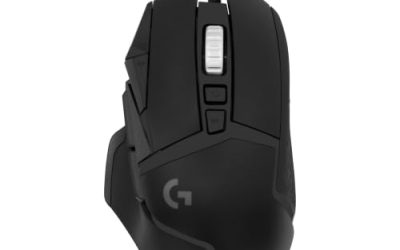
Logitech G502 HERO

Identifying artefacts is close-looking work — comparing engravings against illustrated tomes — and a precise wired mouse suits those inspection screens. Eleven programmable buttons cover the confirm, cancel and rotate inputs a long session repeats.
Specs
- HERO optical sensor, up to 25,600 DPI
- 11 programmable buttons
- Adjustable weight system
- Wired USB connection
- On-board memory profiles
Samsung T9 Portable SSD 2TB

For moving a Linux game library between machines, a fast USB-C drive is the simple answer; the headline figure needs a Gen 2×2 host port, and on a lesser port the drive runs at that ceiling.
Specs
- Capacity: 2 TB portable SSD
- Interface: USB 3.2 Gen 2×2, USB-C connector
- Maker-rated speeds: up to 2,000 MB per second read, 1,950 MB per second write
- Features: Dynamic Thermal Guard, maker-rated drop resistance
How to choose
Choose the Steam copy: it is the build both records describe, it carries the Steam Cloud saves the record lists, and its GOG counterpart is a Windows-only edition with no Proton file behind it. On desktop or laptop, leave the compatibility tool at its default; the Platinum headline rests on current Proton versions, and the one mouse-drag report argues for keeping a controller connected. On Steam Deck, no setup work is expected — but the paperwork predates the shipping build, so treat the badge as a strong pre-release test, not a test of today’s download. And if you own the soundtrack, enjoy the music: its flags are a storefront quirk, nothing more.
Who should skip
Skip this one if you are shopping for a native Linux build: none exists on any storefront, and the family’s only Linux flag belongs to an audio product. Skip the GOG copy if you play on Linux — same Windows build, no compatibility records attached. Skip it if a pre-release Deck test is not reassurance enough and you only buy Verified games whose paperwork matches the current build. And do not import the prequel’s platform picture: each game is ruled on its own record, and this record is Windows and Mac.
FAQ
Is Strange Antiquities native on Linux?
No. Steam flags Windows and Mac only, the Linux requirements field is an empty list, SteamDB lists only Windows and macOS depots, and the store package flags Linux false as well.
Why do some scans say Strange Antiquities supports Linux?
Because its soundtrack app flags all three platforms true — a flag on a music product whose Linux field is empty and which ships no build. The game, its demo and its store package all read Windows and Mac only.
How well does Strange Antiquities run under Proton?
ProtonDB’s game page gives the Windows build a Platinum headline across 11 reports, most describing clean runs on current Proton. Its summary endpoint returned no record this session, so no best-reported or trending tier is claimed.
Is Strange Antiquities Steam Deck Verified?
Yes — top category Verified, all four checks passing, SteamOS separately Compatible. The test ran on a pre-release build in September 2025 under a Proton 10 beta runtime, so the badge certifies the Windows build under Proton.
Final verdict
Strange Antiquities is a Windows and Mac release whose paper trail holds one false note: a soundtrack flag that family-level scans will credit to the game. Discount it and the record is clean — no Linux tab, no Linux depot, a Windows-and-Mac package, a Windows-only GOG edition, a Windows-only demo agreeing. What Linux players get instead is a documented Proton route: a Platinum community headline and a Verified Deck badge, with the caveat that the paperwork predates the shipping build. Buy the Steam copy, play it under Proton, and let the soundtrack keep its flag to itself.
Product and ASIN Reference
| Product | ASIN |
|---|---|
| Valve Steam Deck OLED 512GB | B0CQ3RWQQZ |
| 8BitDo Ultimate 2 Bluetooth Controller | B0F194QFT2 |
| Xbox Wireless Controller, Carbon Black | B08DF248LD |
| Logitech G502 HERO | B07GBZ4Q68 |
| Samsung T9 Portable SSD 2TB | B0CHFS9K14 |