Hypnospace Outlaw is a simulation of a dream-fed 1999 internet: you patrol garish personal pages as a volunteer Enforcer, hunting content violations with a banhammer on a simulated desktop. Steam’s record names the developers as Tendershoot, Michael Lasch and ThatWhichIs Media, the publisher as No More Robots, and the release date as 12 March 2019.
The Linux question for a game built like a web browser is usually which compatibility layer it needs. Here the answer is none: this is one of the rare records where the native build is not a rumour, a stray flag or a soundtrack accident, but a full-size deliverable that every layer of the paperwork describes the same way.
As an Amazon Associate, we earn from qualifying purchases.
Quick answer
Yes. Hypnospace Outlaw ships a genuine native Linux build, and every layer of the record agrees: Steam flags Linux true with a populated Linux requirements tab, SteamDB lists full-size Linux 64-bit and 32-bit depots inside the store package, Valve’s own Deck sheet names the native runtime, and GOG sells a Linux edition as well. No Proton is required.
The record, layer by layer
Start with Steam’s own fields. The platform flags read Windows true, Mac true and Linux true, and the Linux requirements field is genuinely populated at both tiers rather than left as a heading over nothing: the minimum names Ubuntu 14.04 or SteamOS, an Intel i5 Ivy Bridge processor, 2 GB of RAM and Intel Iris Pro graphics, while the recommended tier raises the processor to a Haswell i5 and the memory to 4 GB. The text mirrors the Mac field’s shape with a Linux operating system line — the mark of a hand-written port tab.
SteamDB’s depot table then shows the build behind the words. Five content depots exist: Windows 64-bit at 977.11 MiB, Windows 32-bit at 940.94 MiB, macOS 64-bit at 1.02 GiB, Linux 64-bit at 1.06 GiB and Linux 32-bit at 1.07 GiB. The two Linux depots are the largest in the table, not stubs, and the store package a purchase delivers (package 264018, “Buy Hypnospace Outlaw”) grants the game app, its own platform flags reading all three true. A dedicated Linux client icon sits in the asset list as a final tell.
The detected technology explains the shape. SteamDB lists the Construct engine with the NWJS and NodeJS SDKs alongside Greenworks and Modio: the game is essentially a web application wearing a desktop costume, and a Chromium-based runtime is the kind of stack that ships credible builds for all three platforms at once.
The family sweep: one soundtrack, no trap
The record’s full DLC array contains exactly one app, the Hypnospace Outlaw Original Soundtrack (app 1041000), read individually here. It is a music product that flags all three platforms true while its Linux requirements field is an empty list. In a Windows-only family that bare flag is the classic false signal; in this family it changes nothing, because the game itself carries the real build and the soundtrack’s flag describes an audio download, not a port. No demo, artbook or supporter pack exists in the array to check further.
Steam Deck: Playable, on the native build
Valve’s compatibility record — read here from SteamDB’s republication of Valve’s data, because Valve’s own endpoint returned an unreadable response this session — gives the game a Playable rating, with SteamOS separately marked Compatible. The decisive line is the recommended runtime: native. Valve tested the Linux build itself, on 3 April 2024, against build 13792091. The current public branch serves build 13939108, finalised the same day, so the sheet predates the branch build now served and belongs on the list of Deck paperwork worth a factual refresh.
The notes are all about input, which fits a game that simulates a desktop. Some functionality is not accessible under the default controller configuration and needs the touchscreen, the virtual keyboard or a community configuration; the game sometimes shows mouse, keyboard or non-Deck controller icons; and entering some text requires manually invoking the on-screen keyboard. Against that, Valve records that in-game text is legible and the default graphics configuration performs well. Nothing in the sheet requires internet for setup or for single-player.
What ProtonDB can and cannot add
ProtonDB’s summary feed failed this session, returning an error page on repeated attempts, so no headline tier or confidence figure is claimed from it here. The game’s page on the site could be read directly, and it classifies the title as Native; its requirements heading reads “Natively Supports”, which for once agrees with Steam’s record instead of contradicting it. The page holds 12 reports, a mix of native runs and players who chose the Windows build under Proton anyway.
Kept at report weight, native players on modern hardware describe a game that simply works; one reporter notes the native build ran slowly on an old PC where the Windows build fared better. The recurring functional gap is text-to-speech: the game’s assistant voice is not synthesised on the Linux build and falls back to robotic noises, with captions carrying the meaning. One native report also notes the Steam overlay not opening, where the Proton route kept it. None of this overturns the verdict; it prices the native build honestly.
Anti-cheat and account checks
This is a single-player game, and the three sources stay separate. Steam’s record carries no DRM notice and no external-account notice. SteamDB’s detected technologies are engine and SDK plumbing only, with no anti-cheat named. The Are We Anti-Cheat Yet dataset, searched by name and by app id across its full list, carries no entry for this game at all. There is no anti-cheat layer to clear and no second account to create.
The GOG edition
GOG sells this game, and its catalogue record — opened directly, with the developer names matching Steam’s record exactly — lists Windows, Linux and Mac as its operating systems, so the GOG edition includes a Linux build too. One caution about method: GOG’s embed search returned nothing for the title despite the live product page — a known blind spot in that route — so this ruling rests on the catalogue record and product page, not on search. Linux players who prefer a DRM-free copy have a real second storefront here.
Gear for a desktop you pretend to use
The hardware below follows the standard set for a Deck Playable game. Hypnospace Outlaw is a mouse-shaped game wearing a gamepad badge, so the picks lean into both halves of that split.
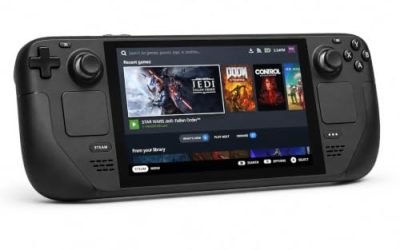
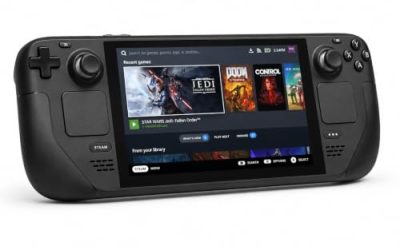
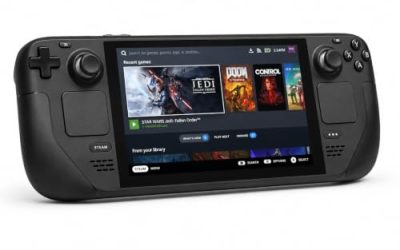
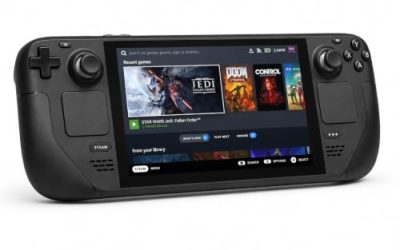
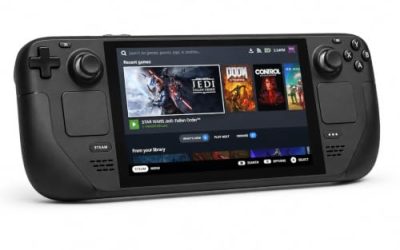
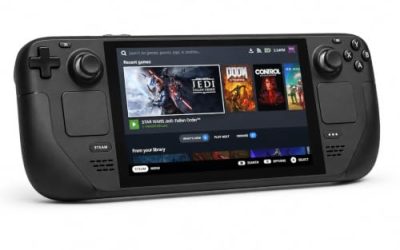
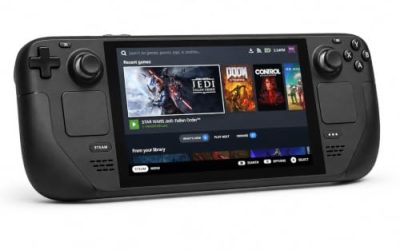
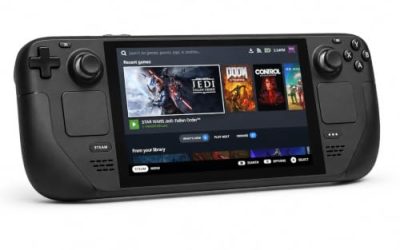
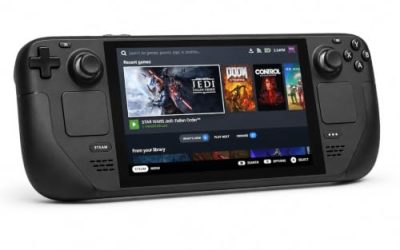
Valve Steam Deck OLED 512GB

Valve’s Playable sheet was earned by the native build, and the notes are input notes rather than performance warnings: text is legible, the default graphics configuration performs well, and the friction is keyboards and glyphs, which the touchscreen answers.
Specs
- Display: 7.4-inch HDR OLED, 1280 by 800, up to 90 Hz
- Processor: AMD Zen 2 and RDNA 2 custom APU
- Memory: 16 GB LPDDR5
- Storage: 512 GB NVMe, plus a microSD slot
- Wireless: Wi-Fi 6E and Bluetooth
- Channel note: Valve sells the Deck mainly through its own store, so Amazon listings are third-party sellers
8BitDo Ultimate 2 Bluetooth Controller

For the couch sessions where a community configuration does the pointing for you, this is the pad to pair: modern sticks and triggers, back buttons for the shortcuts a fake desktop rewards, and a dock that keeps it charged between patrols.
Specs
- Connectivity: Bluetooth wireless and USB-C wired
- Joysticks: TMR electromagnetic, anti-drift design
- Triggers: Hall effect, with mode switching
- Extras: two remappable back buttons, motion control
- In the box: charging dock included
Xbox Wireless Controller, Carbon Black

The guest-pad standard. Steam lists partial controller support for this game, so a pad is a secondary input here rather than the main one, and this is the controller whose behaviour under Steam Input is the most predictable of the set.
- Connectivity: Xbox Wireless and Bluetooth
- Port: USB-C for wired play
- Controls: hybrid D-pad, dedicated Share button
- Power: AA batteries or optional rechargeable pack
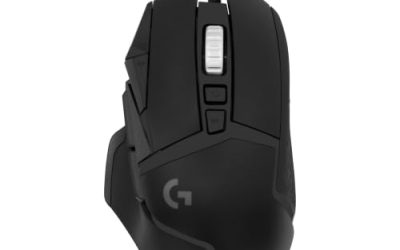
Logitech G502 HERO

The honest primary input for this game is a mouse: the whole patrol is clicking links, dragging windows and reading pages on a simulated desktop. A precise wired sensor and eleven programmable buttons turn an evening of enforcement into single clicks.
Specs
- HERO optical sensor, up to 25,600 DPI
- 11 programmable buttons
- Adjustable weight system
- Wired USB connection
- On-board memory profiles
Samsung T9 Portable SSD 2TB

Each platform build of this game is roughly a gigabyte, so a fast portable drive is not about this title alone; it is how a whole Linux library moves between a desktop and a laptop, or stays backed up offline. The headline speeds need a Gen 2×2 host port.
Specs
- Capacity: 2 TB portable SSD
- Interface: USB 3.2 Gen 2×2, USB-C connector
- Maker-rated speeds: up to 2,000 MB per second read, 1,950 MB per second write
- Features: Dynamic Thermal Guard, maker-rated drop resistance
How to choose
On desktop Linux, buy either storefront with confidence: the Steam copy installs the native build by default, and the GOG copy offers the same platform without DRM. Leave any compatibility tool alone unless you specifically want the Windows build; a few players prefer it for the overlay behaviour and the assistant’s synthesised voice, and ProtonDB’s mixed report list shows both routes in the wild. On Steam Deck, expect a Playable rather than seamless ride: install the native build, keep a community configuration in mind, and use the touchscreen for the text fields the sheet warns about. For input anywhere, treat a mouse as the primary controller and a pad as the alternative.
Who should skip
Skip the Linux build if the assistant’s spoken voice matters to you: text-to-speech is the one feature the native version demonstrably lacks, and the fallback is captioned robotic noise. Skip it on very old hardware, where at least one report found the native build slower than the Windows one. Skip the Deck version if a simulated desktop with manual on-screen keyboards sounds like work rather than charm. And skip the game entirely if a slow, reading-heavy patrol through fictional homepages holds no appeal, because that is the whole of it.
FAQ
Is Hypnospace Outlaw native on Linux?
Yes. Steam flags Linux true with a populated Linux requirements tab, SteamDB lists Linux 64-bit and 32-bit depots larger than the Windows ones inside the store package, Valve’s Deck sheet names the native runtime, and GOG’s catalogue record lists Linux among the game’s operating systems.
Why is it only Playable on Steam Deck if the build is native?
Because the badge grades the experience, not the port. Valve’s notes cite input friction: some functions need the touchscreen, virtual keyboard or a community configuration, text entry requires manually invoking the on-screen keyboard, and the game sometimes shows mouse or keyboard icons. Performance and legibility both pass.
What does not work in the Linux build?
The clearest gap in player reports is text-to-speech: the assistant’s voice is not synthesised on Linux and falls back to robotic noises, with captions provided. One native report also describes the Steam overlay failing to open, and one report on old hardware found the native build slow.
Should I buy it on Steam or GOG?
Either. Both storefronts list a Linux build for this game; the Steam copy is the one Valve’s Deck sheet and the ProtonDB reports describe, while the GOG copy is the DRM-free route. GOG’s search can fail to surface the game, so go to its product page directly.
Final verdict
Hypnospace Outlaw is a clean native case in a series full of traps: a populated Linux tab, two full-size Linux depots in the package a purchase delivers, a Deck sheet that names the native runtime, a ProtonDB heading that agrees with Steam for once, and a GOG edition that lists Linux outright. The caveats are real but small — a Playable badge earned on input friction, paperwork one build behind the branch, and an assistant who loses her voice. For Linux players, this is the easy kind of yes.
Product and ASIN Reference
| Product | ASIN |
|---|---|
| Valve Steam Deck OLED 512GB | B0CQ3RWQQZ |
| 8BitDo Ultimate 2 Bluetooth Controller | B0F194QFT2 |
| Xbox Wireless Controller, Carbon Black | B08DF248LD |
| Logitech G502 HERO | B07GBZ4Q68 |
| Samsung T9 Portable SSD 2TB | B0CHFS9K14 |