Slime Rancher is Monomi Park’s first-person ranching game: you play Beatrix LeBeau, vacuuming wild slimes into corrals on the Far, Far Range, feeding them, collecting the plorts they drop and selling them to fund ranch expansions, gadgets and trips into the zones beyond the ranch. It left Early Access in August 2017, its store record carrying a Linux flag ever since.
That flag is the question this page answers from the records themselves. Steam’s listing, its depot data, ProtonDB’s file, Valve’s Deck sheet and the second storefront were each read directly, and they line up unusually well: the build is real, documented and still delivered.
As an Amazon Associate, we earn from qualifying purchases.
Quick answer
Slime Rancher is genuinely native on Linux. Steam flags the game for Linux, publishes a populated Linux requirements tab and delivers a dedicated Linux depot, and GOG lists Linux for its edition too. ProtonDB’s file is Platinum across 80 reports, and Valve rates the game Playable on Steam Deck. No compatibility layer is required: install and play.
Status at a glance
| Question | Answer |
|---|---|
| Native Linux build | Yes — flag, requirements tab and Linux depot all agree |
| Linux requirements tab | Populated, minimum tier only |
| Add-on apps | Five add-ons; all but the VR Playground flag Linux |
| ProtonDB record | Platinum on all tiers, 80 reports, strong confidence |
| Steam Deck verdict | Playable, tested February 2022 |
| GOG edition | Exists and lists Linux |
| Anti-cheat or launcher | None named by any source checked |
What Steam’s own record says
Steam’s appdetails record for Slime Rancher (app 433340, established from Steam’s own store search) lists the platforms as Windows true, Mac true and Linux true, with Monomi Park as developer and publisher and a release date of 1 August 2017. This is the first game only: Slime Rancher 2 is a separate app, and nothing from the sequel’s record is used on this page.
The Linux requirements tab is genuinely populated, at the minimum tier: Ubuntu 12.04 or equivalent, a 2.2 GHz dual-core processor, 4 GB of RAM, an OpenGL 3.2-compatible graphics card with 512 MB of video memory, 1 GB of storage and an ALSA-compatible sound card. No recommended tier exists: the paperwork is a floor, not a target, and an old floor almost any current machine clears. The Windows minimum beside it has the same shape, with DirectX 11 in place of OpenGL.
SteamDB’s depot listing closes the case: Windows 32-bit and 64-bit, macOS, and a dedicated Linux depot of 1.16 GiB. The public branch was still being updated in October 2025, so the Linux build is part of the current delivery, not an Early Access leftover. Categories: single-player, Steam Achievements, full controller support, Steam Trading Cards, Steam Cloud, Remote Play and Family Sharing. No multiplayer category appears, and no third-party DRM or external account notice sits on the record.
The family sweep: corroboration, one exception
The game’s DLC array holds five apps, each read on its own record. The Secret Style Pack and the Galactic Bundle flag Windows, Mac and Linux with populated Linux tabs of their own. The two music apps, the Original Soundtrack and Original Soundtrack II with the Casey Sessions, flag all three platforms too, though their Linux requirements fields are empty lists. The Demo, outside the array, flags all three as well.
A soundtrack’s Linux flag has misled family scans before, but here it cannot mislead: the deciding flag sits on the game app itself, backed by its populated tab and live depot, so the albums’ flags are corroboration, not evidence. The one exception is the VR Playground, a free VR add-on flagging Windows only, a fact about that sandbox, not the base game.
The Proton file
ProtonDB’s summary record for app 433340 is as strong as the series sees: Platinum on the headline, best-reported and trending tiers, across 80 reports with strong confidence. The game page’s header classifies it Native, agreeing with Steam on every layer, so there is no contradiction to name.
Because a native build exists, the file is mixed: some reports describe native runs, others the Windows build under Proton, and both feed the same Platinum headline. Most native reports are plain install-and-play accounts. The wrinkles sit at report level and stay there: one reporter on a new AMD card found the native build would not launch and fell back to a community Proton build with a WineD3D launch option; one found a native texture glitch that route cleared; one on older Intel graphics hit a black screen natively and switched to Proton Experimental. Another notes the native build’s triggers sticking once pressed; several Deck reporters recommend the gamepad-with-trackpad layout. One native report confirms Windows saves carry over, matching the Steam Cloud line on the store record. None of this displaces the verdict; it names the fallback for the exceptional machine.
The Steam Deck sheet
Valve rates Slime Rancher Playable on Steam Deck, the second category, with SteamOS separately Compatible; the verdict and items were read from Valve’s own compatibility endpoint directly this session. Two checks pass outright: interface text is legible, and the default graphics configuration performs well. Three deductions keep it out of the top tier: some functionality needs the touchscreen, the virtual keyboard or a community configuration rather than the default one; the game sometimes shows mouse, keyboard or non-Deck controller icons; and some text entry requires manually invoking the on-screen keyboard. The configuration notes name gamepad input, no internet required for setup or single-player play, and no anti-cheat deduction.
The paperwork is old: SteamDB’s republication dates the test to 26 February 2022, the Deck’s launch month, on build 7771629. One wrinkle stands as published: the sheet’s recommended runtime reads proton-7.0-1, a Proton line on a native game’s sheet. The native case rests on the desktop record above, not on this sheet. Treat the badge as a launch-era measurement the ProtonDB file has since superseded in freshness.
The storefront ruling
A second, native copy exists. GOG’s live product page sells the game, and its details line reads, as published: Works on: Windows, Linux, Mac OS X. The ruling rests on that page, not on GOG’s search endpoints, which returned nothing usable this session, that storefront’s known blind spot. Both storefronts therefore sell the native build: Steam’s copy is the one the Deck sheet and ProtonDB file describe; GOG’s is the same game in a DRM-free wrapper.
Anti-cheat was checked source by source, and the three agree by silence. Steam names none. SteamDB’s detected technologies are the Unity engine, the Discord SDK, a game development kit SDK and the Mono SDK, with no anti-cheat field on the record. The Are We Anti-Cheat Yet dataset carries no entry, searched by name and by app id. The game is single-player; nothing gates Linux play.
Gear that fits the record
The gear below follows the record: the handheld Valve tested, two pads, a mouse for menu-heavy desktop sessions, and library storage.
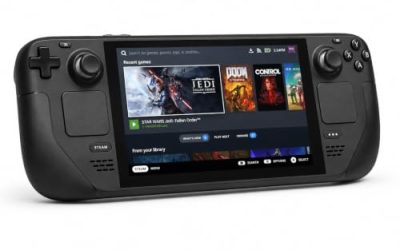
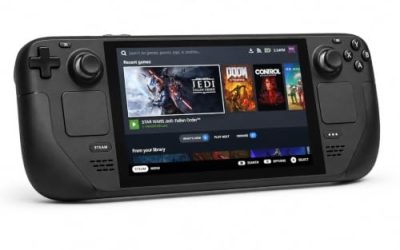
Valve Steam Deck OLED 512GB

The handheld the Playable badge was written for. The published Linux floor is a rounding error next to its APU, and the native build means no compatibility tool stands between install and first launch.
Specs
- Display: 7.4-inch HDR OLED, 1280 by 800, up to 90 Hz
- Processor: AMD Zen 2 and RDNA 2 custom APU
- Memory: 16 GB LPDDR5
- Storage: 512 GB NVMe, plus a microSD slot
- Wireless: Wi-Fi 6E and Bluetooth
- Channel note: Valve sells the Deck mainly through its own store, so Amazon listings are third-party sellers
8BitDo Ultimate 2 Bluetooth Controller

The docked and desktop pad pick: full controller support is on the record, and a pad with its own profile sidesteps the Deck sheet’s default-layout deduction.
Specs
- Connectivity: Bluetooth wireless and USB-C wired
- Joysticks: TMR electromagnetic, anti-drift design
- Triggers: Hall effect, with mode switching
- Extras: two remappable back buttons, motion control
- In the box: charging dock included
Xbox Wireless Controller, Carbon Black

The safest guest pad in PC gaming: Steam Input support is universal, glyphs match what most games display, and it pairs over Bluetooth or its own wireless standard. It is also the straightforward answer to the report-level note about the native build’s triggers, since Steam Input sits between pad and game.
- Connectivity: Xbox Wireless and Bluetooth
- Port: USB-C for wired play
- Controls: hybrid D-pad, dedicated Share button
- Power: AA batteries or optional rechargeable pack
Logitech G502 HERO

Ranch management is menu work: corrals, upgrades, the plort market, the Slimepedia. A precise wired mouse turns those trips into single clicks, and eleven programmable buttons cover the inputs a long session repeats.
Specs
- HERO optical sensor, up to 25,600 DPI
- 11 programmable buttons
- Adjustable weight system
- Wired USB connection
- On-board memory profiles
Samsung T9 Portable SSD 2TB

For moving a Linux library between machines, or keeping an offline backup of installers, a fast USB-C drive is the simple answer. The headline figure needs a Gen 2×2 host port; on a lesser port the drive runs at that ceiling.
Specs
- Capacity: 2 TB portable SSD
- Interface: USB 3.2 Gen 2×2, USB-C connector
- Maker-rated speeds: up to 2,000 MB per second read, 1,950 MB per second write
- Features: Dynamic Thermal Guard, maker-rated drop resistance
How to choose
Choose either storefront copy: both sell the native build, Steam with Steam Cloud saves, GOG with that store’s offline installer. On desktop or laptop, install and launch; no compatibility tool needs selecting, and the minimums make hardware a non-issue. Keep Proton in mind only as the documented fallback, the route the report file’s exceptions took. On Steam Deck, expect the Playable shape: legible text and good performance, with the touchscreen or a community layout covering the default configuration’s gaps; Deck reporters recommend the gamepad-with-trackpad layout.
Who should skip
Skip the native-first plan if your machine is one of the report file’s exceptions and you will not use the Proton fallback; the Platinum file mixes two kinds of runs and promises no universal first-time start. Skip the VR Playground for Linux VR: it flags Windows only, whatever the base game does. Skip the Deck version if only Verified titles will do; the deductions are input-shaped, not performance-shaped. And skip the sequel’s page if a search result sent you there: Slime Rancher 2 is a different app.
FAQ
Is Slime Rancher native on Linux?
Yes. Steam flags Linux true with a populated requirements tab, SteamDB shows a dedicated Linux depot in the current delivery, and GOG’s edition lists Linux as well.
Do the soundtrack apps prove the game is native?
No, and they do not need to. Both music apps flag Linux, but the verdict rests on the game app itself: its flag, its requirements tab and its depot. The albums are corroboration, not evidence.
Is Slime Rancher Steam Deck Verified?
No, it is rated Playable, one tier down. Text is legible and default graphics perform well, but the default controller configuration is not fully functional, glyphs sometimes mismatch, and text entry needs a manually invoked keyboard. The test dates from February 2022.
Can I buy Slime Rancher on GOG instead?
Yes. GOG’s live product page sells the game and lists Windows, Linux and Mac as its systems: a native edition in a DRM-free wrapper, not a Windows-only consolation.
Final verdict
Slime Rancher is the clean case: a Linux flag backed by a populated requirements tab and a live depot, a family that mostly follows it, and a second storefront listing Linux too. The community file agrees at Platinum across 80 reports, and Proton is the documented fallback for the few machines in its margins. Valve’s Playable rating is the one modest line, an input rating from the Deck’s launch month rather than a performance warning. Buy either storefront copy, install the native build, and play.
Product and ASIN Reference
| Product | ASIN |
|---|---|
| Valve Steam Deck OLED 512GB | B0CQ3RWQQZ |
| 8BitDo Ultimate 2 Bluetooth Controller | B0F194QFT2 |
| Xbox Wireless Controller, Carbon Black | B08DF248LD |
| Logitech G502 HERO | B07GBZ4Q68 |
| Samsung T9 Portable SSD 2TB | B0CHFS9K14 |