Tropico 4 is the 2011 entry in Kalypso’s banana-republic builder series, developed by Haemimont Games: a twenty-mission campaign, a sandbox mode, and eleven expansions under one store page. Its Linux status looks like a one-line answer, because every layer of the Steam record points the same way. Reading all of those layers anyway turns up one genuine curiosity — a complete set of Mac paperwork attached to a game no Steam package sells for Mac — worth separating from the Linux question.


The Linux answer itself never wavers: the flags, both purchase packages, the requirements fields and the depot table all describe a Windows game. The compatibility records behind that build are unusually well documented, though — a deep ProtonDB file, and a Deck test whose paperwork, for once, grades exactly the build on sale today.
As an Amazon Associate, we earn from qualifying purchases.
Quick answer
Tropico 4 has no native Linux build. Steam’s flags list Windows alone, both purchase packages repeat that mask, the Linux requirements field is an empty list and no Linux depot exists. Linux players run the Windows build through Proton: ProtonDB rates it Gold across 110 reports, while Valve rates it Unsupported on Steam Deck.
What a purchase actually delivers
Steam’s app record flags Tropico 4 as Windows true, Mac false and Linux false, and the decisive layer — the purchase packages — repeats that mask exactly. The standard package grants the base game alone; the Collector’s Bundle grants the base game plus all eleven expansions. Both read Windows true, Mac false, Linux false on their own records, so nothing on Steam delivers anything but the Windows build.
The requirements fields tell the same story, with one wrinkle saved for the next section. The Windows field is genuinely populated: a 2 GHz dual-core processor, 1 GB of memory, a Shader Model 3.0 graphics card with 256 MB, DirectX 9.0c and 5 GB of disk. The Linux field is an empty list outright — just nothing, because there is no Linux version to state requirements for. The record carries no third-party DRM notice, no external account notice and no declared controller support. SteamDB adds a NoServers flag.
The Mac ghost in the depot layer
Here is the wrinkle. The Mac requirements field is not empty: it carries a full specification, naming OS 10.8.5 as a minimum and 10.9.4 as recommended. The depot table backs the paperwork with content: alongside the Windows depots — a 3.52 GiB main depot and five language depots — SteamDB lists a complete macOS set, including a 3.63 GiB Mac data depot and Mac-numbered depots for the expansions.
What no layer does is sell it. The flags and both packages read Mac false, so a Steam purchase today delivers the Windows build alone; the Mac content is stranded behind flags and packages that no longer grant it. The lesson for Linux readers: a populated requirements field, on its own, is paperwork rather than a product — and Linux does not even get the paperwork. Its field is empty and no Linux depot exists, so the Linux ruling rests on every layer at once, while the Mac ruling is narrower: a build in the depots the store no longer sells.
Eleven expansions, one mask
The base record’s downloadable-content array holds eleven apps, each read on its own record. Modern Times, the one full expansion, and the ten smaller packs — Pirate Heaven, Megalopolis, Vigilante, The Academy, Apocalypse, Propaganda!, Voodoo, Plantador, Junta and Quick-dry Cement — are all typed as downloadable content with full-game pointers back to Tropico 4, and every one reads Windows true, Mac false, Linux false. The Collector’s Bundle’s contents list matches the array exactly, with no dissent anywhere in it.
Two absences close the sweep. No soundtrack or artbook app exists, so the familiar all-platforms soundtrack trap cannot form here. SteamDB also associates a Prima strategy-guide app with the record; a guide is not game content and carries no build. The family verdict matches the base game’s: Windows only at every purchasable layer.
Proton is the only route, and its file is deep
With no native build, Linux play means the Windows build under Proton, and ProtonDB’s file for this app is one of the deeper ones in the classic-strategy catalogue: Gold on the headline tier, Platinum on the best-reported tier and Gold on the trending tier, from 110 reports with a strong confidence rating. One piece of page furniture deserves naming: the game page heads its requirements block “Natively Supports:”, a template artefact Steam’s record contradicts at every layer. The article follows Steam; the heading is not evidence of a native build.
The filings underneath are version-sensitive, and honesty requires saying so. The newest reports, on current Proton builds, describe a game that installs and runs out of the box, in one case importing a decade-old profile and saves without complaint. An older strand needed a step back to a much earlier Proton generation before the launcher would start, and another describes a black screen cured by installing the DirectX 9 runtime components through protontricks — a fix one GOG-copy filing also reports.
Steam Deck: Unsupported, on current paperwork
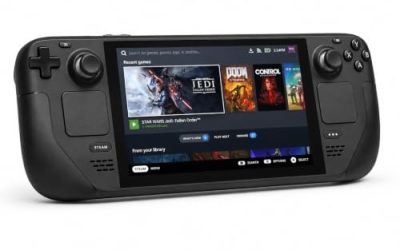
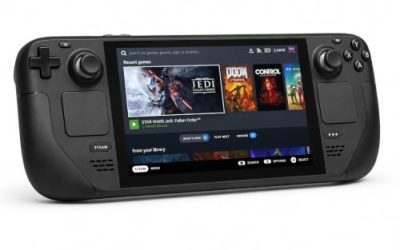
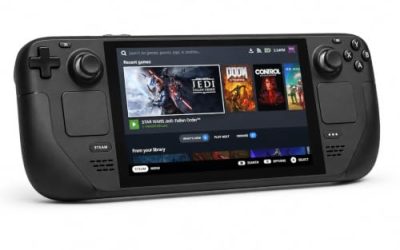
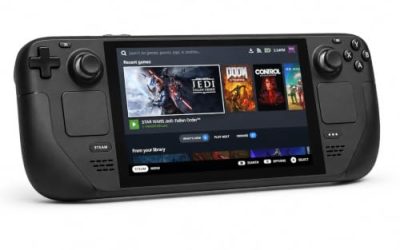
Valve’s verdict is the starkest in the series: Unsupported on Steam Deck, with SteamOS rated Incompatible alongside it. It was read from Valve’s own compatibility endpoint, with test detail from Valve’s published sheet: a single test from August 2022, run under Proton 7.0-3, recording that the game does not run on SteamOS (manual keyboard invocation and non-Deck glyphs noted).
Deck paperwork usually earns a staleness warning in this series. This one does not need it: the tested build is 561563, and the public branch still stands on build 561563, built in March 2015 and untouched since. Valve graded exactly the build on sale today, so the badge cannot be argued away as a verdict on an older version. Desktop Proton remains a different environment — the file above is full of desktop successes — but as a Deck purchase, this is the only Unsupported label in the series, and it is current.
The GOG copy
GOG sells Tropico 4, verified on GOG’s own product record rather than by search: the live product page resolves under the game’s own catalogue address, and the product record behind it reads Windows true, Mac false and Linux false for system compatibility. The DRM-free copy is therefore the same Windows build Steam sells — no Linux version, and, notably, no Mac version either, despite the Mac depots stranded on the Steam record.
On anti-cheat, the three usual sources are silent together: Steam names none, SteamDB’s detection surfaces only engine and middleware — HaemimontSol, Bink Video, FMOD, Granny 3D and Lua — and the AreWeAntiCheatYet database carries no entry for this app. A single-player game with a NoServers flag has no anti-cheat question to answer.
Gear for a desktop-only game
Tropico 4 is a desktop game on Linux: keyboard and mouse lead, the Deck is ruled out by Valve’s test, and the record declares no controller support — so the pads below are Steam Input and wider-library picks.
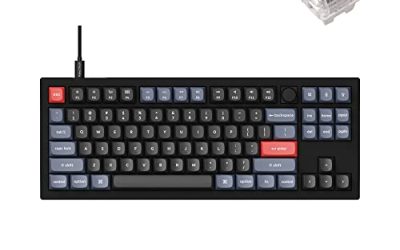
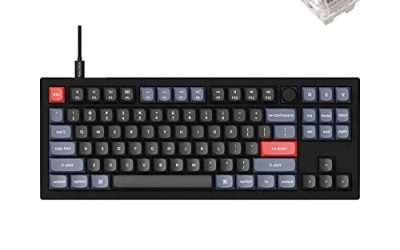
Keychron V3
The keyboard pick for long island sessions: firmware-level remapping keeps your camera and speed shortcuts identical on every Linux install you plug it into.
Specs
- Tenkeyless layout with rotary knob
- QMK and VIA remapping support
- Hot-swappable K Pro Brown switches
- Wired USB-C connection
- Maker-rated 1,000 Hz polling
Logitech G502 HERO
Tropico is mouse-first, and a precise wired mouse turns dense panels and build menus into single clicks. Eleven programmable buttons cover the camera, speed and edict inputs a long session repeats.
Specs
- HERO optical sensor, up to 25,600 DPI
- 11 programmable buttons
- Adjustable weight system
- Wired USB connection
- On-board memory profiles
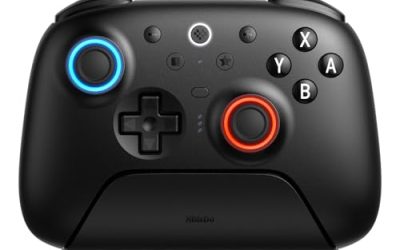
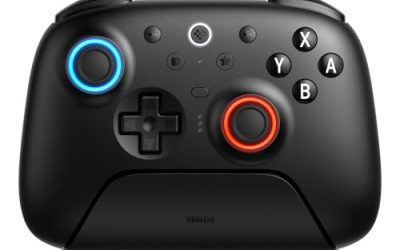
8BitDo Ultimate 2 Bluetooth Controller

The pad for the rest of the library: Tropico 4 declares no controller support, so this pick serves the games around it — modern sticks, triggers and back buttons, with a dock that keeps it charged.
Specs
- Connectivity: Bluetooth wireless and USB-C wired
- Joysticks: TMR electromagnetic, anti-drift design
- Triggers: Hall effect, with mode switching
- Extras: two remappable back buttons, motion control
- In the box: charging dock included
Xbox Wireless Controller, Carbon Black

The safest guest pad in PC gaming: Steam Input support is universal, the glyphs match what most games display, and it pairs over Bluetooth or its own wireless standard.
- Connectivity: Xbox Wireless and Bluetooth
- Port: USB-C for wired play
- Controls: hybrid D-pad, dedicated Share button
- Power: AA batteries or optional rechargeable pack
Samsung T9 Portable SSD 2TB

For moving a Linux game library between machines, or keeping an offline backup of installers, a fast USB-C drive is the simple answer. The headline figure needs a Gen 2×2 host port; on a lesser port the drive runs at that ceiling.
Specs
- Capacity: 2 TB portable SSD
- Interface: USB 3.2 Gen 2×2, USB-C connector
- Maker-rated speeds: up to 2,000 MB per second read, 1,950 MB per second write
- Features: Dynamic Thermal Guard, maker-rated drop resistance
How to choose
Choose Steam or GOG by storefront preference alone; both sell the same Windows build, and the Collector’s Bundle is the complete Steam route, folding the base game and all eleven expansions into one package. On desktop, install under Proton and start with the default compatibility tool: the Gold headline across 110 reports says the current default works for most players. Budget one fallback before you buy: the filings point to two known moves, an older Proton generation for a stalled launcher and a protontricks DirectX 9 install for a black screen. Treat the Deck as out of scope entirely: Valve’s verdict grades the current build, so no update is coming to rescue it.
Who should skip
Skip Tropico 4 if your buying rule is native-or-nothing: there is no Linux build in any package on either storefront. Skip it as a Deck purchase without qualification, because Valve’s Unsupported and Incompatible ratings are the strongest warnings in the series and the paperwork behind them is current. Skip it if you refuse all tinkering on principle: the file is deep and positive, but its version-sensitive strand means a minority of players will need a Proton swap or a runtime install first. And skip it if the Mac paperwork tempted you: the depots hold a Mac build, but no Steam package sells it, and GOG’s record is Windows-only too.
FAQ
Is Tropico 4 native on Linux?
No. Steam’s flags list Windows alone, both packages repeat that mask, the Linux requirements field is an empty list, and no Linux depot exists. ProtonDB’s page carries a “Natively Supports” heading, but Steam’s record contradicts it.
Why does the record show Mac requirements if no Mac version is sold?
Because a Mac build existed and its content remains on the record: a populated Mac requirements field and a full macOS depot set. The flags and both packages read Mac false today, so the build is stranded paperwork and files, not a purchasable edition.
Can I play Tropico 4 on a Steam Deck?
Valve rates it Unsupported on Steam Deck and Incompatible on SteamOS, and the August 2022 test behind that verdict graded build 561563 — still the current public branch build. Desktop Proton results are a separate question; ProtonDB’s Gold file covers desktops, not the handheld verdict.
Does the GOG version run natively on Linux?
No. GOG’s own product record reads Windows true, Mac false and Linux false. The GOG copy is the same Windows build as Steam’s, sold without DRM; on Linux it needs Proton exactly as the Steam copy does.
Final verdict
Tropico 4 is a Windows-only release whose Linux story is written entirely by Proton: no native build at any layer, and eleven expansions in unanimous agreement. What lifts it above a bare warning is the quality of the evidence — a Gold ProtonDB headline with a Platinum best-reported tier across 110 strong-confidence desktop reports, set against a Deck Unsupported verdict whose paperwork is provably current. Buy it for a Linux desktop with one fallback fix in mind, buy the Collector’s Bundle for the whole shelf, and do not buy it for the Deck.
Product and ASIN Reference
| Product | ASIN |
|---|---|
| Keychron V3 | B0B2DMMMG2 |
| Logitech G502 HERO | B07GBZ4Q68 |
| 8BitDo Ultimate 2 Bluetooth Controller | B0F194QFT2 |
| Xbox Wireless Controller, Carbon Black | B08DF248LD |
| Samsung T9 Portable SSD 2TB | B0CHFS9K14 |