Combat Mission Black Sea, Battlefront’s modern-warfare entry in the Combat Mission series, reached Steam in January 2021 under Matrix Games, the Slitherine group’s label. It simulates a fictional 2017 escalation between Russia and Ukraine in the series’ hybrid real-time and WeGo modes. Linux players meeting it usually ask one question: is there a native build? Steam’s record answers at every layer, and the answer is no.


The record around that answer is more interesting: a fully written Mac requirements sheet attached to a game that sells no Mac build, a community file stronger than the flags suggest, and a Deck sheet older than the build it grades.
As an Amazon Associate, we earn from qualifying purchases.
Quick answer
Combat Mission Black Sea is not native on Linux: Steam’s record flags Windows alone, the purchase package sells a Windows build only, and the Linux requirements field is an empty list. The route is Proton, where ten reports hold a Platinum tier. Valve rates the game Unsupported on Steam Deck, though that test predates the current build.
The verdict sits in the purchase package
Start where a sale is decided. The app record flags three platforms and only one is set: Windows true, Mac false, Linux false. The single purchase package behind the buy button, package 529729, reads the same way and grants the base app alone — no second edition, no bundle, no alternate package in which a Linux flag could hide. A purchase today delivers the Windows build only.
The requirements fields underline it. The Windows field is genuinely populated: a Pentium IV class processor, 4 GB of memory and a quarter gigabyte of video memory at minimum, rising to 8 GB of memory and a gigabyte of video memory recommended, storage in the low teens of gigabytes. The Linux field is an empty list outright — no shell, no placeholder text, nothing to misread.
A Mac spec sheet with no Mac build behind it
The one place the paperwork seems to promise more is the Mac field — a trap of a familiar shape. The Mac requirements are written out in full: MacOS 10.7.5 at minimum and 10.13 recommended, the same processor, memory and storage ladder as the Windows sheet, the same virtual-machine warning. A Mac icon file is even registered in the asset set. Read quickly, it looks like a two-platform release whose flag was set wrong.
Every delivery layer disagrees. The Mac flag is false on the app record and on the purchase package, and the depot table holds no macOS content: two depots in total, a main content depot of about five and a half gigabytes and a small operation-files depot, neither carrying an operating-system split. No Linux depot exists in any form. The icon set agrees: client icon, legacy icon, logos and that Mac icon file, but no Linux client icon.
The family sweep: one pack, the same answer
The downloadable-content array holds exactly one app: Battle Pack 1, released alongside the base game in January 2021. Read individually, it repeats the base record without deviation — Windows true, Mac false, Linux false, an empty Linux requirements list, its own package Windows-only. The family agrees one for one, with no soundtrack app to form an all-true trap.
The account layer, and three silent anti-cheat sources
One notice does appear, and it deserves precise naming. The external account notice reads Slitherine PBEM++ for Multiplayer, with support for linking to a Steam account. PBEM++ is the publisher’s play-by-email matchmaking system — an account layer, not an anti-cheat system. No DRM notice sits alongside it.
On anti-cheat proper, all three sources stay silent. Steam names none in its category list, which covers single-player, online and LAN player-versus-player, split screen, cloud saves and Remote Play Together. SteamDB’s detection finds only the SteamworksNET SDK. The AreWeAntiCheatYet dataset carries no entry for this app. Silence is not a ruling — no anti-cheat is documented anywhere a Linux player would reckon with, and the community file’s multiplayer reports, rating online play Excellent, were written against the PBEM++ layer, not any kernel-level check.
The Proton file: Platinum on a small base
ProtonDB’s summary reads Platinum on all three tiers — headline, best-reported and trending — with moderate confidence across ten reports: a strong headline on a small base. One page-level claim needs correcting. The game’s ProtonDB page heads its requirements block with the words Natively Supports, which Steam’s record contradicts at every layer; the heading is a labelling artefact, and the reports beneath it are all Proton reports about the Windows build.
The report texture explains the Platinum. Older filings describe real friction: one player compiled a patched Proton build to get early versions started, another disabled the Steam overlay after it broke the game, and menu flicker on Proton Experimental recurs with a documented fix — stepping back to Proton 8.0-5 clears it. Newer filings run the other way: a Proton 9.0-3 report describes a recent NVIDIA OpenGL driver change that pushed the game onto a Mesa and Zink launch option, playability intact once applied.
The Deck sheet: a 2022 Unsupported against newer filings
Valve’s own test is the coldest document in the file. Because Valve’s compatibility endpoint returned garbled bytes on repeated reads this session, the sheet was read through SteamDB’s republication of Valve’s data: Unsupported for both Steam Deck and SteamOS, the single result token that SteamOS does not support the game, proton-stable as the recommended runtime. The game lists no controller support, which fits — a mouse-driven wargame interface.
The paperwork, though, is stale. The test is dated 1 June 2022 and ran on build 6926534; the current public branch is build 10556577, built in February 2023. The badge grades a build the store no longer sells, in the supplement-candidate shape. Community filings lean the other way — a Steam Deck report on Proton 9.0-2 states the game now runs without tinkering on current Proton. That is report texture, not a badge: officially Unsupported on old paperwork, reportedly working in newer hands.
The second storefront
GOG sells this game. The ruling was taken from the live product page, not search results — GOG’s search endpoints returned nothing for the title, a known blind spot that proves nothing. The page is identity-checked: same title, developer Battlefront, same January 2021 release date. Its compatibility line reads Windows alone, its FAQ states the game is officially supported on Windows, and the Battle Pack is listed under the same single platform. The DRM-free copy is a second route to the same Windows build.
Gear for a desktop wargame
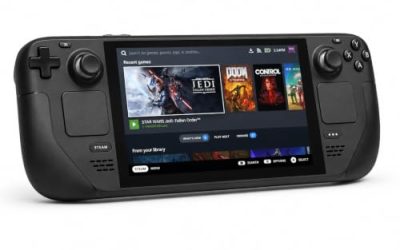
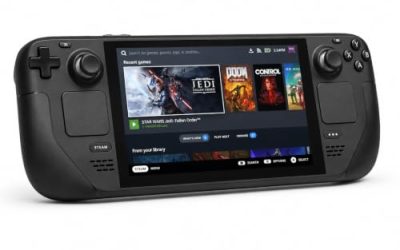
The record points at a desk: no controller support listed and an Unsupported Deck sheet.
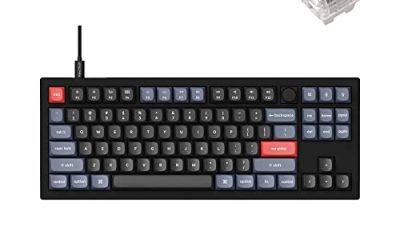
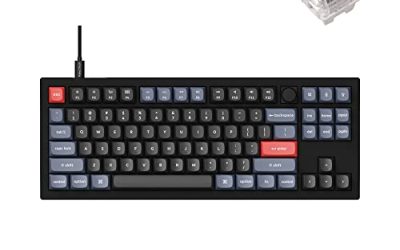
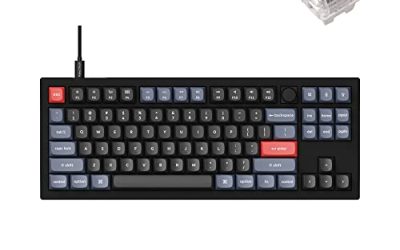
Keychron V3
The keyboard pick for desktop sessions: QMK and VIA remapping at the keyboard level keeps working across every Linux install you plug it into.
Specs
- Tenkeyless layout with rotary knob
- QMK and VIA remapping support
- Hot-swappable K Pro Brown switches
- Wired USB-C connection
- Maker-rated 1,000 Hz polling
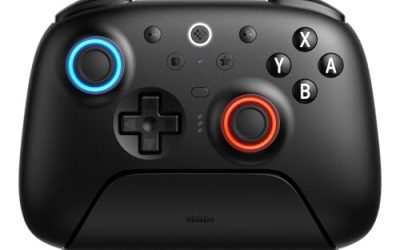
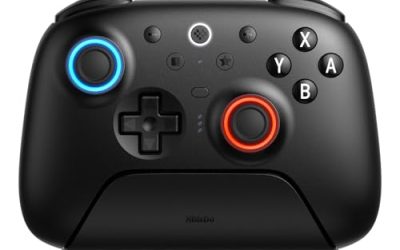
8BitDo Ultimate 2 Bluetooth Controller
A wider-library pick rather than a Black Sea input: the record lists no controller support for this game, but a modern pad covers the rest of a Linux library.
Specs
- Connectivity: Bluetooth wireless and USB-C wired
- Joysticks: TMR electromagnetic, anti-drift design
- Triggers: Hall effect, with mode switching
- Extras: two remappable back buttons, motion control
- In the box: charging dock included
Xbox Wireless Controller, Carbon Black

The safest guest pad in PC gaming: Steam Input support is universal, the glyphs match what most games display, and it pairs over Bluetooth or its own wireless standard.
- Connectivity: Xbox Wireless and Bluetooth
- Port: USB-C for wired play
- Controls: hybrid D-pad, dedicated Share button
- Power: AA batteries or optional rechargeable pack
Logitech G502 HERO

Black Sea is a mouse game in the purest sense: orders, waypoints and camera work all live on the pointer, and eleven programmable buttons cover the inputs a long WeGo session repeats.
Specs
- HERO optical sensor, up to 25,600 DPI
- 11 programmable buttons
- Adjustable weight system
- Wired USB connection
- On-board memory profiles
Samsung T9 Portable SSD 2TB

For moving a Linux game library between machines or backing up installers offline, a fast USB-C drive is the simple answer. The headline figure needs a Gen 2×2 host port; on a lesser port the drive runs at that ceiling.
Specs
- Capacity: 2 TB portable SSD
- Interface: USB 3.2 Gen 2×2, USB-C connector
- Maker-rated speeds: up to 2,000 MB per second read, 1,950 MB per second write
- Features: Dynamic Thermal Guard, maker-rated drop resistance
How to choose
Choose by storefront first, knowing both sell the same Windows build: the Steam copy is the one the Proton file and Deck sheet describe; the GOG copy trades those records for a DRM-free offline installer. On a Linux desktop, install under Proton from a recent stable release; if the main menu flickers, the documented step back to the Proton 8 series is the first fix, and NVIDIA users hitting the newer OpenGL issue have the Mesa and Zink launch option on record. For multiplayer, expect the PBEM++ account link at setup — a login, not a blocker. Treat the Deck as unproven rather than impossible: the sheet says Unsupported, but its paperwork predates the current build.
Who should skip
Skip this one if you buy only native Linux builds — there is none here, on any storefront, and the fully written Mac sheet should not be mistaken for a second platform, let alone a third. Skip it if the Steam Deck is your only machine and you need an official badge before buying: the standing verdict is Unsupported, and the encouraging reports are community filings, not a retest. Skip it if a ten-report Proton file feels too thin to trust, or if an account-linked play-by-email system is a hard no. And skip it if you want a gamepad-first wargame: no controller support is listed at all.
FAQ
Is Combat Mission Black Sea native on Linux?
No. The app record flags Windows alone, the purchase package sells a Windows build only, the Linux requirements field is an empty list, and no Linux depot exists. The Mac requirements sheet is fully written, but the Mac flag is false and no macOS depot exists — it documents a build Steam does not sell.
How well does Combat Mission Black Sea run under Proton?
ProtonDB’s summary reads Platinum on its headline, best-reported and trending tiers across ten reports, with moderate confidence. Filings document fixable quirks: menu flicker on Proton Experimental that clears on the Proton 8 series, an overlay conflict worth disabling, and a Mesa and Zink launch option for a recent NVIDIA OpenGL driver change.
Is Combat Mission Black Sea playable on Steam Deck?
Officially, no: Valve’s sheet rates it Unsupported for Deck and SteamOS. Two cautions apply. The test dates from June 2022 and ran on an older build than the store now ships, and newer community filings report the game running without tinkering on current Proton. The badge is real but stale; the reports current but unofficial.
Does Combat Mission Black Sea use anti-cheat?
No anti-cheat is documented anywhere: Steam names none, SteamDB detects only the SteamworksNET SDK, and the AreWeAntiCheatYet dataset has no entry for the game. The one account layer is Slitherine PBEM++ for multiplayer, a play-by-email matchmaking system — an account system, not anti-cheat.
Final verdict
Combat Mission Black Sea is a Windows-only release wearing one misleading piece of paperwork: a complete Mac spec sheet attached to a build no package sells. Strip that away and the record is plain — Windows flags, a Windows package, an empty Linux field, two depots with no platform split, one expansion in full agreement. What makes it worth a Linux player’s attention is everything around that core: a Platinum Proton file with documented, mostly fixable quirks, a PBEM++ multiplayer layer with no anti-cheat behind it, a DRM-free copy on the second storefront, and a Deck badge officially negative but a build out of date. Buy it for a Linux desktop and Proton, not for a native build that does not exist.
Product and ASIN Reference
| Product | ASIN |
|---|---|
| Keychron V3 | B0B2DMMMG2 |
| 8BitDo Ultimate 2 Bluetooth Controller | B0F194QFT2 |
| Xbox Wireless Controller, Carbon Black | B08DF248LD |
| Logitech G502 HERO | B07GBZ4Q68 |
| Samsung T9 Portable SSD 2TB | B0CHFS9K14 |