Command: Modern Operations is the deep end of modern warfare simulation: a database-driven sandbox of aircraft, ships, submarines and satellites, built by the Command Development Team and published by Matrix Games in November 2019. Its players run it for hundreds of hours, which makes the Linux question a serious one for anyone moving their main machine over.


The answer, read layer by layer from the game’s own Steam record, is unambiguous. There is no native Linux build, none is hidden in the depots, and none of the game’s twenty-seven expansions changes that picture. What exists is a Windows build that some Linux players coax into running under Proton with a documented but laborious recipe, and a Steam Deck verdict of Unsupported.
As an Amazon Associate, we earn from qualifying purchases.
Quick answer
No native Linux build of Command: Modern Operations exists: Steam’s package, flags and depots are Windows-only, and all twenty-seven expansions agree. ProtonDB rates the Windows build Bronze overall across twenty-eight reports, though a documented tinkering recipe gets it running. Valve marks the game Unsupported on Steam Deck.
What the store record actually sells
Start with the layer that decides what a purchase delivers. The game’s single purchase package, package 361101, reads windows true, mac false, linux false on Steam’s packagedetails endpoint, and grants the base app alone. The app record’s platform flags read identically. Package and flags agreeing is the plainest shape this check takes, and it is the shape found here.
The requirements fields tell the same story with none of the ambiguity of the populated-tab kind. The Windows requirements are genuinely written out: a dual-core processor and 4 GB of memory at minimum, a quad-core chip and 8 GB recommended, 40 GB of storage either way. The Mac and Linux requirements fields, by contrast, are empty lists outright: no Linux tab filled with plausible specifications and no build behind it, no vintage text from an abandoned port. The fields are simply absent, which is what a record looks like when no port was ever prepared for sale.
The depot table closes the remaining gap. SteamDB lists two content depots: a main content depot of 42.55 GiB and a smaller production depot of about 183 MiB, neither carrying an operating-system split and neither labelled for Linux. The redistributables are the Windows set: the .NET Framework in two versions, the DirectX June 2010 package and the Visual C++ 2022 runtime. The icon set holds a client icon, a logo and capsule art, but no Linux client icon. There is no DRM notice and no external-account notice.
Nor is this a frozen legacy record: SteamDB shows the public build updated in November 2026. The Windows build is actively maintained, and the Linux absence is a standing decision.
Twenty-seven expansions, one answer
A base game can occasionally hide a surprise in its family: a later expansion shipping its own Linux build, or a soundtrack whose flags dissent from everything else. This family offers no such opening. The base record’s download content array lists twenty-seven apps, each read individually: campaign packs such as Northern Inferno, Chains of War, Shifting Sands, The Silent Service and Desert Storm; the Command Live episodes; the Showcase packs; and the newer Red Tide, Kashmir Fire, Falklands, Fail Safe and Tides of War.
All twenty-seven read windows true, mac false, linux false. Not one dissents, and there is no soundtrack or artbook app whose flags could form the familiar all-platforms trap. The newest entries are recent, so the family’s platform position is not a launch-era artefact the publisher has since revisited. Twenty-eight records, read one by one, give one answer.
The Proton route, and what it costs in tinkering
With no native build, the only Linux route is Proton. ProtonDB’s summary, read in full, gives a headline tier of Bronze, a best-reported tier of Platinum and a trending tier of Silver, across twenty-eight reports with strong confidence. That spread is the story: the ceiling is high, the typical outcome is not. The Platinum filings sit at the end of a setup procedure, and the Bronze headline reflects everyone who did not complete it.
The reports describe the recipe consistently. Players use a GE-Proton build rather than the stock runtime, run protontricks to replace the bundled Mono with the full .NET Framework 4.8 and the d3dcompiler_47 library, install Microsoft’s WebView2 runtime inside the prefix, set that runtime to an older Windows version in the Wine configuration, and add launch options that change the synchronisation and rendering behaviour. Filers who complete the sequence report long, stable sessions. Filers who do not describe a game that installs, then refuses to open, hangs on launch, or crashes in the opening tutorials. One recent filing on high-end hardware reports the game not opening at all.
ProtonDB’s own page adds a labelling wrinkle. The game page heads its requirements block with the words Natively Supports, a claim Steam’s record contradicts at every layer checked above. That heading is a page artefact, not evidence of a port, and this article follows Steam.
Anti-cheat is a non-issue that cannot quite be certified. Steam names no anti-cheat, no DRM notice and no account requirement. SteamDB’s detection finds only the Lua scripting layer and Steamworks networking. The AreWeAntiCheatYet catalogue carries no entry for this game. Three silent sources are not a ruling, but they fit the picture: the Proton barrier here is the .NET and WebView2 plumbing, not a protection system.
Steam Deck: an old Unsupported stamp
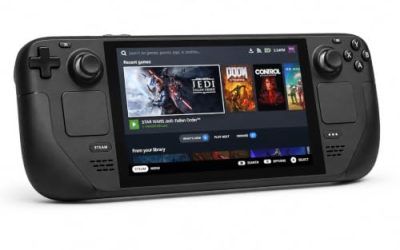
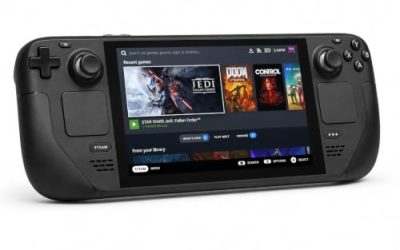
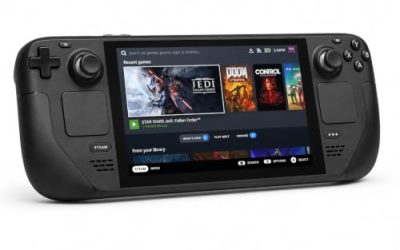
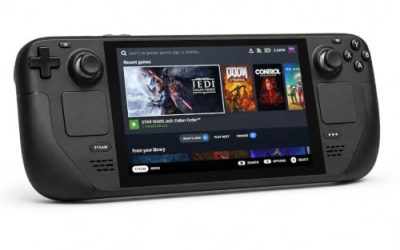
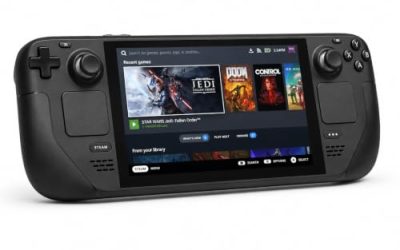
Valve’s compatibility sheet reads Unsupported, for Steam Deck and SteamOS alike. One disclosure about how that verdict was read: Valve’s compatibility endpoint returned an empty, unreadable response throughout this session, so the verdict and its details were read through SteamDB’s republication of Valve’s sheet, the fallback route used across this series whenever the endpoint misbehaves.
The paperwork behind the badge is old. The test is dated February 2022, run on build 7602861; the current public branch build is 26429119, from November 2026, so the stamp grades a superseded build. A fresh test could move the verdict, but nothing in the intervening record suggests a change of direction, and handheld filings describe desktop-mode workarounds rather than a game-mode success. Treat the Deck as the wrong machine for this title, while noting the badge is overdue for renewal.
Desktop gear for a desk-bound simulation
Since the Deck is out and the realistic Linux route is a tinkered desktop install, the sensible framing is the desk: a remappable keyboard for the hotkey set, a precise mouse for map work, controllers for the wider library, and fast portable storage for a 42 GB install.
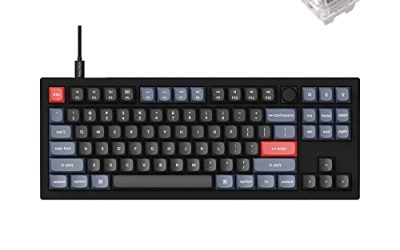
Keychron V3
The keyboard pick for desktop sessions: a tenkeyless board with QMK and VIA support lets you remap keys at the keyboard level, which keeps working across every Linux install you plug it into.
Specs
- Tenkeyless layout with rotary knob
- QMK and VIA remapping support
- Hot-swappable K Pro Brown switches
- Wired USB-C connection
- Maker-rated 1,000 Hz polling
Logitech G502 HERO
Command is played on a map with a mouse, panning, zooming and working through nested menus for hours. Eleven programmable buttons carry the commands a long scenario repeats, and the wired connection keeps input behaviour identical under any compatibility layer.
Specs
- HERO optical sensor, up to 25,600 DPI
- 11 programmable buttons
- Adjustable weight system
- Wired USB connection
- On-board memory profiles
Samsung T9 Portable SSD 2TB

For moving a game library between machines, or keeping an offline backup of installers, a fast USB-C drive is the simple answer. The headline figure needs a Gen 2×2 host port; on a lesser port the drive runs at that ceiling.
Specs
- Capacity: 2 TB portable SSD
- Interface: USB 3.2 Gen 2×2, USB-C connector
- Maker-rated speeds: up to 2,000 MB per second read, 1,950 MB per second write
- Features: Dynamic Thermal Guard, maker-rated drop resistance
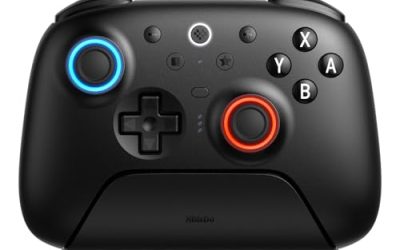
8BitDo Ultimate 2 Bluetooth Controller

A wider-library pick rather than a Command peripheral: this simulation is played with mouse and keyboard, but a dual-mode pad with a charging dock covers the rest of a desktop library.
Specs
- Connectivity: Bluetooth wireless and USB-C wired
- Joysticks: TMR electromagnetic, anti-drift design
- Triggers: Hall effect, with mode switching
- Extras: two remappable back buttons, motion control
- In the box: charging dock included
Xbox Wireless Controller, Carbon Black

The safest guest pad in PC gaming: Steam Input support is universal, the glyphs match what most games display, and it pairs over Bluetooth or its own wireless standard. It will not help with this simulation, but as a second pad it remains the default recommendation.
- Connectivity: Xbox Wireless and Bluetooth
- Port: USB-C for wired play
- Controls: hybrid D-pad, dedicated Share button
- Power: AA batteries or optional rechargeable pack
How to choose
Decide first which of three positions you are in. If you want this simulation with the least pain, the honest answer is a Windows partition or a second machine: the game is actively maintained on Windows, and every update lands there first. If you are committed to a Linux-only desk, treat the ProtonDB recipe as part of the purchase: a GE-Proton build, the protontricks sequence for the .NET Framework and compiler library, the WebView2 install, and the launch options the successful filings share. Budget an evening for setup, and re-check the newest reports first, because the working combination shifts as Proton versions move.
Buy expansions on the same terms: all twenty-seven are Windows-only, so the whole library stands or falls on the one Proton setup. And if your plan was the Steam Deck, choose differently: the verdict is Unsupported.
Who should skip
Skip this on Linux if you expect a store purchase to simply run. The Bronze headline exists because the default experience is failure to launch, and the gap to the Platinum filings is an hour or more of prefix surgery that updates can disturb. Skip it if you play mostly on a handheld, dislike maintaining per-game Wine prefixes, or want a quick look rather than a long campaign: the tinkering cost is fixed, and it only amortises across hundreds of hours.
FAQ
Is Command: Modern Operations native on Linux?
No. The purchase package, the platform flags, the requirements fields and the depot table are all Windows-only, and all twenty-seven expansion apps repeat the same flags. No GOG edition exists either: the natural GOG product address redirects to the general catalogue, and GOG’s catalogue and product searches return no product for this title.
Can it run on Linux through Proton at all?
Yes, with work. ProtonDB’s full summary reads Bronze overall, Platinum at best-reported and Silver trending across twenty-eight reports. The successful filings share a recipe built on a GE-Proton release, protontricks installation of the .NET Framework and a compiler library, a WebView2 install inside the prefix, and launch options.
What is the Steam Deck verdict?
Unsupported, for both Steam Deck and SteamOS, read through SteamDB’s republication of Valve’s sheet after Valve’s endpoint returned nothing usable. The underlying test dates from February 2022 on an old build, while the public branch has moved on to a November 2026 build, so the paperwork is stale even though the practical advice stands.
Does any expansion or edition add Linux support?
No. Every one of the twenty-seven download content apps was read individually and flags Windows only, including the most recent releases, and there is no soundtrack or special-edition app with different flags. The answer is uniform across the catalogue.
Final verdict
Command: Modern Operations on Linux is a clear record wrapped around a murky practical route. The record could not be plainer: one Windows-only package, Windows-only flags, empty Mac and Linux fields, Windows depots and runtimes, twenty-seven expansions in unanimous agreement, and no GOG edition. The murk is Proton, where a Bronze headline and a Platinum ceiling describe the same game separated by an evening of tinkering. If you are a desktop Linux player who loves this simulation enough to maintain its prefix, the filings prove it can be done. For everyone else, this remains a Windows game.
Product and ASIN Reference
| Product | ASIN |
|---|---|
| Keychron V3 | B0B2DMMMG2 |
| Logitech G502 HERO | B07GBZ4Q68 |
| Samsung T9 Portable SSD 2TB | B0CHFS9K14 |
| 8BitDo Ultimate 2 Bluetooth Controller | B0F194QFT2 |
| Xbox Wireless Controller, Carbon Black | B08DF248LD |