Cold Waters, Killerfish Games’ 2017 submarine command simulation, is a two-platform game. Steam’s record flags it for Windows and Mac, and both builds genuinely exist: the depot table holds a Windows content depot and a slightly larger macOS one. Linux is the odd platform out: the flag reads false, the requirements field is an empty list, and no Linux depot exists.


That makes the Linux question a Proton question, and here the file is reassuring. The community record is deep, Valve has tested the Windows build on Steam Deck and published a Playable rating, and a second storefront sells the same two builds with the same Linux gap. This piece reads the record layer by layer: the package, the depots, the add-on app, the Proton file and the Deck sheet.
As an Amazon Associate, we earn from qualifying purchases.
Quick answer
Cold Waters is not native on Linux. Steam’s record flags Windows and Mac only, its Linux requirements field is an empty list, and no Linux depot exists. The Linux route is Proton: ProtonDB rates the Windows build Gold, Platinum on its best-reported and trending tiers, across 53 reports with strong confidence. Valve rates the game Playable on Steam Deck.
The package decides it
The layer that settles platform questions in this series is the purchase package, because the package is what a buyer’s account actually receives. Cold Waters sells through a single package, and its flags read Windows true, Mac true, Linux false. The app-level flags read exactly the same way: there is no Linux build in the box a Steam purchase delivers.
The requirements fields match that split. The Windows tab is genuinely populated, down to its vintage floor of an Intel Atom processor and 2 GB of memory. The Mac tab is populated too, naming OS X 10.6.3 and a dual-core Intel processor. The Linux field, by contrast, is an empty list outright — not the empty shell where headings sit over blank lists, but no tab in any form.
The depot table closes the case. SteamDB lists two content depots: a Windows depot of 1.90 GiB and a macOS depot of 1.94 GiB. There is no Linux depot of any size, no emptied one and no stranded one, and the public branch has stood at build 3008004 since August 2018, so nothing here is recent or provisional. No Linux client icon is registered either.
One add-on app, and it agrees
The base record’s add-on array holds exactly one app: the Cold Waters soundtrack. Family sweeps watch soundtrack apps closely, because they sometimes carry all-platform flags the base game lacks, making a Windows-only game look Linux-capable in a careless scan. That trap does not form here. The soundtrack’s flags read Windows true, Mac true, Linux false — the base game’s mask repeated exactly — and its Linux field is likewise an empty list. Family result: one of one in agreement, zero dissent.
Proton carries the Linux case
With no native build to grade, the practical record is ProtonDB’s, and it was read in full: the summary gives a Gold headline tier, Platinum on the best-reported tier and Platinum on the trending tier, across 53 reports, with confidence rated strong — the profile of a Windows build that travels well.
The report texture underneath matches the tiers. Filings describe the game running on desktop Linux and on the Deck, community controller layouts built around virtual menus to tame the dense command set, and the Dotmod expansion working when its files are copied in manually through desktop mode. None of that is a native port arriving by the back door; it is a Windows build behaving under the compatibility layer, which is all the Gold headline claims.
One check could not be completed: ProtonDB’s game page rendered as report text only during this pass, so whether its requirements block carries a native-support heading could not be verified, and no claim is made about it. The tiers above come from the summary record, which read cleanly.
The Deck badge grades the build you still buy
Valve’s own compatibility endpoint returned garbled bytes on repeated reads this session, so the Deck verdict was read through SteamDB’s republication of Valve’s test sheet, and that route is stated openly. The sheet rates Cold Waters Playable on Steam Deck, SteamOS separately Compatible, with proton-stable as the recommended runtime.
The paperwork has an unusual virtue: it is current. The test is dated 8 February 2022 and was run on build 3008004, still the public branch build today — the branch was last built in August 2018 and has never moved since. This badge grades exactly the build a buyer downloads now.
The deductions are input-shaped, as expected for a mouse-and-keyboard simulation: some functionality is not accessible under the default controller configuration and may need the touchscreen, the virtual keyboard or a community layout; the game sometimes shows mouse, keyboard or non-Deck controller icons; and some text entry requires manually invoking the on-screen keyboard. On the passing side it records legible text and a default graphics configuration that performs well.
Anti-cheat: three sources, all silent
Cold Waters is a single-player simulation, and the sweep matches that shape. Steam’s record names no anti-cheat and carries no DRM notice and no external-account notice. SteamDB’s detection finds the Unity engine and the Mono runtime and nothing else. The AreWeAntiCheatYet catalogue holds no entry for this app at all. Silence from three sources is not a ruling, and none is offered; it means no layer raises a compatibility blocker of the kind that decides other games in this cluster.
The second storefront sells the same two builds
Because GOG’s search endpoints are known to miss games the store actually sells, this ruling rests on identity-checked records rather than a search box: GOG’s catalogue holds a Cold Waters product from Killerfish Games dated to the game’s June 2017 release, listing Windows and Mac compatibility with Linux marked false. The natural product address resolves to that same edition.
So a GOG edition exists — but it is the same two builds Steam sells, with the same platform missing. No storefront in this record sells a Linux build of Cold Waters, so the choice between them is about the launcher and the library, not the platform list.
Gear that fits the record
The picks follow the record’s shape: the handheld the badge was written for, two pads, a mouse for menu-dense desktop sessions, and fast library storage.
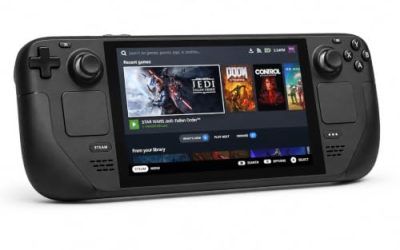
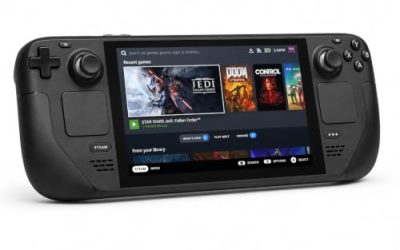
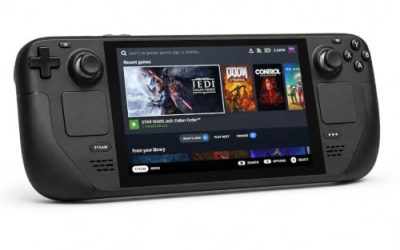
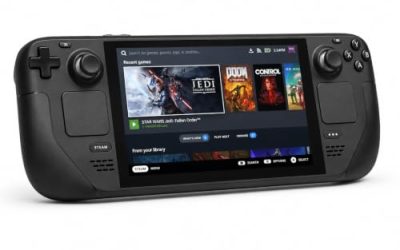
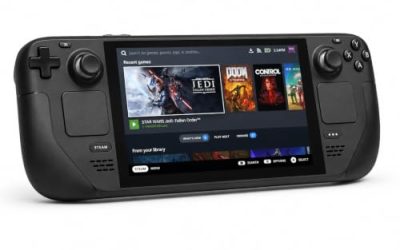
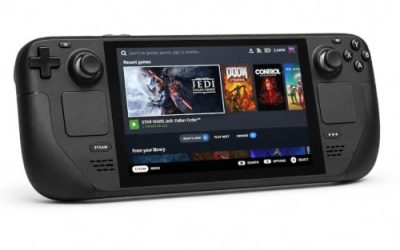
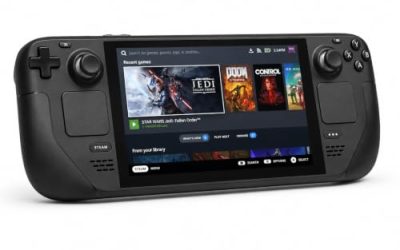
Valve Steam Deck OLED 512GB
The handheld the Playable badge was written for. Valve’s sheet grades the current build, and community layouts with virtual menus answer the input deductions it records.
Specs
- Display: 7.4-inch HDR OLED, 1280 by 800, up to 90 Hz
- Processor: AMD Zen 2 and RDNA 2 custom APU
- Memory: 16 GB LPDDR5
- Storage: 512 GB NVMe, plus a microSD slot
- Wireless: Wi-Fi 6E and Bluetooth
- Channel note: Valve sells the Deck mainly through its own store, so Amazon listings are third-party sellers
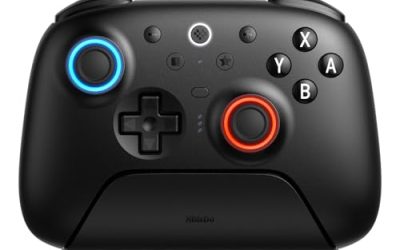
8BitDo Ultimate 2 Bluetooth Controller
The docked and desktop pad pick. The control scheme is dense enough that ProtonDB filers build virtual-menu layouts for it, and this pad’s back buttons suit that remapping work.
Specs
- Connectivity: Bluetooth wireless and USB-C wired
- Joysticks: TMR electromagnetic, anti-drift design
- Triggers: Hall effect, with mode switching
- Extras: two remappable back buttons, motion control
- In the box: charging dock included
Xbox Wireless Controller, Carbon Black

The safest guest pad in PC gaming: Steam Input support is universal, and it pairs over Bluetooth or its own wireless standard. On the handheld, an external pad may need a manual Quick Access Menu switch before it takes over.
- Connectivity: Xbox Wireless and Bluetooth
- Port: USB-C for wired play
- Controls: hybrid D-pad, dedicated Share button
- Power: AA batteries or optional rechargeable pack
Logitech G502 HERO

Cold Waters is steered through periscope views, plotting tables and weapons menus, and at a desk a precise wired mouse is the native instrument for all of it. Eleven programmable buttons cover the inputs a long patrol repeats.
Specs
- HERO optical sensor, up to 25,600 DPI
- 11 programmable buttons
- Adjustable weight system
- Wired USB connection
- On-board memory profiles
Samsung T9 Portable SSD 2TB

For moving a Linux game library between machines, or keeping an offline backup of installers, a fast USB-C drive is the simple answer. The headline figure needs a Gen 2×2 host port; on a lesser port the drive runs at that ceiling.
Specs
- Capacity: 2 TB portable SSD
- Interface: USB 3.2 Gen 2×2, USB-C connector
- Maker-rated speeds: up to 2,000 MB per second read, 1,950 MB per second write
- Features: Dynamic Thermal Guard, maker-rated drop resistance
How to choose
Start from the platform list, because it is short: every PC edition of Cold Waters, on Steam and on GOG alike, contains a Windows build and a Mac build and no Linux build. A Linux player is therefore always choosing a Proton route, and the only question is which storefront’s Windows build to feed it. The Steam copy is the one both compatibility records describe — the ProtonDB file grades the Steam build under Proton, and Valve’s Deck sheet was written against it — so Steam is the default buy. Choose GOG only if a DRM-free installer matters more than the graded record.
On the Deck, install and launch, then spend setup time where the sheet says it counts: pick a community layout with virtual menus before your first patrol, and expect to invoke the on-screen keyboard manually when the game asks for text. On a desktop, leave the compatibility tool at its default first; the Gold headline says the default route is well-trodden.
Who should skip
Skip this one if you are shopping for a native Linux submarine simulation: Cold Waters is not it, and no storefront sells a Linux build. Skip it if you are unwilling to spend setup time on controller layouts, because the game’s command density makes that work part of the package on any pad. Skip it if a Gold headline is not reassurance enough and you only buy unanimous-Platinum files. And skip the GOG copy if you hoped the second storefront changes the platform answer — it does not.
FAQ
Is Cold Waters native on Linux?
No. Steam’s purchase package flags Windows and Mac only, the app-level flags agree, the Linux requirements field is an empty list, and the depot table holds Windows and macOS content with no Linux depot. GOG’s edition carries the same split.
How well does Cold Waters run under Proton?
ProtonDB’s full summary rates the Windows build Gold on its headline tier and Platinum on its best-reported and trending tiers, across 53 reports with strong confidence. Reports describe desktop and Deck play, virtual-menu layouts and the Dotmod expansion working with manually copied files.
What is the Steam Deck verdict for Cold Waters?
Playable, read through SteamDB’s republication of Valve’s sheet after the endpoint itself returned garbled data. The February 2022 test ran on build 3008004, still the current public build, and the deductions concern controller configuration, glyphs and manual keyboard invocation rather than performance.
Does Cold Waters use anti-cheat?
No source names any. Steam’s record carries no anti-cheat category, DRM notice or account notice; SteamDB detects only the Unity engine and Mono runtime; and the AreWeAntiCheatYet catalogue holds no entry for this single-player simulation.
Final verdict
Cold Waters on Linux is a settled record with a workable answer. The native question is closed at every layer: the sole purchase package flags Windows and Mac, the Linux field is an empty list, the depot table has no Linux entry, the one add-on app repeats the same mask, and GOG’s identity-checked edition mirrors the split. What remains is a Proton case in good health — a Gold headline over Platinum best and trending tiers on a strong-confidence file, a Playable Deck badge grading the very build still on sale, and no anti-cheat named anywhere. Buy the Steam copy, budget a few minutes for a community controller layout, and the 2017 build does the rest.
Product and ASIN Reference
| Product | ASIN |
|---|---|
| Valve Steam Deck OLED 512GB | B0CQ3RWQQZ |
| 8BitDo Ultimate 2 Bluetooth Controller | B0F194QFT2 |
| Xbox Wireless Controller, Carbon Black | B08DF248LD |
| Logitech G502 HERO | B07GBZ4Q68 |
| Samsung T9 Portable SSD 2TB | B0CHFS9K14 |