Warhammer 40,000: Dawn of War – Dark Crusade, Relic Entertainment’s standalone 2006 expansion, never received a Linux build. Steam’s record flags the app for Windows alone, the Linux requirements field is an empty list, and the depot table holds content and language data with no operating-system split. There is no port to uncover here, on any layer.
What the game does have is a long Proton history and a formal Steam Deck test. The community file carries strong confidence, Valve has graded the game on the handheld, and the build on sale has not changed in years, making both records unusually stable reading.
As an Amazon Associate, we earn from qualifying purchases.
Quick answer
Dark Crusade is not native on Linux. Steam’s record for app 4580 flags Windows alone, its Linux requirements field is an empty list, and no Linux depot exists. The route is Proton: ProtonDB rates the Windows build Gold with a Platinum best-reported tier across 32 reports, and Valve rates the game Playable on Steam Deck.
An unlisted app: reading the record by number
The first oddity is finding the game at all. Dark Crusade no longer surfaces in Steam store search, so the record has to be read by app number directly: app 4580, developer Relic Entertainment, publisher SEGA, first released in October 2006 and sold on Steam from August 2007. Every source describes the same standalone expansion, the one that added the Necrons and Tau and replaced the linear campaign with the conquest map of Kronus.
The unlisted state leaves one honest gap. For a listed game, the purchase package is the decisive layer, the record of what a buyer receives. For this app, Steam’s public record exposes no packages or package groups at all, and SteamDB shows no current price for it. The package layer is therefore silent, and the verdict rests on the layers that do speak: the flags, the fields and the depot table. On Linux, all three agree, so the silence costs the conclusion nothing.
What the flags, fields and depots say
The platform flags read Windows true, Mac false, Linux false. The Windows requirements field is genuinely populated, a period piece: Windows 2000 or XP, a 2.0 GHz Pentium 4 class processor, 512 MB of RAM, a 64 MB DirectX 9.0b card. The Mac and Linux requirements fields are not empty shells with headings over blank lists; they are empty lists outright, so no Mac or Linux tab exists in any form, and nothing can be misread as a Linux specification.
The depot table tells the same story. Three content depots carry the game itself, the largest at 1.36 GiB, ringed by eleven language depots; a Windows install in English lands at roughly 4.21 GiB on disk. No depot carries a Linux configuration, none is emptied or stranded, and no Linux client icon is registered beside the ordinary icon set, so the leftover-icon trap cannot form. The public branch has been frozen at build 1349608 since September 2016, which matters when the Deck paperwork is weighed below.
Two absences round out the record. There is no DRM notice and no external account notice, and anti-cheat returns silence from all three sources checked: Steam names none, SteamDB’s detection finds only the Essence Engine and the Lua SDK, and the AreWeAntiCheatYet catalogue has no entry for the app. Silence is not a ruling, but nothing suggests a blocker.
The family question: nothing hangs off this app
Dark Crusade’s record exposes no DLC array, and SteamDB associates no add-on apps with it, so the family size is zero: no soundtrack app, no art book, nothing whose record needs reading. The caution runs the other way: the original Dawn of War, Winter Assault, Soulstorm and the 2025 Definitive Edition are separate apps and products, and none of their flags say anything about app 4580 in either direction.
The Proton file: Gold, with a version warning
ProtonDB’s summary record for app 4580, read directly this session, gives a Gold headline tier, a Platinum best-reported tier and a Gold trending tier, across 32 reports with strong confidence. One labelling artefact needs naming: the game’s ProtonDB page heads its requirements block with the words Natively Supports, which Steam’s record contradicts at every layer. The heading is a stray tag; this article follows Steam.
The reports beneath the tiers carry a consistent warning: this game is version-sensitive. Long-running players repeatedly pin older Proton builds, naming the 5.0 and 3.7 lines, and describe newer builds losing frame rate badly once a battle fills the screen, alongside sync errors that end online matches. Several filings rate online multiplayer Excellent on the older runtime with a large-address-aware launch option set, and a zoom-widening camera mod is the other recurring recommendation. Expect to choose a Proton version deliberately rather than accept the default and wonder at the slowdowns.
The Steam Deck sheet
Valve rates Dark Crusade Playable on Steam Deck, with SteamOS separately marked Compatible. One evidence note: Valve’s own compatibility endpoint returned garbled bytes this session, so the verdict and its paperwork were read through SteamDB’s republication of Valve’s sheet.
The Playable grade rests on two deductions. Some functionality is not accessible with the default controller configuration, so some screens call for the touchscreen, the virtual keyboard or a community layout; and entering text requires manually invoking the on-screen keyboard. Against those, the game shows Deck controller icons, its text is legible, and the default graphics configuration performs well. The recommended runtime is Proton 7.0-1, what a Windows-only game should show: the badge certifies the Windows build under Proton.
The paperwork is current in the way that matters. The test dates to 19 March 2022, but it was run on build 1349608, still the public branch build today. An old test on a frozen build grades exactly the software on sale now, so the staleness warning does not apply. For a mouse-driven strategy game, Playable with controller caveats is also the honest ceiling: the input compromises are the genre’s, not the port’s.
The storefront ruling
There is no second copy of this app to buy. GOG’s natural product address for the game resolves to nothing, and GOG’s catalogue, identity-checked through its product API, holds exactly one Dawn of War product: the Definitive Edition released in August 2025, a separate remaster listing Windows alone. That edition is not a Dark Crusade release and carries no Linux build either. The Steam copy is the only edition on sale, and Proton is the only route to it on Linux.
Gear that fits the record
The record describes a mouse-first strategy game with a Playable handheld badge, so the gear follows both shapes: the Deck for the tested route, pads for docked play, a precision mouse for the desktop game this really is, and fast library storage.
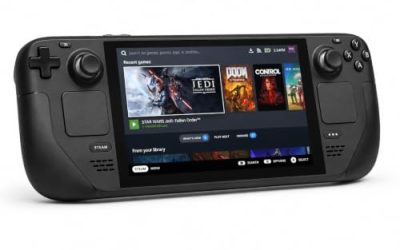
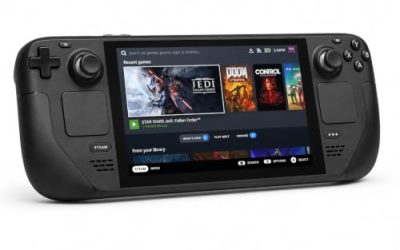
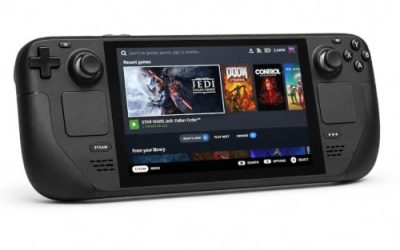
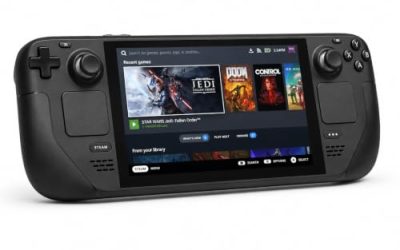
Valve Steam Deck OLED 512GB

The handheld the Playable badge was written for. The campaign’s demands are trivial next to the Deck’s APU, and Valve’s sheet confirms legible text and a performant default configuration.
Specs
- Display: 7.4-inch HDR OLED, 1280 by 800, up to 90 Hz
- Processor: AMD Zen 2 and RDNA 2 custom APU
- Memory: 16 GB LPDDR5
- Storage: 512 GB NVMe, plus a microSD slot
- Wireless: Wi-Fi 6E and Bluetooth
- Channel note: Valve sells the Deck mainly through its own store, so Amazon listings are third-party sellers
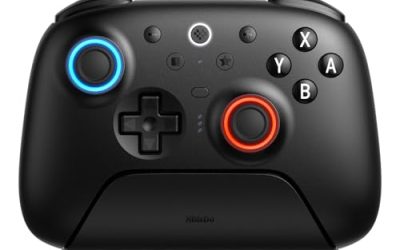
8BitDo Ultimate 2 Bluetooth Controller
The docked and desktop pad pick. Valve’s sheet warns the default configuration leaves some functionality out of reach, and this pad’s back buttons and remapping give a community layout more to work with.
Specs
- Connectivity: Bluetooth wireless and USB-C wired
- Joysticks: TMR electromagnetic, anti-drift design
- Triggers: Hall effect, with mode switching
- Extras: two remappable back buttons, motion control
- In the box: charging dock included
Xbox Wireless Controller, Carbon Black
The safest guest pad in PC gaming: Steam Input support is universal, the glyphs match what most games display, and it pairs over Bluetooth or its own wireless standard. It suits docked Deck sessions.
- Connectivity: Xbox Wireless and Bluetooth
- Port: USB-C for wired play
- Controls: hybrid D-pad, dedicated Share button
- Power: AA batteries or optional rechargeable pack
Logitech G502 HERO
Dark Crusade is played with a mouse: edge scrolling, control groups and ability clicks are the game’s real interface, and a precise wired mouse is the upgrade that changes how it feels at a desk. Eleven programmable buttons cover a campaign’s repeated commands.
Specs
- HERO optical sensor, up to 25,600 DPI
- 11 programmable buttons
- Adjustable weight system
- Wired USB connection
- On-board memory profiles
Samsung T9 Portable SSD 2TB
For moving a Linux game library between machines, or an offline backup of installers, a fast USB-C drive is the simple answer. The headline figure needs a Gen 2×2 host port; on a lesser port the drive runs at that ceiling.
Specs
- Capacity: 2 TB portable SSD
- Interface: USB 3.2 Gen 2×2, USB-C connector
- Maker-rated speeds: up to 2,000 MB per second read, 1,950 MB per second write
- Features: Dynamic Thermal Guard, maker-rated drop resistance
How to choose
Choose the Steam copy, because it is the only edition on sale and the build both records describe. On a desktop or laptop, install under Proton and set the compatibility tool deliberately: the file’s Gold headline and Platinum best tier were earned largely on the older Proton lines, and the reports agree the newest builds can stumble in large battles. On Steam Deck, accept the Playable badge on its own terms: the campaign runs well, and the cost is reaching for the touchscreen or a community layout where the default configuration runs out. Treat the mouse as primary and pads as the docked convenience.
Who should skip
Skip this one if you are shopping for a native Linux real-time strategy game: Dark Crusade is not one, and no sibling game’s record changes that. Skip it if you want a DRM-free offline installer, because GOG sells no standalone edition. Skip it if you refuse to pin a Proton version and expect the default setting to be best; this game’s file rewards one deliberate choice. And skip the handheld plan if controlling an RTS with a gamepad layout sounds like work rather than play, because on the Deck, it partly is.
FAQ
Is Dawn of War – Dark Crusade native on Linux?
No. Steam’s record for app 4580 flags Windows only, the Linux requirements field is an empty list, and the depot table holds content and language depots with no Linux configuration. No native build exists on any layer.
How well does Dark Crusade run under Proton?
ProtonDB’s summary record reads Gold on the headline and trending tiers and Platinum on the best-reported tier, across 32 reports with strong confidence. The reports add a warning: the game is version-sensitive, and many players pin an older Proton build to avoid slowdowns in large battles and sync errors online.
Is Dark Crusade Steam Deck Verified?
No, it is one step below: Valve rates the game Playable, tested in March 2022 on build 1349608, still the current public build. The deductions are controller-related: some functionality needs the touchscreen, the virtual keyboard or a community layout, and text entry needs the on-screen keyboard invoked manually.
Can I buy Dark Crusade on GOG instead?
No. GOG sells no standalone edition; its only Dawn of War product is the 2025 Definitive Edition, a separate Windows-only remaster. The Steam copy is the only edition on sale, and on Linux it runs through Proton.
Final verdict
Dark Crusade’s record is as plain as this series gets: Windows flags, an empty Linux field, a depot table with no operating-system split, no add-on apps and no package data to argue with. The interest sits in how well the Windows build travels: a Gold ProtonDB file with Platinum peaks, and a Playable Deck badge whose test build is still the build on sale. Buy the Steam copy, pin a Proton version the reports trust, and play Kronus that way.
Product and ASIN Reference
| Product | ASIN |
|---|---|
| Valve Steam Deck OLED 512GB | B0CQ3RWQQZ |
| 8BitDo Ultimate 2 Bluetooth Controller | B0F194QFT2 |
| Xbox Wireless Controller, Carbon Black | B08DF248LD |
| Logitech G502 HERO | B07GBZ4Q68 |
| Samsung T9 Portable SSD 2TB | B0CHFS9K14 |