Warhammer 40,000: Dawn of War – Soulstorm is the third and final expansion of Relic’s landmark real-time strategy series, the 2008 standalone entry that added the Sisters of Battle and the Dark Eldar and stretched the campaign map across an entire star system. It is also a game Steam search cannot find: the app sits unlisted at the publisher’s request, reachable by direct address only — which is how this record check had to work, by app number, not by name.


None of that changes the platform answer, because Soulstorm never received a Linux build in any form. What it has instead is a long community history under Proton and a Steam Deck test sheet from Valve, so the verdict below is assembled from the flags, the requirements fields and the depot table.
As an Amazon Associate, we earn from qualifying purchases.
Quick answer
No. Soulstorm has no native Linux build: Steam’s record flags Windows only, its Linux requirements field is an empty list, and no Linux depot exists. The Windows build runs through Proton instead — ProtonDB’s headline tier is Gold across 67 reports — and Valve rates the game Playable on Steam Deck.
An expansion the store hides, on a record that stays readable
The identity check comes first, because an unlisted app leaves no search trail. The record behind app 9450 names the game exactly: Warhammer 40,000: Dawn of War – Soulstorm, developed by Relic Entertainment, published by SEGA, released 5 March 2008. SteamDB’s state field reads available, and the app is alive — its store assets were still being touched years after release, and its public branch, while old, is intact. Unlisted is not delisted.
The platform layers, read one at a time
Start with the app flags. They read Windows true, Mac false, Linux false, and nothing later in the record overturns that row: Soulstorm was a Windows-only release in 2008 and remains one.
The requirements fields agree. The Windows field is genuinely populated — a period-correct specification calling for a 2.0 GHz Pentium 4 class processor, 512 MB of memory and a DirectX 9.0c graphics card. The Mac and Linux fields are empty lists outright: not shells, not placeholder text, just nothing.
The package layer is where this record goes quiet, and the gap deserves stating plainly. The appdetails record returns an empty package group list, and the package-details endpoint returns no readable record for the packages SteamDB associates with the app — the same silence met on other unlisted and free apps. SteamDB still shows the current retail package’s shape: it grants the base app alone, and its depots are the game’s own content and language depots, every one a Windows payload.
The depot table closes the case: four main depots plus per-language depots, a little over five gigabytes in the Windows-and-English configuration, and the Windows Visual C++ 2005 package as the only redistributable. No Linux-labelled depot, no emptied depot from a withdrawn port, no stranded test depot, and no Linux client icon in the icon set either.
The family sweep: an expansion with nothing attached
Soulstorm’s own record exposes no DLC array at all, so the family was recovered from SteamDB’s DLC listing — which names no associated apps. The family size is zero, the expected shape for a 2008 standalone expansion: the content other games sell as add-ons is simply inside this box. No soundtrack app casts an all-true vote, no artbook, no season pass.
Anti-cheat: three sources, all silent
Multiplayer matters to this game’s longevity, so the anti-cheat check ran through all three usual sources. Steam’s record names nothing: no anti-cheat category, no DRM notice, no third-party account notice. SteamDB’s technology detection finds the Essence Engine and the Lua scripting layer and nothing else. The AreWeAntiCheatYet catalogue carries no entry for this app. That silence is reported as exactly that — silence, not a ruling: no named anti-cheat layer sits on the record to block Proton.
The Proton file: Gold on the headline, Platinum underneath
ProtonDB’s summary is fully readable and unusually settled for a game of this age. The headline tier is Gold, the best-reported tier is Platinum, and the trending tier is Platinum, drawn from 67 reports with strong confidence.
The report text shows where the Gold comes from. The recurring theme is the launch rather than the game: several filings describe swapping between the newest stable Proton, Proton Experimental and community builds until one starts the game cleanly, after which it usually runs fine. Occasional instability is noted, and the mod scene is active in the file — the Unification mod installs by exchanging executable files inside the game folder, after which the mod manager and the game itself run. None of that is native support; it is a Windows build with a well-trodden Proton path.
One check could not be completed, disclosed rather than smoothed over: the ProtonDB game page rendered as report text only through every fetch route available here, so whether its requirements block carries a “Natively Supports” heading could not be confirmed, and this article makes no heading claim.
The Deck sheet: a 2022 test of a 2016 build
Valve’s own compatibility endpoint returned garbled bytes this session, so the Deck verdict was read through SteamDB’s republication of Valve’s sheet: the category is Playable, with SteamOS separately rated Compatible.
The paperwork has a quirk that works in the reader’s favour. The test is dated 21 June 2022, but the tested build is 1349588, and SteamDB’s branch table shows the public branch still sitting on that build, where it has rested since September 2016. The badge therefore grades exactly the build sold today.
The deductions are familiar for a mouse-driven strategy game of this vintage. The default controller configuration is not fully functional, so some play requires the touchscreen, the virtual keyboard or a community configuration; the game sometimes shows mouse, keyboard or non-Deck controller icons; entering text means invoking the on-screen keyboard by hand; some in-game text is small; and the game supports the Deck’s display resolution but does not set it by default. Against those, the sheet credits the default graphics configuration with performing well.
The storefront ruling: Steam is the only shelf
Because the Steam copy is unlisted, a second storefront would be genuinely useful — so the GOG check ran through more than the search box, whose endpoints are a known blind spot and returned nothing here either. The natural product address redirects to GOG’s general catalogue rather than resolving to a product, and GOG’s catalogue data, searched directly, returns only an unrelated game sharing the Soulstorm name, plus the series’ Definitive Edition — a different, newer product. No GOG edition of Soulstorm exists.
Gear that fits the record
The gear below follows the record’s shape: the handheld the badge was written for, two pads for docked play, a mouse for desktop sessions, and library storage.
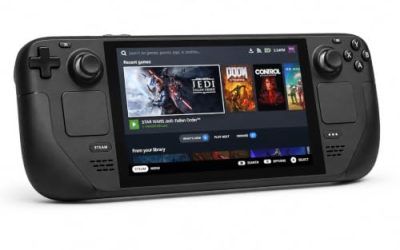
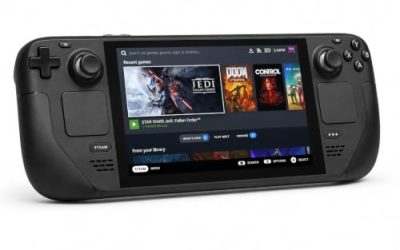
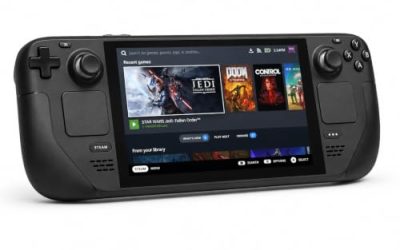
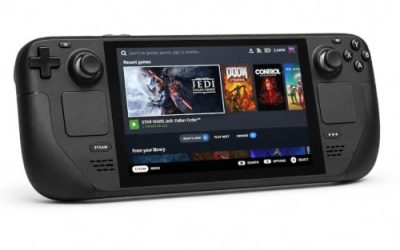
Valve Steam Deck OLED 512GB
The handheld the Playable badge was written for. The game’s requirements are a rounding error next to the Deck’s APU, and Valve’s sheet gives the Windows build a clean pass under the stable Proton branch.
Specs
- Display: 7.4-inch HDR OLED, 1280 by 800, up to 90 Hz
- Processor: AMD Zen 2 and RDNA 2 custom APU
- Memory: 16 GB LPDDR5
- Storage: 512 GB NVMe, plus a microSD slot
- Wireless: Wi-Fi 6E and Bluetooth
- Channel note: Valve sells the Deck mainly through its own store, so Amazon listings are third-party sellers
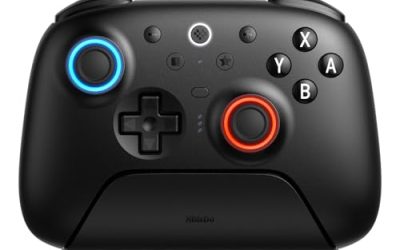
8BitDo Ultimate 2 Bluetooth Controller
The docked pad pick, for a game whose sheet warns that its default controller configuration is not fully functional.
Specs
- Connectivity: Bluetooth wireless and USB-C wired
- Joysticks: TMR electromagnetic, anti-drift design
- Triggers: Hall effect, with mode switching
- Extras: two remappable back buttons, motion control
- In the box: charging dock included
Xbox Wireless Controller, Carbon Black

The safest guest pad in PC gaming: Steam Input support is universal, and it pairs over Bluetooth or its own wireless standard.
- Connectivity: Xbox Wireless and Bluetooth
- Port: USB-C for wired play
- Controls: hybrid D-pad, dedicated Share button
- Power: AA batteries or optional rechargeable pack
Logitech G502 HERO

Soulstorm is a mouse game at heart — army control, camera work and campaign-map decisions all live under the cursor — and a precise wired mouse is the natural way to play it.
Specs
- HERO optical sensor, up to 25,600 DPI
- 11 programmable buttons
- Adjustable weight system
- Wired USB connection
- On-board memory profiles
Samsung T9 Portable SSD 2TB

For moving a Linux game library between machines, a fast USB-C drive is the simple answer. The headline figure needs a Gen 2×2 host port; on a lesser port the drive runs at that ceiling.
Specs
- Capacity: 2 TB portable SSD
- Interface: USB 3.2 Gen 2×2, USB-C connector
- Maker-rated speeds: up to 2,000 MB per second read, 1,950 MB per second write
- Features: Dynamic Thermal Guard, maker-rated drop resistance
How to choose
Choose your route by where you play. On a Linux desktop, the path is the stable Proton branch and a mouse: the record promises nothing native, the Proton file says the Windows build settles once the launch friction is past, and any recent mid-range desktop is ample for a 2008 strategy game. On Steam Deck, accept the Playable badge on its own terms — the performance line is clean, but budget a few minutes for a community controller configuration before the campaign map feels natural. In every case, buy on Steam by direct address; there is no second storefront.
Who should skip
Skip this one if you only buy games with native Linux builds — Soulstorm will never be one, and no layer of its record hints otherwise. Skip it if you want a strategy game that plays well on a controller alone: Valve’s sheet says the default configuration is not fully functional. Skip it if small interface text on a handheld frustrates you. And skip it if you shop only through storefront search — the game is unlisted, so it will never appear there; readers who need a listed, current Dawn of War product are served by the separate Definitive Edition.
FAQ
Is Dawn of War – Soulstorm native on Linux?
No. Steam flags the game for Windows only, the Linux requirements field is an empty list, and the depot table contains no Linux build of any size. The Linux route is Proton, not a port.
How well does Soulstorm run under Proton?
Well, by the community file’s standards. ProtonDB’s headline tier is Gold from 67 reports with strong confidence, while the best-reported and trending tiers are both Platinum. The common friction is getting the game to start — some players swap Proton versions once — after which reports describe stable play, mods included.
Is Soulstorm Playable on Steam Deck?
Yes — Valve’s category is Playable, read here through SteamDB’s republication of the test sheet. The June 2022 test used build 1349588, still the current public build. Expect touchscreen or community-configuration help for some functions, and small text.
Can I buy Soulstorm on GOG instead?
No. GOG’s catalogue data, checked directly, holds no edition of this game — the natural product address redirects to the general catalogue, and the only Soulstorm-named product there is an unrelated title.
Final verdict
Dawn of War – Soulstorm on Linux is a Proton story with unusually clean paperwork. The native question closes fast: Windows-only flags, an empty Linux field, a Windows-only depot table and a package layer whose silence changes nothing. The Proton answer is the good news — a Gold headline with Platinum best-reported and trending tiers, a Playable Deck badge that still grades the exact build on sale, and no anti-cheat layer anywhere on the record.
Product and ASIN Reference
| Product | ASIN |
|---|---|
| Valve Steam Deck OLED 512GB | B0CQ3RWQQZ |
| 8BitDo Ultimate 2 Bluetooth Controller | B0F194QFT2 |
| Xbox Wireless Controller, Carbon Black | B08DF248LD |
| Logitech G502 HERO | B07GBZ4Q68 |
| Samsung T9 Portable SSD 2TB | B0CHFS9K14 |