Starship Troopers: Terran Command is a single-player real-time strategy game from The Artistocrats and Slitherine Ltd., released on 16 June 2022, that puts the player in command of Mobile Infantry platoons holding ground against Arachnid swarms. It is built around mouse-driven squad orders and campaign missions rather than base building, and it has grown through a steady run of expansions since launch.


For a Linux player, the only question that matters is which build Steam actually sells. This article reads the record layer by layer: the app flags, the purchase package, the requirements fields, the depot list, the expansion family, the anti-cheat sources, the ProtonDB file, the Steam Deck sheet and the other storefront that carries the game.
As an Amazon Associate, we earn from qualifying purchases.
Quick answer
Starship Troopers: Terran Command has no native Linux build. Steam’s app flags, its single purchase package and every expansion record are Windows-only, and the Linux requirements field is an empty list. The practical route is Proton: ProtonDB rates the Windows build Platinum across all three tiers, and Valve rates the game Playable on Steam Deck.
The verdict first: a Windows-only record at every layer
Some games leave the native question ambiguous, with a flag pointing one way and a depot pointing the other. This is not one of those records. The appdetails entry for app 1202130 reads windows true, mac false, linux false. The Linux requirements field is an empty list outright, and the Mac field is empty the same way. Only the Windows field is populated, asking for 64-bit Windows 10 with a Core i5 class processor and 8 GB of memory at minimum.
The decisive layer agrees. The game’s single default purchase package, package 414973, grants the base app alone and reads windows true, mac false, linux false on packagedetails, with no drm_notice or external account notice on the record. Where other games have hidden a Linux build behind contradictory paperwork, Terran Command’s paperwork and purchase layer say the same plain thing: the only build on sale is the Windows build.
Under the record: requirements, depots and icons
The depot list confirms the flags. SteamDB lists a main content depot of 10.52 GiB and a small production depot of 23.03 MiB, with no operating-system split and no Linux depot of any size, empty or otherwise. The only redistributable attached to the install is a Windows .NET component, and the registered icon set has no LinuxClientIcon among its standard icons, so there is no leftover-icon question either.
The public branch currently serves build 24370371, built in July 2026, so this is a living, still-updated Windows game rather than an abandoned listing. Any Linux support would have to arrive as a new announcement and a new depot; the record’s long update history has never carried one.
The expansion family, including the one outside the array
The base record’s DLC array names three expansions, each read individually. Raising Hell, Urban Onslaught and The Eradicators all flag windows true, mac false, linux false, with empty Linux and Mac requirement lists mirroring the base game: the family agrees three for three, and no soundtrack or artbook app exists in the array to muddy the picture.
A fourth family member sits outside the array and shows up only in the depot listing: Tropical Terror, an announced expansion whose store record reads coming soon. Its flags match the rest of the family exactly, windows only, so the Proton route has to carry the whole collection, not just the base campaign.
Anti-cheat: three sources, three silences
Because the game is single-player, anti-cheat was never likely to be the obstacle, but the three standard sources were still checked. Steam’s record names none: no anti-cheat category, no DRM notice, no external account notice. SteamDB’s detection finds the Unity engine and its supporting libraries, with no anti-cheat component. The AreWeAntiCheatYet dataset carries no entry for this app; its only Starship Troopers title is a different game, the co-operative shooter Extermination, whose entry says nothing about Terran Command.
Three silences are not a ruling, and this article does not present them as one: no source names a compatibility-blocking component, and the practical barrier on Linux is the missing native build itself.
What ProtonDB’s Platinum actually describes
ProtonDB’s summary for this app is about as strong as the scale allows: the headline tier is Platinum, the best-reported tier is Platinum, the trending tier is Platinum, drawn from 30 reports with strong confidence. Read carefully, though, every one of those tiers grades the Windows build running under Proton. They are evidence about the compatibility route, not about a native port.
One page element needs naming directly. The ProtonDB game page heads its requirements block with the words Natively Supports, even though Steam’s record is Windows-only at every layer. That heading is a stray tag, and this article follows Steam; anyone landing on the ProtonDB page first could misread it as a native claim.
The report texture underneath the tiers is mostly uneventful on current Proton versions, with recent filings describing out-of-the-box play. The friction lives in older reports: a strand from the Proton 7 era describes cutscenes failing until a launcher configuration file was edited, and one filer moved to a community Proton build to get mission videos playing. Those are period problems, but they explain the notes on the Deck sheet below.
The Steam Deck sheet: Playable, on old paperwork
Valve’s own compatibility endpoint rates the game Playable on Steam Deck, resolved category 2, with SteamOS rated Compatible on the same sheet. The notes are the familiar ones for a mouse-first strategy title: some functionality needs the touchscreen, the virtual keyboard or a community configuration because the default controller configuration is not fully functional; the game sometimes shows mouse, keyboard or non-Deck controller icons; some text entry requires manually invoking the on-screen keyboard; and some in-game text is small. Against those deductions, the default graphics configuration performs well.
The paperwork, however, is old. The test behind the badge ran in November 2022 against build 9244807 with an older Proton 7 series runtime recommended, while the public branch now serves build 24370371 from July 2026. The badge has never been re-issued against the current build, so Playable describes a 2022 snapshot. The ProtonDB file, whose recent reports cover current builds, is the fresher evidence, and it points the same way.
The other storefront
GOG sells this game, which the storefront’s own search endpoints fail to show: both returned zero results for the title, the known blind spot in that catalogue’s search. The natural product address resolves to a real product page whose identity checks out against the title, the developer The Artistocrats and the 16 June 2022 release date, and its compatibility line reads Works on Windows, and only Windows.
So the GOG edition exists but changes nothing for a Linux player: it is the same Windows build in a DRM-free wrapper, and no native version exists on either storefront.
Gear that fits a mouse-first campaign
The record shapes the gear: a mouse-first strategy game whose Deck badge rests on community controller layouts, played on the handheld Valve rated, at a desk with a precise mouse, or docked with a pad carrying extra buttons.
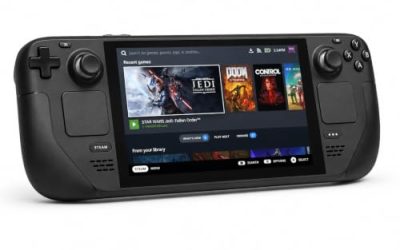
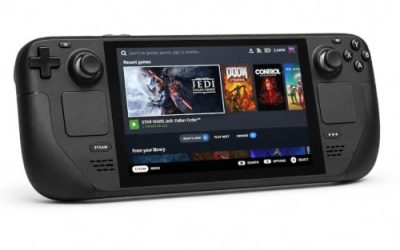
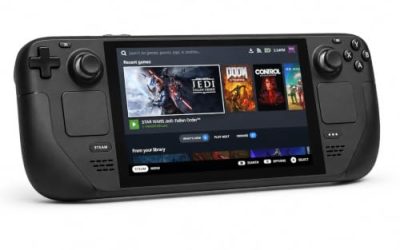
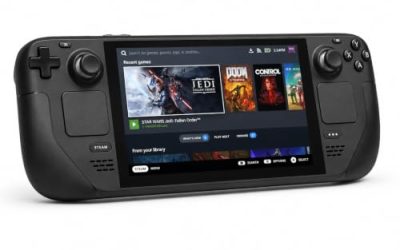
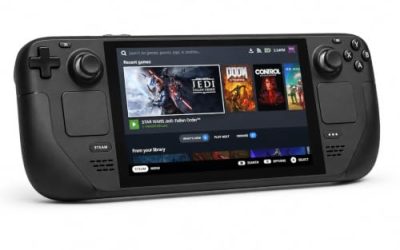
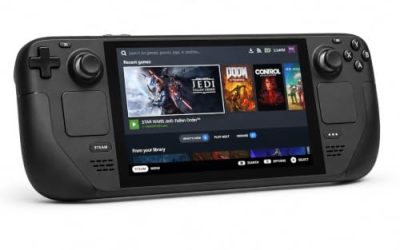
Valve Steam Deck OLED 512GB
The handheld the Playable badge was written for. The game’s requirements sit far below the Deck’s APU, and Valve’s sheet confirms the default graphics configuration performs well; the compromises are the controller layout and small text, not performance.
Specs
- Display: 7.4-inch HDR OLED, 1280 by 800, up to 90 Hz
- Processor: AMD Zen 2 and RDNA 2 custom APU
- Memory: 16 GB LPDDR5
- Storage: 512 GB NVMe, plus a microSD slot
- Wireless: Wi-Fi 6E and Bluetooth
- Channel note: Valve sells the Deck mainly through its own store, so Amazon listings are third-party sellers
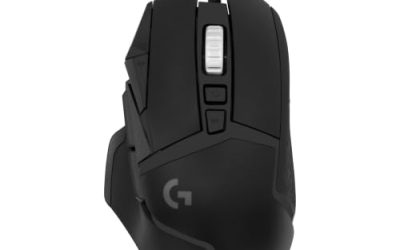
Logitech G502 HERO
The primary input for this game on a Linux desktop. Terran Command is ordered by mouse: squad selection, facing, abilities and camera work all live on the pointer, and eleven programmable buttons cover the group and ability keys a long defence mission repeats.
Specs:
- HERO optical sensor, up to 25,600 DPI
- 11 programmable buttons
- Adjustable weight system
- Wired USB connection
- On-board memory profiles
8BitDo Ultimate 2 Bluetooth Controller

The docked-Deck pad pick. Valve’s sheet says the default controller configuration is not fully functional, so a community layout does the work, and this pad’s back buttons give that layout extra room.
Specs
- Connectivity: Bluetooth wireless and USB-C wired
- Joysticks: TMR electromagnetic, anti-drift design
- Triggers: Hall effect, with mode switching
- Extras: two remappable back buttons, motion control
- In the box: charging dock included
Xbox Wireless Controller, Carbon Black

The familiar second pad for docked play: Steam Input support is universal, and it pairs over Bluetooth or its own wireless standard. Expect time in a community layout either way, because the game ships no controller support.
- Connectivity: Xbox Wireless and Bluetooth
- Port: USB-C for wired play
- Controls: hybrid D-pad, dedicated Share button
- Power: AA batteries or optional rechargeable pack
Samsung T9 Portable SSD 2TB

For moving a Linux game library between a desktop and a laptop, or keeping an offline backup of installers, a fast USB-C drive is the simple answer. The headline figure needs a Gen 2×2 host port; on a lesser port the drive runs at that ceiling.
Specs
- Capacity: 2 TB portable SSD
- Interface: USB 3.2 Gen 2×2, USB-C connector
- Maker-rated speeds: up to 2,000 MB per second read, 1,950 MB per second write
- Features: Dynamic Thermal Guard, maker-rated drop resistance
How to choose
Choose the Steam copy if you play on Linux: it is the edition the ProtonDB file and the Deck sheet describe, and its compatibility tooling is built in. Leave Proton at its default first; the Platinum tiers say current builds run without tinkering. Choose the GOG copy only if a DRM-free Windows installer is the point, understanding it buys the same Windows build with no Linux advantage. On Deck, budget a few minutes for a community controller layout before the first mission. At a desk, a mouse is simply the input this game was designed around.
Who should skip
Skip this one if you only buy native Linux games: there is no native build here and no layer of the record hints at one coming. Skip it if you dislike strategy games that assume a mouse and hoped the Deck badge meant proper controller support; it does not, and the record lists no controller support at all. Skip the GOG edition if you hoped the DRM-free storefront would carry a Linux version.
FAQ
Is Starship Troopers: Terran Command native on Linux?
No. The app flags, the single purchase package, the requirements fields and the depot list are all Windows-only, and every expansion record, including the announced Tropical Terror, reads the same way.
How well does it run under Proton?
ProtonDB rates the Windows build Platinum on its headline, best-reported and trending tiers, from 30 reports with strong confidence. Recent reports describe out-of-the-box play on current Proton versions; the tinkering stories come from the Proton 7 era.
Is it Steam Deck Verified?
No, it is rated Playable, one step below Verified. Valve’s sheet notes controller configuration gaps, mismatched glyphs, manual keyboard invocation and small text, while confirming the default graphics configuration performs well. The test behind the badge dates from November 2022.
Does the GOG version work on Linux?
The GOG edition exists and is identity-confirmed on its product page, but its compatibility line reads Windows only. It is a DRM-free copy of the same Windows build, not a Linux edition.
Final verdict
Starship Troopers: Terran Command is a Windows-only game whose Linux story is written entirely by Proton, and on that narrower question the record is reassuring: a Platinum file at every tier, a Playable Deck badge, no anti-cheat named by any source, and expansions that behave identically. What it is not, on any layer, is a native Linux game. Buy it on Steam, run it through Proton, and bring a mouse.
Product and ASIN Reference
| Product | ASIN |
|---|---|
| Valve Steam Deck OLED 512GB | B0CQ3RWQQZ |
| Logitech G502 HERO | B07GBZ4Q68 |
| 8BitDo Ultimate 2 Bluetooth Controller | B0F194QFT2 |
| Xbox Wireless Controller, Carbon Black | B08DF248LD |
| Samsung T9 Portable SSD 2TB | B0CHFS9K14 |