Shadow Empire is the kind of game Linux players ask about quietly and often: a deep, systems-heavy wargame from a small studio, exactly the sort of title that sometimes hides a Linux build nobody announced. VR Designs and Matrix Games released it on 3 December 2020, and the question here is narrow — does the record Steam serves today contain a native Linux version, and what happens if you run the Windows build instead?


The record is unusually tidy, and it points one way. Every layer Steam exposes — the store flags, the single purchase package, the requirements fields, the depot list — describes a Windows-only game. The practical story differs from the paperwork story, though: the community compatibility record for the Windows build is strong, so the answer splits in two.
As an Amazon Associate, we earn from qualifying purchases.
Quick answer
Shadow Empire is not native on Linux. Steam’s flags, its only purchase package and both expansion records are Windows-only, the Linux requirements field is an empty shell, and no Linux depot or Linux client icon exists. Valve rates the game Unsupported on Steam Deck on current paperwork. ProtonDB files the Windows build Gold overall, Platinum at best reported, across 41 reports with strong confidence.
Start at the package, because the package decides
Platform flags on a store page are a claim; the purchase package is the delivery contract, and here the two agree completely. The app record flags Windows true, Mac false and Linux false. The game’s only default purchase package, package 393800, reads the same three values and grants the base app alone. There is no second edition or alternate package where a Linux grant could hide. One package, one verdict.
The requirements fields back the flags. The Windows field is genuinely populated with a period specification: a 64-bit Windows 8 or Windows 10 system, a 1.5 GHz processor, 2 GB of memory, DirectX 9.0c and 1 GB of storage. The Mac and Linux fields exist as headings over empty lists — the shell shape a store page shows when the tab was created but never filled, and beside a Windows-only package that empty Linux field is the same answer written twice. The record carries no DRM notice and no external account notice, and lists no controller support at all, which matters later when hardware enters the picture.
Depots, icons and branches: the delivery layer agrees
SteamDB’s depot listing is where a quiet Linux build would have to live, and there is none. The game ships two depots: a content depot of 1.04 GiB and a production depot of about 111 MiB, with no operating-system split. The shared redistributables are Windows components — Visual C++ and .NET runtimes — the dependency profile of a Windows executable. The icon set registers the standard client icon, banner and logo assets, but no LinuxClientIcon — and here that absence is honest, because there is no Linux depot behind the record for an icon to point at. The public branch stands at build 25253036, built in September 2026, so this is a live, still-updated Windows game — the absence of Linux is a settled state, not a launch-week snapshot.
The expansion family repeats the shape twice
The base record’s DLC array holds exactly two apps, both read individually. Shadow Empire: Oceania, released 30 March 2023, flags Windows true, Mac false and Linux false, prints an empty Linux requirements list rather than a shell, and its purchase package 781772 is likewise Windows-only. Shadow Empire: Republica, released 9 April 2026, is identical at every layer: Windows-only flags, an empty Linux list, a Windows-only package 1284886. Three apps and three packages return three agreements and zero dissents. If a Linux build were ever planned, the 2026 expansion was the natural moment to add it, and the record shows it was not added.
Anti-cheat: three sources, all quiet
A Windows-only verdict sometimes hides an anti-cheat blocker behind it, so the three standard sources were checked. Steam’s record names no anti-cheat: no anti-cheat category, no DRM notice, no external account requirement. SteamDB’s technology detection finds SharpDX, the SteamworksNET wrapper and the irrKlang sound library — middleware, with no anti-cheat component detected. The AreWeAntiCheatYet dataset, all 1,167 games on its master branch, carries no entry for this game. Three silences are not a ruling; they simply mean nothing attributes the missing Linux build to an anti-cheat vendor. The barrier here is the build itself.
ProtonDB: a Gold file with a heading that overclaims
The compatibility picture is where this game surprises. ProtonDB’s summary record reads Gold as the headline tier, Platinum as the best reported tier and Gold on the trending tier, across 41 reports with strong confidence — a healthy file for a niche wargame. The report texture explains its shape: nearly every successful filing performs the same fixes. Players install corefonts and gdiplus into the prefix with protontricks, and open the direct2d.txt file in the install folder and set both lines to false, working around a Direct2D scaling problem that otherwise makes the interface crawl. With both steps done, filings describe full campaigns running well on current Proton releases.
One part of the page does overclaim. It heads its requirements block with the words Natively Supports — the stray-tag pattern this catalogue has met many times: a heading implying a native build that Steam’s record contradicts at every layer. No native build exists, so the heading refers to nothing real, and this article follows Steam. The Gold tier, by contrast, is honestly earned: it grades the Windows build under Proton, exactly the route a Linux player would take.
Steam Deck: Unsupported, on paperwork that is not stale
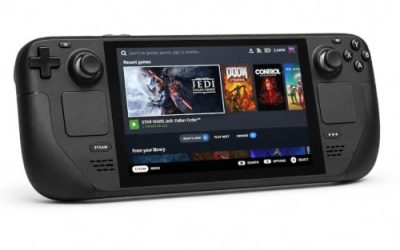
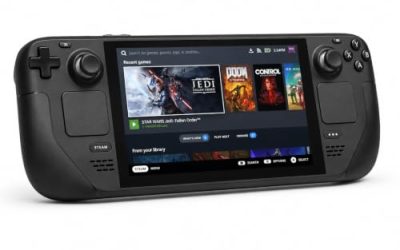
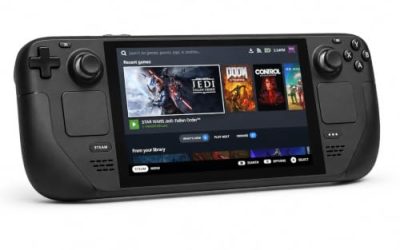
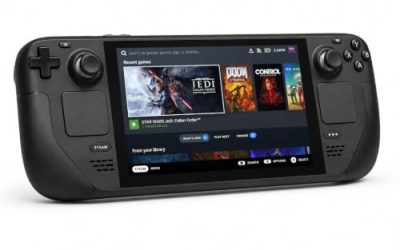
Valve’s own compatibility endpoint, read directly, returns resolved category 1 for this app: Unsupported, with the single result token stating that SteamOS does not support the game; the SteamOS category repeats the verdict. Deck paperwork is often years behind the shipping build, but here it is not: SteamDB’s republication of Valve’s sheet dates the test to 26 October 2026 and names tested build 25253036, the current public branch build. The rating describes the code sold today, not a fossil. Its recommended runtime is proton-stable, underlining that Valve graded the Windows build through Proton and still landed on Unsupported — consistent with a record listing no controller support. Desktop Linux and the Deck are different questions here: Gold on the desktop file, Unsupported on the handheld sheet.
The GOG edition exists, and it is Windows-only too
Because Matrix Games sells through GOG as well, the GOG record was checked on its own terms rather than through a search box. GOG’s product API carries the base game under the slug shadow_empire, identity-verified by title, and its system compatibility reads Windows true, Mac false and Linux false. The expansions resolve the same way: Oceania and Republica both exist on GOG, and both are Windows-only in their product records. A GOG purchase is therefore a DRM-free route to the same Windows build — useful for Lutris workflows — but it changes nothing about platforms.
How to choose
Choose the Steam copy if you want the ProtonDB route with the least friction: the community file is built almost entirely on Steam installs, and the same purchase keeps the Windows option open on a dual-boot machine. Choose the GOG copy if you prefer a DRM-free installer for a Lutris-managed library, accepting that you maintain the prefix yourself. Either way, apply the protontricks font step and the direct2d.txt edit before the first launch, because reports agree that launching first produces the broken-text first impression. And treat the Deck as out of scope regardless of storefront — the Unsupported verdict is current.
Who should skip
Skip Shadow Empire on Linux if you buy only native builds on principle: there is none here, on any storefront, and the 2026 expansion shows the record is not moving. Skip it if your only gaming machine is a Steam Deck, because the Unsupported rating was issued against the current build. Skip it if you will not touch protontricks or edit a configuration file, since the Gold experience depends on two small manual steps. And skip it if you need gamepad play: the record lists no controller support, and the interface is built around a mouse.
Desktop hardware for a Proton strategy desk
Because the Deck is Unsupported, these picks are framed for a desktop or laptop Linux desk. The record lists no controller support, so keyboard and mouse lead; the two pads are for the wider library around this title, not as a way to play Shadow Empire itself.
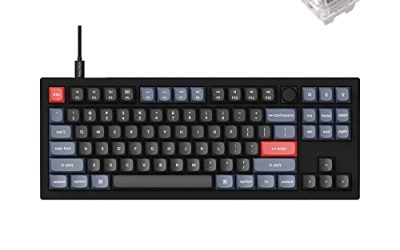
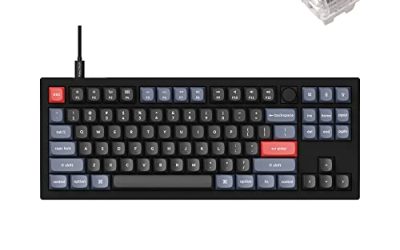
Keychron V3
The keyboard pick for desktop sessions: a tenkeyless board with QMK and VIA support lets you remap keys at the keyboard level, which keeps working across every Linux install.
Specs
- Tenkeyless layout with rotary knob
- QMK and VIA remapping support
- Hot-swappable K Pro Brown switches
- Wired USB-C connection
- Maker-rated 1,000 Hz polling
Logitech G502 HERO
A wargame this dense lives or dies by its mouse: menus, map panning and unit orders are all pointer work, and eleven programmable buttons put the most repeated commands under your thumb.
Specs
- HERO optical sensor, up to 25,600 DPI
- 11 programmable buttons
- Adjustable weight system
- Wired USB connection
- On-board memory profiles
8BitDo Ultimate 2 Bluetooth Controller

A library pad rather than a Shadow Empire pad: for the controller-friendly titles sharing your Linux install, this covers docked and desktop play with modern sticks and back buttons.
Specs
- Connectivity: Bluetooth wireless and USB-C wired
- Joysticks: TMR electromagnetic, anti-drift design
- Triggers: Hall effect, with mode switching
- Extras: two remappable back buttons, motion control
- In the box: charging dock included
Xbox Wireless Controller, Carbon Black

The safest guest pad in PC gaming: Steam Input support is universal, the glyphs match what most games display, and it pairs over Bluetooth or its own wireless standard.
- Connectivity: Xbox Wireless and Bluetooth
- Port: USB-C for wired play
- Controls: hybrid D-pad, dedicated Share button
- Power: AA batteries or optional rechargeable pack
Samsung T9 Portable SSD 2TB

For moving a Linux game library between machines, or keeping an offline backup of installers, a fast USB-C drive is the simple answer. The headline figure needs a Gen 2×2 host port; on a lesser port the drive runs at that ceiling.
Specs
- Capacity: 2 TB portable SSD
- Interface: USB 3.2 Gen 2×2, USB-C connector
- Maker-rated speeds: up to 2,000 MB per second read, 1,950 MB per second write
- Features: Dynamic Thermal Guard, maker-rated drop resistance
FAQ
Is Shadow Empire native on Linux?
No. Steam’s flags, the game’s only purchase package and both expansion records are Windows-only, the Linux requirements field is an empty shell, and SteamDB lists no Linux depot or Linux client icon.
How well does Shadow Empire run under Proton?
ProtonDB files it Gold overall and Platinum at best reported, across 41 reports with strong confidence. Most successful reports apply the same two fixes first: corefonts and gdiplus via protontricks, and setting both lines of direct2d.txt to false.
Can I play Shadow Empire on Steam Deck?
Valve rates it Unsupported, and the rating is current: the test behind it, dated October 2026, names the same build the public branch ships today. The record also lists no controller support.
Does the GOG version change the Linux picture?
No. GOG sells the base game and both expansions, verified in GOG’s own product records, and all three are Windows-only there too — a DRM-free route to the same Windows build, not a Linux edition.
Final verdict
Shadow Empire on Linux is a clean negative with a workable footnote. The negative: no native build exists at any layer of Steam’s record, the expansion family confirms the pattern as late as 2026, GOG’s edition is Windows-only, and Valve’s current-paperwork Unsupported rating closes the Deck door. The footnote: the Windows build carries a strong, well-documented Proton record — Gold headline, Platinum best reported, 41 reports — once the community’s two standing fixes are applied. Buy it as a Proton desktop game, and the record says you will be fine. Buy it expecting a native port or a handheld experience, and it says you will not.
Product and ASIN Reference
| Product | ASIN |
|---|---|
| Keychron V3 | B0B2DMMMG2 |
| Logitech G502 HERO | B07GBZ4Q68 |
| 8BitDo Ultimate 2 Bluetooth Controller | B0F194QFT2 |
| Xbox Wireless Controller, Carbon Black | B08DF248LD |
| Samsung T9 Portable SSD 2TB | B0CHFS9K14 |