Middle-earth: Shadow of War built its reputation on the Nemesis system, Monolith Productions’ fortress-and-orc-army sequel to Shadow of Mordor. For Linux players the question is narrower than the game’s ambitions: does the Steam record carry a native build, and if not, what do the compatibility records actually say? This article reads those records directly — Steam’s own app data, the full add-on family, ProtonDB’s summary file, Valve’s Deck test sheet and the GOG product record — and reports only what they state.
The short version is a familiar one for a 2017 WB Games release. There is no native Linux build on sale anywhere today, the Steam record names its DRM in plain text, and the Windows build carries both a deep ProtonDB file and a clean Steam Deck Verified sheet. The sections below take each record in turn, including all eight add-on apps and the demo, so the family’s platform flags are counted rather than assumed.
As an Amazon Associate, we earn from qualifying purchases.
Quick answer
Middle-earth: Shadow of War is not native on Linux. Steam’s record for app 356190 flags Windows only, with an empty Linux requirements shell and Denuvo Antitamper named as its DRM. ProtonDB reads Gold on the headline tier, Platinum best-reported and trending, across 313 reports with strong confidence. Valve rates the Steam build Steam Deck Verified.
What Steam’s record says
The game app is 356190, developed by Monolith Productions and published by WB Games, released in October 2017. Its platform flags read windows=true, mac=false and linux=false. The Linux requirements field is the empty shell this run keeps meeting: the Minimum and Recommended headings are present, and both lists under them are empty. A heading with nothing beneath it is a store template artefact, not a specification, and the platform flag settles the question anyway — this is a Windows build.
The category record lists single-player, full controller support, Steam Achievements, Steam Trading Cards, in-app purchases, Steam Cloud and Family Sharing. The record also carries a DRM notice, and it is quoted here exactly as written: “Denuvo Antitamper”. No machine activation limit is stated in that notice, and there is no external account notice on the record. The published Windows minimum asks for a 64-bit system running Windows 7 SP1 with the Platform Update, an AMD FX-4350 or Intel Core i5-2300 processor, 6 GB of RAM, an AMD HD 7870 or NVIDIA GTX 660 graphics card with 2 GB of video memory, DirectX 11, a broadband connection and 70 GB of storage.
The add-on family, app by app
The game’s DLC list names eight apps, and each one was read individually. The Blade of Galadriel and The Desolation of Mordor are the two story expansions; the Slaughter Tribe and Outlaw Tribe packs are the two Nemesis expansions; the Expansion Pass and the Story Expansion Pass bundle them; and the High Resolution Texture Pack and the 4K Cinematic Pack round out the list. Every one of the eight is a type-dlc app flagging Windows only, with no Linux requirements content at all. The free demo sits outside the DLC list and was read as well: it also flags Windows only.
The count that matters is the family’s Linux-flag total, and here it is zero across all ten apps — the game, its eight add-ons and the demo. There is not even a soundtrack app in this family to misread: no music-type app exists under this title, so the usual trap, where an album’s Linux flag gets mistaken for a port, cannot fire. The not-native verdict does not rest on a technicality or a single record; the whole family agrees.
ProtonDB status
ProtonDB’s summary record for this app was read directly, and it is a strong file. The headline tier is Gold. The best-reported tier is Platinum, and the trending tier is Platinum as well, across 313 total reports, with the confidence grade stated as strong. Read plainly, that split says the conservative all-time figure sits one step below the top, while the best reports and the recent trend both sit at Platinum — current builds of the game under current Proton versions are what the trending tier describes.
Nothing in that file claims a native build. ProtonDB’s tiers here describe the Windows version running through Proton, which matches Steam’s platform flags exactly. For a desktop or laptop Linux player, the practical reading is that the Steam copy under Proton is a well-trodden route with several hundred reports behind it, not an experiment.
Steam Deck status
Valve’s own compatibility endpoint was read directly for this app, and its resolved category is Verified, the top badge. All four Verified checks pass: all functionality is accessible when using the default controller configuration, the game shows Steam Deck controller icons, in-game interface text is legible on the Deck, and the default graphics configuration performs well on the Deck. The configuration record adds that no launcher navigation is required, no manual keyboard invocation is required, and no internet connection is required for setup or for single-player play. SteamOS is separately rated Compatible, with the game running successfully.
The verdict, checks and configuration above come from Valve’s endpoint itself. The test details come from SteamDB’s republication of Valve’s compatibility data, which publishes a test date for this record: tested 3 February 2022, on build 3095001, with proton-stable as the recommended runtime. So the standard product set below applies, with the Deck OLED first: this is a Verified game, and no desktop substitution is needed.
The GOG edition and which copy to buy
A GOG edition exists. The game arrived on that store in October 2022, and its GOG product record was checked directly: the supported operating system list contains Windows alone. The GOG copy is therefore another Windows build, sold without the compatibility paperwork the Steam build carries — no ProtonDB file describes it and no Deck test covers it.
The ruling follows from that. For Linux and Steam Deck play, the Steam copy is the buy, because it is the exact build both compatibility records describe. The GOG copy makes sense only for a player who will run it on Windows and prefers that store. Neither store sells a native Linux build, because none exists in either catalogue’s records.
Gear for the tested route
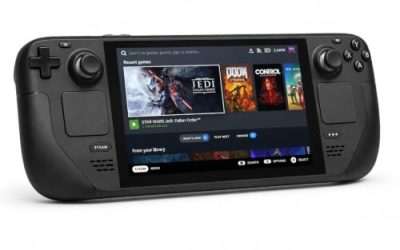
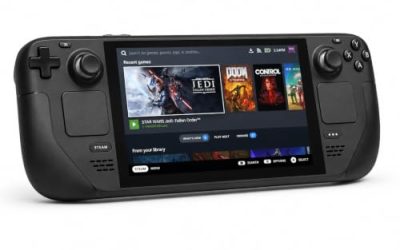
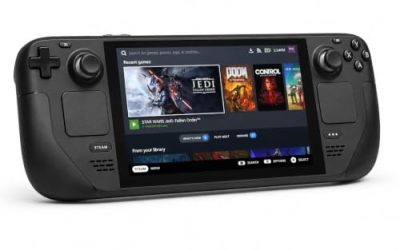
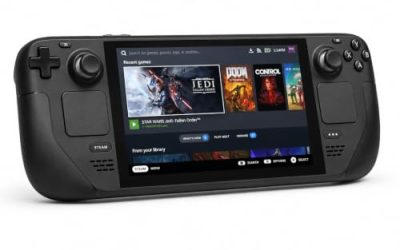
Valve Steam Deck OLED 512GB

The handheld the Verified badge was written for. Valve’s test sheet gives the Windows build a clean pass under proton-stable, and the 70 GB install fits the internal drive with room left for the add-on family.
Specs
- Display: 7.4-inch HDR OLED, 1280 by 800, up to 90 Hz
- Processor: AMD Zen 2 and RDNA 2 custom APU
- Memory: 16 GB LPDDR5
- Storage: 512 GB NVMe, plus a microSD slot
- Wireless: Wi-Fi 6E and Bluetooth
- Channel note: Valve sells the Deck mainly through its own store, so Amazon listings are third-party sellers
8BitDo Ultimate 2 Bluetooth Controller

The docked and desktop pad pick. Steam lists full controller support for the game, and this pad covers the couch case with modern sticks and triggers plus back buttons for fortress-menu shortcuts.
Specs
- Connectivity: Bluetooth wireless and USB-C wired
- Joysticks: TMR electromagnetic, anti-drift design
- Triggers: Hall effect, with mode switching
- Extras: two remappable back buttons, motion control
- In the box: charging dock included
Xbox Wireless Controller, Carbon Black

The safest guest pad in PC gaming: Steam Input support is universal, the game’s record lists full controller support, and it pairs over Bluetooth or its own wireless standard, with USB-C for wired play at a desk.
Specs
- Connectivity: Xbox Wireless and Bluetooth
- Port: USB-C for wired play
- Controls: hybrid D-pad, dedicated Share button
- Power: AA batteries or optional rechargeable pack
Logitech G502 HERO

Shadow of War’s fortress management and Nemesis menus are pointer work, and at a desk a precise wired mouse turns army screens and inventory trips into single clicks. Eleven programmable buttons cover the confirm, cancel and camera inputs a long session repeats.
Specs
- HERO optical sensor, up to 25,600 DPI
- 11 programmable buttons
- Adjustable weight system
- Wired USB connection
- On-board memory profiles
Samsung T9 Portable SSD 2TB

For moving a Linux game library between a desktop and a laptop, or keeping an offline backup of installers, a fast USB-C drive is the simple answer. The headline figure needs a Gen 2×2 host port; on a lesser port the drive runs at that ceiling instead.
Specs
- Capacity: 2 TB portable SSD
- Interface: USB 3.2 Gen 2×2, USB-C connector
- Maker-rated speeds: up to 2,000 MB per second read, 1,950 MB per second write
- Features: Dynamic Thermal Guard, maker-rated drop resistance
How to choose
Choose the Steam copy, because it is the build both compatibility records describe. On desktop or laptop, install under Proton and leave the compatibility tool at its default; a Gold headline with Platinum best-reported and trending tiers, across 313 reports at strong confidence, says current builds run the game well. On a Steam Deck, the Verified badge means no configuration work is expected: install and launch. The add-ons need no separate decision — all eight are Windows builds delivered through the same Steam app, so they follow the base game’s Proton route rather than bringing platform flags of their own. For input, a pad is the native shape of this game on every platform; a mouse earns its place only for long desktop menu and fortress sessions.
Who should skip
Skip this one if you are shopping for a native Linux Shadow of War: none exists, and the whole ten-app family flags Windows only. Skip it if you want a DRM-free route to Linux play, because the Steam record names Denuvo Antitamper and the GOG copy is a Windows build, so neither store offers one. Skip it if a Gold headline is not reassurance enough and you only play unanimous-Platinum games — here the Platinum sits in the best-reported and trending tiers, not the headline. And skip it if the Deck is your only machine and a test sheet from February 2022 feels too old to trust for a game you have never launched.
FAQ
Is Middle-earth: Shadow of War native on Linux?
No. Steam’s record for app 356190 flags Windows only, its Linux requirements field is an empty shell, and all eight add-on apps plus the demo flag Windows only as well. There is no native build on Steam or on GOG.
Does Shadow of War use Denuvo?
Steam’s record carries a DRM notice that reads “Denuvo Antitamper”, quoted verbatim. The notice states no machine activation limit, and the record carries no external account notice.
How well does Shadow of War run under Proton?
ProtonDB’s summary record reads Gold on the headline tier and Platinum on both the best-reported and trending tiers, across 313 reports with strong confidence. The split points to current builds running at the top tier, with the headline held down by the game’s longer history.
Is Shadow of War Steam Deck Verified?
Yes. Valve’s compatibility record resolves to Verified, with all four checks passing, and SteamOS separately rated Compatible. The republished record dates the test to 3 February 2022 and names proton-stable as the recommended runtime.
Final verdict
Shadow of War on Linux is a Proton story with unusually tidy paperwork: a Windows-only record across the entire ten-app family, a named DRM with no activation limit attached, a Gold headline over Platinum best and trending tiers from 313 reports, and a clean Verified sheet on the Deck. Buy the Steam copy, leave Proton at its default, and play — just do not mistake any part of it for a native port.
Product and ASIN Reference
| Product | ASIN |
|---|---|
| Valve Steam Deck OLED 512GB | B0CQ3RWQQZ |
| 8BitDo Ultimate 2 Bluetooth Controller | B0F194QFT2 |
| Xbox Wireless Controller, Carbon Black | B08DF248LD |
| Logitech G502 HERO | B07GBZ4Q68 |
| Samsung T9 Portable SSD 2TB | B0CHFS9K14 |