Pike and Shot: Campaigns is the consolidated edition of Byzantine Games’ Renaissance wargame, developed with The Lordz Games Studio and published by Slitherine Ltd. It reached Steam on 13 August 2015 carrying the Thirty Years War, the English Civil War and the Italian Wars in one turn-based package, and its Steam record has been essentially frozen ever since — a record a Linux player has to read carefully, because the signals around this game point in two directions at once.


The storefront layer says one thing with complete consistency: Windows only. The community layer says another: a Platinum compatibility file and a requirements heading that uses the word “natively”. This article works through both layers in order, so the verdict rests on what Steam actually sells rather than on what any single page claims.
As an Amazon Associate, we earn from qualifying purchases.
Quick answer
Pike and Shot: Campaigns has no native Linux build: Steam’s only package is Windows-only, the Linux requirements field is an empty list, and the single content depot is a Windows payload. On desktop Linux it runs through Proton, where seven reports average Platinum. Valve rates the Steam Deck build Unsupported.
The package decides it
Every Linux ruling in this series starts at the same layer, because the purchase package is what a buyer’s money actually delivers. Pike and Shot: Campaigns has exactly one package, numbered 70093, and packagedetails reads it windows true, mac false, linux false, granting the base app alone. The app-level platform flags repeat that mask exactly. There is no second edition or platform-specific package hiding anywhere in the record: one package, one platform.
The requirements fields tell the same story in a quieter way. The Windows field is genuinely populated with period specifications — Windows Vista through 10, a Pentium 4 processor, 1 GB of memory, a 128 MB DirectX video card and 500 MB of storage. The Mac and Linux fields, by contrast, are empty lists outright: the tabs were never created in any form. No Linux requirements were ever written for this game, because no Linux build was ever put behind them.
One depot, and it is a Windows payload
The depot table is as plain as the package. SteamDB lists a single content depot, 377521, labelled “Windows Pike & Shot Campaigns Content” at 441.75 MiB, beside two Windows shared-install redistributables: the DirectX June 2010 package and the .NET 3.5 package. There is no Linux depot of any size — not emptied, not stranded, not mislabelled — and the registered icon set contains no LinuxClientIcon, so the leftover-icon trap that has caught other titles in this cluster cannot form here either.
The branch history underlines how settled this record is. The public branch has sat on build 1722933 since April 2017. No port was ever added and none was withdrawn: the Windows build of 2017 is the whole of what the record contains.
A family of one
Some games hide their platform story in their downloadable content, so the sweep matters — an expansion app flagging all three platforms can make a Windows-only game look Linux-supported to a shallow scan. Here the sweep is short. The base record exposes no DLC field at all, and SteamDB associates no add-on apps with this title. Family size is zero: no soundtrack app, no expansion app, no trap in either direction. The Campaigns edition folded everything into the single app, and the single app is Windows-only at every layer that can speak.
Multiplayer, accounts and anti-cheat
The anti-cheat picture is silence from all three sources, reported here as silence rather than as a ruling. Steam’s record names no anti-cheat: no anti-cheat category, no DRM notice. SteamDB’s technology detection finds only the Lua SDK and the Miles Sound System. The AreWeAntiCheatYet dataset carries no entry for this app at all.
One absence deserves precise wording, because this publisher’s catalogue often carries the opposite. Many Slitherine titles display a PBEM++ account notice on their Steam records, flagging the play-by-email server system their multiplayer runs on. This record carries no external account notice of any kind. That does not mean multiplayer is purely local — the store lists Multi-player as a category, and the ProtonDB file includes an older report describing a failed login to the Slitherine server under Proton while single-player ran fine. Treat that as report texture, not a platform fact: the record never names an account layer, and nothing in it names an anti-cheat layer either.
The ProtonDB file, and a heading that overclaims
ProtonDB’s summary for this app reads Platinum on the headline tier, Platinum on the best-reported tier and Platinum on the trending tier — a clean sweep, but a thin one: seven reports in total, confidence rated low. The Platinum describes the Windows build running under Proton on desktop Linux, and the reports are consistent about what that takes. The recurring wrinkle is a configuration file: several filings describe the game loading to a black screen until an OPTIONS.txt settings file is created or edited in the game’s documents folder, after which play is smooth. The newest filing, on Proton 9.0-4, needed exactly that edit and then ran perfectly; older filings report the workaround later became unnecessary for single-player. The low confidence figure should be carried with the tier wherever it is quoted.
The heading check, for once, could be completed — and it fails. ProtonDB’s page heads its requirements block “Natively Supports:”, a claim Steam’s record contradicts at the package, the flags, the requirements fields and the depot table simultaneously. This is the stray-tag pattern that recurs across this cluster: a heading inherited from template paperwork rather than from any build. The verdict follows Steam: no native Linux build, only a Windows build with a strong, thin Proton file.
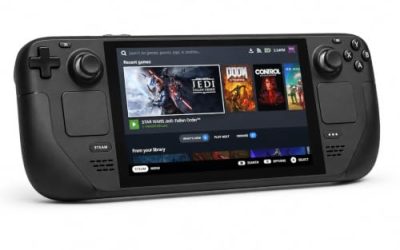
The Steam Deck badge
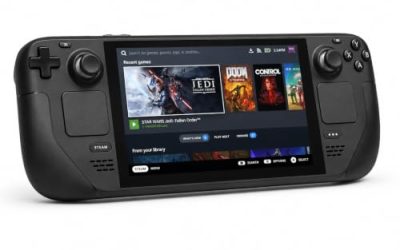
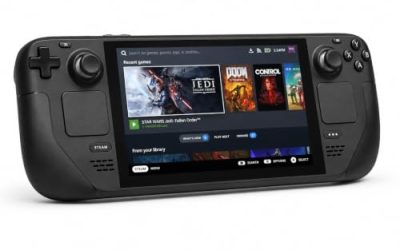
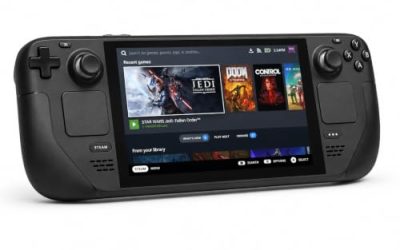
Valve’s own compatibility endpoint returned garbled bytes on repeated reads this session, so the Deck sheet was read through SteamDB’s republication of Valve’s data, and that route is disclosed here rather than hidden. The sheet rates the game Unsupported on Steam Deck, with SteamOS separately Unsupported, and its single test result token is the plain statement that SteamOS does not support the game. The recommended runtime on the sheet is proton-stable, and the configuration notes record a manual on-screen keyboard invocation, non-Deck display glyphs and small text — unsurprising for a mouse-driven wargame whose record lists no controller support category at all.
The paperwork, unusually, is current. Valve’s test is dated 6 July 2022 and ran on build 1722933, still the public branch build today. An old test date usually means a stale badge grading a build nobody can buy any more; here it grades exactly the build on sale, so the Unsupported rating carries its full weight. The practical reading is a split one: a desktop Linux game under Proton, not a handheld one.
Gear for a desktop wargame
Because the Deck badge is Unsupported and the record lists no controller support, the picks below are framed for the desk, where this game is actually played. The two gamepads are wider-library picks; the mouse, keyboard and drive are the tools a long campaign session genuinely uses.
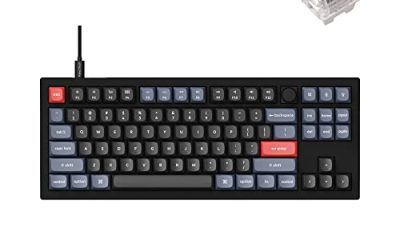
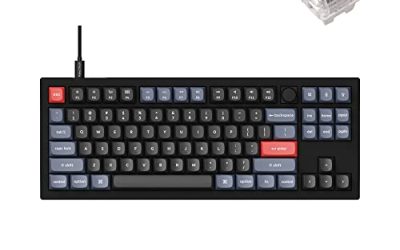
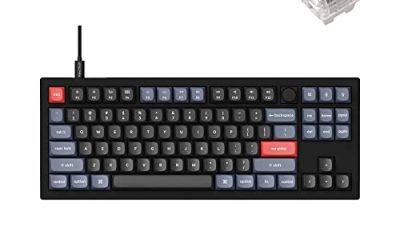
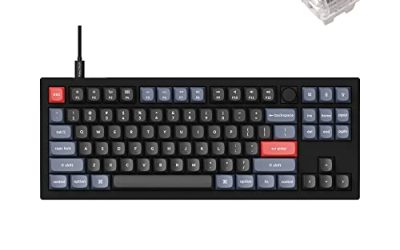
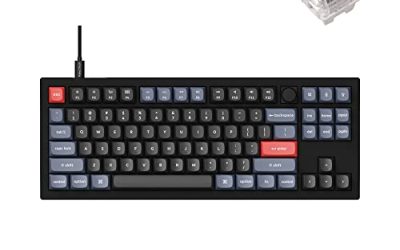
Keychron V3
The keyboard pick for desktop sessions: a tenkeyless board with QMK and VIA support lets you remap keys at the keyboard level, which keeps working across every Linux install.
Specs
- Tenkeyless layout with rotary knob
- QMK and VIA remapping support
- Hot-swappable K Pro Brown switches
- Wired USB-C connection
- Maker-rated 1,000 Hz polling
8BitDo Ultimate 2 Bluetooth Controller
A wider-library pick rather than a tool for this mouse-driven game: modern sticks and triggers, back buttons, and a dock that keeps it charged between sessions.
Specs
- Connectivity: Bluetooth wireless and USB-C wired
- Joysticks: TMR electromagnetic, anti-drift design
- Triggers: Hall effect, with mode switching
- Extras: two remappable back buttons, motion control
- In the box: charging dock included
Xbox Wireless Controller, Carbon Black

The safest guest pad in PC gaming: Steam Input support is universal and it pairs over Bluetooth or its own wireless standard. Pike and Shot itself will not use it, but the rest of a mixed library will.
- Connectivity: Xbox Wireless and Bluetooth
- Port: USB-C for wired play
- Controls: hybrid D-pad, dedicated Share button
- Power: AA batteries or optional rechargeable pack
Logitech G502 HERO

Pike and Shot is played entirely with the mouse: selecting tercios, issuing orders and reading the battlefield all happen under the pointer. A precise wired mouse is the one peripheral this game genuinely rewards.
Specs
- HERO optical sensor, up to 25,600 DPI
- 11 programmable buttons
- Adjustable weight system
- Wired USB connection
- On-board memory profiles
Samsung T9 Portable SSD 2TB

For moving a Linux game library between machines, or keeping an offline backup of installers, a fast USB-C drive is the simple answer. The headline figure needs a Gen 2×2 host port; on a lesser port the drive runs at that ceiling instead.
Specs
- Capacity: 2 TB portable SSD
- Interface: USB 3.2 Gen 2×2, USB-C connector
- Maker-rated speeds: up to 2,000 MB per second read, 1,950 MB per second write
- Features: Dynamic Thermal Guard, maker-rated drop resistance
How to choose
Start from the platform decision, because it decides everything else. On a desktop or laptop running Linux, this record is straightforward: buy the Windows build, run it under a current stable Proton, and budget five minutes for the OPTIONS.txt edit if the first launch lands on a black screen. The Platinum file is thin at seven reports, so treat the tier as encouraging rather than guaranteed.
If your gaming happens on a Steam Deck, choose differently: Valve’s Unsupported grade was earned on the very build you would install, so there is no paperwork gap to hide behind. GOG carries no edition either, so Steam is the only storefront and the Windows build under Proton is the only route to the game.
Who should skip
Skip this one if a native Linux build is a condition of purchase: none exists, none is planned, and the branch has been frozen since 2017, so waiting will not change the answer. Skip it if the Steam Deck is your only gaming machine. Skip it if server-login multiplayer is the main attraction — the community file’s one multiplayer report describes a login failure, and seven reports leave no deep bench of fixes. Finally, skip it if you dislike configuration-file tinkering: the most likely first-launch experience, per the reports, involves editing a small text file before the game shows its map.
FAQ
Does Pike and Shot: Campaigns run natively on Linux?
No. The sole purchase package is Windows-only, the Linux requirements field is an empty list, and the only content depot is a Windows payload. The “Natively Supports:” heading on its ProtonDB page is a labelling artefact Steam’s record contradicts at every layer.
How well does it run under Proton on desktop Linux?
ProtonDB rates it Platinum on all three tiers, from seven reports with low confidence. The recurring fix is creating or editing an OPTIONS.txt settings file after a black-screen first launch; after that, filings describe smooth single-player play.
Can I play it on Steam Deck?
Valve rates it Unsupported, and the test behind that badge ran on build 1722933 — the same build still on the public branch — so the grade describes the game as sold today.
Is there a GOG version?
No edition exists on GOG: the natural product address redirects to the general catalogue and the catalogue API returns no product for it. Steam is the only storefront selling the game.
Final verdict
Pike and Shot: Campaigns is a Windows-only release whose Linux story is written entirely by Proton. Steam’s record is unusually unambiguous — one package, one depot, empty Mac and Linux fields, no family, no account notice, no anti-cheat entry anywhere — and against that plain record the Platinum Proton file and the stray “Natively Supports:” heading are community paperwork, not platform support. On desktop Linux with a current Proton and five minutes for a settings file, the evidence says it plays well; on Steam Deck, Valve’s build-current Unsupported badge says otherwise.
Product and ASIN Reference
| Product | ASIN |
|---|---|
| Keychron V3 | B0B2DMMMG2 |
| 8BitDo Ultimate 2 Bluetooth Controller | B0F194QFT2 |
| Xbox Wireless Controller, Carbon Black | B08DF248LD |
| Logitech G502 HERO | B07GBZ4Q68 |
| Samsung T9 Portable SSD 2TB | B0CHFS9K14 |