Timespinner is a time-travelling metroidvania from Lunar Ray Games, published by Chucklefish and released on Steam on 25 September 2018. Lunais crosses two time periods with the Timespinner device, swapping magical orbs in and out of her loadout as the map opens up. For Linux players the useful question is narrower: does the Steam record actually deliver a Linux build, or only gesture at one?
This page reads the record layer by layer — flags, requirements tab, depot table, add-on family, community file and Deck sheet. The short version: Timespinner is one of the clean cases. The native build is real, and almost every layer agrees.
As an Amazon Associate, we earn from qualifying purchases.
Quick answer
Yes. Timespinner is genuinely native on Linux. Steam flags all three platforms true, publishes a real Linux requirements tab, and the depot table carries a dedicated Linux depot beside the shared content. ProtonDB classifies it Native, Valve rates it Steam Deck Verified with the native runtime named, and GOG sells a Linux edition too. No Proton layer is required.
The flags and the tab: the paperwork is filled in
Steam’s platform flags for app 368620 read Windows true, Mac true, Linux true. A true flag alone proves little in this series — flags have been left standing over builds never delivered — so the next layer matters. Here it holds up. The Linux requirements field is genuinely populated at the minimum tier: glibc 2.15 or newer in 32 or 64 bit, a dual-core processor, 1 GB of RAM, OpenGL 3.0 class graphics (2.1 with the ARB extensions acceptable), 415 MB of storage, and a note that SDL_GameController devices are fully supported. No recommended tier is published.
That is a written spec sheet, not the empty shell or empty list so many records here carry. One metadata string dissents: the extended OS field reads macos64. Against a true flag, a populated tab and the depot table below, it is Mac packaging metadata, not a platform ruling.
The depot table: where the build actually lives
SteamDB’s depot table lists four depots. The largest is a shared content depot of 347.66 MiB whose configuration line names Windows and Linux together. Shared depots with a two-platform line have appeared in this series before and would not settle anything alone. What settles it is the company it keeps: a dedicated Linux depot of 32.30 MiB sits in the same table, alongside a small Windows depot of 6.45 MiB and a macOS depot of 392.01 MiB. A Linux-named depot with real size, inside the public package, is delivered software — not the unused, unsized or unpackaged shells that sank other records.
The asset list adds a small agreement: a Linux client icon is present. An icon is decoration, not proof, and nothing rests on it. The public branch stands on a July 2026 build, so this table describes the game as delivered today.
The family sweep: one soundtrack, and its flag proves nothing
The game’s full DLC array holds exactly one app: the Timespinner Soundtrack, app 950200. Read individually, it flags all three platforms true as well, and its Linux field contains a single storage line. That is this series’ recurring trap in its mildest form: a music product’s flag is paperwork about audio files and would mean nothing either way. The family count is two Linux flags from two records, but the native case never needed the second — the game’s own flag is backed by its own tab and depot. Timespinner 2 is a separate app; nothing from its record is drawn on here.
Co-op, categories and the anti-cheat file
Steam’s category list includes Single-player alongside Multi-player, Co-op, Shared/Split Screen Co-op and Remote Play Together, plus Full controller support, Steam Achievements, Steam Trading Cards, Steam Cloud and Family Sharing. The co-op entries are stated exactly as listed: shared-screen and remote-play arrangements on the store record, with no speculation about servers behind them. The accessibility listings — Custom Volume Controls, Adjustable Difficulty, Playable without Timed Input and Stereo Sound — are likewise store-listed capabilities, stated as listed and nothing more.
On anti-cheat, three sources were kept separate and all three come back negative. Steam’s record names no anti-cheat. SteamDB’s detected technologies are the FNA Engine, the XNA Engine, the SDL SDK and the SteamworksNET SDK — engine, input and platform plumbing only. The Are We Anti-Cheat Yet dataset, all 1,167 games on its master branch, carries no entry for this title by name or app id. Two gaps stand on the record, reported as gaps: no DRM notice and no external account notice — silence on both points, not a promise.
The ProtonDB file: a Native classification Steam agrees with
ProtonDB’s summary record reads Platinum at the headline, Platinum for the best-reported tier and Platinum for the trending tier, across just 7 reports, with confidence marked low at 0.51. The pool is thin and is claimed at exactly that size: unanimous, but small. The game’s ProtonDB page classifies Timespinner as Native under its Natively Supports heading, and this time Steam’s record agrees — the clean-agreement case, not the stray-tag pattern seen elsewhere in this series. The reports mix native runs described as working perfectly with clean Windows-build runs under recent Proton versions. For a native title, the Proton file is a fallback grade, not the main route.
The Steam Deck sheet: Verified, tested on an older build
Valve’s compatibility record rates Timespinner Verified on Steam Deck, SteamOS separately Compatible. The verdict and its dated paperwork were read from SteamDB’s republication of Valve’s compatibility data: all four Verified items pass — every function accessible with the default controller configuration, Deck icons shown, interface text legible, default graphics performing well. The configuration names the recommended runtime as native, so the badge as tested certifies the Linux build itself rather than a Proton run.
One date needs stating plainly. The test sheet is dated 21 April 2022 and names the build from the game’s archived 2021 branch, while the public branch has since moved to the July 2026 build in the depot table. The paperwork therefore predates the current branch build: the category is live today, but the dated test behind it describes an earlier build than the one a buyer downloads now.
The GOG ruling
A GOG edition of Timespinner exists, and GOG lists Linux for it. The ruling rests on GOG’s own live product page for this game — the Lunais storyline, the Lunar Ray Games credit — whose works-on line names Windows, Linux and Mac OS X. GOG’s embed catalogue search returned no products for the title, the standing blind spot of that endpoint; a zero from search proves nothing, and the live page is what rules. Both storefronts sell the native build.
Gear that fits the record
The gear below follows the record’s shape: the handheld the Verified badge was written for, two pads for docked play and the shared-screen co-op, a desk mouse, and library storage.
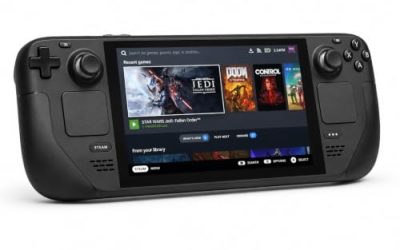
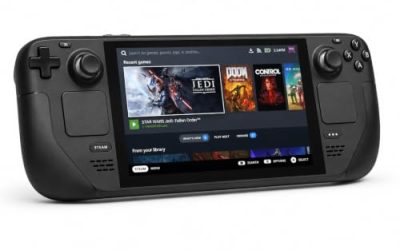
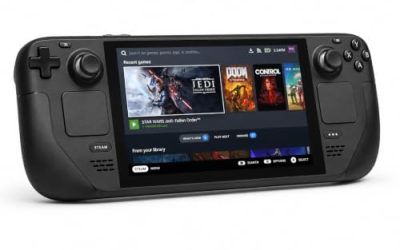
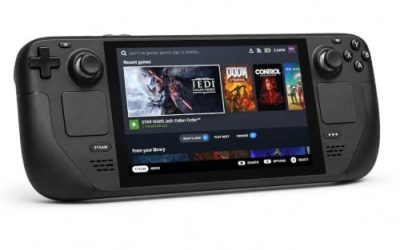
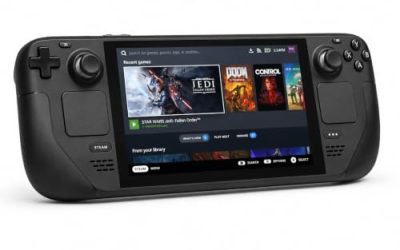
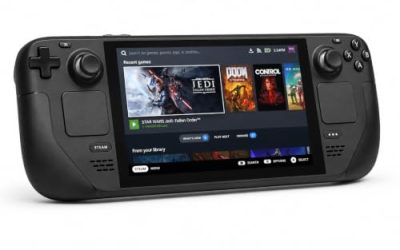
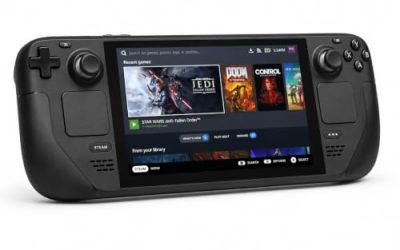
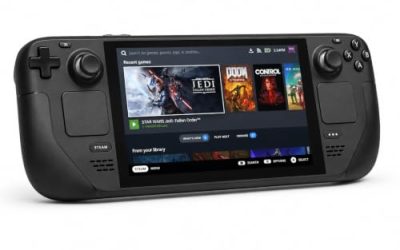
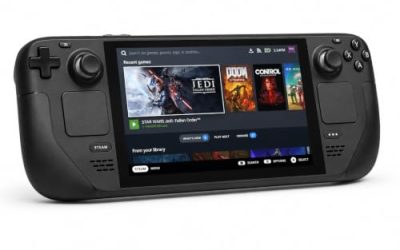
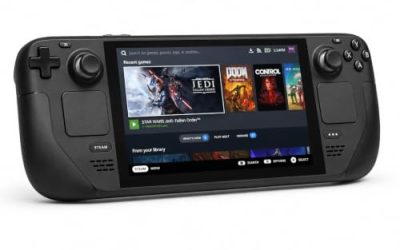
Valve Steam Deck OLED 512GB

The handheld behind the Verified sheet. Valve’s test configuration names the native runtime, so the Deck runs the same Linux build documented here, and the game’s modest requirements sit far below the APU’s ceiling.
Specs
- Display: 7.4-inch HDR OLED, 1280 by 800, up to 90 Hz
- Processor: AMD Zen 2 and RDNA 2 custom APU
- Memory: 16 GB LPDDR5
- Storage: 512 GB NVMe, plus a microSD slot
- Wireless: Wi-Fi 6E and Bluetooth
- Channel note: Valve sells the Deck mainly through its own store, so Amazon listings are third-party sellers
8BitDo Ultimate 2 Bluetooth Controller

The docked and desktop pad pick. Steam lists full controller support, and this pad covers the couch case with modern sticks and triggers plus back buttons suited to orb swapping.
Specs
- Connectivity: Bluetooth wireless and USB-C wired
- Joysticks: TMR electromagnetic, anti-drift design
- Triggers: Hall effect, with mode switching
- Extras: two remappable back buttons, motion control
- In the box: charging dock included
Xbox Wireless Controller, Carbon Black

The natural second pad for the shared and split screen co-op the record lists: Steam Input support is universal, and it pairs over Bluetooth or its own wireless standard.
- Connectivity: Xbox Wireless and Bluetooth
- Port: USB-C for wired play
- Controls: hybrid D-pad, dedicated Share button
- Power: AA batteries or optional rechargeable pack
Logitech G502 HERO

Timespinner’s map screens, orb menus and inventory reward a precise pointer at a desk. Eleven programmable buttons cover the confirm, cancel and map inputs.
Specs
- HERO optical sensor, up to 25,600 DPI
- 11 programmable buttons
- Adjustable weight system
- Wired USB connection
- On-board memory profiles
Samsung T9 Portable SSD 2TB

For moving a Linux game library between machines, or keeping an offline backup of installers, a fast USB-C drive is the simple answer. The headline figure needs a Gen 2×2 host port; on a lesser port the drive runs at that ceiling instead.
Specs
- Capacity: 2 TB portable SSD
- Interface: USB 3.2 Gen 2×2, USB-C connector
- Maker-rated speeds: up to 2,000 MB per second read, 1,950 MB per second write
- Features: Dynamic Thermal Guard, maker-rated drop resistance
How to choose
On a Linux desktop, install the game and play the native build — no compatibility layer, no launch options, no forcing a Proton version. The requirements are light enough that integrated graphics of the last decade clear them. On Steam Deck, the same native build carries a Verified badge; the dated test behind it ran on the archived 2021 build, so treat the category as Valve’s live ruling and the date as history. GOG owners get the same native build there. A pad is the natural control scheme, and a second pad matters only if the shared-screen co-op is on the agenda.
Who should skip
Skip the native-first advice if you simply prefer Proton for everything; the reports show the Windows build also runs cleanly that way. Skip the Deck paperwork as buying evidence if you need a test dated against the current build — the sheet is from April 2022. And skip the game itself if a short, story-led metroidvania is not your measure of value; the platform record is strong, but this is still a small 2018 indie release.
FAQ
Is Timespinner native on Linux?
Yes. Steam flags Linux true, the requirements tab is genuinely populated, and SteamDB’s depot table holds a dedicated Linux depot of 32.30 MiB inside the public package. The build is delivered software, not a leftover flag.
Is Timespinner Steam Deck Verified?
Yes. Valve’s record rates it Verified, all four checks passing, the native runtime named in the test configuration. The dated paperwork is from 21 April 2022 and names the archived 2021 build, so it predates the current branch build.
Does Timespinner have co-op on Linux?
The store record lists Multi-player, Co-op, Shared/Split Screen Co-op and Remote Play Together. Those listings describe shared-screen and remote-play arrangements exactly as Steam publishes them; no claim is made here about servers behind them.
Can I buy Timespinner on GOG for Linux?
Yes. GOG’s live product page lists Windows, Linux and Mac OS X as the systems it works on, so the GOG edition carries the native build too. GOG’s catalogue search returning nothing is a known blind spot of that endpoint, not evidence about the edition.
Final verdict
Timespinner is one of the straightforward records in this series: a true Linux flag backed by a written requirements tab, a dedicated Linux depot in the delivered package, a ProtonDB Native classification Steam agrees with, a Deck Verified sheet naming the native runtime, and a GOG edition listing Linux independently. The caveats are small — a soundtrack flag that proves nothing, a thin seven-report file, Deck paperwork dated against an older build. None touches the central fact: on Linux, this game needs no workaround at all.
Product and ASIN Reference
| Product | ASIN |
|---|---|
| Valve Steam Deck OLED 512GB | B0CQ3RWQQZ |
| 8BitDo Ultimate 2 Bluetooth Controller | B0F194QFT2 |
| Xbox Wireless Controller, Carbon Black | B08DF248LD |
| Logitech G502 HERO | B07GBZ4Q68 |
| Samsung T9 Portable SSD 2TB | B0CHFS9K14 |